ແນະນຳ
The Fysic FL-30LED LED Table Magnifying Lamp is designed to provide illuminated magnification for various tasks requiring detailed vision. This manual provides essential information for the safe and effective use of your magnifying lamp, ຮັບປະກັນການປະຕິບັດທີ່ດີທີ່ສຸດແລະອາຍຸຍືນ.
ຄໍາແນະນໍາການຕິດຕັ້ງ
- ປົດຫຸ້ມຫໍ່ Lamp: ເອົາສ່ວນປະກອບທັງຫມົດອອກຈາກການຫຸ້ມຫໍ່ຢ່າງລະມັດລະວັງ. ໃຫ້ແນ່ໃຈວ່າບໍ່ມີພາກສ່ວນໃດຂາດຫາຍໄປຫຼືເສຍຫາຍ.
- ຕໍາແຫນ່ງ Lamp: ວາງ lamp on a stable, flat surface such as a table or desk.
- ເຊື່ອມຕໍ່ພະລັງງານ: Insert the power plug into a suitable electrical outlet (220-240V). The lamp features an extra-long 2.5-meter cable for convenience.

Image: The Fysic FL-30LED lamp in a compact, folded position, ready for placement.

Image: Close-up of the power plug for the Fysic FL-30LED lamp.
ຄໍາແນະນໍາການດໍາເນີນງານ
- ເປີດ/ປິດ: Locate the power switch on the base of the lamp. Press the switch to turn the LED light on or off.
- ປັບແຂນ: ທamp features a sturdy, articulated arm. Gently adjust the arm to position the magnifying lens and light source over your work area at the desired height and angle. The arm is designed to hold its position once set.
- Using the Magnifying Lens: Position your object or reading material under the 5-diopter (2.25x) magnifying lens. Adjust the distance between the lens and the object until the image is clear and in focus.
- ການປົກປ້ອງເລນ: When not in use, place the included protective cap over the magnifying lens to prevent dust and scratches.
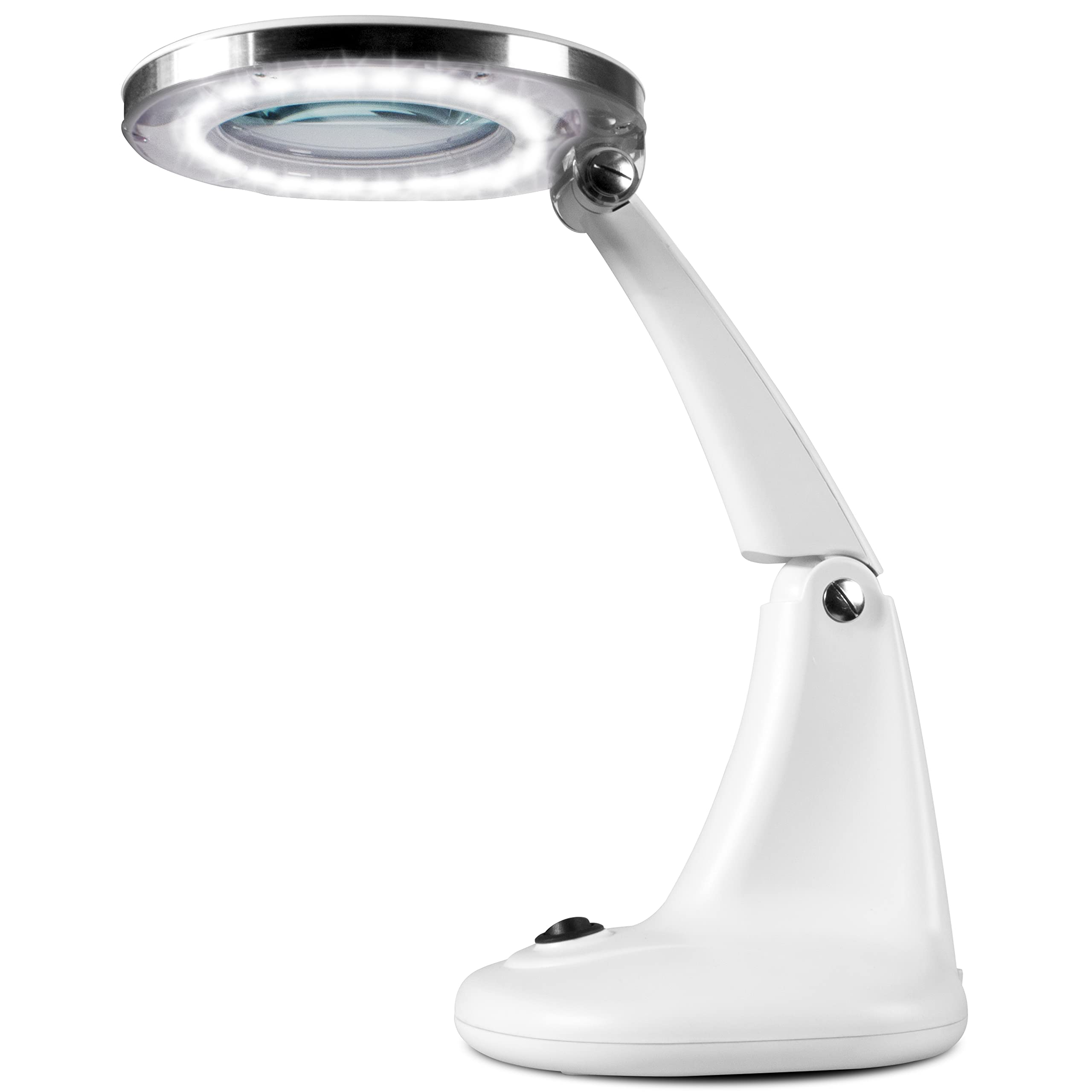
Image: The Fysic FL-30LED lamp with its arm extended and lens cover open, demonstrating its operational position.

Image: A person using the Fysic FL-30LED lamp to read a newspaper, illustrating typical usage.
ບໍາລຸງຮັກສາ
- ທໍາຄວາມສະອາດ Lens: Use a soft, lint-free cloth specifically designed for optical lenses to gently wipe the magnifying glass. Do not use abrasive cleaners or harsh chemicals, as these can damage the lens coating.
- ທໍາຄວາມສະອາດ Lamp ຮ່າງກາຍ: ເຊັດ lamp's exterior with a soft, damp ຜ້າ. ຫຼີກເວັ້ນການໃຊ້ຄວາມຊຸ່ມຊື່ນຫຼາຍເກີນໄປຫຼືສານທໍາຄວາມສະອາດທີ່ຮຸນແຮງ.
- ການເກັບຮັກສາ: ເກັບຮັກສາ lamp in a clean, dry environment. Always ensure the protective cap is on the lens when storing to maintain its clarity.
ການແກ້ໄຂບັນຫາ
- Lamp ບໍ່ເປີດ:
- Check if the power plug is securely inserted into the electrical outlet.
- ກວດສອບວ່າປ່ຽງໄຟແມ່ນເຮັດວຽກໄດ້.
- Ensure the power switch on the lamp base is in the "On" position.
- ໄຟກະພິບ ຫຼື ມືດມົວ:
- ກວດສອບການເຊື່ອມຕໍ່ພະລັງງານວ່າມີຈຸດຕິດຕໍ່ທີ່ວ່າງຫຼືບໍ່.
- If the issue persists, contact customer support. The LEDs have a long lifespan (approx. 25,000 hours) and are not user-replaceable.
- Magnified Image is Unclear:
- Adjust the distance between the magnifying lens and the object. The optimal focal distance is crucial for clear magnification.
- Ensure the lens is clean and free of dust or smudges. Refer to the "Maintenance" section for cleaning instructions.
ຂໍ້ມູນຈໍາເພາະ
| ຍີ່ຫໍ້ | ຟີຊິກ |
| ຕົວແບບ | FL-30LED |
| ສີ | ສີຂາວ |
| ການຂະຫຍາຍ | 2.25x (5 Diopter) |
| ເສັ້ນຜ່າສູນກາງຂອງເລນ | 10.2 ຊມ (4 ນິ້ວ) |
| ແຫຼ່ງແສງ | 30 SMD LEDs |
| ການບໍລິໂພກພະລັງງານ | 6W |
| ອາຍຸການໃຊ້ງານ LED | ປະມານ 25,000 ຊົ່ວໂມງ |
| ຄວາມຍາວສາຍ | 2.5 ແມັດ |
| ການສະຫນອງພະລັງງານ | 220-240V |
| ຄວາມສູງ | 33 ຊຕມ |
| ນ້ຳໜັກ | 1.58 ກິໂລ |
| ຂະໜາດແພັກເກັດ | 28 x 22 x 21.8 cm |
| ວັດສະດຸເລນ | ແກ້ວ |

Image: Energy label for the Fysic FL-30LED lamp. For more details, visit eprel.ec.europa.eu/qr/765452.
ການຮັບປະກັນແລະການສະຫນັບສະຫນູນ
For warranty information, technical support, or service inquiries, please refer to the contact details provided with your purchase documentation or visit the official Fysic webເວັບໄຊ. ຮັກສາຫຼັກຖານການຊື້ຂອງທ່ານສໍາລັບການຮ້ອງຂໍການຮັບປະກັນ.


