1. ບົດແນະນຳ
The Poly Voyager Focus 2 UC USB-A Headset is designed to create a focused audio environment, blocking out background noise for clear communication. Featuring three levels of hybrid Active Noise Canceling (ANC) and Poly Acoustic Fence technology, it ensures you hear your calls clearly and are heard without distractions. This headset offers all-day comfort and versatile connectivity for computers (via BT700 USB-A adapter) and mobile devices (via Bluetooth v5.1). This Microsoft Teams certified version includes a dedicated Teams button for enhanced collaboration.
2. ສິ່ງທີ່ຢູ່ໃນກ່ອງ
- Voyager Focus 2 UC USB-A Headset
- ກະເປົາຖື
- BT700 USB-A Adapter
- ສາຍສາກ
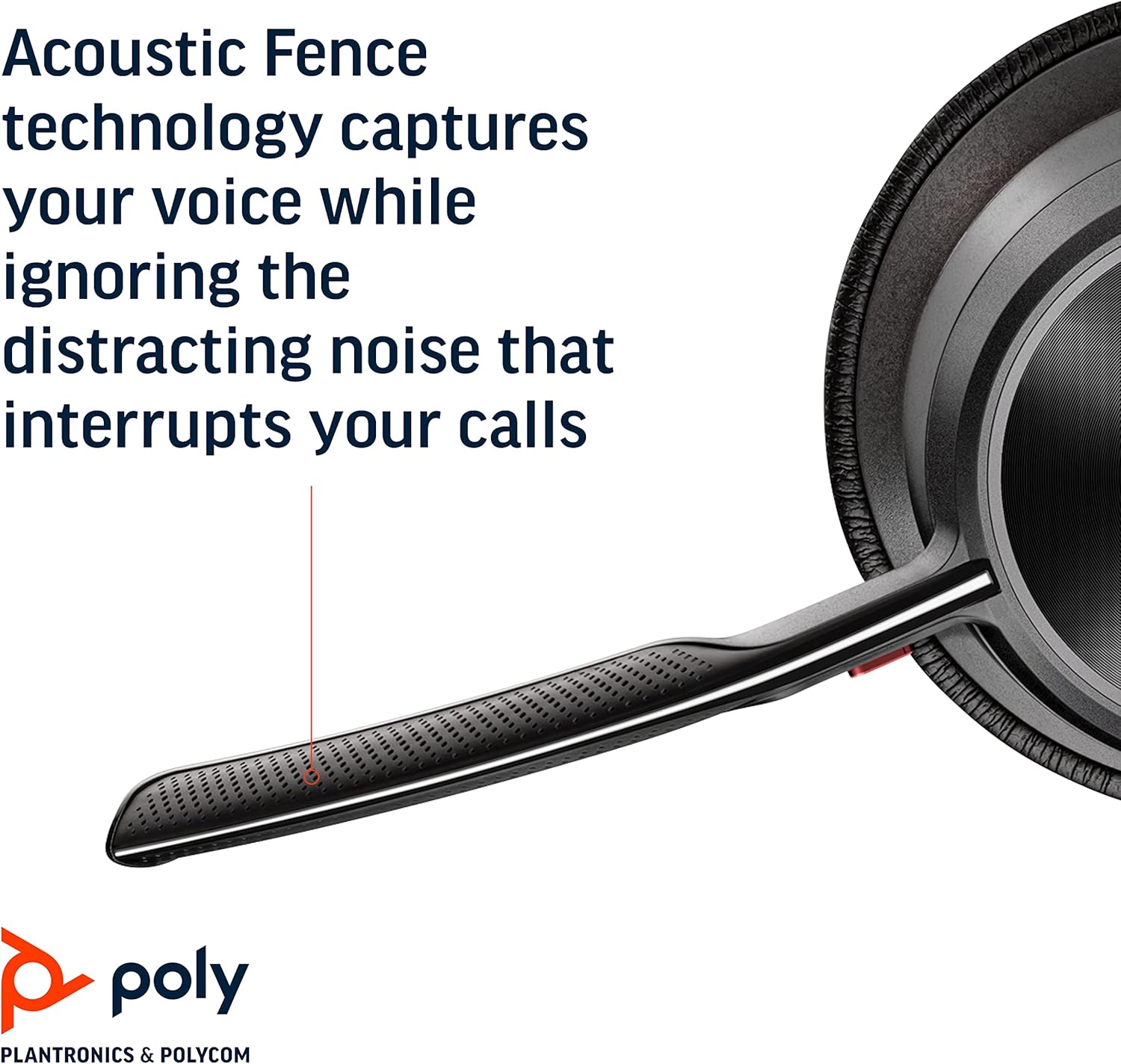
Image: Headset components including the BT700 USB-A adapter and charging cable.
3. ຕັ້ງຄ່າ
3.1 ການສາກຫູຟັງ
Connect the charging cable to the headset's USB port and to a power source. A full charge provides up to 19 hours of talk time. If using an optional charging stand, simply place the headset on the stand to charge.

Image: The Poly Voyager Focus 2 UC USB-A Headset placed on its charging stand.
3.2 Connecting to a Computer (USB-A Adapter)
- Insert the BT700 USB-A adapter into an available USB-A port on your computer.
- ເປີດຫູຟັງຂອງທ່ານ.
- The adapter's LED will flash blue, then turn solid blue when connected to the headset.
3.3 Connecting to a Mobile Device (Bluetooth)
- With the headset powered off, slide and hold the Power switch towards the Bluetooth icon until the LED flashes red and blue.
- ໃນອຸປະກອນມືຖືຂອງທ່ານ, ໃຫ້ໄປທີ່ການຕັ້ງຄ່າ Bluetooth ແລະເລືອກ "Poly Voyager Focus 2" ຈາກລາຍຊື່ອຸປະກອນທີ່ມີຢູ່.
- Once successfully paired, the headset LED will stop flashing.
3.4 ການປັບຊຸດຫູຟັງ
Adjust the headband for a comfortable fit. Position the boom microphone approximately two finger-widths from the corner of your mouth. The microphone boom is flexible and can be rotated to either the left or right side, automatically adjusting audio channels.

Image: A woman wearing the headset, demonstrating a comfortable fit for work.
4. ຄໍາແນະນໍາການດໍາເນີນງານ
4.1 ເປີດ/ປິດ
Slide the Power switch to the 'On' position to power on the headset. Slide it to 'Off' to power off.
4.2 ການຄວບຄຸມປະລິມານ
Use the volume up (+) and volume down (-) buttons located on the earcup to adjust the listening volume.

Image: Close-up of the headset earcup with visible volume controls.
4.3 ປິດສຽງ/ປິດສຽງ
Press the dedicated mute button on the microphone boom to mute or unmute your microphone. The Dynamic Mute Alert feature will notify you if you speak while muted.

ຮູບພາບ: ລາຍລະອຽດ view of the headset's boom microphone.
4.4 ການຕັດສຽງລົບກວນແບບໃຊ້ງານ (ANC)
Adjust the noise canceling level (High, Low, or Off) using the ANC switch on the earcup to suit your environment and personal preference.
4.5 ການຄຸ້ມຄອງການໂທ
Press the Call button on the earcup to answer or end a call. For Microsoft Teams calls, use the dedicated Teams button for instant access to the Teams App and notifications.
5. ຄຸນສົມບັດ
- ປະສິດທິພາບສຽງ: Three options of Advanced Digital Hybrid Active Noise Canceling (ANC) – high, low, and off – for personalized noise control.
- Poly Acoustic Fence Technology: Advanced multi-microphone noise canceling ensures callers hear only your voice, not your surroundings.
- ເຕັກໂນໂລຊີອັດສະລິຍະ: Dynamic Mute Alert notifies you if you speak while your microphone is muted.
- All-Day Wearing: Lightweight headband with a sling and plush ear cushions provide comfort for extended use. Up to 19 hours of talk time.
- Multiple Device Connections: Connects to a computer via the included BT700 USB-A adapter and to a mobile device via Bluetooth v5.1.
ວີດີໂອ: ຢ່າງເປັນທາງການview of the Poly Voyager Focus 2 headset, highlighting its key features and design.
6. ບໍາລຸງຮັກສາ
6.1 ການທໍາຄວາມສະອາດ
ເຊັດຫູຟັງແບບອ່ອນໆ, ງamp cloth. Avoid using harsh chemicals or abrasive materials. Ensure the microphone and earcup surfaces are free from debris.
6.2 ການເກັບຮັກສາ
When not in use, store the headset in its provided carry case to protect it from dust and damage. Avoid storing in extreme temperatures.
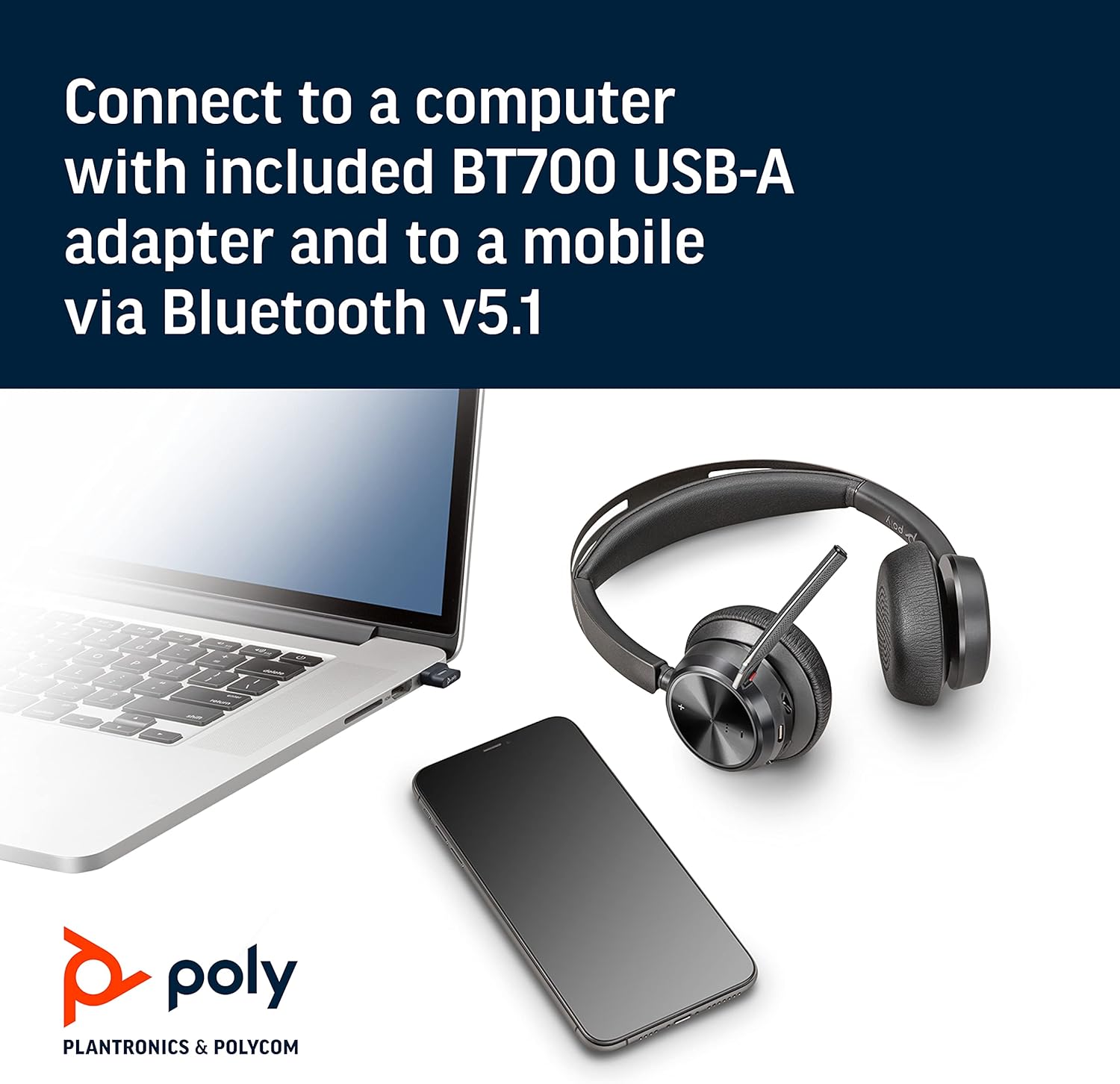
Image: The headset neatly folded and stored inside its carry case.
7. ການແກ້ໄຂບັນຫາ
7.1 No Sound/Poor Audio Quality
- ກວດໃຫ້ແນ່ໃຈວ່າຊຸດຫູຟັງເປີດ ແລະສາກເຕັມແລ້ວ.
- Check that the headset is correctly paired with your device (computer via USB adapter or mobile via Bluetooth).
- Verify the volume levels on both the headset and your connected device.
- If connected to a computer, ensure the Poly BT700 adapter is recognized as the default audio device in your system settings.
7.2 ໄມໂຄຣໂຟນບໍ່ເຮັດວຽກ
- Confirm the microphone is not muted (check the mute button and Dynamic Mute Alert).
- Ensure the microphone boom is properly positioned near your mouth.
- ກວດເບິ່ງການຕັ້ງຄ່າສຽງຂອງອຸປະກອນຂອງທ່ານເພື່ອຮັບປະກັນວ່າໄມໂຄຣໂຟນຊຸດຫູຟັງຖືກເລືອກເປັນອຸປະກອນປ້ອນຂໍ້ມູນ.
7.3 ບັນຫາການເຊື່ອມຕໍ່
- ປິດເປີດທັງຊຸດຫູຟັງ ແລະ ອຸປະກອນທີ່ເຊື່ອມຕໍ່ຂອງທ່ານຄືນໃໝ່.
- Move closer to your connected device to ensure you are within the Bluetooth range (up to 10 meters for mobile, 50 meters for BT700 adapter).
- If using the BT700 adapter, try plugging it into a different USB port.
- Unpair and re-pair the headset with your device.
8. ຂໍ້ມູນຈໍາເພາະ
| ຊື່ຕົວແບບ | Voyager Focus 2 UC-M USB-A |
| ໝາຍເລກຕົວແບບ | 213726-02 |
| ເຕັກໂນໂລຊີການເຊື່ອມຕໍ່ | Bluetooth 5.1 |
| ການຄວບຄຸມສິ່ງລົບກວນ | Active Noise Cancellation (Hybrid Digital) |
| ເທັກໂນໂລຍີໄມໂຄຣໂຟນ | ຮົ້ວ Poly Acoustic |
| ອາຍຸແບັດເຕີຣີ (ເວລາລົມ) | ສູງສຸດ 19 ຊົ່ວໂມງ |
| Jack ຫູຟັງ | USB |
| ນ້ໍາຫນັກລາຍການ | 175 ກຣາມ (6.2 ອອນສ໌) |
| ຂະໜາດສິນຄ້າ | 4 x 6 x 2.8 ນິ້ວ |
| ອຸປະກອນທີ່ເຂົ້າກັນໄດ້ | PCs, Smartphones, Tablets, Laptops |
| ອົງປະກອບລວມ | Headset, carry case, BT700 USB adapter and charging cable |
9. ການຮັບປະກັນແລະການສະຫນັບສະຫນູນ
For warranty information, technical support, or to register your product, please visit the official Poly webເວັບໄຊທ໌ ຫຼື ອ້າງອີງເອກະສານທີ່ມາພ້ອມກັບການຊື້ຂອງທ່ານ. ທ່ານຍັງສາມາດເຂົ້າເບິ່ງໄດ້ທີ່ POLY Store on Amazon ສໍາລັບຊັບພະຍາກອນເພີ່ມເຕີມແລະຂໍ້ມູນຜະລິດຕະພັນ.


