1. ບົດແນະນຳ
The OnePlus 7 Pro (Model GM1917) is a high-performance smartphone designed to deliver a smooth and immersive user experience. It features a 6.67-inch Fluid AMOLED display with a 90 Hz refresh rate and QHD+ resolution, offering exceptional clarity and fluidity. The device is equipped with a versatile camera system, including a 48 MP main camera, an ultra-wide-angle lens, and 3x optical zoom, enhanced by smart scene recognition and Nightscape 2.0 technology. This manual provides essential information for setting up, operating, and maintaining your OnePlus 7 Pro.

ຮູບ 1: ດ້ານຫນ້າ view of the OnePlus 7 Pro smartphone.
2. ການຕິດຕັ້ງເບື້ອງຕົ້ນ
2.1. ເນື້ອໃນຊຸດ
ກ່ອນທີ່ຈະດໍາເນີນການຕໍ່, ໃຫ້ແນ່ໃຈວ່າທຸກລາຍການມີຢູ່ໃນກ່ອງຂອງທ່ານ:
- OnePlus 7 Pro Smartphone (Model GM1917)
- Power Adapter
- ສາຍ USB Type-C
- SIM Ejector Tool
- ຄູ່ມືເລີ່ມຕົ້ນດ່ວນ
- ຂໍ້ມູນຄວາມປອດໄພ
2.2. ການໃສ່ຊິມກາດ
- ຊອກຫາຖາດຊິມກາດຢູ່ດ້ານຂ້າງຂອງອຸປະກອນຂອງທ່ານ.
- ສຽບເຄື່ອງມືຖອດຊິມເຂົ້າໄປໃນຮູນ້ອຍໆຢູ່ຖາດແລ້ວກົດໃຫ້ແໜ້ນຈົນກວ່າຖາດຈະຖອດອອກ.
- Place your Nano-SIM cards into the tray with the gold contacts facing down. The OnePlus 7 Pro supports Dual SIM functionality.
- ໃສ່ຖາດໃສ່ອຸປະກອນຄືນໃໝ່ຢ່າງລະມັດລະວັງ.
2.3. ການເປີດເຄື່ອງ ແລະການຕັ້ງຄ່າເບື້ອງຕົ້ນ
- ກົດປຸ່ມເປີດ/ປິດຄ້າງໄວ້ (ຕັ້ງຢູ່ເບື້ອງຂວາ) ຈົນກວ່າໂລໂກ້ OnePlus ຈະປາກົດ.
- ປະຕິບັດຕາມການເຕືອນໃນຫນ້າຈໍເພື່ອເລືອກພາສາຂອງທ່ານ, ເຊື່ອມຕໍ່ກັບເຄືອຂ່າຍ Wi-Fi, ແລະຕັ້ງຄ່າບັນຊີ Google ຂອງທ່ານ.
- You will be guided through setting up security features such as fingerprint unlock and face unlock.
3. Operating Your OnePlus 7 Pro
3.1. ຄຸນສົມບັດການສະແດງ
The OnePlus 7 Pro features a 6.67-inch Fluid AMOLED display with a QHD+ resolution (2560 x 1440 pixels) and a 90 Hz refresh rate. This combination provides incredibly smooth scrolling, fluid animations, and vibrant colors. Adjust display settings such as brightness, color mode, and refresh rate (if applicable) in the Settings menu under 'Display'.
3.2. ປະສິດທິພາບແລະການເກັບຮັກສາ
Powered by a Qualcomm Snapdragon 855 processor and 6GB of RAM, the OnePlus 7 Pro delivers robust performance for multitasking, gaming, and demanding applications. The device comes with 128GB of internal storage, providing ample ພື້ນທີ່ສໍາລັບແອັບຯ, ຮູບພາບ, ແລະວິດີໂອ.
3.3. ການນໍາທາງ
Your device offers various navigation options, including traditional on-screen navigation buttons or gesture navigation. These can be customized in the Settings menu under 'Buttons & gestures'.
4. ລະບົບກ້ອງຖ່າຍຮູບ
The OnePlus 7 Pro is equipped with a triple rear camera setup and a unique pop-up front camera.
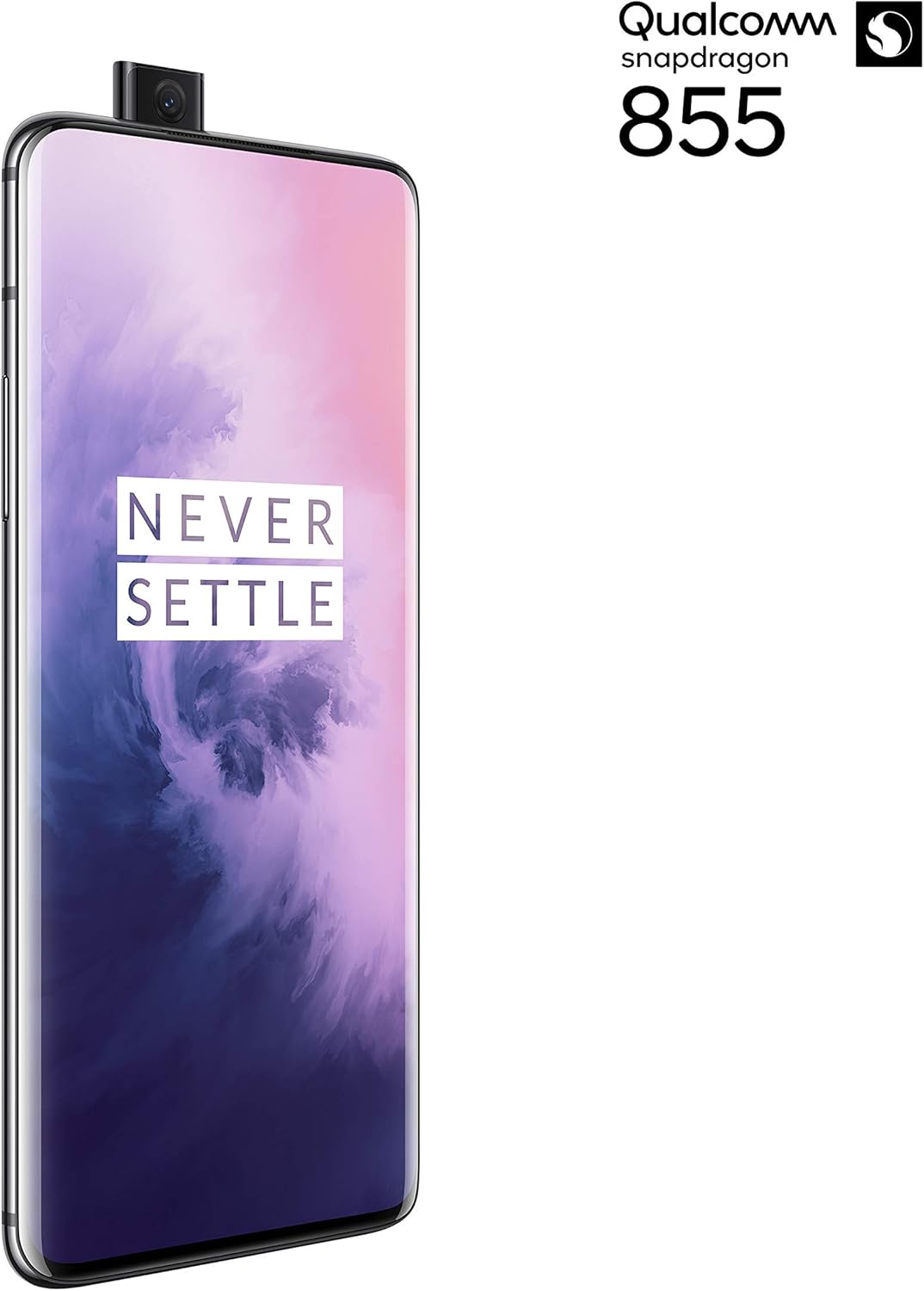
ຮູບ 2: ດ້ານຫນ້າ view of the OnePlus 7 Pro with its pop-up selfie camera.
4.1. ກ້ອງຫຼັງ
- ກ້ອງຫຼັກ: 48 MP sensor for high-resolution photos.
- ເລນມຸມກວ້າງພິເສດ: ກວມເອົາຂົງເຂດທີ່ກວ້າງຂວາງກວ່າ view, ideal for landscapes and group shots.
- ເລນ Telephoto: Offers 3x optical zoom for clear, detailed shots from a distance.
4.2. ກ້ອງ ໜ້າ
The device features a motorized pop-up front camera, ensuring an uninterrupted full-screen display. This camera is designed for high-quality selfies and video calls.
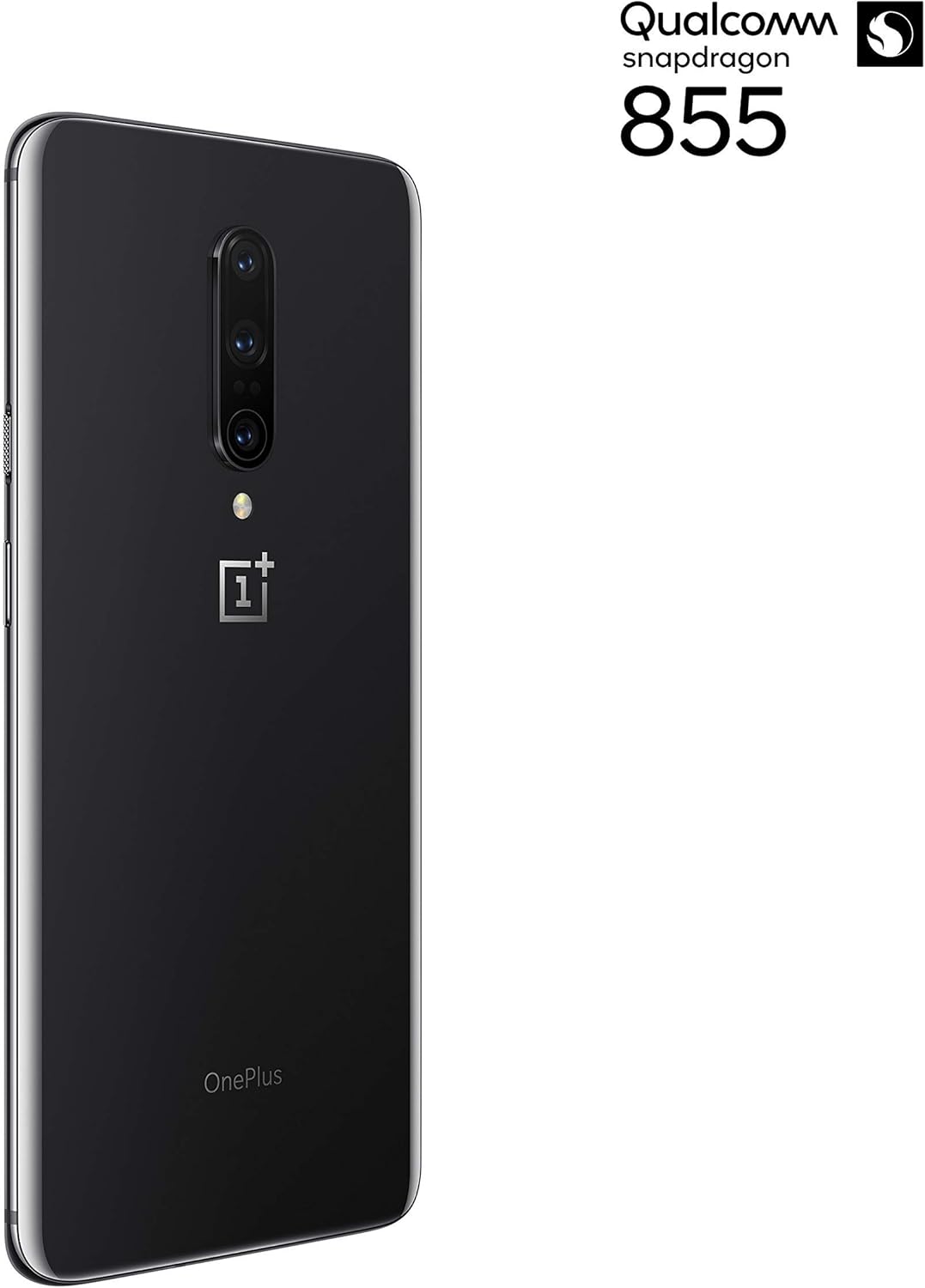
ຮູບ 3: ດ້ານຫລັງ view of the OnePlus 7 Pro highlighting the triple camera module.
4.3. ໂໝດກ້ອງຖ່າຍຮູບ
Explore various camera modes to enhance your photography:
- ຮູບ: ຮູບແບບມາດຕະຖານສໍາລັບການສັກຢາປະຈໍາວັນ.
- ຮູບຄົນ: ສ້າງເອັບເຟັກພື້ນທີ່ເລິກ, ເຮັດໃຫ້ພື້ນຫຼັງມົວ.
- Nightscape 2.0: Optimizes photos taken in low-light conditions for brighter and clearer results.
- ໂໝດ Pro: ສະເໜີການຄວບຄຸມດ້ວຍຕົນເອງຕໍ່ກັບການຕັ້ງຄ່າເຊັ່ນ ISO, ຄວາມໄວຊັດເຕີ ແລະ white balance.
- ວິດີໂອ: Records high-quality videos.
5. ຫມໍ້ໄຟແລະການສາກໄຟ
The OnePlus 7 Pro is equipped with a 4000 mAh battery, designed to provide extended usage. It supports Warp Charge technology for rapid charging.
5.1. ການສາກໄຟອຸປະກອນຂອງທ່ານ
To charge your device, connect the provided USB Type-C cable to the phone's charging port and the power adapter. Plug the adapter into a wall outlet. For optimal charging speed, use only the official OnePlus Warp Charge adapter and cable.
5.2. ການເພີ່ມປະສິດທິພາບແບັດເຕີຣີ
To maximize battery life, consider the following:
- ປັບຄວາມສະຫວ່າງຂອງຫນ້າຈໍ.
- ເປີດໃຊ້ໂໝດຕົວປະຢັດແບັດເຕີຣີເມື່ອຕ້ອງການ.
- ປິດແອັບພລິເຄຊັນທີ່ບໍ່ໄດ້ໃຊ້ທີ່ເຮັດວຽກຢູ່ໃນພື້ນຫຼັງ.
- ຈຳກັດການນຳໃຊ້ຂໍ້ມູນພື້ນຫຼັງສຳລັບບາງແອັບ.
6. ຂໍ້ກໍານົດດ້ານວິຊາການ
| ຄຸນສົມບັດ | ຂໍ້ມູນຈໍາເພາະ |
|---|---|
| ໝາຍເລກຕົວແບບ | GM1917 |
| ຈໍສະແດງຜົນ | 6.67-inch Fluid AMOLED, QHD+ (2560 x 1440), 90 Hz |
| ໂຮງງານຜະລິດ | Qualcomm Snapdragon 855 |
| RAM | 6 GB |
| ການເກັບຮັກສາພາຍໃນ | 128 GB |
| ກ້ອງຫຼັງ | 48 MP Main, Ultra-Wide, 3x Optical Zoom Telephoto |
| ກ້ອງໜ້າ | Pop-up Selfie Camera |
| ຄວາມອາດສາມາດຫມໍ້ໄຟ | 4000 mAh |
| ລະບົບປະຕິບັດການ | Android |
| ການເຊື່ອມຕໍ່ | Wi-Fi, 4G LTE (AT&T, Verizon, T-Mobile compatible) |
| ປະເພດ SIM | Dual Nano-SIM |
7. ການແກ້ໄຂບັນຫາ
If you encounter issues with your OnePlus 7 Pro, try the following steps:
- ອຸປະກອນບໍ່ຕອບສະໜອງ: Press and hold the Power button for approximately 10 seconds to force restart the device.
- ບັນຫາແອັບ: Clear the cache and data for the problematic app in Settings > Apps > [App Name] > Storage. If the issue persists, uninstall and reinstall the app.
- ການເຊື່ອມຕໍ່ເຄືອຂ່າຍ: ເປີດ ແລະ ປິດໂໝດເຮືອບິນ. ປິດອຸປະກອນຂອງທ່ານຄືນໃໝ່. ກວດສອບການໃສ່ຊິມກາດຂອງທ່ານ.
- Battery Drain: Review 'Battery Usage' in Settings to identify apps consuming excessive power. Reduce screen brightness and disable unnecessary features.
- ຊອບແວທີ່ຜິດພາດ: Ensure your device's software is up to date via Settings > System > System updates.
- ປັບຄ່າໂຮງງານ: ອີກທາງເລືອກສຸດທ້າຍ, ທ່ານສາມາດຕັ້ງຄ່າໂຮງງານຄືນໃໝ່ໄດ້ (ການຕັ້ງຄ່າ > ລະບົບ > ຕົວເລືອກການຕັ້ງຄ່າຄືນໃໝ່ > ລຶບຂໍ້ມູນທັງໝົດ). ຄຳເຕືອນ: ນີ້ຈະລຶບຂໍ້ມູນທັງໝົດໃນອຸປະກອນຂອງທ່ານ. ສໍາຮອງຂໍ້ມູນທີ່ສໍາຄັນກ່ອນທີ່ຈະດໍາເນີນການ.
8. ການດູແລແລະບໍາລຸງຮັກສາ
To ensure the longevity and optimal performance of your OnePlus 7 Pro:
- Keep the device clean using a soft, lint-free cloth. Avoid harsh chemicals.
- ປົກປ້ອງໜ້າຈໍດ້ວຍຜ້າປ້ອງກັນໜ້າຈໍ ແລະ ໃຊ້ເຄສປ້ອງກັນ.
- ຫຼີກເວັ້ນການເປີດເຜີຍອຸປະກອນກັບອຸນຫະພູມທີ່ຮຸນແຮງ, ແສງແດດໂດຍກົງ, ຫຼືຄວາມຊຸ່ມຊື່ນ.
- Regularly back up your data to a cloud service or external storage.
- Install software updates to benefit from the latest features and security enhancements.
9. ການຮັບປະກັນແລະການສະຫນັບສະຫນູນ
For information regarding warranty coverage, technical support, or service, please refer to the documentation provided with your purchase or visit the official OnePlus support website. As this is a renewed product, specific warranty terms may vary; please consult your seller for details on their renewed product warranty and return policy.


