ແນະນຳ
ຂອບໃຈສໍາລັບການຊື້asing the DELTACO GAMING Chair, Model GAM-080. This ergonomic gaming chair is designed to provide comfort and support during long gaming sessions, featuring adjustable components and integrated RGB lighting. Please read this manual carefully before assembly and use to ensure proper operation and longevity of your chair.
ຂໍ້ມູນຄວາມປອດໄພ
- ໃຫ້ແນ່ໃຈວ່າອົງປະກອບທັງຫມົດຖືກຍຶດຢ່າງປອດໄພກ່ອນທີ່ຈະນໍາໃຊ້.
- ຢ່າຢືນຢູ່ເທິງເກົ້າອີ້.
- ຢ່າໃຊ້ເກົ້າອີ້ຖ້າມີສ່ວນໃດເສຍຫາຍຫຼືຂາດ.
- ຮັກສາມື ແລະນິ້ວມືໃຫ້ຊັດເຈນຂອງພາກສ່ວນທີ່ເຄື່ອນຍ້າຍໃນລະຫວ່າງການປັບ.
- This chair is designed for a maximum weight of 120 kg (264 lbs). Exceeding this limit may cause damage or injury.
- The RGB lighting requires a USB power source. Ensure the cable is not pinched or damaged.
ເນື້ອໃນຊຸດ
ກ່ອນທີ່ຈະເລີ່ມຕົ້ນການປະກອບ, ກວດເບິ່ງວ່າພາກສ່ວນທັງຫມົດແມ່ນປະຈຸບັນແລະບໍ່ເສຍຫາຍ. ຖ້າພາກສ່ວນໃດຂາດຫາຍໄປຫຼືເສຍຫາຍ, ກະລຸນາຕິດຕໍ່ຝ່າຍຊ່ວຍເຫຼືອລູກຄ້າ.
- ຫລັງ
- ຖານທີ່ນັ່ງ
- ທີ່ວາງແຂນ (2)
- ພື້ນຖານ Star
- ລູກລໍ້ (5)
- ຖັງຍົກແກັດ
- ການປົກຫຸ້ມຂອງອາຍແກັສຍົກ
- ແຜ່ນກົນໄກ
- ເບາະແອວ
- ໝອນຮອງຫົວ
- ຮາດແວປະກອບ (ສະກູ, ເຄື່ອງຊັກຜ້າ, ກະແຈ Allen)
- ການຄວບຄຸມໄລຍະໄກ RGB
- USB Power Cable for RGB
ການຕິດຕັ້ງແລະການປະກອບ
Please follow these steps carefully for proper assembly. It is recommended to assemble the chair on a soft, clean surface to prevent damage.
- ຕິດລໍ້ໃສ່ຖານດາວ: ສຽບແຕ່ລະ casters ຫ້າເຂົ້າໄປໃນຮູໃນຕອນທ້າຍຂອງຖານດາວໄດ້ຈົນກ່ວາພວກເຂົາເຈົ້າກົດເຂົ້າໄປໃນສະຖານທີ່ຢ່າງປອດໄພ.
- ໃສ່ Gas Lift: ວາງກະບອກຍົກອາຍແກັສເຂົ້າໄປໃນຂຸມກາງຂອງຖານດາວ. ກວມເອົາມັນດ້ວຍຝາຍົກກ໊າຊ.
- ຕິດແຜ່ນກົນໄກເຂົ້າກັບຖານບ່ອນນັ່ງ: Align the mechanism plate with the pre-drilled holes on the underside of the seat base. Ensure the front of the mechanism plate faces the front of the seat. Secure with screws.
- ຕິດບ່ອນວາງແຂນເຂົ້າກັບຖານບ່ອນນັ່ງ: Secure the armrests to the sides of the seat base using the provided screws. Ensure they are firmly attached.
- ຕິດພວງມະຫຼັງເຂົ້າກັບຖານນັ່ງ: ຈັດແນວວາງພິງຫຼັງໃຫ້ກົງກັບຂາຍຶດທີ່ຖານບ່ອນນັ່ງ. ຮັດໃຫ້ແໜ້ນດ້ວຍສະກູ.
- ເຊື່ອມຕໍ່ບ່ອນນັ່ງກັບກ໊າຊ Lift: ວາງບ່ອນນັ່ງທີ່ປະກອບແລະພຶງໄວ້ໃສ່ກະບອກຍົກອາຍແກັສຢ່າງລະມັດລະວັງ, ໃຫ້ແນ່ໃຈວ່າມັນຢູ່ໃຈກາງແລະຫມັ້ນຄົງ.
- Attach Headrest and Lumbar Cushions: Secure the headrest pillow and lumbar cushion to the chair using their respective straps.

Image: The DELTACO GAMING Chair fully assembled, showcasing its ergonomic design and RGB lighting strips along the edges.
ຄໍາແນະນໍາການດໍາເນີນງານ
ການປັບຄວາມສູງ
To adjust the chair's height, pull the lever located on the right side of the seat upwards. While seated, lift your weight off the chair to raise it, or remain seated to lower it. Release the lever to lock the height.
ເບາະຫຼັງ
The backrest can be reclined between 90 and 180 degrees. Pull the recline lever, typically located on the right side of the chair, and lean back or forward to achieve your desired angle. Release the lever to lock the backrest in position.

Image: An illustration demonstrating the chair's ability to recline from an upright position to a nearly flat position, indicated by an orange arrow.
RGB Lighting Operation
The chair features integrated RGB lighting with 332 LED modes. To activate the lighting, connect the chair's USB cable to a 5V USB power source (e.g., a power bank, computer USB port, or USB wall adapter). Use the included remote control to change colors, modes, and brightness.
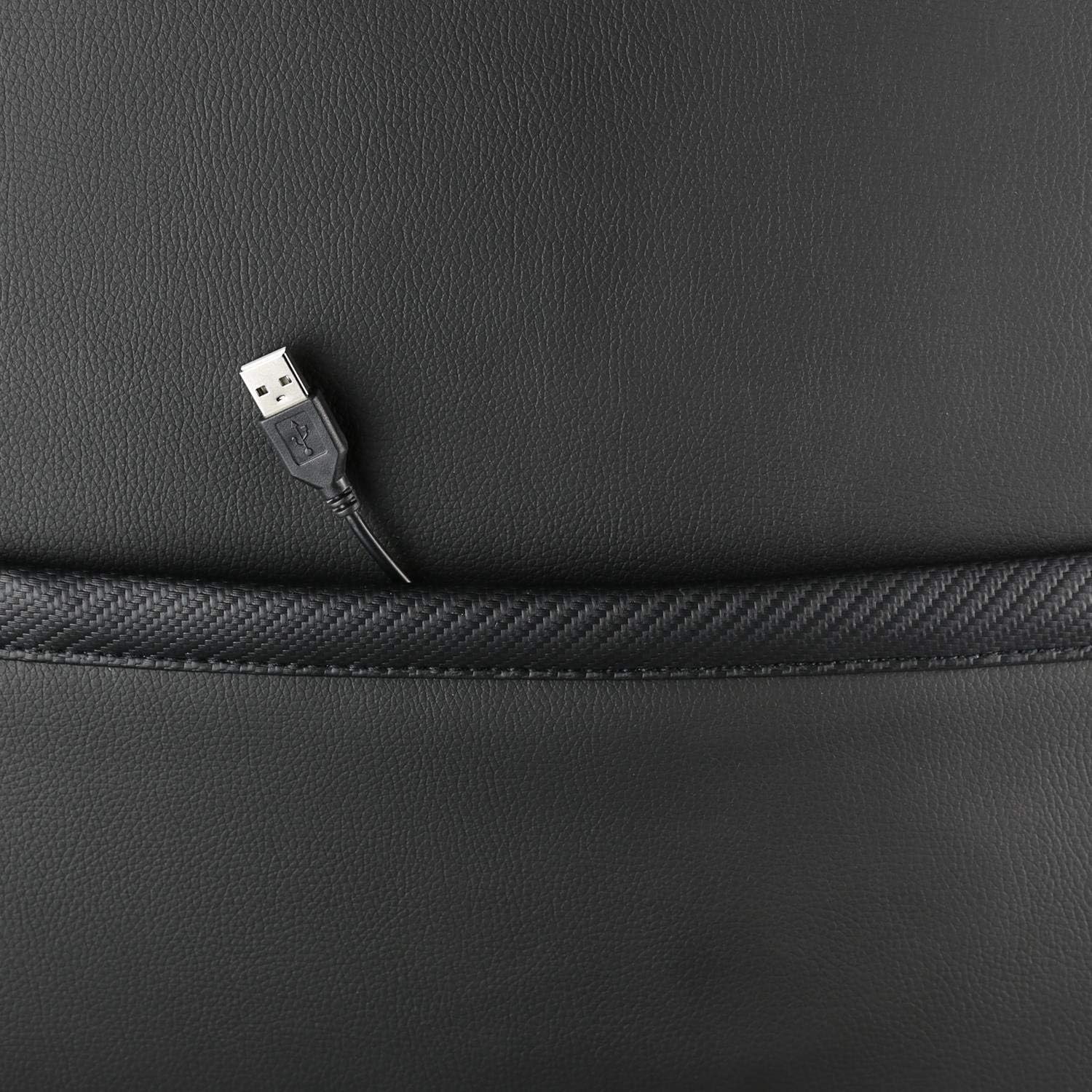
ຮູບພາບ: A close-up view showing the USB power cable emerging from a pocket on the chair, used to power the RGB lighting.

ຮູບພາບ: ຫຼາຍກວ່າview image of the DELTACO GAMING RGB Gaming Chair highlighting features such as remote control for RGB lights, adjustable headrest, included lumbar cushion, and adjustable backrest from 90-180 degrees, along with 332 LED modes.
ການບໍາລຸງຮັກສາແລະການດູແລ
- ທໍາຄວາມສະອາດ: ເຊັດໃຫ້ສະອາດດ້ວຍການໂຄສະນາamp cloth. Do not use harsh chemicals or abrasive cleaners, as this may damage the faux leather.
- ການກວດກາ: ກວດເບິ່ງທຸກສະກູແລະສະກູເປັນໄລຍະເພື່ອຮັບປະກັນວ່າພວກມັນແຫນ້ນ. ເຄັ່ງຄັດຄືນໃໝ່ຖ້າຈຳເປັນ.
- ການເກັບຮັກສາ: ເກັບຮັກສາເກົ້າອີ້ໄວ້ໃນບ່ອນທີ່ເຢັນ, ແຫ້ງ ແລະ ຫຼີກລ້ຽງແສງແດດໂດຍກົງ ເພື່ອປ້ອງກັນການເຊື່ອມໂຊມຂອງວັດສະດຸ.
- ສາຍ USB: Ensure the USB power cable for the RGB lighting is not kinked or damaged.
ການແກ້ໄຂບັນຫາ
| ບັນຫາ | ສາເຫດທີ່ເປັນໄປໄດ້ | ການແກ້ໄຂ |
|---|---|---|
| ເກົ້າອີ້ບໍ່ໄດ້ປັບຄວາມສູງ. | ທໍ່ຍົກອາຍແກັສເຮັດວຽກຜິດປົກກະຕິຫຼື lever ບໍ່ມີສ່ວນຮ່ວມ. | ໃຫ້ແນ່ໃຈວ່າໄດ້ດຶງ lever ປັບຄວາມສູງຢ່າງເຕັມສ່ວນ. ຖ້າບັນຫາຍັງຄົງຢູ່, ການຍົກອາຍແກັສອາດຈະຕ້ອງການປ່ຽນແທນ. |
| ເບາະຮອງບໍ່ນອນ ຫຼື ລັອກ. | ກົນໄກປັບໄດ້ຕິດຂັດຫຼື lever ບໍ່ໄດ້ມີສ່ວນຮ່ວມ. | Check for obstructions around the recline mechanism. Ensure the recline lever is fully engaged. |
| ໄຟ RGB ບໍ່ເຮັດວຽກ. | USB power not connected, cable damaged, or remote control battery low. | Verify the USB cable is securely connected to a working 5V power source. Check the cable for damage. Replace remote control battery if necessary. |
| ຕັ່ງອີ້ສັ່ນ. | Loose screws or casters not fully inserted. | Tighten all assembly screws. Ensure all casters are fully inserted into the star base. |
ຂໍ້ມູນຈໍາເພາະ
| ຄຸນສົມບັດ | ລາຍລະອຽດ |
|---|---|
| ຊື່ຕົວແບບ | GAM-080 |
| ຍີ່ຫໍ້ | ເກມ DELTACO |
| ສີ | ດຳ |
| ວັດສະດຸ | Faux leather, Foam |
| ຄໍາແນະນໍານ້ໍາຫນັກສູງສຸດ | 120 ກິໂລກຣາມ (264 ປອນ) |
| ຂະໜາດສິນຄ້າ (L x W x H) | 22.44 x 26.77 x 57.87 ນິ້ວ |
| ນ້ໍາຫນັກລາຍການ | 46.2 ປອນ |
| ຄຸນນະສົມບັດພິເສດ | RGB Lighting, Adjustable Backrest (90-180°), Adjustable Height, Lumbar Cushion, Headrest Pillow |
| Power Source for RGB | USB 5V |
ການຮັບປະກັນແລະການສະຫນັບສະຫນູນ
This DELTACO GAMING Chair (Model GAM-080) comes with a 1-year spare part availability duration within the EU, as per manufacturer specifications.
For technical support, warranty claims, or inquiries regarding spare parts, please contact DELTACO GAMING customer support. Refer to your purchase documentation for specific contact details or visit the official DELTACO GAMING webເວັບໄຊ.
Note: Proof of purchase may be required for warranty services.