1. ບົດແນະນຳ
Thank you for choosing the ZIPRO iCONSOLE+ HEAT Elliptical Crosstrainer. This manual provides essential information for the safe and effective assembly, operation, and maintenance of your new fitness equipment. Please read this manual thoroughly before using the crosstrainer to ensure proper usage and to maximize your workout experience.
The ZIPRO iCONSOLE+ HEAT is an advanced electromagnetic elliptical trainer designed for comprehensive cardio workouts at home. It features an integrated computer with connectivity to popular fitness applications like iConsole and Kinomap, offering a wide range of training programs and interactive experiences.
2. ຂໍ້ມູນຄວາມປອດໄພ
WARNING: Before starting any exercise program, consult your physician. This is especially important for individuals over the age of 35 or those with pre-existing health problems.
- Always place the crosstrainer on a stable, level surface. Ensure adequate space around the equipment for safe operation.
- ຮັກສາເດັກນ້ອຍ ແລະສັດລ້ຽງຢູ່ຫ່າງຈາກອຸປະກອນໃນເວລານຳໃຊ້.
- The maximum user weight capacity for this device is 120 ກິໂລ (264 ປອນ). ບໍ່ເກີນຂອບເຂດຈໍາກັດນີ້.
- ໃສ່ເກີບກິລາ ແລະ ເສື້ອຜ້າທີ່ເໝາະສົມໃນລະຫວ່າງການອອກກຳລັງກາຍ.
- Inspect the crosstrainer for loose or worn parts before each use. Do not use if any damage is present.
- Do not attempt to service the equipment beyond the maintenance steps described in this manual. Contact qualified service personnel for repairs.
- Always hold onto the handlebars for balance during exercise.
3. ສະພາ
The ZIPRO iCONSOLE+ HEAT Crosstrainer requires assembly. Please refer to the detailed assembly instructions provided in the separate assembly guide included with your product. Ensure all components are present and undamaged before beginning assembly.

Figure 3.1: Fully assembled Zipro Heat Crosstrainer.

Figure 3.2: Dimensions of the Zipro Heat Crosstrainer: 128 cm length, 66 cm width, 158 cm height.
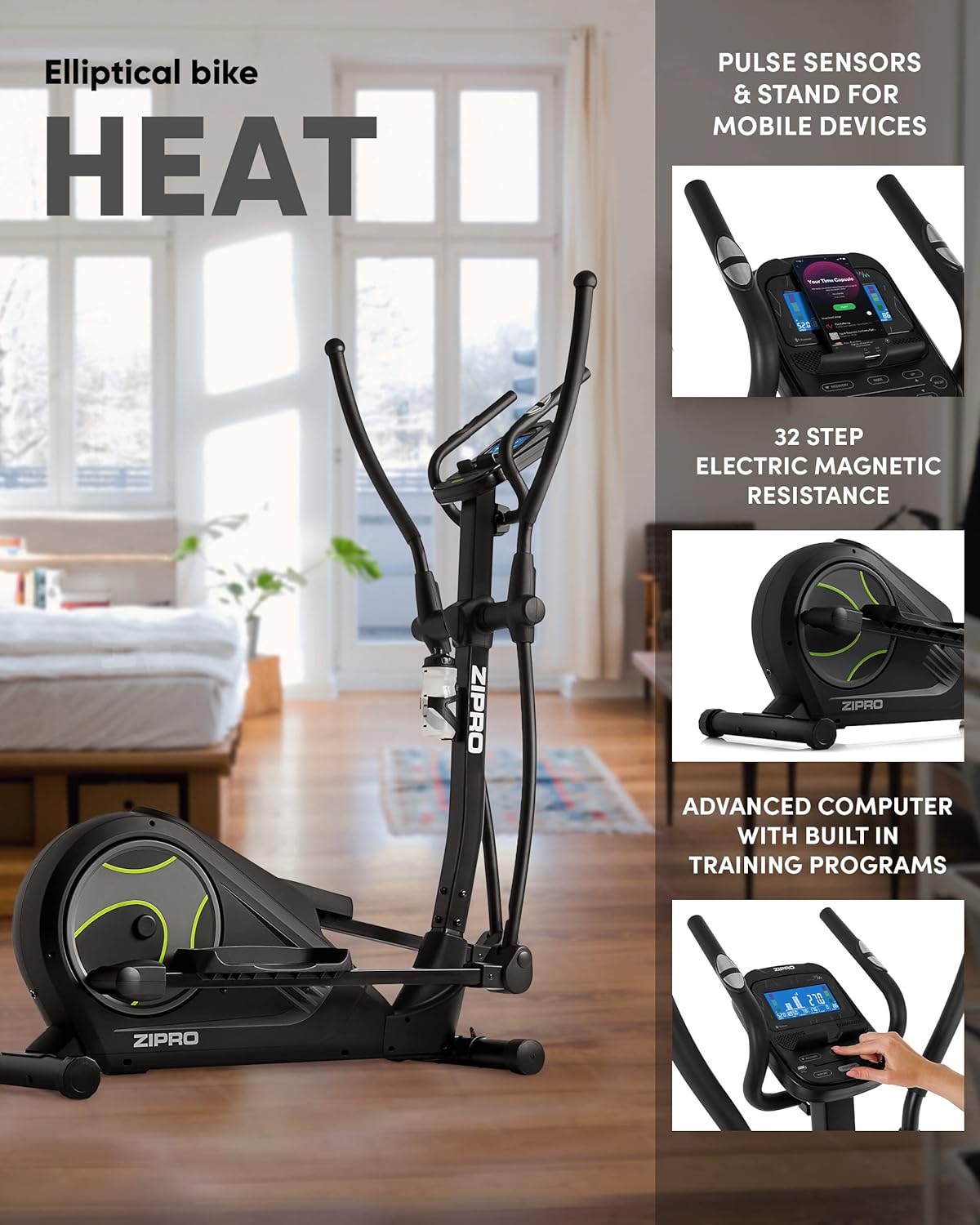
Figure 3.3: Key features including pulse sensors, mobile device stand, 32-step electric magnetic resistance, and advanced computer.
ຂໍ້ແນະນໍາກອງປະຊຸມສໍາຄັນ:
- ວາງຊິ້ນສ່ວນ ແລະ ຮາດແວທັງໝົດກ່ອນເລີ່ມຕົ້ນ.
- Follow the numbered steps in the assembly guide precisely.
- Do not fully tighten all bolts until instructed, as some components may need slight adjustment.
- It is recommended to have two people for assembly due to the size and weight of some components.
4. ຄໍາແນະນໍາການດໍາເນີນງານ
4.1 ເປີດ ແລະ ປິດ
Connect the power adapter to the crosstrainer and then to a suitable power outlet. The console will automatically power on. To power off, simply disconnect the power adapter.
4.2 Console Features and Display
The advanced computer console provides real-time feedback on your workout. It displays various metrics to help you track your progress and optimize your training.

ຮູບທີ 4.1: ລາຍລະອຽດ view of the console display showing various workout metrics.

Figure 4.2: The advanced computer console displaying workout information such as time, calories, speed, pulse, body fat, and recovery.
Displayed Metrics:
- ເວລາ: ໄລຍະເວລາຂອງການອອກກໍາລັງກາຍຂອງທ່ານ.
- ກາລະໂອກາດ: ຄາດຄະເນການເຜົາຜານພະລັງງານ.
- ຄວາມໄວ: ຄວາມໄວປະຈຸບັນໃນກິໂລແມັດຕໍ່ຊົ່ວໂມງ.
- PULSE: Your heart rate, measured by hand pulse sensors.
- %BF (Body Fat): ເປີເຊັນໄຂມັນໃນຮ່າງກາຍtage (requires specific input).
- ການຟື້ນຕົວ: Heart rate recovery test result.
4.3 ການປັບຕົວຕ້ານທານ
The ZIPRO iCONSOLE+ HEAT features 32 levels of electric magnetic resistance. You can adjust the resistance level directly from the console using the UP/DOWN buttons. Higher levels increase the workout intensity.

Figure 4.3: The quiet and smooth operation of the electromagnetic resistance system.
4.4 ການຕິດຕາມອັດຕາການເຕັ້ນຫົວໃຈ
Grip the pulse sensors on the stationary handlebars to measure your heart rate. Ensure both hands are firmly on the sensors for an accurate reading. Your pulse will be displayed on the console.
4.5 App Connectivity (iConsole+, Kinomap)
Enhance your training experience by connecting your smartphone or tablet to the crosstrainer via Bluetooth. The console includes a dedicated stand for your mobile device.
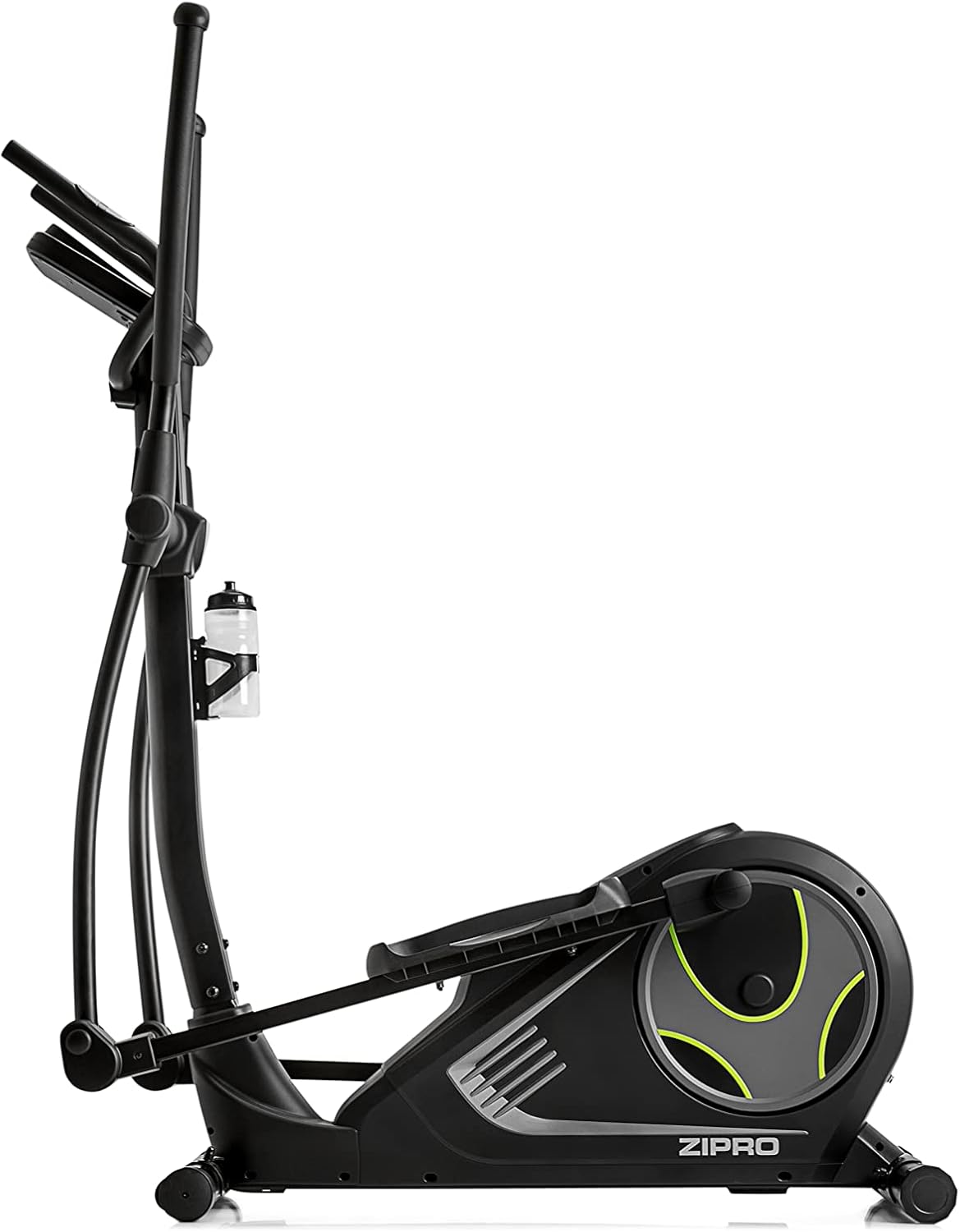
Figure 4.4: Mobile phone placed on the integrated stand, connected via Bluetooth for app use.

Figure 4.5: Tablet device securely placed on the console stand, enhancing the interactive training experience.

Figure 4.6: The Kinomap app interface displayed on a screen, showing virtual routes and training possibilities.
Download the iConsole+ and Kinomap applications from your device's app store. Follow the in-app instructions to pair your device with the crosstrainer via Bluetooth. These apps offer additional training programs, virtual routes, and the ability to track your progress and compete with others.
4.6 ຜະລິດຕະພັນເກີນview ວິດີໂອ
ສໍາລັບສາຍຕາview of the ZIPRO product range and the types of workouts supported, please watch the official video below.
Video 4.1: A presentation video showcasing the ZIPRO product range and various fitness activities, including elliptical training. This video provides a general overview of the brand's commitment to home fitness equipment.
5. ບໍາລຸງຮັກສາ
Regular maintenance ensures the longevity and optimal performance of your crosstrainer.
- ທໍາຄວາມສະອາດ: Wipe down the crosstrainer with a damp ຜ້າຫຼັງຈາກແຕ່ລະການນໍາໃຊ້ເພື່ອເອົາເຫື່ອແລະຂີ້ຝຸ່ນ. ຢ່າໃຊ້ເຄື່ອງເຮັດຄວາມສະອາດຂັດຫຼືສານລະລາຍ.
- ການກວດກາ: Periodically check all bolts and nuts for tightness. Tighten any loose fasteners. Inspect moving parts for signs of wear or damage.
- ການລະບາຍສີ: Refer to your assembly guide for specific lubrication points and recommended lubricants. Generally, moving joints may require occasional lubrication to ensure smooth operation.
- ການເກັບຮັກສາ: If storing the crosstrainer for an extended period, ensure it is clean and dry. Store in a cool, dry place away from direct sunlight and extreme temperatures. The integrated transport wheels allow for easy relocation.
6. ການແກ້ໄຂບັນຫາ
This section addresses common issues you might encounter with your ZIPRO iCONSOLE+ HEAT Crosstrainer.
| ບັນຫາ | ສາເຫດທີ່ເປັນໄປໄດ້ | ການແກ້ໄຂ |
|---|---|---|
| No power to console | Power adapter not connected; outlet issue; damaged cable. | Ensure power adapter is fully plugged into the crosstrainer and a working outlet. Check for cable damage. |
| ສິ່ງລົບກວນຜິດປົກກະຕິໃນລະຫວ່າງການປະຕິບັດງານ | ສະກູວ່າງ; ຊິ້ນສ່ວນທີ່ສວມໃສ່; ຂາດການຫລໍ່ລື່ນ. | Check and tighten all assembly bolts. Lubricate moving joints as per the assembly guide. Inspect for worn components. |
| ຄວາມຕ້ານທານບໍ່ປ່ຽນແປງ | Console malfunction; internal mechanism issue. | Ensure the console is powered correctly. If the issue persists, contact customer support. |
| Heart rate reading inaccurate or absent | Hands not firmly on sensors; dry hands; sensor malfunction. | Ensure firm and consistent contact with both sensors. Lightly moisten hands if too dry. |
| ບັນຫາການເຊື່ອມຕໍ່ Bluetooth | Bluetooth off on device; app not updated; interference. | Ensure Bluetooth is enabled on your mobile device. Restart the app and crosstrainer. Move closer to the crosstrainer. |
If you encounter a problem not listed here or if the suggested solutions do not resolve the issue, please contact ZIPRO customer support for assistance.
7. ຂໍ້ມູນຈໍາເພາະ
| ຄຸນສົມບັດ | ລາຍລະອຽດ |
|---|---|
| ຊື່ຕົວແບບ | ຄວາມຮ້ອນ |
| ໝາຍເລກຕົວແບບ | 6299207 |
| ຍີ່ຫໍ້ | ZIPRO |
| ສີ | ດຳ |
| ຂະໜາດ (L x W x H) | 128 x 67 x 158 ຊມ (50.4 x 26.4 x 62.2 ນິ້ວ) |
| ນ້ໍາຫນັກລາຍການ | 39.7 ກິໂລ (87.5 ປອນ) |
| ວັດສະດຸ | ອາລູມິນຽມ, ໂພລີເອທິລີນ, ໂລຫະ |
| ກົນໄກການຕໍ່ຕ້ານ | ແມ່ເຫຼັກ |
| ຈໍານວນລະດັບຄວາມຕ້ານທານ | 32 |
| ຄໍາແນະນໍານ້ໍາຫນັກສູງສຸດ | 120 ກິໂລກຣາມ (264 ປອນ) |
| ຄວາມຍາວຂອງການກ້າວສູງສຸດ | 30 ຊັງຕີແມັດ (11.8 ນິ້ວ) |
| ການເຊື່ອມຕໍ່ | USB, Bluetooth |
8. ການຮັບປະກັນແລະການສະຫນັບສະຫນູນ
Your ZIPRO iCONSOLE+ HEAT Crosstrainer comes with a manufacturer's warranty. Please refer to the warranty card included with your product for specific terms and conditions. Keep your proof of purchase for warranty claims.
For technical support, spare parts, or any questions not covered in this manual, please contact ZIPRO customer service. Contact information can typically be found on the manufacturer's webເວັບໄຊ ຫຼືການຫຸ້ມຫໍ່ຜະລິດຕະພັນຂອງທ່ານ.


