1. ບົດແນະນຳ
This manual provides detailed instructions for the Redragon K598 TKL Wireless Mechanical Keyboard. Please read this guide thoroughly to ensure proper setup, operation, and maintenance of your device. The K598 is a compact 87-key tenkeyless keyboard designed for gaming and general use, featuring RGB backlighting and Outemu Brown mechanical switches.
2. ເນື້ອໃນຊຸດ
ກວດສອບວ່າລາຍການທັງຫມົດແມ່ນມີຢູ່ໃນຊຸດຂອງທ່ານ:
- Redragon K598 TKL Wireless Mechanical Keyboard
- ສາຍ USB (ສຳລັບສາກໄຟ ແລະ ເຊື່ອມຕໍ່ແບບມີສາຍ)
- ຄູ່ມືຜູ້ໃຊ້ (ເອກະສານນີ້)
3. ການຕິດຕັ້ງ ແລະການເຊື່ອມຕໍ່
3.1 ການສາກແປ້ນພິມ
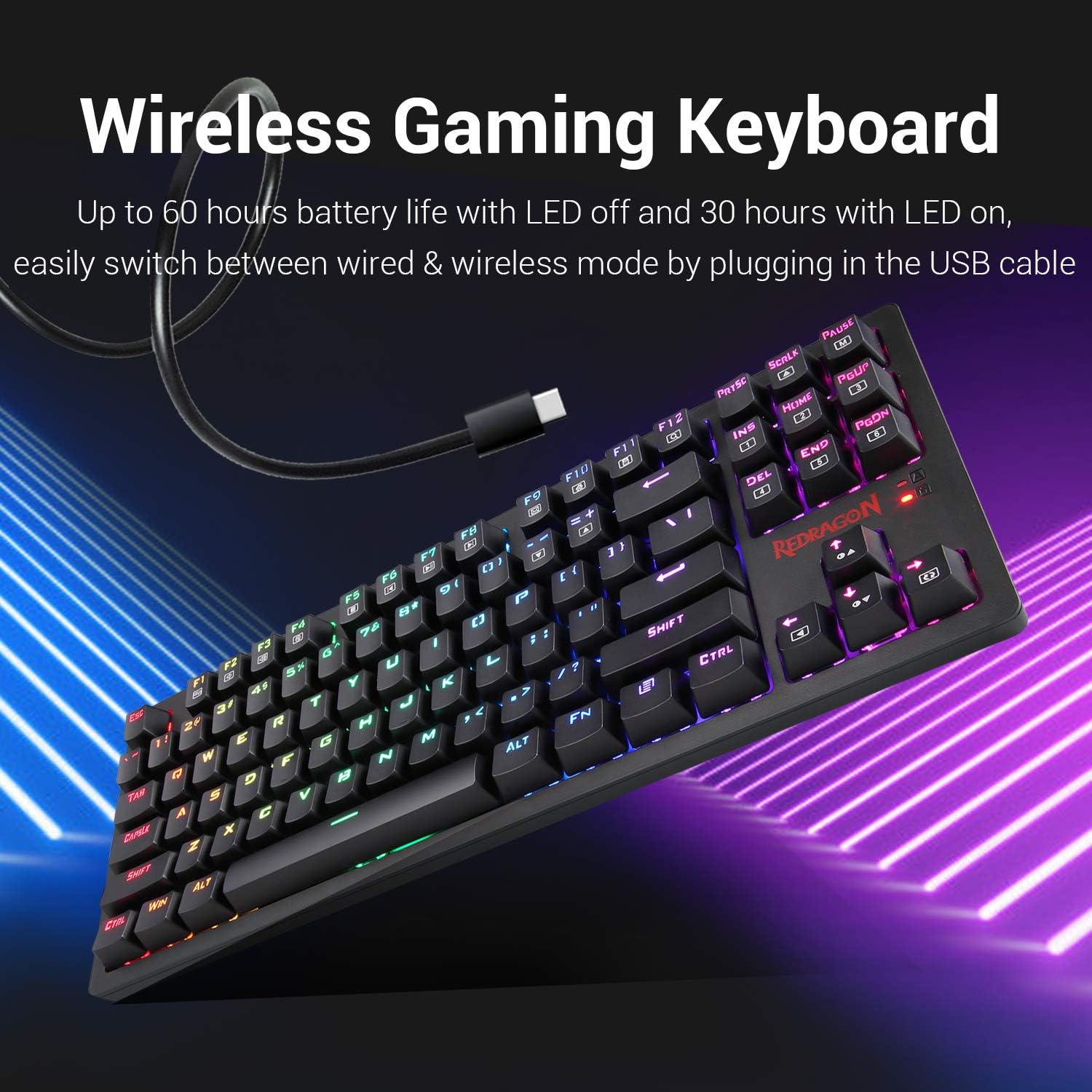
Before initial use, fully charge the keyboard. Connect the provided USB cable to the keyboard's USB port and to a powered USB port on your computer or a USB wall adapter. The keyboard features a built-in Lithium Polymer battery. A full charge provides approximately 60 hours of use with LEDs off, or 30 hours with LEDs on.
3.2 ການເຊື່ອມຕໍ່ໄຮ້ສາຍ (2.4GHz)
- Locate the wireless USB receiver, typically stored in a compartment on the keyboard.
- ສຽບຕົວຮັບ USB ເຂົ້າໄປໃນຜອດ USB ທີ່ມີຢູ່ໃນຄອມພິວເຕີຂອງທ່ານ.
- Ensure the power switch on the keyboard is set to the "ON" position.
- The keyboard should automatically connect to your computer.
3.3 ສາຍເຊື່ອມຕໍ່
To use the keyboard in wired mode, simply connect the USB cable from the keyboard to your computer. The keyboard will function as a wired device and charge simultaneously. This also allows for seamless switching between wired and wireless modes.
4. ຄໍາແນະນໍາການດໍາເນີນງານ
4.1 ຟັງຊັນແປ້ນພິມພື້ນຖານ
The Redragon K598 is a standard 87-key layout. All keys function as labeled. For specific multimedia or function key combinations, refer to the keycap legends, often used in conjunction with the FN ກະແຈ.
4.2 ການຄວບຄຸມໄຟ Backlighting RGB
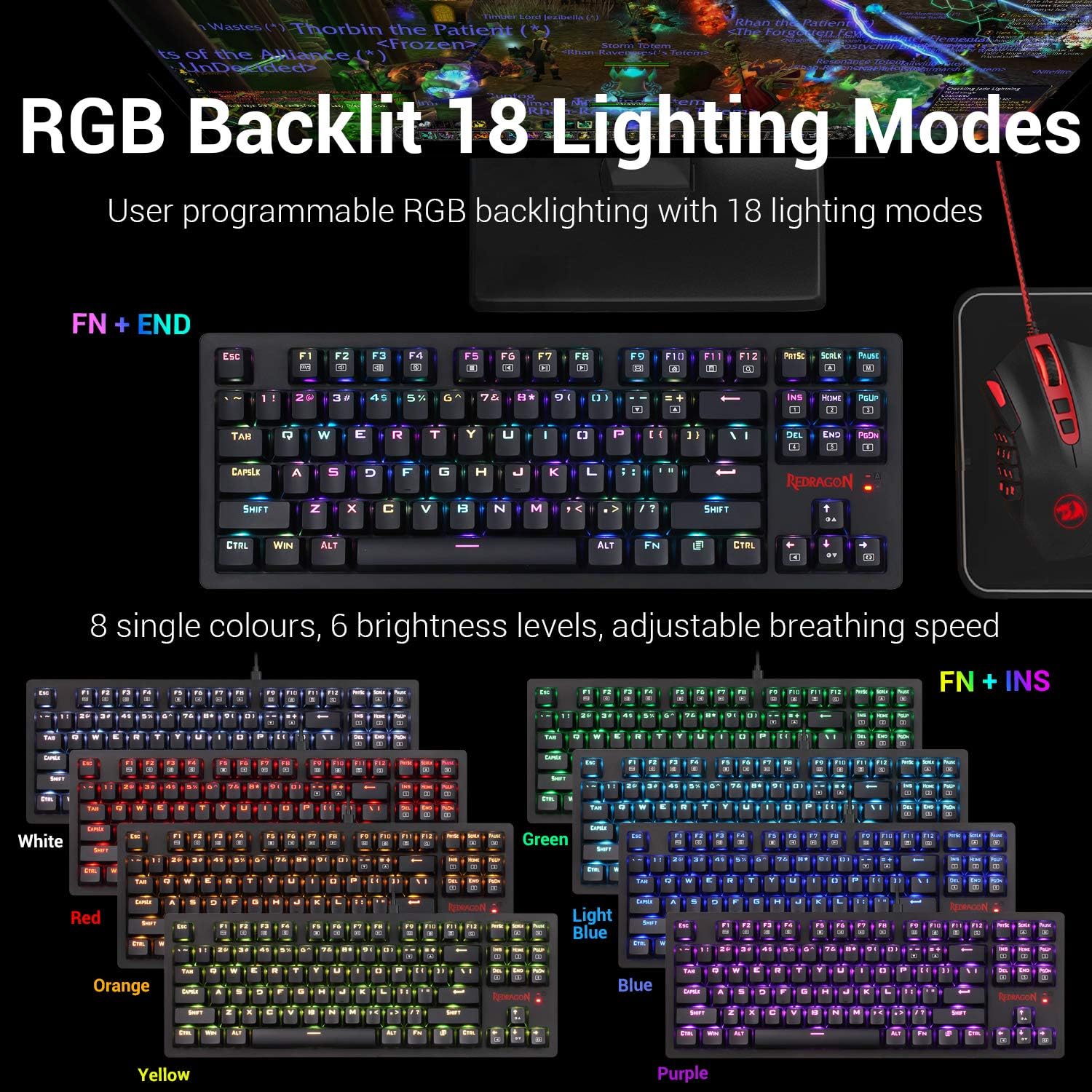
The keyboard features user-programmable RGB backlighting with 18 distinct lighting modes. You can customize colors, brightness, and animation speed.
- To cycle through lighting modes: Press FN + END.
- To change single colors (8 options): Press FN + INS.
- To adjust brightness (6 levels): Use dedicated brightness control keys or FN + Arrow Up/Down (if available, otherwise implied by "6 brightness levels").
- To adjust breathing speed: Use dedicated speed control keys or FN + Arrow Left/Right (if available, otherwise implied by "adjustable breathing speed").
4.3 Key Switch Characteristics
The K598 keyboard is equipped with Outemu Brown mechanical switches. These switches are characterized by a tactile bump, medium resistance, and quiet travel, providing precise tactile feedback suitable for both typing and gaming.
- ແຮງກະຕຸ້ນ: 45gf +/- 10gf
- Keystroke Travel: 2.2mm +/- 0.6mm
- ຄວາມທົນທານ: Ultra-durable keys tested to 50 million keystrokes.


4.4 Keyboard Construction and Keycaps
The K598 features a solid ABS construction with plate-mounted mechanical keys, designed for durability under demanding use. The keycaps are precision-engineered to provide crystal clear uniform backlighting and are resistant to wear, ensuring legends do not scratch off over time.

4.5 Tenkeyless Design
The compact 87-key tenkeyless (TKL) design of the K598 saves desk space without compromising performance. This layout is preferred by many gamers for its ergonomic benefits and reduced footprint, allowing more room for mouse movement.

5. ບໍາລຸງຮັກສາ
5.1 ການທໍາຄວາມສະອາດແປ້ນພິມ
To maintain optimal performance and appearance, regularly clean your keyboard. Use a soft, lint-free cloth slightly dampened with water or a mild cleaning solution. Avoid harsh chemicals, abrasive materials, or excessive moisture. For cleaning between keycaps, use compressed air or a small brush.
5.2 ການເກັບຮັກສາ
When not in use for extended periods, store the keyboard in a dry, cool environment away from direct sunlight and extreme temperatures. Ensure the keyboard is powered off to conserve battery life.
6. ການແກ້ໄຂບັນຫາ
ຖ້າທ່ານພົບບັນຫາກັບແປ້ນພິມ Redragon K598 ຂອງທ່ານ, ອ້າງອີງເຖິງບັນຫາທົ່ວໄປຕໍ່ໄປນີ້ແລະວິທີແກ້ໄຂ:
- Keyboard not responding (Wireless Mode):
- Ensure the keyboard's power switch is ON.
- ກວດສອບວ່າຕົວຮັບສັນຍານ USB ໄດ້ຖືກສຽບເຂົ້າກັບພອດ USB ທີ່ໃຊ້ງານໄດ້ໃນຄອມພິວເຕີຂອງທ່ານຢ່າງປອດໄພແລ້ວ.
- Check the keyboard's battery level. Connect the USB cable to charge if the battery is low.
- ລອງສຽບຕົວຮັບ USB ເຂົ້າໄປໃນຜອດ USB ອື່ນ.
- ປິດເປີດຄອມພິວເຕີຂອງທ່ານຄືນໃໝ່.
- ແປ້ນພິມບໍ່ຕອບສະໜອງ (ໂໝດມີສາຍ):
- ໃຫ້ແນ່ໃຈວ່າສາຍ USB ເຊື່ອມຕໍ່ຢ່າງປອດໄພກັບທັງແປ້ນພິມ ແລະຄອມພິວເຕີຂອງທ່ານ.
- ລອງໃຊ້ພອດ USB ອື່ນໃນຄອມພິວເຕີຂອງທ່ານ.
- ທົດສອບດ້ວຍສາຍ USB ອື່ນຖ້າມີ.
- ປິດເປີດຄອມພິວເຕີຂອງທ່ານຄືນໃໝ່.
- RGB Backlighting not working or incorrect:
- ກວດໃຫ້ແນ່ໃຈວ່າແປ້ນພິມໄດ້ເປີດ ແລະສາກໄຟແລ້ວ.
- ຮອບວຽນຜ່ານຮູບແບບການເຮັດໃຫ້ມີແສງໂດຍໃຊ້ FN + END.
- ປັບລະດັບຄວາມສະຫວ່າງ.
- If using wireless mode, low battery can affect LED performance. Charge the keyboard.
- Keys repeating or not registering:
- Clean the affected key switch area with compressed air to remove debris.
- ໃຫ້ແນ່ໃຈວ່າຝາປິດກະແຈຖືກວາງໄວ້ຢ່າງຖືກຕ້ອງ.
- ຖ້າບັນຫາຍັງຄົງຢູ່, ມັນອາດຈະຊີ້ບອກເຖິງຂໍ້ບົກຜ່ອງຂອງຮາດແວ.
- Software installation issues:
- Ensure you download the correct software version for your specific keyboard model from the official Redragon webເວັບໄຊ.
- Temporarily disable antivirus or firewall software during installation if it interferes.
- Run the installer as an administrator.
7. ຂໍ້ມູນຈໍາເພາະ
| ຄຸນສົມບັດ | ລາຍລະອຽດ |
|---|---|
| ຍີ່ຫໍ້ | Redragon |
| ໝາຍເລກຕົວແບບ | K598 |
| ຂະໜາດສິນຄ້າ | 14.37 x 5.31 x 1.36 ນິ້ວ (36.5 x 13.5 x 3.45 cm) |
| ນ້ໍາຫນັກລາຍການ | 1.57 ປອນ (0.71 ກິໂລ) |
| ເຕັກໂນໂລຊີການເຊື່ອມຕໍ່ | USB (Wired) / 2.4GHz Wireless |
| ອຸປະກອນທີ່ເຂົ້າກັນໄດ້ | ຄອມພິວເຕີ (Windows) |
| ຄຳອະທິບາຍແປ້ນພິມ | Gaming, Tenkeyless (87-key) |
| ຄຸນນະສົມບັດພິເສດ | Backlit, Ergonomic, Rechargeable |
| ແສງຫຼັງແປ້ນພິມ | RGB (18 modes, 8 single colors) |
| ປຸ່ມສະວິດ | ສະວິດກົນຈັກ Outemu ສີນ້ຳຕານ |
| ປະເພດຫມໍ້ໄຟ | ແບັດເຕີຣີ Lithium Polymer 1 ອັນ (ລວມ) |
| ແຫຼ່ງພະລັງງານ | ແບັດເຕີຣີທີ່ສາມາດສາກໄດ້ |
| ອົງປະກອບລວມ | ສາຍ USB |
| ວັນທີທີ່ມີໃຫ້ທໍາອິດ | ວັນທີ 25 ທັນວາ 2024 |
8. ການຮັບປະກັນແລະການສະຫນັບສະຫນູນ
8.1 ຂໍ້ມູນການຮັບປະກັນ
Specific warranty details for the Redragon K598 TKL Wireless Mechanical Keyboard are typically provided with the product packaging or available on the official Redragon webເວັບໄຊ. ກະລຸນາຮັກສາຫຼັກຖານການຊື້ຂອງທ່ານສໍາລັບການຮຽກຮ້ອງການຮັບປະກັນ.
8.2 ສະຫນັບສະຫນູນລູກຄ້າ
For technical assistance, troubleshooting beyond this manual, or warranty inquiries, please contact Redragon customer support. Visit the official Redragon webສະຖານທີ່ສໍາລັບຂໍ້ມູນຕິດຕໍ່ແລະຊັບພະຍາກອນເພີ່ມເຕີມ.
Redragon ຢ່າງເປັນທາງການ Webເວັບໄຊ: www.redragonusa.com


