1. ບົດແນະນຳ
This manual provides detailed instructions for the setup, operation, maintenance, and troubleshooting of your Tascam BD-MP4K Professional-Grade 4K UHD Blu-Ray Player. The BD-MP4K is designed for high-performance playback in commercial installations, offering robust features for various media formats.

ຮູບ 1.1: ດ້ານຫນ້າ view of the Tascam BD-MP4K player.
2. ຄຸນນະສົມບັດທີ່ສໍາຄັນ
The Tascam BD-MP4K offers a comprehensive set of features for professional audio and video playback:
- Supports 4K Ultra HD BD, Blu-ray Disc, DVD, and CD playback.
- Compatibility with exFAT file format and playback of various video, image, and audio formats from SD cards and USB flash memory.
- Power on Play function for automatic playback upon startup (BD/4K UHD BD, DVD, CD-DA).
- Seamless repeat functionality: by chapter, title, and A-B points.
- Multiple audio/video outputs including HDMI 2.0 (video/audio) and HDMI 1.4 (audio only).
- Professional-grade XLR balanced stereo analog outputs and RCA unbalanced stereo outputs.
- Analog outputs for 7.1 surround sound systems.
- ຜົນຜະລິດສຽງດິຈິຕອນ Coaxial.
- External remote control options via RS-232C and Gigabit Ethernet IP network connectivity.
- Panel lock, IR lock, and tray lock functions to prevent accidental operation.
- Hide Menu function to display a black screen during boot-up and disc insertion, bypassing factory setup screens and source menus.

Figure 2.1: The BD-MP4K is designed for professional touring and installation environments.
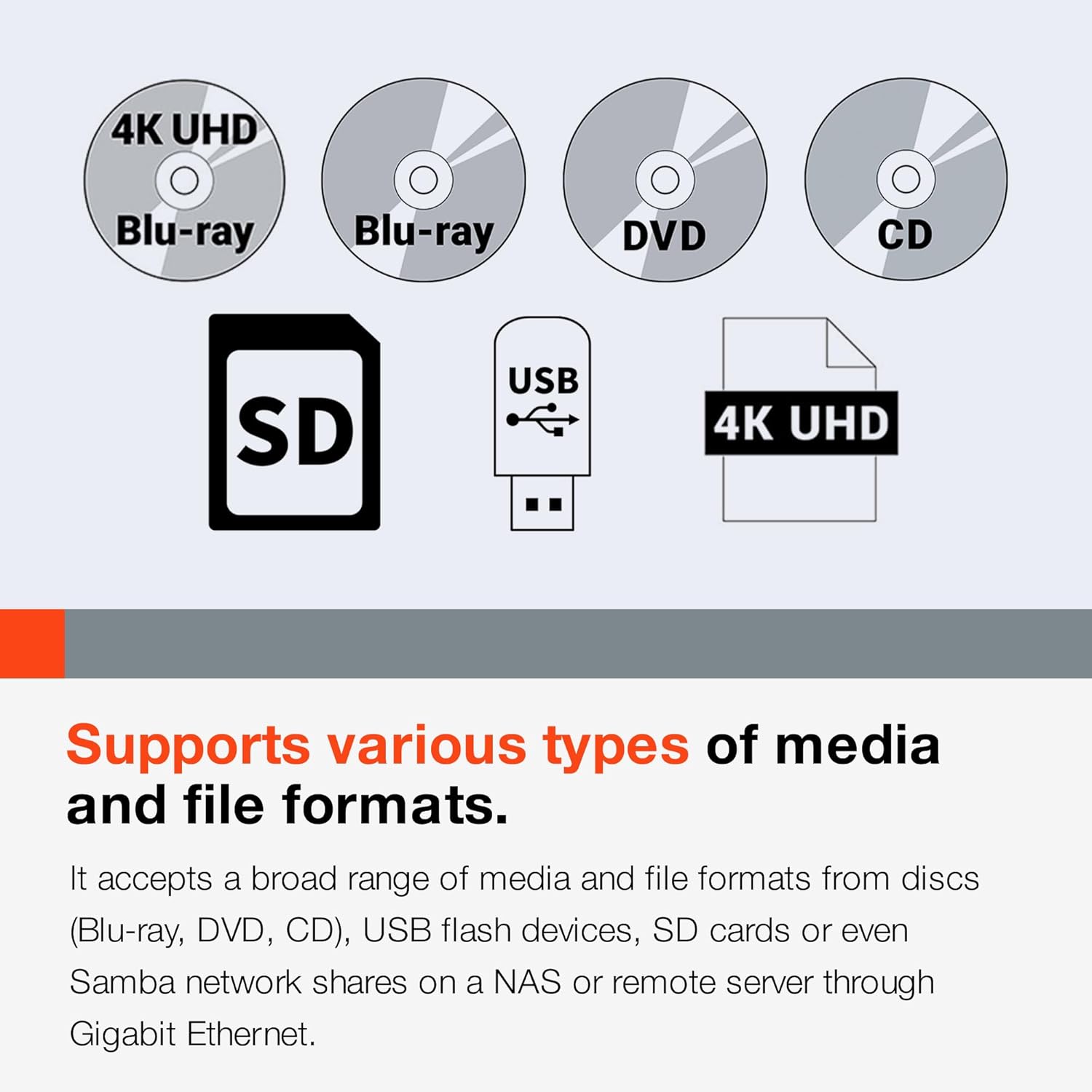
Figure 2.2: The player supports a wide range of disc and file ຮູບແບບ.

Figure 2.3: Power-on play and seamless repeat functions for continuous content playback.
3. ຕັ້ງຄ່າ
3.1 ການຫຸ້ມຫໍ່
Carefully remove the BD-MP4K player and all accessories from the packaging. Verify that all components listed in the packing list are present. Retain the original packaging for future transport or storage.
3.2 ການເຊື່ອມຕໍ່ກັບຈໍສະແດງຜົນ
Use an HDMI cable to connect the HDMI 2.0 (Video/Audio) output on the rear panel of the BD-MP4K to an HDMI input on your television or display. Ensure your display supports 4K UHD resolution for optimal picture quality.
3.3 ການເຊື່ອມຕໍ່ກັບລະບົບສຽງ
The BD-MP4K offers multiple audio output options:
- ສຽງ HDMI: Connect the HDMI 1.4 (Audio Only) output to an audio receiver or soundbar for dedicated audio transmission.
- XLR Balanced Audio: For professional audio setups, connect the XLR balanced outputs to your audio mixer or ampມີຊີວິດຊີວາ.
- RCA Unbalanced Audio: Use the RCA outputs for standard stereo connections to an audio receiver.
- 7.1 Channel Analog Audio: Connect the dedicated 7.1 analog outputs to a compatible surround sound processor or ampມີຊີວິດຊີວາ.
- ສຽງດິຈິຕອນໂຄແອກຊຽລ: Connect to a digital audio receiver using a coaxial cable.
3.4 ການເຊື່ອມຕໍ່ເຄືອຂ່າຍ
Connect an Ethernet cable from the BD-MP4K's LAN port to your network router or switch for network control capabilities.
3.5 ການເຊື່ອມຕໍ່ພະລັງງານ
Connect the supplied power cord to the AC IN port on the rear panel of the player and then to a suitable AC power outlet. The unit supports 100V-240V. Note: The power cord included may be for European regions; an appropriate power cord for your region may be required.

Figure 3.1: Front and rear panel connections of the BD-MP4K.
4. ຄໍາແນະນໍາການດໍາເນີນງານ
4.1 ການຫຼິ້ນພື້ນຖານ
- ເປີດ: ກົດປຸ່ມເປີດປິດຢູ່ແຖບດ້ານຫນ້າຫຼືການຄວບຄຸມຫ່າງໄກສອກຫຼີກ.
- ການຫຼິ້ນແຜ່ນ: Press the OPEN/CLOSE button to open the disc tray. Place a disc (4K UHD BD, Blu-ray, DVD, or CD) on the tray and press OPEN/CLOSE again to close it. Playback will typically begin automatically.
- ການຫຼິ້ນ USB/SD: Insert a USB flash drive into the front USB port or an SD card into the SD card slot. Use the navigation buttons on the remote or front panel to select the desired media file from the on-screen menu.
- ການຄວບຄຸມການຫຼິ້ນ: Use the PLAY, PAUSE, STOP, FAST FORWARD, REWIND, and SKIP buttons on the remote or front panel to control playback.
4.2 ການນໍາໃຊ້ການຄວບຄຸມໄລຍະໄກ
The included RC-BDMP4K wireless remote control provides full functionality for operating the player. Point the remote control directly at the player's IR sensor. Ensure there are no obstructions between the remote and the player.

Figure 4.1: The RC-BDMP4K Wireless Remote Control Unit.
4.3 ຟັງຊັນການຫຼິ້ນແບບພິເສດ
- Seamless Repeat: Use the A-B button on the remote to set start (A) and end (B) points for a specific section to repeat continuously.
- Power On Play: Enable this feature in the system settings to automatically start playback of the last played media when the unit is powered on.
- ຟັງຊັນລັອກ: The front panel, IR receiver, and disc tray can be locked to prevent unauthorized or accidental operation. Refer to the system settings menu for configuration.
5. ບໍາລຸງຮັກສາ
5.1 ການທໍາຄວາມສະອາດຫນ່ວຍງານ
To clean the exterior of the player, use a soft, dry cloth. For stubborn marks, slightly dampເຊັດຜ້າດ້ວຍນ້ຳ ແລະ ເຊັດໃຫ້ແຫ້ງ. ຢ່າໃຊ້ນ້ຳຢາທຳຄວາມສະອາດທີ່ມີສີຂັດ, ຂີ້ເຜີ້ງ ຫຼື ຕົວລະລາຍ ເພາະມັນອາດຈະທຳລາຍສີຜິວໄດ້.
5.2 ການຈັດການແຜ່ນ
Always handle discs by their edges. Avoid touching the playback surface. Store discs in their cases when not in use to prevent scratches and dust accumulation. Clean dirty discs with a soft, lint-free cloth wiping from the center outwards.
5.3 ການອັບເດດເຟີມແວ
Firmware updates for the BD-MP4K are typically provided via an SD card. Visit the official Tascam website for the latest firmware and instructions on how to perform the update. Ensure the unit remains powered during the update process.
6. ການແກ້ໄຂບັນຫາ
If you encounter issues with your BD-MP4K, refer to the following common problems and solutions:
- ບໍ່ມີພະລັງງານ: Ensure the power cord is securely connected to both the player and the power outlet. Check the power outlet with another device.
- ບໍ່ມີຮູບ: Verify that the HDMI cable is correctly connected to both the player and the display. Ensure the correct HDMI input is selected on your display. Try a different HDMI cable.
- ບໍ່ມີສຽງ: Check all audio cable connections (HDMI, XLR, RCA, Coaxial). Ensure the correct audio input is selected on your audio receiver/amplifier. Verify the volume level on both the player and your audio system.
- Disc Not Playing/Freezing: Ensure the disc is clean and free of scratches. Try a different disc. Verify the disc format is supported by the player.
- ການຄວບຄຸມໄລຍະໄກບໍ່ຕອບສະຫນອງ: Check the batteries in the remote control and replace if necessary. Ensure there are no obstructions between the remote and the player's IR sensor.
- External Drive Issues: The player is recommended for use with SSD/flash external drives. There is a 2TB limit for external drives connected via USB. Ensure your drive meets these specifications.
- AVI Fileບໍ່ໄດ້ຫຼິ້ນ: While AVI playback is listed, some specific AVI codecs may not be supported. Ensure your AVI files use commonly supported codecs.
- HDMI CEC Issues: The player may have limited HDMI CEC implementation. Functions like chapter seeking, fast forward, and rewind via CEC may not be fully supported.
- OSD (On-Screen Display) Cannot Be Turned Off: The OSD, including A-B repeat indicators, may not have an option to be disabled. This is a design characteristic of the unit.
If the problem persists after attempting these solutions, please contact Tascam customer support.
7. ຂໍ້ມູນຈໍາເພາະ
| ຂໍ້ມູນຈໍາເພາະ | ມູນຄ່າ |
|---|---|
| ຍີ່ຫໍ້ | Tascam |
| ຊື່ຕົວແບບ | BD MP4K |
| ໝາຍເລກຕົວແບບ | BDMP4K |
| ຄວາມລະອຽດ | 3840x2160 (4K UHD) |
| ປະເພດສື່ | ແຜ່ນ Blu-Ray, ຊີດີ, ດີວີດີ |
| ເຕັກໂນໂລຊີການເຊື່ອມຕໍ່ | HDMI, Infrared, USB, Ethernet (RS-232C) |
| ອຸປະກອນທີ່ເຂົ້າກັນໄດ້ | ໂທລະພາບ |
| ປະເພດຕົວເຊື່ອມຕໍ່ | HDMI |
| ສີ | ດຳ |
| ນ້ໍາຫນັກລາຍການ | 11.2 ປອນ |
| ຂະໜາດສິນຄ້າ | 22 x 14 x 6 ນິ້ວ |
| ວັນທີທໍາອິດທີ່ມີ | ວັນທີ 26 ພະຈິກ 2020 |
8. ການຮັບປະກັນແລະການສະຫນັບສະຫນູນ
For information regarding warranty coverage, technical support, and service, please refer to the warranty card included with your product or visit the official Tascam website. You can typically find FAQs, driver downloads, and contact information for customer service there. Please have your model number (BD-MP4K) and serial number ready when contacting support.


