1. ບົດແນະນຳ
Thank you for choosing the Montech X2 MESH White ATX Mid-Tower Case. This manual provides essential information for the proper setup, operation, and maintenance of your new PC case. The X2 MESH is designed for high airflow and features a fine mesh front panel, a full tempered glass side panel, and comes with three pre-installed rainbow LED fans (two 140mm at the front and one 120mm at the rear) to ensure optimal cooling performance and aesthetic appeal.
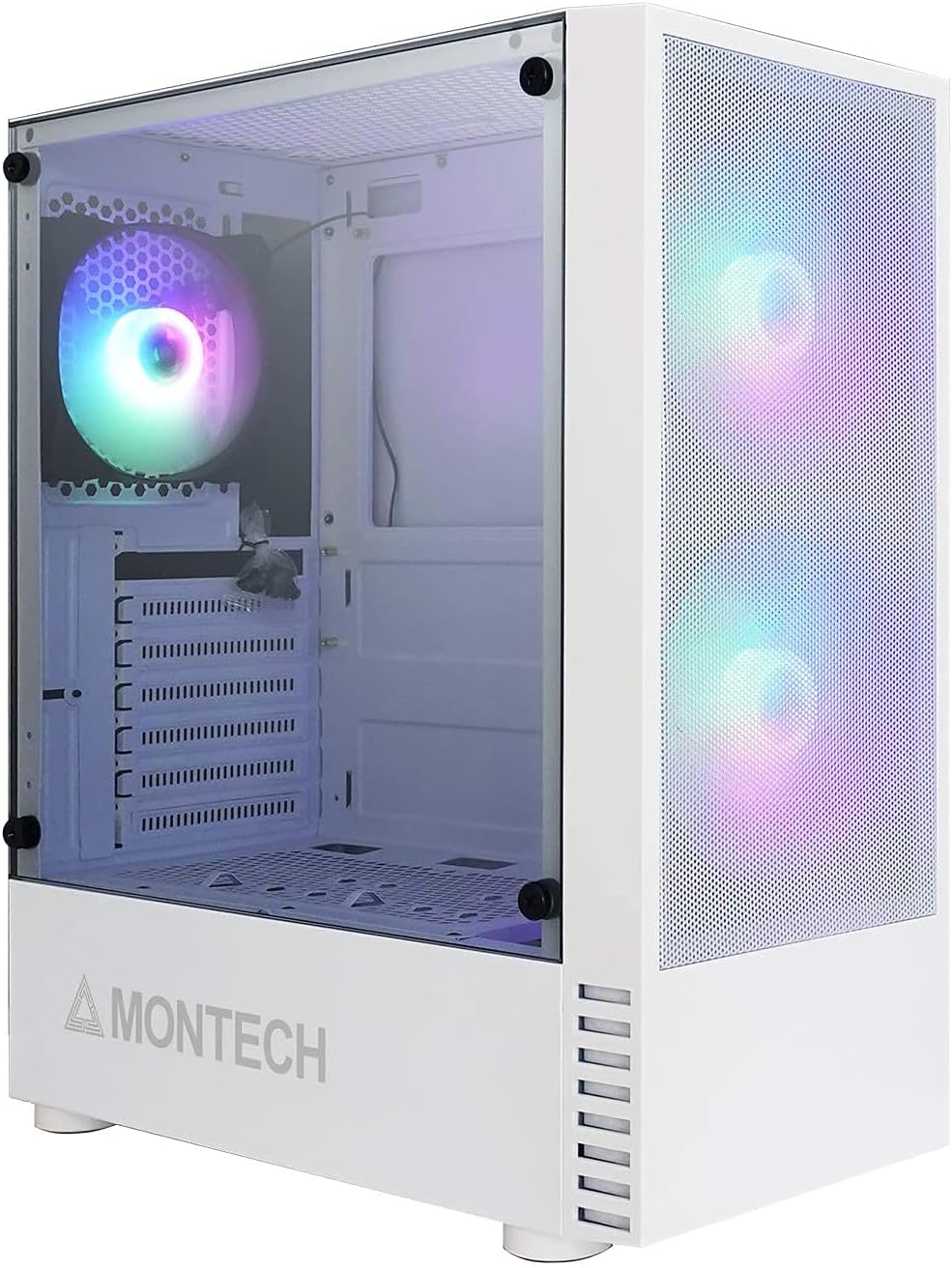
Figure 1.1: Montech X2 MESH White ATX Mid-Tower Case overview.
2. ຜະລິດຕະພັນເກີນview
The Montech X2 MESH case combines classic design with modern functionality. Key features include:
- Fine Mesh Front Panel: Designed for maximum air intake and dust filtration.
- Full Tempered Glass Side Panel: ສະຫນອງຄວາມຊັດເຈນ view of your internal components and RGB lighting.
- Pre-installed Rainbow LED Fans: Two 140mm fans at the front and one 120mm fan at the rear for immediate cooling.
- ພາຍໃນກວ້າງຂວາງ: Supports ATX, Micro-ATX, and Mini-ITX motherboards, multiple storage drives, and ample wiring space.
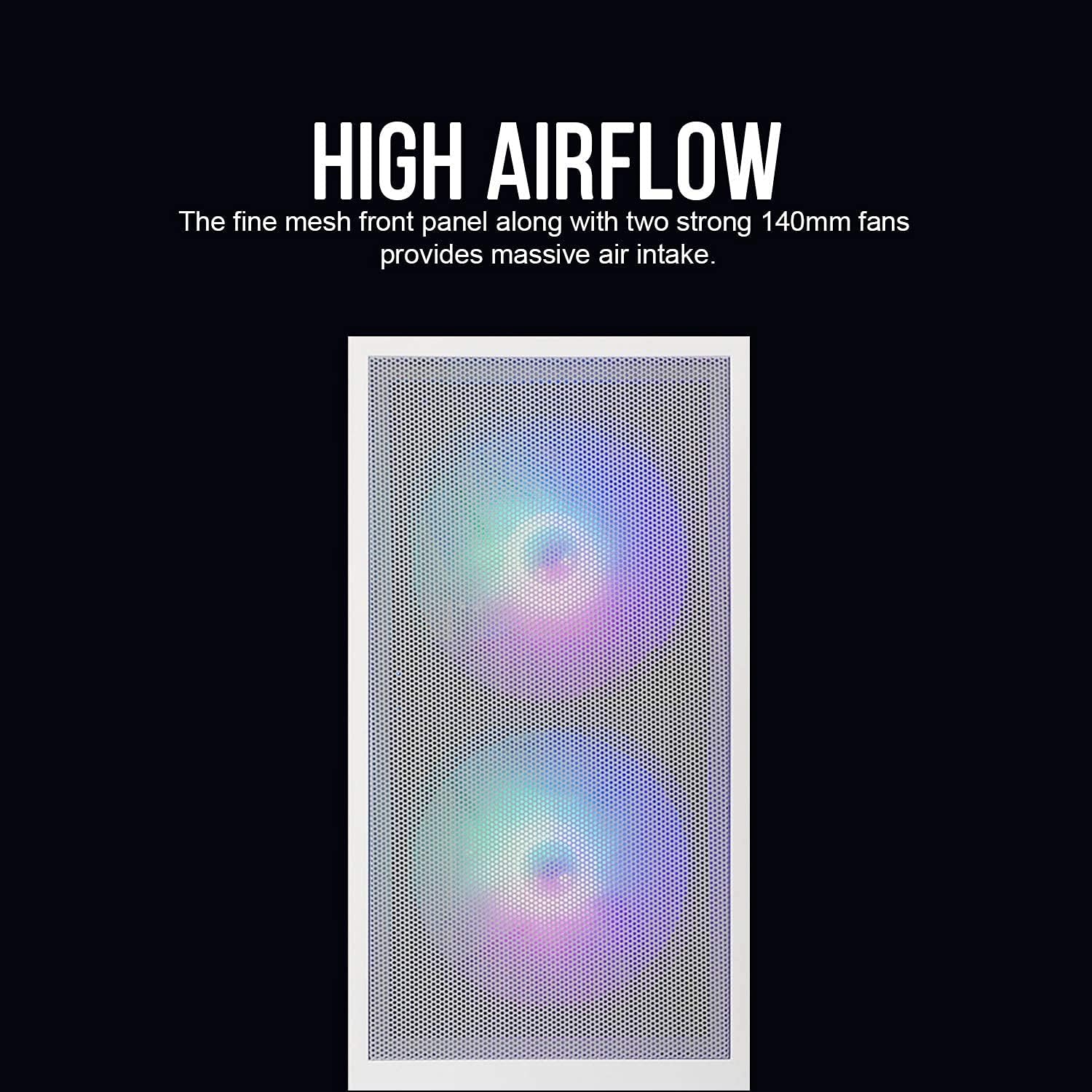
Figure 2.1: The fine mesh front panel ensures high airflow for efficient cooling.

Figure 2.2: The full tempered glass side panel allows for showcasing ອົງປະກອບພາຍໃນ.
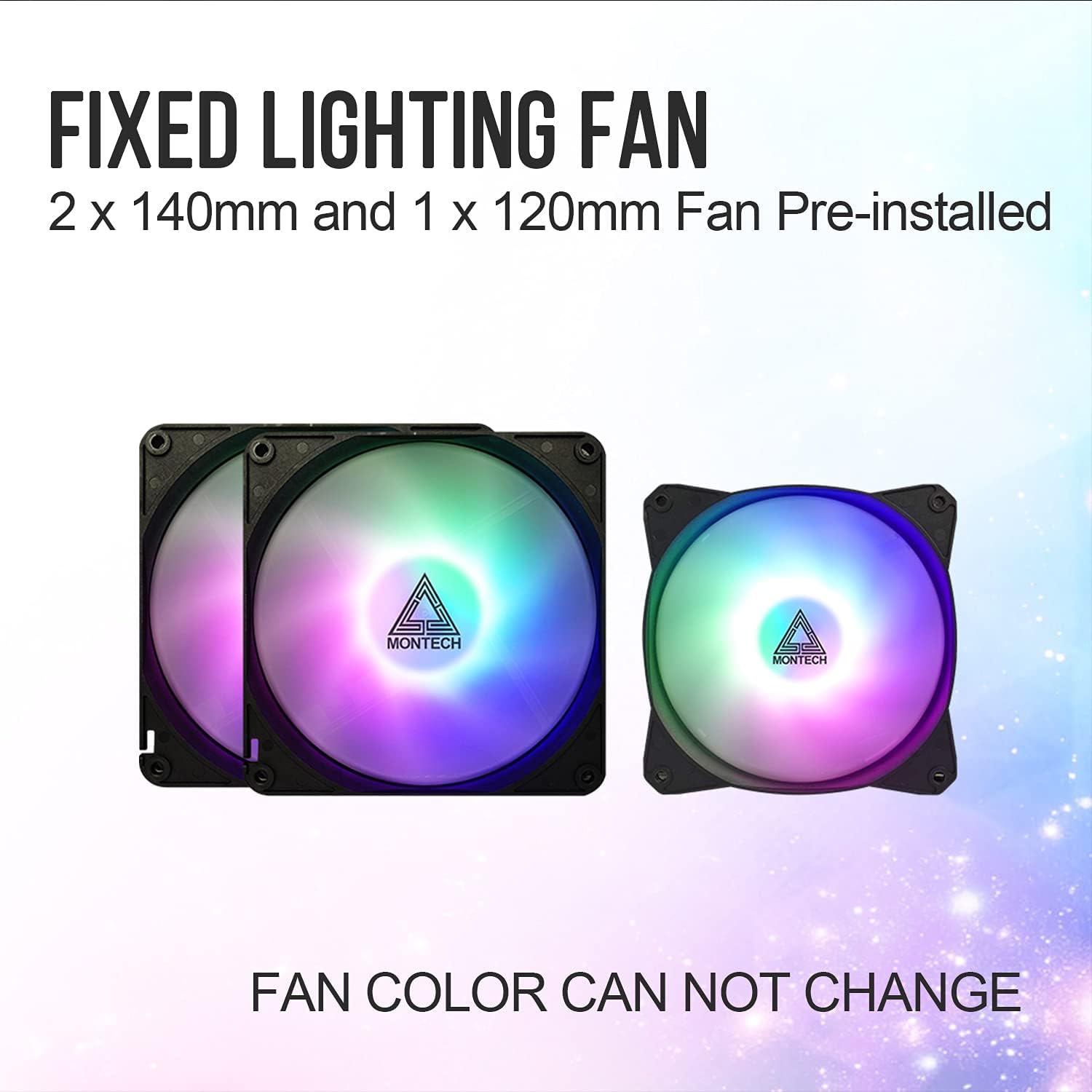
Figure 2.3: The case includes two 140mm and one 120mm pre-installed rainbow LED fans.
3. ການຕິດຕັ້ງແລະການຕິດຕັ້ງ
Follow these steps for proper installation of your PC components into the Montech X2 MESH case.
3.1 ການຕິດຕັ້ງເມນບອດ
- Remove the tempered glass side panel by unscrewing the thumb screws.
- ຕິດຕັ້ງ motherboard standoffs ທີ່ຈໍາເປັນສໍາລັບ motherboard ATX, Micro-ATX, ຫຼື Mini-ITX ຂອງທ່ານ.
- Carefully place your motherboard into the case, aligning it with the standoffs and the I/O shield opening.
- ຮັບປະກັນ motherboard ດ້ວຍ screws.
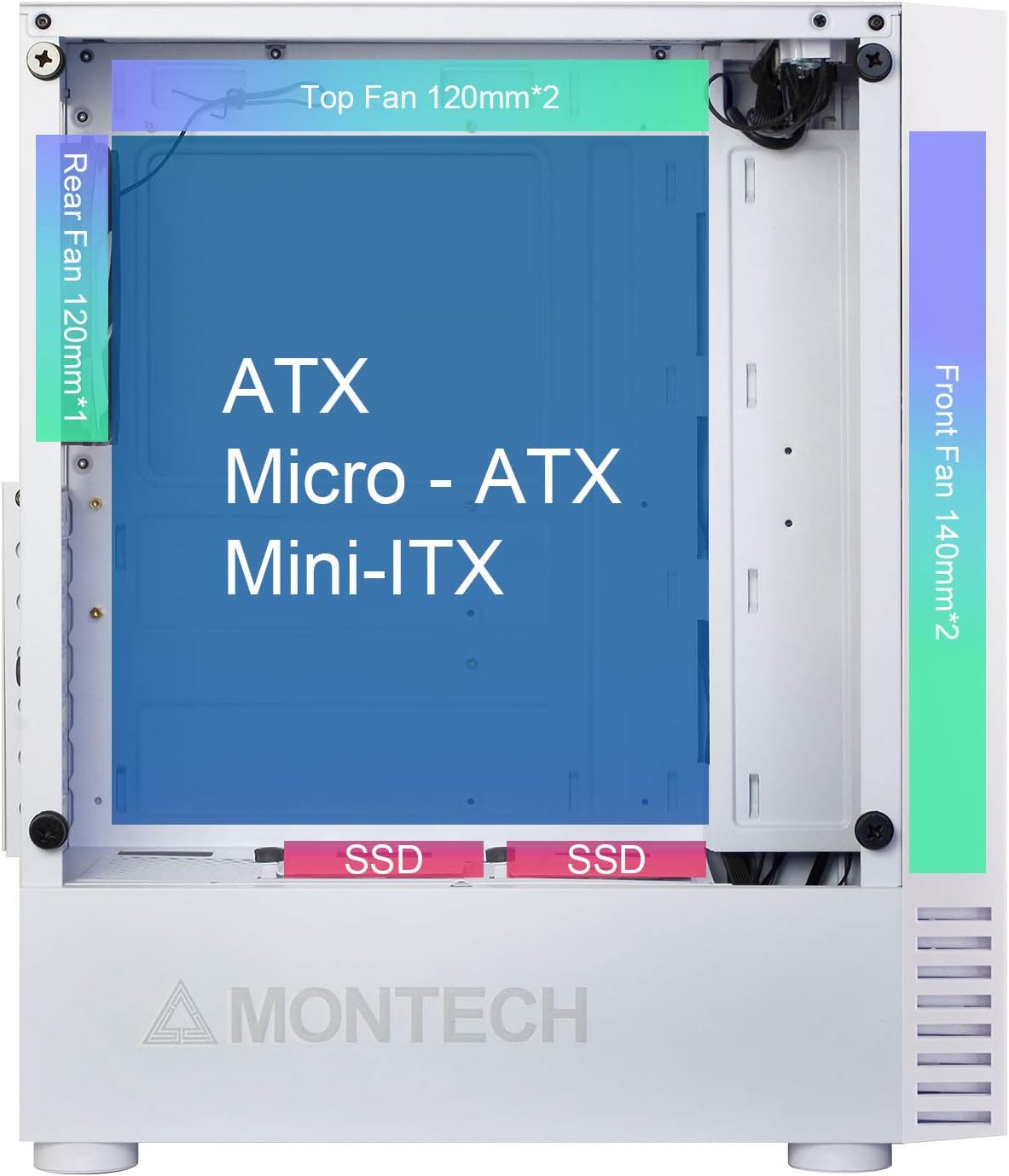
Figure 3.1: Internal layout showing compatibility for ATX, Micro-ATX, and Mini-ITX motherboards, along with fan placements.
3.2 ການຕິດຕັ້ງໄດຣຟ໌ເກັບຂໍ້ມູນ (HDD/SSD)
- 2.5" SSDs: Mount SSDs to the dedicated SSD trays located near the PSU shroud or on the rear of the motherboard tray.
- ຮາດດິດ 3.5": Install HDDs into the drive cage located beneath the PSU shroud.

Figure 3.2: Locations for HDD, SSD, and PSU installation, highlighting wiring space.
3.3 ການຕິດຕັ້ງຫນ່ວຍບໍລິການພະລັງງານ (PSU).
The X2 MESH supports standard ATX PSUs. Install the PSU from the rear of the case, securing it with screws. Ensure proper cable routing through the designated cutouts.
3.4 ການຈັດການສາຍ
ໃຊ້ ample wiring space behind the motherboard tray and the cable tie-down points to manage cables neatly. This improves airflow and aesthetics.
4. ຄໍາແນະນໍາການດໍາເນີນງານ
Once all components are installed and connected, close the side panels. The pre-installed rainbow LED fans will illuminate upon system power-on, providing effective cooling and visual appeal. Ensure your system's power button is connected to the motherboard's front panel headers.
5. ບໍາລຸງຮັກສາ
ການບຳລຸງຮັກສາເປັນປະຈຳຊ່ວຍຮັບປະກັນປະສິດທິພາບທີ່ດີທີ່ສຸດ ແລະ ອາຍຸການໃຊ້ງານທີ່ຍາວນານຂອງເຄສຄອມພິວເຕີຂອງທ່ານ.
- Cleaning the Mesh Front Panel: Periodically clean the fine mesh front panel to prevent dust buildup, which can restrict airflow. Use a soft brush or compressed air.
- Cleaning the Tempered Glass Side Panel: Use a microfiber cloth and a non-abrasive glass cleaner to keep the tempered glass panel clear and smudge-free.
- ທໍາຄວາມສະອາດພັດລົມ: Gently clean the fan blades with compressed air or a soft brush to remove dust buildup.
6. ການແກ້ໄຂບັນຫາ
ຖ້າທ່ານພົບບັນຫາ, ພິຈາລະນາຂັ້ນຕອນການແກ້ໄຂບັນຫາທົ່ວໄປຕໍ່ໄປນີ້:
- ບໍ່ມີພະລັງງານ: Ensure all power cables (24-pin ATX, 8-pin CPU, GPU, etc.) are securely connected to the motherboard and components. Check the PSU switch.
- Fans Not Spinning/LEDs Off: Verify that the fan headers are correctly connected to the motherboard or fan controller. Ensure power is supplied to the fans.
- ການໄຫຼວຽນຂອງອາກາດບໍ່ດີ: Check for dust buildup on the mesh panel and fans. Ensure no cables are obstructing airflow paths.
- ອົງປະກອບວ່າງ: If experiencing system instability, re-check all component connections (RAM, GPU, storage drives).
For persistent issues, consult your component manuals or contact Montech support.
7. ຂໍ້ມູນຈໍາເພາະ
| ຄຸນສົມບັດ | ຂໍ້ມູນຈໍາເພາະ |
|---|---|
| ຊື່ຕົວແບບ | X2 MESH |
| ຍີ່ຫໍ້ | ມອນເທັກ |
| ປະເພດກໍລະນີ | ຫໍກາງ |
| ສີ | X2 MESH White |
| ວັດສະດຸ | ແກ້ວ (ແຜງດ້ານຂ້າງແກ້ວທີ່ມີຄວາມແຂງແກ່ນ) |
| ຄວາມເຂົ້າກັນໄດ້ຂອງເມນບອດ | ATX, Micro ATX, Mini ITX |
| ຂະໜາດສິນຄ້າ (L x W x H) | 38 x 19 x 44.7 cm |
| ນ້ໍາຫນັກລາຍການ | 5.2 ກິໂລກຣາມ |
| ພັດລົມທີ່ຕິດຕັ້ງໄວ້ລ່ວງໜ້າ | 2 x 140mm Rainbow LED (Front), 1 x 120mm Rainbow LED (Rear) |
| ພອດ USB 2.0 | 2 |
| ວິທີການເຮັດຄວາມເຢັນ | ອາກາດ |
| ປະເພດການຕິດຕັ້ງການສະຫນອງພະລັງງານ | ພູລຸ່ມ |
8. ການຮັບປະກັນແລະການສະຫນັບສະຫນູນ
ສຳລັບຂໍ້ມູນການຮັບປະກັນ ແລະ ການຊ່ວຍເຫຼືອດ້ານເຕັກນິກ, ກະລຸນາອ້າງອີງເຖິງ Montech ຢ່າງເປັນທາງການ webເວັບໄຊ ຫຼືຕິດຕໍ່ບໍລິການລູກຄ້າຂອງເຂົາເຈົ້າໂດຍກົງ. ຮັກສາຫຼັກຖານການຊື້ຂອງທ່ານສໍາລັບການຮ້ອງຂໍການຮັບປະກັນ.


