1. ບົດແນະນຳ
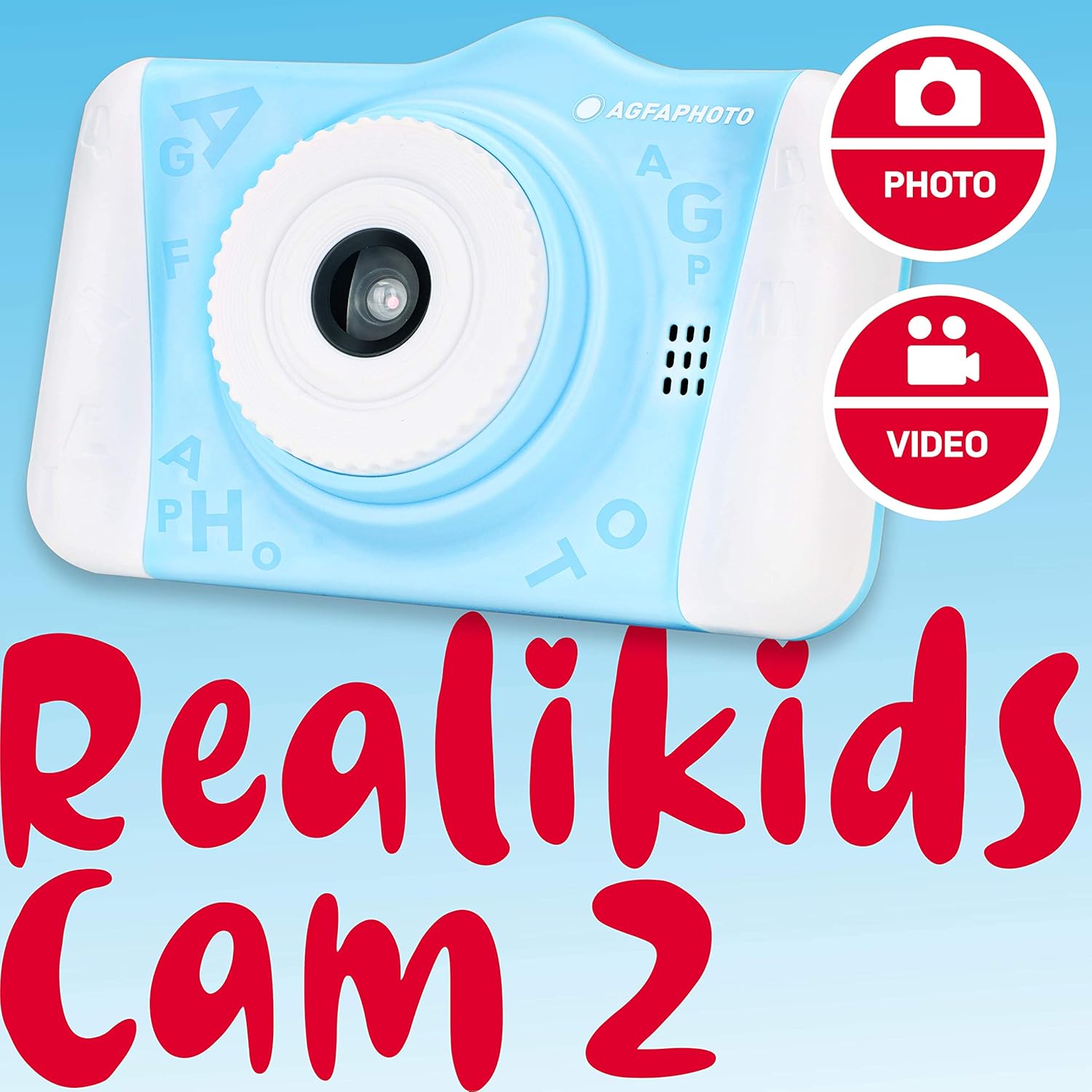
Welcome to the AGFA Photo Realikids Cam 2 digital camera instruction manual. This guide provides essential information for setting up, operating, and maintaining your new camera. Please read this manual carefully to ensure proper use and to maximize your child's enjoyment of the camera.
ແມ່ນຫຍັງຢູ່ໃນກ່ອງ
- AGFA Photo Realikids Cam 2 Camera
- Built-in Lithium Battery (pre-installed)
- ສາຍ USB
- ສາຍຄໍ

2. ຂໍ້ມູນຄວາມປອດໄພ
ເພື່ອຮັບປະກັນການເຮັດວຽກທີ່ປອດໄພ ແລະປ້ອງກັນຄວາມເສຍຫາຍ, ກະລຸນາປະຕິບັດຕາມຄໍາແນະນໍາດ້ານຄວາມປອດໄພຕໍ່ໄປນີ້:
- This product is intended for children aged 3 and above. Adult supervision is recommended.
- Do not expose the camera to water or excessive moisture. This camera is not water-resistant.
- ຫຼີກລ້ຽງການຫຼຸດລົງກ້ອງຖ່າຍຮູບຫຼືການຮັບຜົນກະທົບທີ່ເຂັ້ມແຂງ.
- Do not attempt to disassemble or modify the camera. Repairs should only be performed by authorized personnel.
- Keep the USB cable away from heat sources and sharp objects.
- The camera contains a built-in lithium battery. Do not expose the battery to extreme temperatures, direct sunlight, or fire.
- ໃຊ້ພຽງແຕ່ສາຍ USB ທີ່ໃຫ້ມາສຳລັບການສາກໄຟ.
3. ຕັ້ງຄ່າ
3.1 ການສາກແບັດເຕີຣີ
The camera features a built-in lithium battery. Before first use, fully charge the camera.
- Connect the small end of the provided USB cable to the camera's USB port.
- ເຊື່ອມຕໍ່ປາຍໃຫຍ່ກວ່າຂອງສາຍ USB ກັບອະແດັບເຕີໄຟ USB ມາດຕະຖານ (ບໍ່ລວມ) ຫຼືພອດ USB ຂອງຄອມພິວເຕີ.
- The charging indicator light will illuminate. Once charging is complete, the light may change color or turn off.
- ໂດຍທົ່ວໄປແລ້ວການສາກໄຟຈະໃຊ້ເວລາປະມານ 2-3 ຊົ່ວໂມງ.

3.2 ການໃສ່ Micro SD Card
The camera requires a Micro SD card (not included) to save photos and videos. The camera supports cards up to 32GB.
- ຊອກຫາຊ່ອງໃສ່ກາດ Micro SD ຢູ່ດ້ານຂ້າງຂອງກ້ອງຖ່າຍຮູບ.
- Gently insert the Micro SD card into the slot with the metal contacts facing down until it clicks into place.
- To remove the card, push it gently inward until it clicks, then release, and it will spring out.
3.3 ການເປີດ/ປິດ
- To power on: Press and hold the Power button (usually located on the top or side) for a few seconds until the screen illuminates.
- To power off: Press and hold the Power button again until the screen turns off.
4. ປະຕິບັດການກ້ອງຖ່າຍຮູບ
The AGFA Photo Realikids Cam 2 is designed for ease of use with its intuitive controls and large 3.5-inch LCD screen.

4.1 ການຄວບຄຸມພື້ນຖານ
ເຮັດຄວາມຄຸ້ນເຄີຍກັບປຸ່ມກ້ອງຖ່າຍຮູບ:
- ປຸ່ມເປີດປິດ: ເປີດ/ປິດກ້ອງຖ່າຍຮູບ.
- ປຸ່ມຊັດເຕີ/ຕົກລົງ: ຖ່າຍຮູບ, ເລີ່ມ/ຢຸດການບັນທຶກວິດີໂອ, ຢືນຢັນການເລືອກ.
- ປຸ່ມໂໝດ: Switches between Photo, Video, and Playback modes.
- ປຸ່ມນຳທາງ (ຂຶ້ນ/ລົງ/ຊ້າຍ/ຂວາ): Used to navigate menus, zoom in/out, or select options.
- ປຸ່ມເມນູ: ເຂົ້າເຖິງການຕັ້ງຄ່າກ້ອງຖ່າຍຮູບ.
4.2 ການຖ່າຍຮູບ
- ເປີດກ້ອງຖ່າຍຮູບ.
- Press the Mode button until the camera is in Photo mode (indicated by a camera icon on the screen).
- ຂອບຮູບຂອງທ່ານໂດຍໃຊ້ຈໍ LCD.
- Press the Shutter/OK button to take a picture.
4.3 ການບັນທຶກວິດີໂອ
- ເປີດກ້ອງຖ່າຍຮູບ.
- Press the Mode button until the camera is in Video mode (indicated by a video camera icon on the screen).
- Press the Shutter/OK button once to start recording. A timer or recording indicator will appear on the screen.
- ກົດປຸ່ມ Shutter/OK ອີກຄັ້ງເພື່ອຢຸດການບັນທຶກ.
4.4 ໂໝດເຊວຟີ
The camera features a rear CMOS sensor for taking selfies.
- Ensure the camera is in Photo or Video mode.
- The camera automatically uses the front-facing lens for selfies when pointed towards the user.
- Frame yourself using the LCD screen.
- Press the Shutter/OK button to capture a selfie photo or start/stop a selfie video.

4.5 Photo Filters
Enhance your photos with 16 fun built-in filters.
- In Photo mode, press the Menu button to access filter options.
- Use the Navigation buttons to scroll through the available filters (e.g., princess crown, bunny ears, Santa hat).
- Select your desired filter and press the Shutter/OK button to apply it.
- Take your photo as usual.

4.6 ໂໝດການຫຼິ້ນ
View ຮູບພາບ ແລະ ວິດີໂອທີ່ທ່ານບັນທຶກໄວ້.
- Press the Mode button until the camera is in Playback mode (indicated by a play icon).
- Use the Navigation buttons to scroll through your photos and videos.
- Press the Shutter/OK button to view a video or a larger version of a photo.
5. ບໍາລຸງຮັກສາ
5.1 ການທໍາຄວາມສະອາດກ້ອງຖ່າຍຮູບ
- ໃຊ້ຜ້າປຽກແຫ້ງເພື່ອເຮັດຄວາມສະອາດຕົວກ້ອງຖ່າຍຮູບ.
- ສຳລັບເລນ ແລະ ໜ້າຈໍ, ໃຫ້ໃຊ້ຜ້າເຊັດເລນພິເສດເພື່ອຫຼີກລ່ຽງຮອຍຂີດຂ່ວນ.
- ຢ່າໃຊ້ນໍ້າຢາທໍາຄວາມສະອາດ ຫຼື ວັດສະດຸທີ່ມີສີຂັດ.
5.2 ການເກັບຮັກສາ
- ເກັບຮັກສາກ້ອງຖ່າຍຮູບໄວ້ໃນບ່ອນທີ່ເຢັນ, ແຫ້ງ ແລະ ຫຼີກລ່ຽງແສງແດດໂດຍກົງ.
- ຖ້າເກັບຮັກສາໄວ້ເປັນເວລາດົນ, ໃຫ້ແນ່ໃຈວ່າແບດເຕີຣີໄດ້ສາກໄຟບາງສ່ວນ (ປະມານ 50%) ເພື່ອຍືດອາຍຸຂອງມັນ.
- Remove the Micro SD card if not in use for a long time.
6. ການແກ້ໄຂບັນຫາ
ຖ້າທ່ານພົບບັນຫາກັບກ້ອງຖ່າຍຮູບຂອງທ່ານ, ອ້າງອີງເຖິງວິທີແກ້ໄຂທົ່ວໄປຕໍ່ໄປນີ້:
| ບັນຫາ | ການແກ້ໄຂທີ່ເປັນໄປໄດ້ |
|---|---|
| ກ້ອງຖ່າຍຮູບບໍ່ເປີດ. | Ensure the battery is charged. Connect the camera to a power source using the USB cable. |
| ບໍ່ສາມາດຖ່າຍຮູບ/ວິດີໂອໄດ້. | Check if a Micro SD card is inserted correctly and has sufficient free space. The camera requires a memory card to save media. |
| ຄຸນນະພາບຮູບພາບ/ວິດີໂອບໍ່ດີ. | Ensure the lens is clean. Check lighting conditions. The camera is designed for casual use and may not produce professional-grade images. |
| ກ້ອງຄ້າງ ຫຼື ບໍ່ຕອບສະໜອງ. | ກົດປຸ່ມເປີດປິດຄ້າງໄວ້ 10-15 ວິນາທີເພື່ອບັງຄັບໃຫ້ປິດເຄື່ອງ. ປິດເປີດກ້ອງຄືນໃໝ່. |
7. ຂໍ້ມູນຈໍາເພາະ
| ຄຸນສົມບັດ | ລາຍລະອຽດ |
|---|---|
| ຊື່ຕົວແບບ | ARKC2BL |
| ຂະໜາດໜ້າຈໍ | 3.5 ນິ້ວ |
| ປະເພດການສະແດງ | ຈໍ LCD |
| ເທັກໂນໂລຍີເຊັນເຊີຮູບພາບ | CMOS |
| ການແກ້ໄຂປະສິດທິພາບ | 12 MP |
| ຄວາມລະອຽດວິດີໂອ | 1080p |
| ສະຫນັບສະຫນູນ File ຮູບແບບ | AVI (Video), JPEG (Image) |
| ປະເພດຫນ່ວຍຄວາມຈໍາ Flash | ໄມໂຄຣ SD (ສູງສຸດ 32 GB) |
| ປະເພດຫມໍ້ໄຟ | Built-in Lithium-Ion |
| ເຕັກໂນໂລຊີການເຊື່ອມຕໍ່ | USB |
| ຄຸນນະສົມບັດພິເສດ | Selfie Mode, Photo Filters, Burst Mode, Timer |
| ນ້ໍາຫນັກລາຍການ | 4.06 ອອນ |
| ສີ | ສີຟ້າ |
| ລາຍລະອຽດຊ່ວງອາຍຸ | ເດັກນ້ອຍ |
8. ການຮັບປະກັນແລະການສະຫນັບສະຫນູນ
For warranty information or technical support, please refer to the documentation included with your purchase or visit the official AgfaPhoto webເວັບໄຊ. ຮັກສາຫຼັກຖານການຊື້ຂອງທ່ານສໍາລັບການຮ້ອງຂໍການຮັບປະກັນ.


