ແນະນຳ
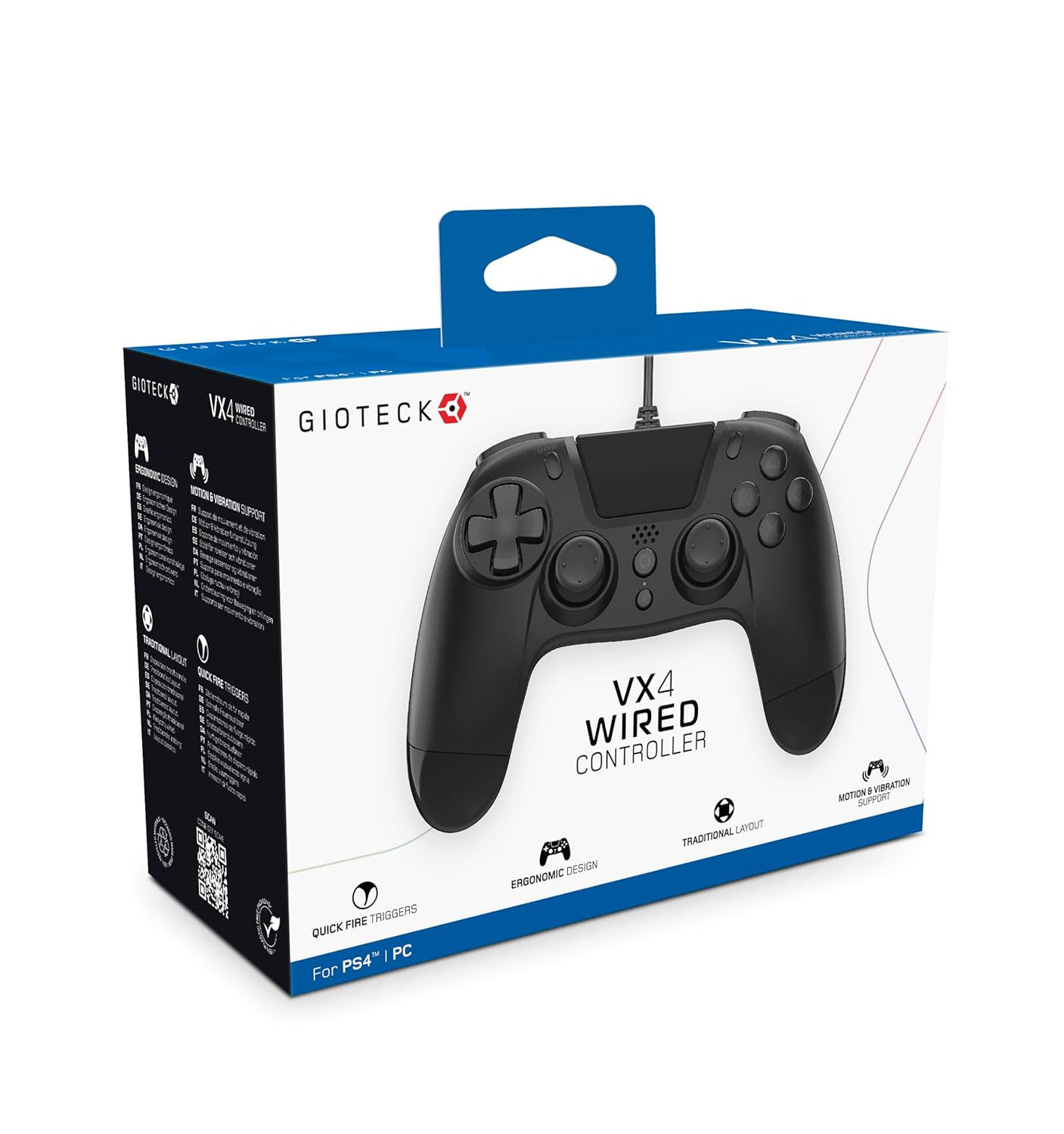
The Gioteck VX-4 Wired Controller is designed for PlayStation 4 and PC, offering a comfortable and responsive gaming experience. It features quick-fire triggers, a precision D-pad, and anti-slip rubber thumb sticks for enhanced performance, providing a next-level immersive gaming experience.
ຄຸນນະສົມບັດທີ່ສໍາຄັນ:
- Quick Fire triggers
- ການອອກແບບ Ergonomic
- Traditional PlayStation layout
ເນື້ອໃນຊຸດ:
- Gioteck VX-4 Wired Controller
- ຄູ່ມືຜູ້ໃຊ້ (ເອກະສານນີ້)
ສິນຄ້າເກີນview:
ຕັ້ງຄ່າ
Connecting to PlayStation 4:
- ກວດໃຫ້ແນ່ໃຈວ່າ PlayStation 4 console ຂອງທ່ານເປີດຢູ່.
- Insert the USB connector of the VX-4 Wired Controller into an available USB port on your PlayStation 4 console.
- ຕົວຄວບຄຸມຄວນຈະຖືກຮັບຮູ້ໂດຍອັດຕະໂນມັດ ແລະ ພ້ອມທີ່ຈະໃຊ້ງານ.
ການເຊື່ອມຕໍ່ກັບ PC:
- ໃຫ້ແນ່ໃຈວ່າ PC ຂອງທ່ານເປີດຢູ່.
- Insert the USB connector of the VX-4 Wired Controller into an available USB port on your PC.
- The PC operating system should automatically install the necessary drivers. If prompted, allow the driver installation to complete.
- The controller will be ready for use with compatible PC games.

ຄໍາແນະນໍາການດໍາເນີນງານ
ແຜນຜັງປຸ່ມ:
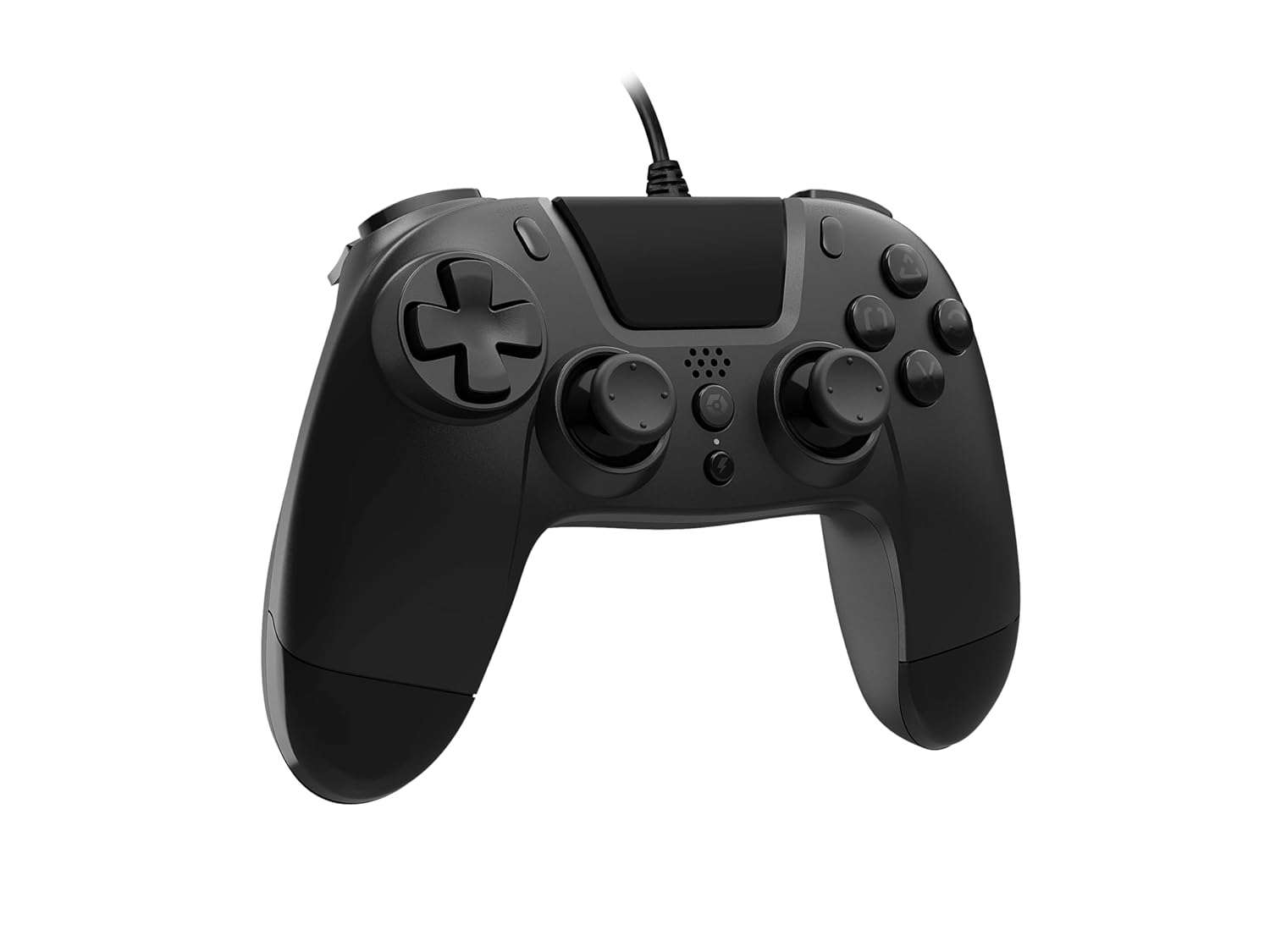
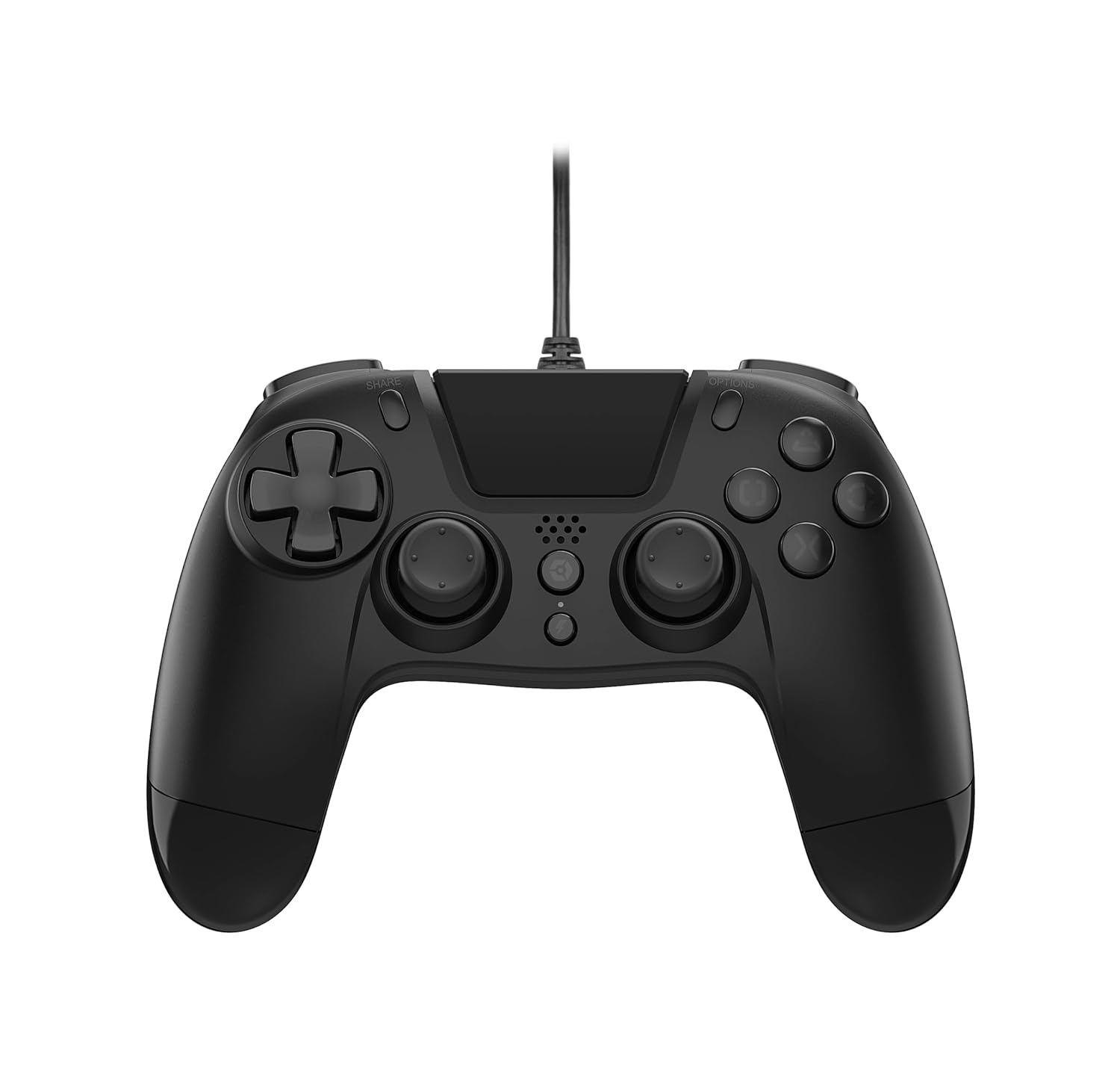
The VX-4 Wired Controller features a traditional PlayStation layout:
- Directional Pad (D-Pad): ສໍາລັບການປ້ອນຂໍ້ມູນທິດທາງທີ່ຊັດເຈນ.
- ໄມ້ອະນາລັອກຊ້າຍ: ການຄວບຄຸມການເຄື່ອນໄຫວຕົ້ນຕໍ.
- ໄມ້ອະນາລັອກຂວາ: ການຄວບຄຸມກ້ອງຖ່າຍຮູບຫຼືການແນມເບິ່ງ.
- ປຸ່ມປະຕິບັດ (ສາມຫຼ່ຽມ, ວົງ, ຂ້າມ, ສີ່ຫຼ່ຽມ): Context-sensitive actions in games.
- ປຸ່ມແບ່ງປັນ: Share gameplay moments (PS4 only).
- ປຸ່ມຕົວເລືອກ: Access in-game menus or pause (PS4 only).
- ປຸ່ມ PS: Access the PlayStation Home screen or power on/off the console (PS4 only).
- ປຸ່ມ L1/R1: Shoulder buttons, typically for quick actions.
- L2/R2 Triggers: ຕົວກະຕຸ້ນແບບອະນາລັອກສຳລັບການປ້ອນຂໍ້ມູນທີ່ຊັດເຈນ, ເຊັ່ນ: ການເລັ່ງ ຫຼື ການຍິງ.
ການນໍາໃຊ້ຕົວຄວບຄຸມ:
Once connected, the controller functions similarly to a standard PlayStation 4 controller for compatible games. For PC, ensure the game supports XInput or DirectInput controllers for optimal performance.
ບໍາລຸງຮັກສາ
ທໍາຄວາມສະອາດ:
ເພື່ອເຮັດຄວາມສະອາດເຄື່ອງຄວບຄຸມ, ໃຫ້ໃຊ້ຜ້າອ່ອນໆ, ແຫ້ງ. ສໍາລັບຝຸ່ນ stubborn, a ເລັກນ້ອຍ damp cloth can be used, but ensure no moisture enters the controller's internal components. Do not use harsh chemicals or abrasive cleaners, as these may damage the finish or internal electronics.
ການເກັບຮັກສາ:
Store the controller in a cool, dry place away from direct sunlight and extreme temperatures. Avoid placing heavy objects on the controller to prevent damage to the cable or buttons.
ການດູແລສາຍໄຟ:
Do not sharply bend, twist, or pull on the controller cable. Always grasp the plug, not the cable, when connecting or disconnecting it from your console or PC to prevent internal wire damage.
ການແກ້ໄຂບັນຫາ
ຜູ້ຄວບຄຸມບໍ່ຕອບສະໜອງ:
- ໃຫ້ແນ່ໃຈວ່າສາຍ USB ຖືກສຽບເຂົ້າກັບທັງຕົວຄວບຄຸມ ແລະ ເຄື່ອງຫຼິ້ນເກມ/PC ຢ່າງແໜ້ນໜາແລ້ວ.
- Try plugging the controller into a different USB port on your console/PC.
- ຣີສະຕາດຄອນໂຊນ ຫຼື PC ຂອງທ່ານ.
- If on PC, check Device Manager to ensure the controller is recognized and drivers are installed correctly.
Buttons or Sticks Not Working Correctly:
- ກວດສອບວ່າມີສິ່ງກີດຂວາງທາງກາຍະພາບ ຫຼື ສິ່ງເສດເຫຼືອອ້ອມປຸ່ມ ຫຼື ໄມ້ອະນາລັອກບໍ່.
- Ensure the controller is clean (refer to Maintenance section).
- Test the controller with another game or application to determine if the issue is specific to one program.
ການສັ່ນສະເທືອນບໍ່ເຮັດວຽກ:
- ກວດສອບວ່າເກມ ຫຼື ແອັບພລິເຄຊັນທີ່ທ່ານກຳລັງຫຼິ້ນຢູ່ຮອງຮັບການຕອບສະໜອງດ້ວຍການສັ່ນ.
- ກວດເບິ່ງການຕັ້ງຄ່າໃນເກມເພື່ອຮັບປະກັນການສັ່ນສະເທືອນ.
ຂໍ້ມູນຈໍາເພາະ
| ຄຸນສົມບັດ | ລາຍລະອຽດ |
|---|---|
| ໝາຍເລກຕົວແບບ | SWIAGJC |
| ການເຊື່ອມຕໍ່ | USB ມີສາຍ |
| ຄວາມເຂົ້າກັນໄດ້ | PlayStation 4, PC |
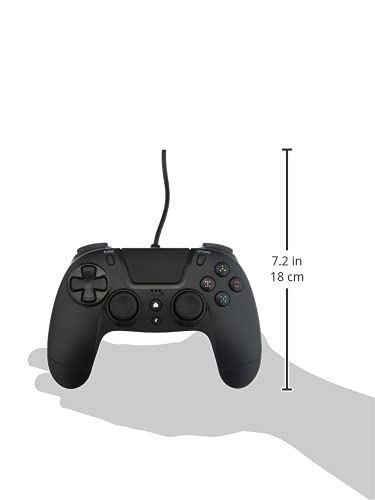
| Product Dimensions (Controller) | Approximately 7.2 inches (18 cm) in height |
| ນ້ໍາຫນັກລາຍການ | 7.41 ອອນສ໌ (210 ກຣາມ) |
| ຜູ້ຜະລິດ | Gioteck |
ການຮັບປະກັນແລະການສະຫນັບສະຫນູນ
For warranty information and technical support regarding your Gioteck VX-4 Wired Controller, please refer to the official Gioteck webເວັບໄຊ ຫຼືຕິດຕໍ່ບໍລິການລູກຄ້າຂອງເຂົາເຈົ້າໂດຍກົງ. ມັນແນະນໍາໃຫ້ເກັບຮັກສາຫຼັກຖານການຊື້ຂອງທ່ານສໍາລັບການຮຽກຮ້ອງການຮັບປະກັນໃດໆ.
Manufacturer: Gioteck
ວັນທີ່ມີໃຫ້ຄັ້ງທຳອິດ: ວັນທີ 10 ກັນຍາ 2020


