ແນະນຳ
The POLY Voyager Focus UC is a stereo Bluetooth headset designed for professionals. It offers seamless connectivity between PC/Mac and smartphones, featuring active noise canceling to enhance focus in various environments.
ຄຸນນະສົມບັດທີ່ສໍາຄັນ:
- Wireless connectivity to PC/Mac via USB-A Bluetooth adapter and mobile phones via Bluetooth.
- Certified for Microsoft Teams and compatible with other leading collaboration platforms.
- Active Noise Canceling (ANC) for reduced background distractions.
- Three noise-canceling microphones for clear voice transmission.
- Up to 12 hours talk time (10 hours with ANC) and 15 hours listening time (12 hours with ANC).
- Roaming range of up to 98 feet (30 meters).
- Plush ear cushions for extended comfort.
ແມ່ນຫຍັງຢູ່ໃນກ່ອງ
- POLY Voyager Focus UC Headset
- USB-A ອະແດັບເຕີ Bluetooth
- ສາຍສາກ (USB)
- Carrying Case (if included with specific variant)
Note: Specific contents may vary based on product variant and region.
ຕັ້ງຄ່າ
1. ຄ່າບໍລິການເບື້ອງຕົ້ນ
Before first use, fully charge your headset. Connect the included USB charging cable to the headset's charging port and to a powered USB port on your computer or a USB wall adapter. The LED indicator on the headset will show charging status.
2. ເປີດ/ປິດ
To power on the headset, slide the Power switch located on the right earcup. To power off, slide the switch back to the off position.
3. Connecting to PC/Mac (USB-A Adapter)
- Insert the USB-A Bluetooth adapter into an available USB port on your computer.
- The adapter's LED will flash blue, then turn solid blue when connected to the headset.
- Ensure the headset is powered on and in pairing mode (if not already paired).
- Your computer should automatically recognize the headset. Select "POLY Voyager Focus UC" as your audio device in your system settings and communication applications (e.g., Microsoft Teams, Zoom).
4. Connecting to Mobile Phone (Bluetooth)
- With the headset powered on, slide and hold the Power switch towards the Bluetooth icon until the LED flashes red and blue.
- On your mobile phone, go to Bluetooth settings and select "POLY Voyager Focus UC" from the list of available devices.
- Once paired, the headset LED will stop flashing and you will hear a voice prompt confirming the connection.
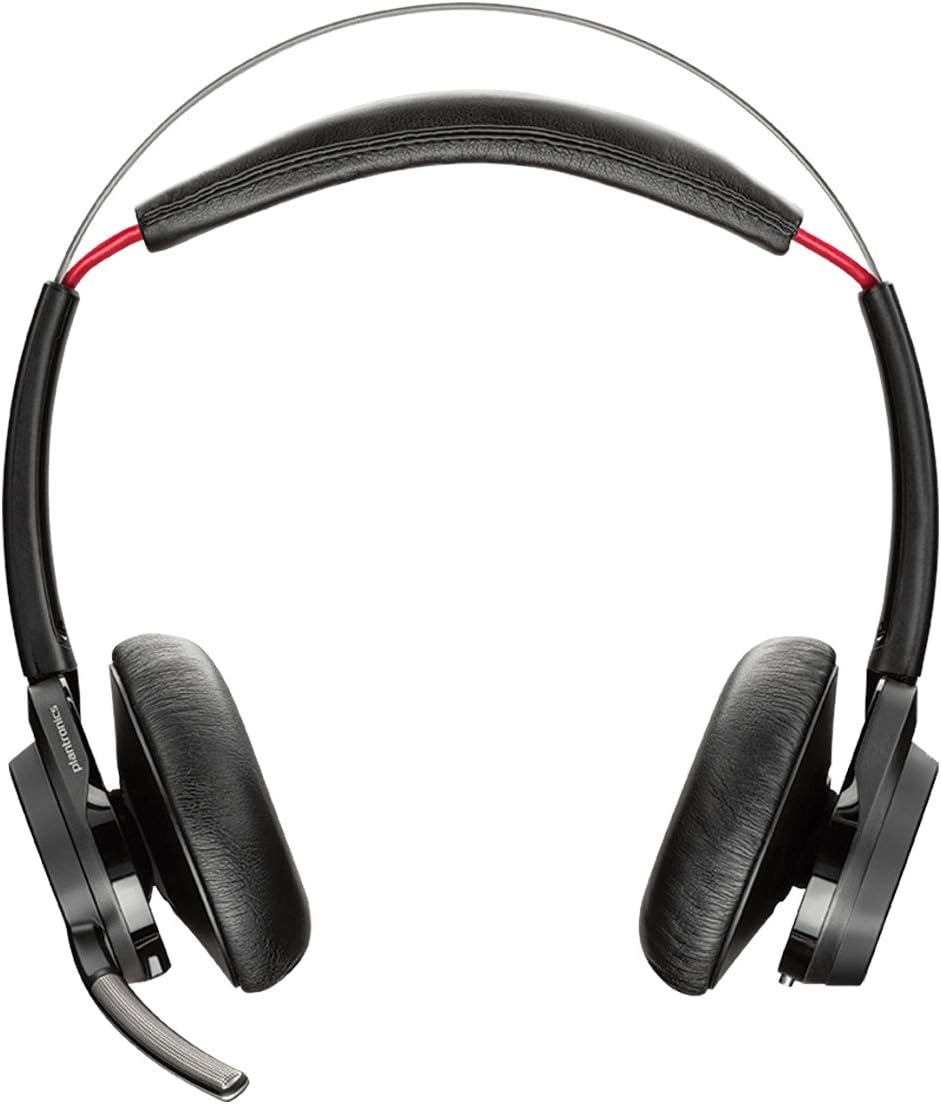
ຮູບ 1: ດ້ານຫນ້າ view of the POLY Voyager Focus UC Headset, showing the dual earcups and adjustable boom microphone.
ຄໍາແນະນໍາການດໍາເນີນງານ
1. ການຄຸ້ມຄອງການໂທ
- ຮັບ/ສາຍໂທ: ກົດປຸ່ມໂທຢູ່ຫູຟັງເບື້ອງຂວາ.
- ປິດສຽງ/ປິດສຽງ: Press the Mute button on the boom microphone or lift/lower the boom mic.
- ການຄວບຄຸມລະດັບສຽງ: Rotate the volume wheel on the right earcup up or down.
2. Active Noise Canceling (ANC)
To activate or deactivate Active Noise Canceling, slide the ANC switch located on the left earcup. ANC helps reduce ambient background noise for improved focus.
3. ການຫຼິ້ນສື່
- ຫຼິ້ນ/ຢຸດ: Press the Play/Pause button on the right earcup.
- ເພງຕໍ່ໄປ: ກົດປຸ່ມ Forward.
- ຕິດຕາມກ່ອນ ໜ້າ ນີ້: Press the Backward button.
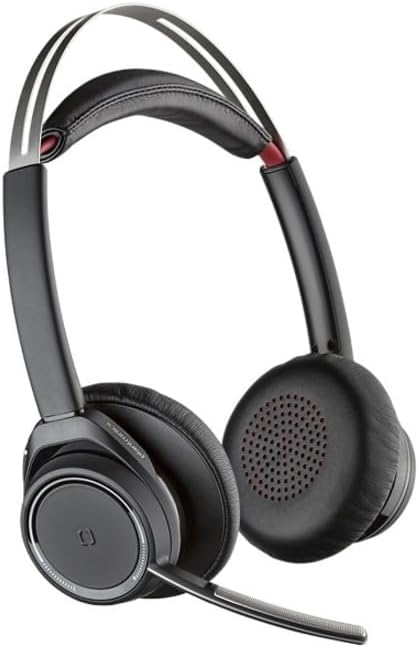
Figure 2: Close-up of the right earcup, illustrating the call, media, and volume controls.
ບໍາລຸງຮັກສາ
- ທໍາຄວາມສະອາດ: ໃຊ້ຜ້າອ່ອນໆແຫ້ງເພື່ອທຳຄວາມສະອາດຊຸດຫູຟັງ. ຫຼີກລ່ຽງການໃຊ້ນໍ້າຢາທຳຄວາມສະອາດທີ່ມີສີຂັດ ຫຼື ຕົວລະລາຍ.
- ການເກັບຮັກສາ: ເກັບຮັກສາຊຸດຫູຟັງໄວ້ໃນຖົງໃສ່ເຄື່ອງເມື່ອບໍ່ໄດ້ໃຊ້ເພື່ອປົກປ້ອງມັນຈາກຝຸ່ນ ແລະຄວາມເສຍຫາຍ.
- ການດູແລຫມໍ້ໄຟ: ເພື່ອຍືດອາຍຸແບັດເຕີລີ, ຫຼີກເວັ້ນການຖອດແບດເຕີລີ່ເຕັມເລື້ອຍໆ. ສາກຫູຟັງເປັນປະຈໍາ, ເຖິງແມ່ນວ່າບໍ່ໄດ້ໃຊ້ຢ່າງຕໍ່ເນື່ອງ.
ການແກ້ໄຂບັນຫາ
ບໍ່ມີສຽງ / ຄຸນນະພາບສຽງທີ່ບໍ່ດີ
- ກວດໃຫ້ແນ່ໃຈວ່າຊຸດຫູຟັງເປີດ ແລະສາກເຕັມແລ້ວ.
- Verify the headset is correctly paired and connected to your device (PC/Mac or mobile phone).
- Check your device's audio settings to ensure the "POLY Voyager Focus UC" is selected as the output and input device.
- If using the USB-A adapter, try plugging it into a different USB port.
- ປິດເປີດຄອມພິວເຕີ ຫຼືອຸປະກອນມືຖືຂອງທ່ານຄືນໃໝ່.
ໄມໂຄຣໂຟນບໍ່ເຮັດວຽກ
- Ensure the microphone boom is lowered and not muted.
- Check your application's (e.g., Teams, Zoom) microphone settings to confirm the headset is selected.
- ປັບຕຳແໜ່ງໄມໂຄຣໂຟນໃຫ້ໃກ້ກັບປາກຂອງທ່ານຫຼາຍຂຶ້ນ.
ບັນຫາການເຊື່ອມຕໍ່ Bluetooth
- Ensure the headset is within the 98 feet (30 meters) operating range of your device.
- Clear previous Bluetooth pairings on your device and re-pair the headset.
- Avoid sources of interference such as Wi-Fi routers, microwaves, or other Bluetooth devices.
ຂໍ້ມູນຈໍາເພາະ
| ຄຸນສົມບັດ | ລາຍລະອຽດ |
|---|---|
| ຊື່ຕົວແບບ | Voyager Focus UC |
| ເຕັກໂນໂລຊີການເຊື່ອມຕໍ່ | ໄຮ້ສາຍ (Bluetooth) |
| ເຕັກໂນໂລຊີການສື່ສານໄຮ້ສາຍ | Bluetooth 4.0 |
| ການຄວບຄຸມສິ່ງລົບກວນ | Active Noise Cancellation |
| ເວລາສົນທະນາ | Up to 12 hours (10 hours with ANC on) |
| ເວລາຟັງ | Up to 15 hours (12 hours with ANC on) |
| ຊ່ວງ Bluetooth | ສູງເຖິງ 30 ແມັດ (98 ຟຸດ) |
| ອຸປະກອນທີ່ເຂົ້າກັນໄດ້ | PCs, Macs, Mobile Phones, VoIP and Conferencing Applications |
| ນ້ໍາຫນັກລາຍການ | 0.634 ອອນ |
| ຂະໜາດສິນຄ້າ | 8.4 x 7.3 x 2.3 ນິ້ວ |
| ວັດສະດຸ | ພາດສະຕິກ |
ການຮັບປະກັນແລະການສະຫນັບສະຫນູນ
ຜະລິດຕະພັນນີ້ມາພ້ອມກັບ a ຮັບປະກັນ 2 ປີທົ່ວໂລກ. For warranty claims or technical support, please visit the official POLY support webເວັບໄຊ ຫຼືຕິດຕໍ່ບໍລິການລູກຄ້າຂອງເຂົາເຈົ້າ. ຮັກສາຫຼັກຖານການຊື້ຂອງທ່ານສໍາລັບການຮັບປະກັນຄວາມຖືກຕ້ອງ.
For further assistance, refer to the official POLY webເວັບໄຊ: www.poly.com


