ແນະນຳ
This manual provides essential information for setting up, operating, maintaining, and troubleshooting your SYSTEMTREFF PC AMD Ryzen 7 5700G. Please read this manual thoroughly before using your new computer to ensure proper functionality and longevity.

ຮູບພາບ: ດ້ານຫນ້າ view of the SYSTEMTREFF PC, showcasing its transparent side panel and illuminated internal components.
ຄູ່ມືການຕິດຕັ້ງ
Follow these steps to set up your SYSTEMTREFF PC.
1. Unboxing ແລະການຈັດວາງ
- Carefully remove the PC from its packaging. Retain all packaging materials for future transport or service.
- Place the PC on a stable, flat surface with adequate ventilation. Ensure there is sufficient space around the computer for airflow, especially at the front, rear, and top vents.
- Avoid placing the PC near heat sources, in direct sunlight, or in areas with excessive dust or humidity.

ຮູບພາບ: ຕ່າງໆ views of the PC case illustrating its physical dimensions for proper placement.
2. ເຊື່ອມຕໍ່ອຸປະກອນເສີມ
Connect your monitor, keyboard, mouse, and other devices to the appropriate ports.
- ຈໍພາບ: Connect your monitor to the HDMI or DVI-D port on the rear of the PC. Ensure the cable is securely fastened.
- ແປ້ນພິມແລະຫນູ: Connect your USB keyboard and mouse to any available USB ports (USB 2.0 or USB 3.0/3.2). PS/2 ports are also available for compatible devices.
- ສຽງ: Connect speakers or headphones to the audio output jack (green) and a microphone to the microphone input jack (pink) on the rear or front panel.
- ເຄືອຂ່າຍ: For a wired connection, connect an Ethernet cable from your router to the RJ45 LAN port on the rear. For wireless connectivity, ensure the included USB Wi-Fi stick is connected.
- ພະລັງງານ: ເຊື່ອມຕໍ່ສາຍໄຟກັບຫົວຫນ່ວຍສະຫນອງພະລັງງານ (PSU) ຢູ່ດ້ານຫລັງຂອງ PC, ຫຼັງຈາກນັ້ນສຽບປາຍອື່ນໆເຂົ້າໄປໃນເຕົ້າສຽບໄຟຟ້າ.

ຮູບພາບ: ລາຍລະອຽດ view of the available front and rear ports for connecting various peripherals.
ຄໍາແນະນໍາການດໍາເນີນງານ
1. Boot ທໍາອິດແລະການຕິດຕັ້ງເບື້ອງຕົ້ນ
- After connecting all peripherals, press the power button located on the top front of the PC.
- The system will boot into Windows 10 Pro. Follow the on-screen instructions to complete the initial Windows setup, including region, language, and user account creation.
- Drivers for all components are pre-installed, ensuring a plug-and-play experience.
2. ການນໍາໃຊ້ພື້ນຖານ
- ເປີດ/ປິດ: Press the power button to turn on. To shut down, click the Start button in Windows, then select Power > Shut down.
- ຣີສະຕາດ: ເພື່ອຣີສະຕາດລະບົບ, ໃຫ້ຄລິກໃສ່ປຸ່ມ Start, ຈາກນັ້ນເລືອກ Power > Restart.
- ຮູບແບບການນອນ: ເພື່ອເຮັດໃຫ້ລະບົບເຂົ້າໄປໃນໂໝດນອນ, ຄລິກທີ່ປຸ່ມເລີ່ມຕົ້ນ, ຈາກນັ້ນເລືອກ Power > Sleep.
- ການເຊື່ອມຕໍ່: The PC supports Wi-Fi and Bluetooth for wireless connections. Use the Windows settings to connect to wireless networks or pair Bluetooth devices.

ຮູບພາບ: Examples of typical usage scenarios for the PC, including productivity, entertainment, and gaming.
ບໍາລຸງຮັກສາ
Regular maintenance helps ensure the optimal performance and longevity of your PC.
1. ທໍາຄວາມສະອາດ
- ພາຍນອກ: ໃຊ້ອ່ອນ, ງamp cloth to clean the exterior of the case. Avoid abrasive cleaners.
- ຂີ້ຝຸ່ນ: Periodically clean dust from the vents and fans using compressed air. Ensure the PC is powered off and unplugged before cleaning. The case features a mesh front and side panel for improved airflow and dust filtration.

Image: Features of the PC case designed for efficient cooling and maintenance access.
2. ການປັບປຸງຊອບແວ
- ກວດສອບ ແລະຕິດຕັ້ງການອັບເດດ Windows ເປັນປະຈຳເພື່ອຮັບປະກັນຄວາມໝັ້ນຄົງ ແລະຄວາມປອດໄພຂອງລະບົບ.
- Keep your graphics drivers updated for optimal performance, especially for gaming and multimedia applications.
ການແກ້ໄຂບັນຫາ
ພາກສ່ວນນີ້ແກ້ໄຂບັນຫາທົ່ວໄປທີ່ທ່ານອາດຈະພົບ.
ບໍ່ມີພະລັງງານ
- ໃຫ້ແນ່ໃຈວ່າສາຍໄຟຖືກເຊື່ອມຕໍ່ຢ່າງປອດໄພກັບທັງ PC ແລະປ່ຽງໄຟຟ້າ.
- Verify that the power switch on the back of the power supply unit (PSU) is in the 'On' position.
- Test the outlet with another device to confirm it is functional.
ບໍ່ມີຈໍສະແດງຜົນໃນຈໍສະແດງຜົນ
- Check that the monitor is powered on and its video cable is securely connected to the PC's HDMI or DVI-D port.
- Ensure the monitor input source is correctly selected (e.g., HDMI 1, DVI).
- If you have multiple display outputs, try connecting to a different port.
System Slowdown or Freezing
- ປິດແອັບພລິເຄຊັນທີ່ບໍ່ຈໍາເປັນທີ່ເຮັດວຽກຢູ່ໃນພື້ນຫຼັງ.
- Check for sufficient free space on your drives, especially the C: drive (SSD).
- ດໍາເນີນການສະແກນໄວຣັສເພື່ອກວດເບິ່ງ malware.
- ໃຫ້ແນ່ໃຈວ່າຄອມພິວເຕີມີການລະບາຍອາກາດພຽງພໍ ແລະ ບໍ່ຮ້ອນເກີນໄປ.
ຂໍ້ມູນຈໍາເພາະ
Detailed technical specifications of your SYSTEMTREFF PC.
| ອົງປະກອບ | ຂໍ້ມູນຈໍາເພາະ |
|---|---|
| ໂຮງງານຜະລິດ | AMD Ryzen 7 5700G (8 Cores, up to 4.6 GHz Turbo) |
| ຮູບພາບ | Integrated AMD Radeon RX Vega 8 (4GB, 2000 MHz, DirectX 12.1) |
| RAM | 32GB DDR4 3200 MHz |
| ການເກັບຮັກສາ | 1TB M.2 NVMe SSD + 2TB HDD |
| ລະບົບປະຕິບັດການ | Windows 10 Pro (64-bit, pre-installed) |
| ການສະຫນອງພະລັງງານ | 500 ວັດ |
| ການເຊື່ອມຕໍ່ | Wi-Fi, Bluetooth, Gigabit LAN (RJ45) |
| ທ່າເຮືອທາງໜ້າ | 1x USB 3.0, 2x USB 2.0, Audio In/Out |
| Ports ຫລັງ | HDMI 4K HD, DVI-D, PS/2, 4x USB 3.2, 2x USB 2.0, HD 7.1 Sound, RJ45 LAN |
| ຂະໜາດ (HxWxD) | 45 x 20.5 x 38.5 cm |
| ນ້ຳໜັກ | 12 ກິໂລ |

Image: Visual summary of the PC's core performance components.


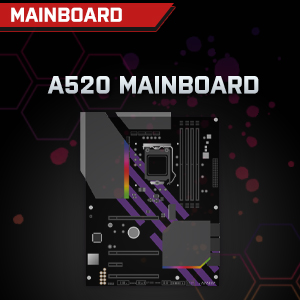

Image: Individual component representations for CPU, RAM, Graphics, Storage, Mainboard, and Power Supply.
ການຮັບປະກັນແລະການສະຫນັບສະຫນູນ
SYSTEMTREFF is committed to providing excellent customer service.
- ການຮັບປະກັນຂອງຜູ້ຜະລິດ: Your SYSTEMTREFF PC comes with a 36-month (3-year) manufacturer's warranty. This warranty covers defects in materials and workmanship under normal use.
- ການຄວບຄຸມຄຸນນະພາບ: All individually assembled PCs undergo a quality control check before shipment.
- ຜົນຕອບແທນ: In case of issues, SYSTEMTREFF offers free returns.
- ຕິດຕໍ່ສະຫນັບສະຫນູນ: For technical assistance, warranty claims, or any other inquiries, please contact SYSTEMTREFF customer support. Contact details can typically be found on the manufacturer's official webເວັບໄຊ ຫຼືເອກະສານທີ່ລວມຢູ່ໃນການຊື້ຂອງທ່ານ.

Image: Information regarding warranty, ease of setup, and customer support availability.


