1. ຜະລິດຕະພັນເກີນview
The Donner EM1 is a compact, rechargeable personal in-ear monitor amplifier designed to provide high-quality audio monitoring for musicians, performers, and audio enthusiasts. It features versatile input options, a long-lasting battery, and a robust design for portable use.
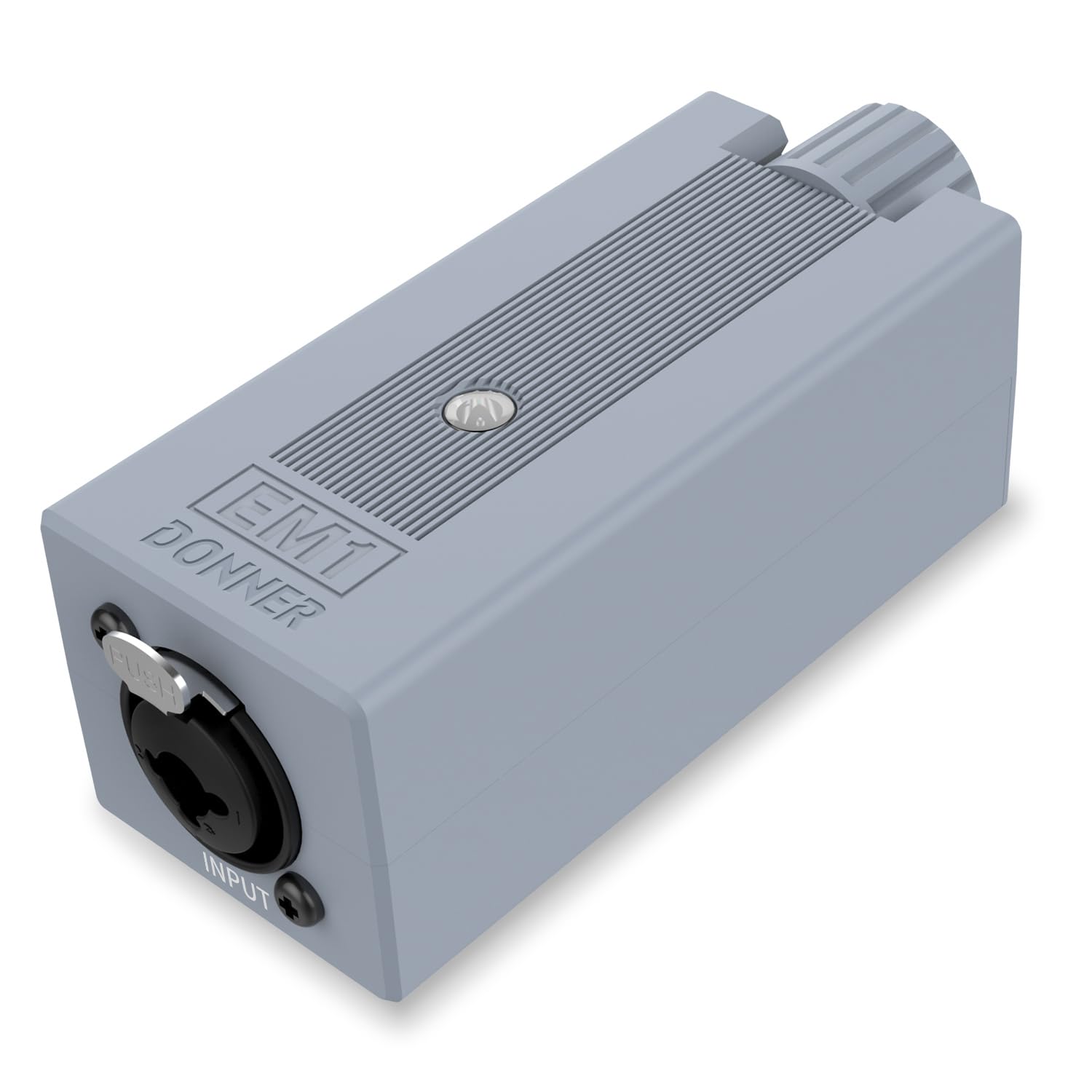
Figure 1: Donner EM1 In-Ear Monitor Ampມີຊີວິດຊີວາ
2. ຄຸນນະສົມບັດທີ່ສໍາຄັນ
- ຜົນຜະລິດພະລັງງານສູງ: Suitable for high-impedance professional headphones, ensuring sufficient volume in noisy environments.
- Professional In-ear Monitoring: Offers outstanding technical and sonic characteristics, high audio reproduction, and minimal audio rendering for precise personal monitoring.
- Practical Interface: Equipped with XLR and TRS input connectors featuring a locking mechanism for secure connections. Includes a Stereo/Mono source switch.
- ຄວາມທົນທານທີ່ແຂງແຮງ: Powered by a long-life Li-ion battery, providing up to 12 hours of operation. Features LED indicators for power and battery charging status.
- ງ່າຍຕໍ່ການພົກພາ: Designed with a solid metallic belt-pack clip and a high-tech, compact, and portable form factor for convenient transport.

Figure 2: Powerful and Practical Interface

Figure 3: Perfect for Improving Headset Performance
3. ຕັ້ງຄ່າ
3.1 ການສາກອຸປະກອນ
The EM1 features a built-in rechargeable Li-ion battery. Before first use, fully charge the device. A full charge typically takes approximately 4 hours and provides up to 12 hours of continuous use. The device can also be used while charging.
- Connect the provided USB-A to USB-C charging cable to the DC 5V port on the EM1.
- Connect the other end of the cable to a standard USB-A wall charger (5V, 1A or above). Note: Some modern USB-C to USB-C chargers may not be compatible without a proper handshake protocol; using a USB-A wall charger is recommended.
- The LED indicator will show charging status. It typically glows blue when powered on and may turn red when the battery is low.

Figure 4: Battery Life and Charging Indicators
3.2 Connecting Audio Sources and Headphones
The EM1 offers flexible input and output options for various audio setups.
- ປ້ອນຂໍ້ມູນ: Connect your audio source (e.g., mixer, audio interface, instrument) to the XLR or 1/4" TRS input connector. The locking mechanism ensures a secure connection.
- ຜົນຜະລິດ: Connect your in-ear monitors or headphones to the 3.5mm output jack.

ຮູບທີ 5: ຄວາມເຂົ້າກັນໄດ້ຂອງອຸປະກອນກວ້າງ
3.3 Video Guide: Connecting the EM1
Video 1: This video demonstrates how to connect your audio sources and headphones to the Donner EM1 amplifier, showcasing its input and output options.
4. ຄໍາແນະນໍາການດໍາເນີນງານ
4.1 ເປີດ/ປິດ
Locate the power switch on the side of the EM1. Slide the switch to the 'ON' position to power on the device. The LED indicator will illuminate blue. To power off, slide the switch to the 'OFF' position.
4.2 ການປັບລະດັບສຽງ
Use the large rotary 'VOL' knob on the top of the device to adjust the headphone output volume. Turn clockwise to increase volume and counter-clockwise to decrease it. Start with a low volume and gradually increase to a comfortable listening level to prevent hearing damage.
4.3 ສະເຕຣິໂອ/ໂມໂນສະວິດ
The EM1 features a Stereo/Mono source switch. Select 'Stereo' for a full stereo image or 'Mono' if your audio source is mono or if you prefer a mono mix for monitoring.
4.4 Using the Belt-Pack Clip
The robust metallic clip on the back allows you to securely attach the EM1 to your belt, guitar strap, or other convenient locations, ensuring it stays in place during use.

Figure 6: Enjoy the Ultimate Sound Anywhere
4.5 Video Guide: EM1 in Action
Video 2: This video provides a detailed look at the Donner EM1 Personal In-Ear Monitor Amplifier, demonstrating its features and practical applications.
5. ບໍາລຸງຮັກສາ
5.1 ການເບິ່ງແຍງທົ່ວໄປ
- ຮັກສາອຸປະກອນໃຫ້ສະອາດ ແລະ ບໍ່ມີຝຸ່ນ ແລະ ຄວາມຊຸ່ມ. ໃຊ້ຜ້າອ່ອນໆ ແລະ ແຫ້ງເພື່ອທຳຄວາມສະອາດ.
- ຫຼີກລ້ຽງການວາງອຸປະກອນລົງ ຫຼືຖືກຜົນກະທົບທີ່ຮຸນແຮງ.
- ເກັບຮັກສາໄວ້ໃນບ່ອນທີ່ເຢັນ, ແຫ້ງໃນເວລາທີ່ບໍ່ໄດ້ໃຊ້.
5.2 ການດູແລຫມໍ້ໄຟ
- ສໍາລັບອາຍຸຫມໍ້ໄຟທີ່ດີທີ່ສຸດ, ຫຼີກເວັ້ນການຫມົດຫມໍ້ໄຟຫມົດເລື້ອຍໆ.
- Always use the recommended charging cable and a compatible USB-A power adapter (DC 5V, 1A or above).
- ຖ້າອຸປະກອນຈະບໍ່ຖືກໃຊ້ເປັນໄລຍະເວລາ, ສາກມັນໃຫ້ປະມານ 50% ກ່ອນທີ່ຈະເກັບຮັກສາ.
6. ການແກ້ໄຂບັນຫາ
6.1 ບໍ່ມີສຽງອອກ
- Ensure the EM1 is powered on and the LED indicator is blue.
- Check that your headphones are securely plugged into the 3.5mm output jack.
- Verify that the volume knob is turned up to an audible level.
- Confirm that your audio source is sending a signal to the EM1's input.
- Check the Stereo/Mono switch setting.
6.2 ອຸປະກອນບໍ່ສາກໄຟ
- Ensure the charging cable is securely connected to both the EM1 and the power adapter.
- Use the included USB-A to USB-C cable and a standard USB-A wall charger (DC 5V, 1A or above). Some USB-C to USB-C chargers may not be compatible.
- Try a different USB-A wall charger or USB port to rule out a faulty power source.
- If the LED indicator is red, it signifies a low battery state. Allow sufficient time for charging.
6.3 Audio Clipping or Distortion
- Reduce the input gain from your audio source to the EM1. Overdriving the input can cause distortion.
- Lower the volume on the EM1.
- Ensure your headphones are compatible with the amplifier's output and are not being overdriven.
7. ຂໍ້ມູນຈໍາເພາະ
| ຄຸນສົມບັດ | ຂໍ້ມູນຈໍາເພາະ |
|---|---|
| ຊື່ຕົວແບບ | EM1 |
| Jack ຫູຟັງ | Jack ຂະ ໜາດ 3.5 ມມ |
| ເຕັກໂນໂລຊີການເຊື່ອມຕໍ່ | ມີສາຍ |
| ປະເພດການຄວບຄຸມ | ການຄວບຄຸມລະດັບສຽງ, ປຸ່ມກົດ |
| ປະເພດຫມໍ້ໄຟ | 1 Lithium Ion (ລວມ) |
| ຊີວິດຫມໍ້ໄຟ | 12 ຊົ່ວໂມງ |
| ເວລາສາກໄຟ | ປະມານ. 4 ຊົ່ວໂມງ |
| ນ້ໍາຫນັກລາຍການ | 0.1 ກິໂລກຣາມ (3.52 ອອນສ໌) |
| ຂະໜາດສິນຄ້າ | 4.09 x 1.61 x 1.61 ນິ້ວ |
| XLR Impedance | 20KΩ |
| 1/4" TRS Impedance | 10KΩ |
| Max. Input Level (dBu) | +2dBu |
| ສຽງດັງ (ນ້ ຳ ໜັກ) | -77dB |
| THD & N | 0.001% |
| ຊ່ວງໄດນາມິກ | 96dB |

ຮູບທີ 7: ລາຍລະອຽດສະເພາະ
8. ການຮັບປະກັນແລະການສະຫນັບສະຫນູນ
Donner products are designed for reliability and performance. For warranty information, product registration, or technical support, please visit the official Donner webເວັບໄຊ ຫຼືຕິດຕໍ່ບໍລິການລູກຄ້າຂອງເຂົາເຈົ້າໂດຍກົງ. ຮັກສາໃບຮັບເງິນການຊື້ຂອງທ່ານໄວ້ເປັນຫຼັກຖານການຊື້ສໍາລັບການຮຽກຮ້ອງການຮັບປະກັນໃດໆ.
ສໍາລັບຊັບພະຍາກອນເພີ່ມເຕີມແລະຂໍ້ມູນຜະລິດຕະພັນ, ທ່ານອາດຈະໄປຢ້ຽມຢາມ ຮ້ານ Donner ໃນ Amazon.


