1. ຂໍ້ມູນຄວາມປອດໄພທີ່ສໍາຄັນ
Please read all instructions carefully before operating the Midea MAD50C1ZWS Dehumidifier and using the Eastman 60309 Drain Hose. Retain this manual for future reference.
ຂໍ້ຄວນລະວັງຄວາມປອດໄພທົ່ວໄປ
- ເຊື່ອມຕໍ່ເຄື່ອງໃຊ້ກັບປລັກສຽບໄຟທີ່ມີດິນຢູ່ສະເໝີ.
- ຫ້າມໃຊ້ເຄື່ອງດູດຝຸ່ນດ້ວຍສາຍໄຟ ຫຼືປລັກສຽບທີ່ເສຍຫາຍ.
- ເກັບຮັກສາເຄື່ອງດູດຄວາມຊຸ່ມໃຫ້ຫ່າງຈາກແຫຼ່ງຄວາມຮ້ອນ, ວັດສະດຸໄວໄຟ ແລະ ນໍ້າ.
- ຮັບປະກັນການລະບາຍອາກາດທີ່ເໝາະສົມອ້ອມຮອບເຄື່ອງ; ຢ່າອຸດຕັນທາງເຂົ້າ ຫຼື ທາງອອກຂອງອາກາດ.
- ຢ່າເອົາສິ່ງຂອງເຂົ້າໄປໃນຊ່ອງລະບາຍອາກາດ.
- ຖອດປລັກໜ່ວຍອອກກ່ອນທຳຄວາມສະອາດ ຫຼືເຮັດການບຳລຸງຮັກສາ.
Dehumidifier Specific Safety
- Place the dehumidifier on a level, stable surface to prevent water spillage.
- Do not drink the collected water.
- Ensure the water bucket is correctly installed before operation.
Drain Hose Specific Safety
- Inspect the hose for any damage before each use.
- ໃຫ້ແນ່ໃຈວ່າການເຊື່ອມຕໍ່ທັງຫມົດແມ່ນປອດໄພເພື່ອປ້ອງກັນການຮົ່ວໄຫຼ.
- Do not kink or crimp the hose, as this can impede drainage.
2. ຜະລິດຕະພັນເກີນview
Midea MAD50C1ZWS Dehumidifier
The Midea MAD50C1ZWS is a 50-pint dehumidifier (2019 DOE standard, equivalent to previous 70-pint models) designed to remove excess moisture from areas up to 4500 square feet. It helps maintain optimal air quality by preventing mildew, bad odors, and stale air, making it suitable for basements, bedrooms, and bathrooms.

ຮູບ 2.1: ດ້ານຫນ້າ view of the Midea MAD50C1ZWS Dehumidifier.
ຄຸນນະສົມບັດທີ່ສໍາຄັນ:
- ຄວາມອາດສາມາດສູງ: ກໍາຈັດຄວາມຊຸ່ມຊື່ນໄດ້ເຖິງ 50 pints ຕໍ່ມື້.
- Reusable Air Filter: Improves air quality and is washable for easy maintenance.
- Variable Operating Modes: Includes Comfort, Continuous, and Standard modes.
- ຄຸນສົມບັດອັດສະລິຍະ: ເປີດໃໝ່ອັດຕະໂນມັດຫຼັງຈາກປິດໄຟtage, auto shut-off when bucket is full, auto defrost, and filter cleaning alert.
- ການເຄື່ອນໄຫວງ່າຍດາຍ: Equipped with wheels for convenient movement between rooms.
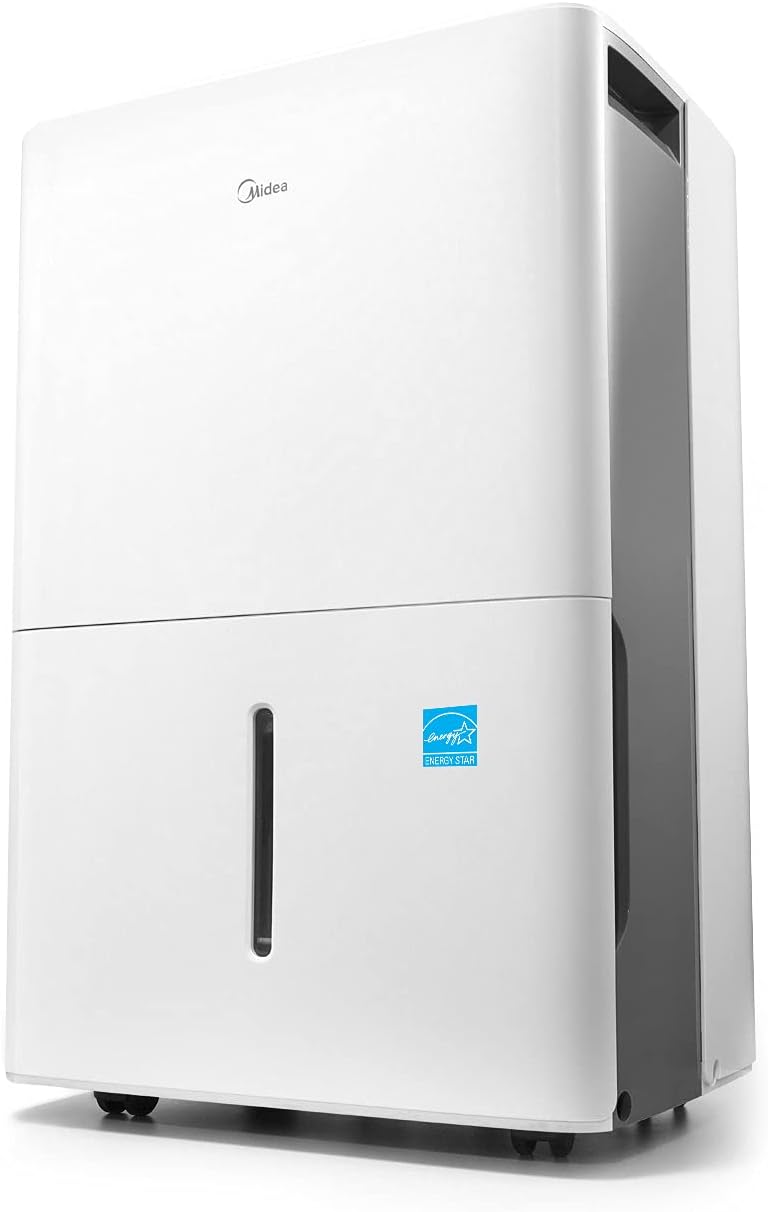
Figure 2.2: The dehumidifier features easy-roll casters for convenient relocation.
Eastman 60309 Washing Machine Drain Hose
The Eastman 60309 is a 12-foot black rubber utility hose designed for various drainage and filling applications. It features a brass nut and a 3/4-inch female hose thread connection, with an open end for versatile use. Its construction is designed to prevent leaking, kinking, and crimping.
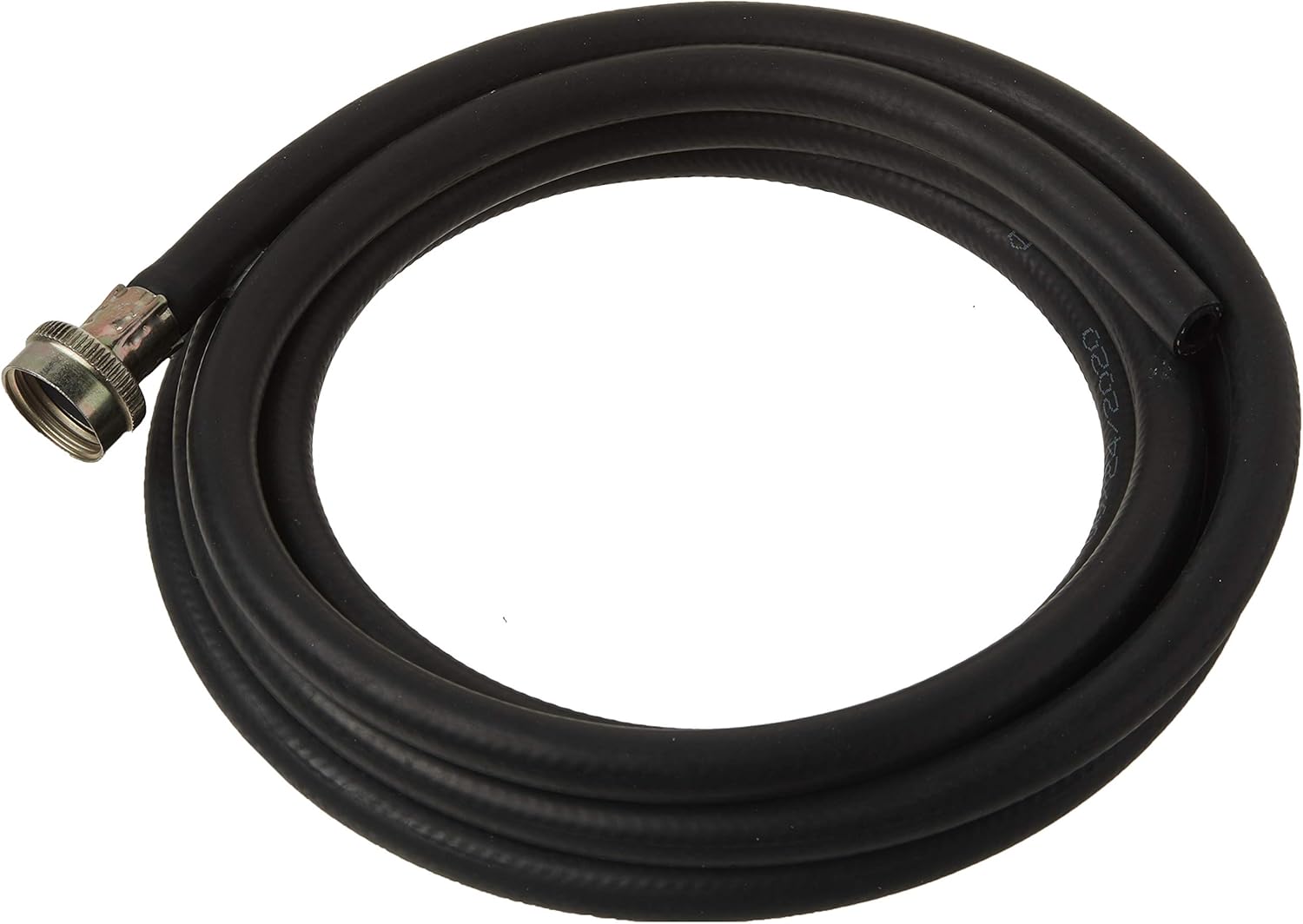
Figure 2.3: The Eastman 60309 drain hose, coiled for storage.

Figure 2.4: Detail of the 3/4-inch female hose thread connection on the Eastman drain hose.
3. ການຕິດຕັ້ງແລະການຕິດຕັ້ງ
Dehumidifier Placement
- Place the dehumidifier on a firm, level surface in an area where the humidity is highest.
- ໃຫ້ແນ່ໃຈວ່າມີຊ່ອງຫວ່າງຢ່າງໜ້ອຍ 8 ນິ້ວ (20 ຊຕມ) ອ້ອມຕົວເຄື່ອງເພື່ອການໄຫຼວຽນຂອງອາກາດທີ່ເໝາະສົມ. ຫ້າມປິດຊ່ອງສຽບອາກາດ ຫຼືທາງອອກ.
- ຫຼີກລ່ຽງການວາງເຄື່ອງໃກ້ກັບອຸປະກອນທີ່ຜະລິດຄວາມຮ້ອນ ຫຼື ບ່ອນທີ່ມີແສງແດດໂດຍກົງ.
ການເຊື່ອມຕໍ່ພະລັງງານ
Plug the dehumidifier into a dedicated, grounded 115V/60Hz electrical outlet. Do not use extension cords or power strips.
ທາງເລືອກໃນການລະບາຍນ້ໍາ
The Midea dehumidifier offers two methods for water removal:
A. Manual Drainage (Water Bucket)
The unit will collect water in its internal bucket. When the bucket is full, the unit will automatically shut off and illuminate the 'Full' indicator. Empty the bucket and replace it securely to resume operation.
ຂ. ການລະບາຍນ້ຳຢ່າງຕໍ່ເນື່ອງ
For continuous operation without needing to empty the bucket, you can connect a standard 0.75-inch female garden hose (not included) to the continuous drain port on the back of the unit. Ensure the hose is sloped downwards to allow gravity drainage to a suitable floor drain.

Figure 3.1: Continuous drain port on the back of the dehumidifier.

ຮູບທີ 3.2: ຕົວຢ່າງample of a hose connected for continuous drainage.
The Eastman 60309 drain hose, with its 3/4-inch female hose thread, may be compatible for continuous drainage if its open end can be directed to a drain. Verify compatibility before use.
4. ຄໍາແນະນໍາການດໍາເນີນງານ
ແຜງຄວບຄຸມຜ່ານview
The control panel on top of the dehumidifier allows you to manage all settings and functions. It includes buttons for power, mode selection, humidity adjustment, timer, and filter reset, along with a digital display for current humidity and settings.
ວິດີໂອທີ 4.1: ວິດີໂອນີ້ໃຫ້ພາບລວມview of the Midea Dehumidifier's features, including the control panel, water bucket, continuous drain option, and reusable filter. It demonstrates setting humidity levels and the auto shut-off function.
ການຕັ້ງຄ່າຄວາມຊຸ່ມຊື່ນທີ່ຕ້ອງການ
- Press the 'Power' button to turn the unit on.
- Use the '+' or '-' buttons to set your desired humidity level. The range is typically between 35% and 85% Relative Humidity (RH).
- ໜ່ວຍດັ່ງກ່າວຈະເຮັດວຽກຈົນກ່ວາລະດັບຄວາມຊຸ່ມຊື່ນທີ່ຕັ້ງໄວ້, ຈາກນັ້ນເປີດ ແລະ ປິດເຄື່ອງເພື່ອຮັກສາມັນ.
ຮູບແບບການເຮັດວຽກ
- ໂໝດສະດວກສະບາຍ: This mode automatically maintains a comfortable humidity range of 45%-55% RH, discouraging the growth of allergens and dust mites.
- Dehumidification ຢ່າງຕໍ່ເນື່ອງ: Ideal for very damp conditions or after flooding, this mode runs continuously regardless of the set humidity level.
- ໂໝດມາດຕະຖານ: Allows you to manually set your desired humidity level.
ຟັງຊັນຈັບເວລາ
Use the 'Timer' button to set a delayed start or stop time for the dehumidifier, allowing for automated operation.
Auto Shut-Off and Auto Defrost
- ປິດອັດຕະໂນມັດ: The unit will automatically turn off when the internal water bucket is full, preventing overflow. The 'Full' indicator light will illuminate.
- Auto Defrost: If frost builds up on the evaporator coils, the unit will automatically enter defrost mode to melt the ice, ensuring efficient operation and preventing damage.
Restart ອັດຕະໂນມັດ
ໃນກໍລະນີຂອງພະລັງງານ outage, the dehumidifier will automatically restart with its previous settings once power is restored.
5. ບໍາລຸງຮັກສາ
ເຮັດຄວາມສະອາດເຄື່ອງກອງອາກາດ
The dehumidifier is equipped with a reusable air filter that should be cleaned regularly to maintain efficiency and air quality. A 'Filter' alert light will indicate when cleaning is recommended.
- ປິດ ແລະຖອດປລັກເຄື່ອງດັບຄວາມຊຸ່ມ.
- ເອົາການກັ່ນຕອງອາກາດອອກຈາກດ້ານຫລັງຂອງຫນ່ວຍງານ.
- ລ້າງການກັ່ນຕອງດ້ວຍນ້ໍາສະບູທີ່ອົບອຸ່ນ. ລ້າງໃຫ້ສະອາດ.
- ອະນຸຍາດໃຫ້ການກັ່ນຕອງອາກາດແຫ້ງຫມົດກ່ອນທີ່ຈະຕິດຕັ້ງໃຫມ່.
- Once reinstalled, press the 'Filter' button to reset the filter alert.

Figure 5.1: The reusable air filter can be easily removed for cleaning.
ລ້າງຖັງນໍ້າ
When using manual drainage, the water bucket will need to be emptied periodically.
- When the 'Full' indicator lights up, gently pull out the water bucket from the front of the unit.
- Carefully carry the bucket to a sink or drain and empty the collected water.
- ເລື່ອນຖັງເປົ່າກັບໄປໃສ່ເຄື່ອງດັບຄວາມຊຸ່ມຈົນກວ່າມັນຈະກົດໃສ່ບ່ອນ. ຫນ່ວຍງານຈະດໍາເນີນການຕໍ່.
6. ການແກ້ໄຂບັນຫາ
ກ່ອນທີ່ຈະຕິດຕໍ່ບໍລິການລູກຄ້າ, ກະລຸນາ review ບັນຫາທົ່ວໄປ ແລະວິທີແກ້ໄຂບັນຫາຕໍ່ໄປນີ້:
| ບັນຫາ | ສາເຫດທີ່ເປັນໄປໄດ້ | ການແກ້ໄຂ |
|---|---|---|
| ເຄື່ອງດູດຄວາມຊຸ່ມຊື້ນບໍ່ເປີດ. | No power, power cord loose, bucket full or not properly installed. | Check power connection, ensure bucket is empty and correctly seated. |
| ຫນ່ວຍບໍລິການກໍາລັງແລ່ນແຕ່ບໍ່ເກັບນ້ໍາ. | Room temperature too low, humidity too low, air filter clogged, continuous drain hose blocked. | Ensure room temperature is above 41°F (5°C), check and clean air filter, verify continuous drain hose is clear and sloped. |
| 'Full' indicator is on, but bucket is not full. | Float switch stuck or misaligned. | Remove and reinsert the bucket, check the float switch for obstructions. |
| ໜ່ວຍມີສຽງດັງ. | ໜ່ວຍບໍ່ໄດ້ຢູ່ເທິງໜ້າດິນທີ່ຮາບພຽງ, ຕົວກອງອາກາດອຸດຕັນ. | Place on a level surface, clean the air filter. |
7. ຂໍ້ມູນຈໍາເພາະ
| ຄຸນສົມບັດ | ຂໍ້ມູນຈໍາເພາະ |
|---|---|
| ຍີ່ຫໍ້ | Midea |
| ຊື່ຕົວແບບ | MAD50C1ZWS |
| ພື້ນທີ່ຄອບຄຸມພື້ນ | ເຖິງ 4500 ຕາແມັດ |
| ຄວາມອາດສາມາດ Dehumidification | 50 Pints per Day (2019 DOE) |
| ປະລິມານຖັງ | 23.7 ລິດ |
| ຮູບແບບການໃຊ້ງານ | Comfort, Continuous, Standard |
| ຄຸນນະສົມບັດພິເສດ | Automatic Restart, Automatic Shutoff, Auto Defrost |
| ວັດtage | 500 ວັດ |
| ລະດັບອຸນຫະພູມສູງສຸດ | 80 ອົງສາຟາເຣນຮາຍ |
| Drain Hose Material | Rubber (for Eastman 60309) |
8. ການຮັບປະກັນແລະການສະຫນັບສະຫນູນ
ຂໍ້ມູນການຮັບປະກັນ
Midea stands behind its product with a one-year parts and labor warranty. Please retain your proof of purchase for warranty claims.
ການຊ່ວຍເຫຼືອລູກຄ້າ
For technical assistance, troubleshooting beyond this manual, or warranty inquiries, please contact Midea customer support. Refer to your product packaging or the official Midea webເວັບໄຊສໍາລັບຂໍ້ມູນຕິດຕໍ່ໃນປະຈຸບັນຫຼາຍທີ່ສຸດ.


