1. ບົດແນະນຳ
This manual provides instructions for the proper setup, operation, and maintenance of your IPD IPH-160 Monaural Wired Headset. The IPH-160 is designed for clear communication in various environments, featuring a noise-cancelling microphone and a 3.5mm jack for broad compatibility.
2. ເນື້ອໃນຊຸດ
ກະລຸນາກວດສອບວ່າລາຍການທັງໝົດມີຢູ່ໃນຊຸດຂອງທ່ານ:
- IPD IPH-160 Monaural Headset
- Quick Disconnect (QD) to 3.5mm Jack Cable (4-pole)
- Ear Cushions (pre-installed or spare)
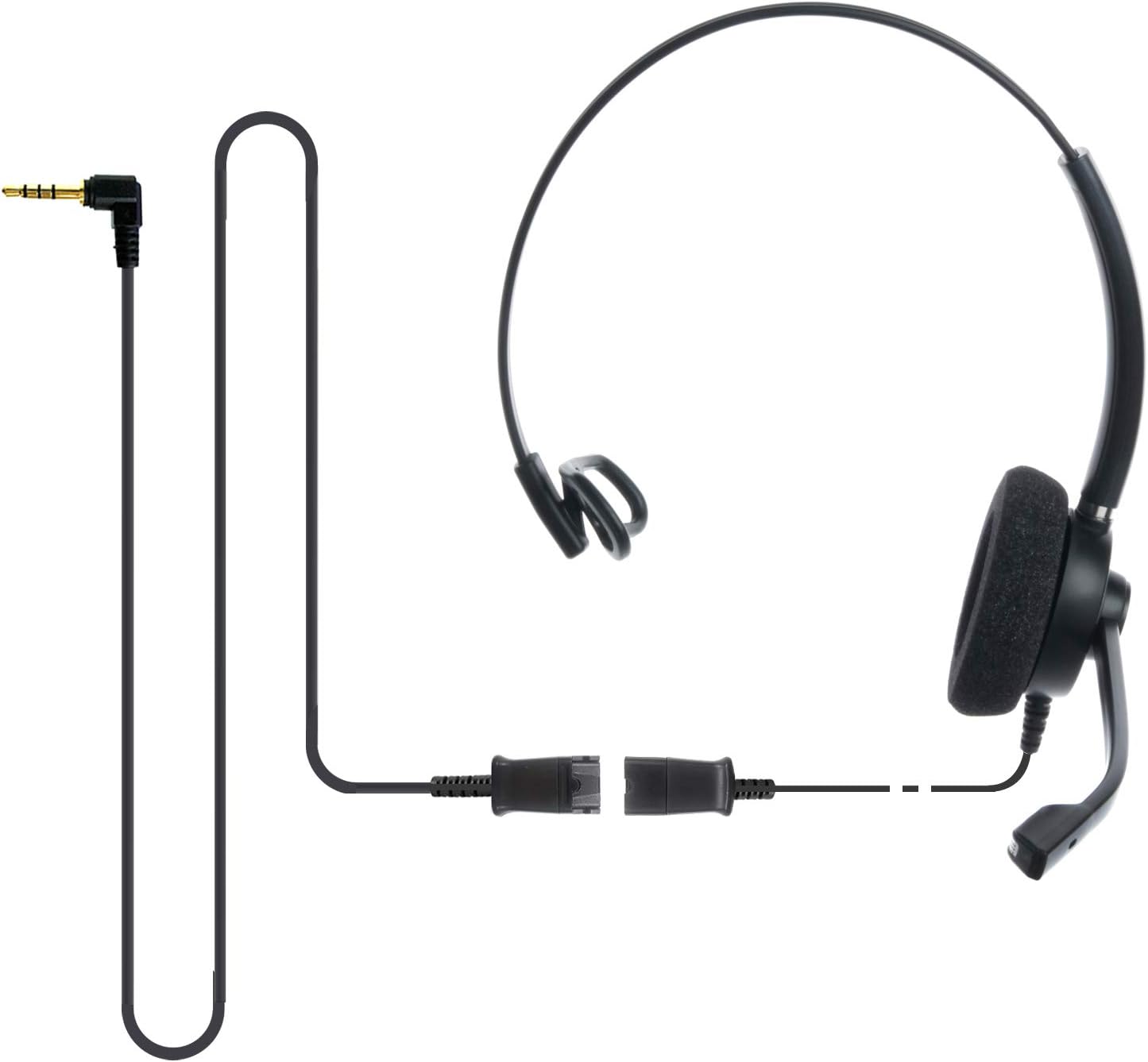
Image: The IPD IPH-160 headset with its detachable Quick Disconnect cable and 3.5mm jack connector.
3. ຕັ້ງຄ່າ
3.1 ການເຊື່ອມຕໍ່ຊຸດຫູຟັງ
- Connect the Quick Disconnect (QD) cable to the headset. Ensure a secure connection.
- Insert the 3.5mm jack of the cable into the corresponding port on your device (Android cell phone, laptop, tablet, Apple MacBook, or other smart device).

ຮູບພາບ: A close-up view of the 3.5mm jack connector, illustrating its connection to a mobile device and laptop.
3.2 ຄວາມເຂົ້າກັນໄດ້ຂອງອຸປະກອນ
The 3.5mm jack (4 poles) is compatible with a wide range of devices including:
- Android cell phones (e.g., Samsung, Huawei, HTC, ZTE)
- ແລັບທັອບ
- ເມັດ
- Apple MacBooks with a single 3.5mm headset port
ໝາຍເຫດ:
- iPhone 7/7S and later models may require an additional Lightning to 3.5mm adapter (not included).
- If your specific phone model is not listed or you encounter compatibility issues, please contact IPD support for assistance.

Image: The IPD headset shown with various connection options for desk phones, PCs/softphones, and mobile phones, highlighting the versatility of Quick Disconnect cables.
4. ການໃຊ້ງານຊຸດຫູຟັງ
4.1 ການສວມໃສ່ ແລະ ການປັບ
The IPH-160 headset is designed for all-day comfort. Adjust the headband for a secure yet comfortable fit. The microphone boom is flexible; position it approximately 1-2 inches from your mouth for optimal voice pickup.
4.2 ໄມໂຄຣໂຟນຍົກເລີກສຽງລົບກວນ
The headset features a passive noise-cancelling microphone to reduce background noise, ensuring clearer conversations. Proper microphone positioning is crucial for effective noise cancellation.

Image: A user wearing the headset, demonstrating the microphone's position and illustrating the effect of noise cancellation on audio waveforms.
4.3 Acoustic Shock Protection (ASP)
The headset incorporates an Acoustic Shock Protection (ASP) circuit on the speaker. This feature protects your hearing from sudden, unwanted loud noises by cutting sounds over 105dB and maintaining levels below 105dB.
4.4 Wideband Audio
The HD Wideband speaker delivers clear sound, enhancing the quality of your calls and audio monitoring.

Image: A close-up of the headset's ear cushion, visually representing the distinction between acoustic noise and clear sound for high-quality voice communication.
5. ບໍາລຸງຮັກສາ
5.1 ການທໍາຄວາມສະອາດ
To maintain hygiene and performance, regularly clean the ear cushions and other surfaces of the headset with a soft, dry cloth. Avoid using harsh chemicals or abrasive materials.
5.2 ການເກັບຮັກສາ
ເມື່ອບໍ່ໄດ້ໃຊ້ງານ, ໃຫ້ເກັບຮັກສາຊຸດຫູຟັງໄວ້ໃນບ່ອນທີ່ສະອາດ, ແຫ້ງ ແລະ ຫ່າງຈາກແສງແດດໂດຍກົງ ແລະ ອຸນຫະພູມທີ່ຮຸນແຮງ. ຫຼີກລ່ຽງການພັນກັນຂອງສາຍເພື່ອປ້ອງກັນຄວາມເສຍຫາຍ.
6. ການແກ້ໄຂບັນຫາ
6.1 ບໍ່ມີສຽງຫຼືສຽງຕ່ໍາ
- ກວດໃຫ້ແນ່ໃຈວ່າສຽບຮູສຽບ 3.5 ມມ ເຂົ້າໄປໃນອຸປະກອນຂອງທ່ານ.
- ກວດເບິ່ງການຕັ້ງຄ່າລະດັບສຽງຂອງອຸປະກອນຂອງທ່ານ.
- Verify that the headset is selected as the audio output device in your computer's sound settings.
- Confirm the Quick Disconnect (QD) cable is securely connected to the headset.
6.2 ໄມໂຄຣໂຟນບໍ່ເຮັດວຽກ
- ໃຫ້ແນ່ໃຈວ່າໄມໂຄຣໂຟນຖືກວາງໄວ້ໃກ້ກັບປາກຂອງທ່ານຢ່າງຖືກຕ້ອງ.
- Check your device's microphone input settings and ensure the headset is selected as the input device.
- Test the headset with another compatible device to rule out a device-specific issue.
6.3 ບັນຫາຄວາມເຂົ້າກັນໄດ້
If you experience compatibility problems with your device, especially if it's not explicitly listed as compatible, please contact IPD customer support for guidance.
7. ຂໍ້ມູນຈໍາເພາະ
| ຄຸນສົມບັດ | ຂໍ້ມູນຈໍາເພາະ |
|---|---|
| ຊື່ຕົວແບບ | IPH-160-35 |
| ເຕັກໂນໂລຊີການເຊື່ອມຕໍ່ | ມີສາຍ |
| Jack ຫູຟັງ | 3.5 mm Jack (4-pole) |
| ການຄວບຄຸມສິ່ງລົບກວນ | ການຍົກເລີກສິ່ງລົບກວນແບບ Passive |
| ການຕອບສະໜອງຄວາມຖີ່ | 10 KHz |
| ຄວາມອ່ອນໄຫວ | 58 dB |
| impedance | 150 ໂອມ |
| ນ້ໍາຫນັກລາຍການ | 198 ກຣາມ (7 ອອນສ໌) |
| ວັດສະດຸ | ພາດສະຕິກ |
| ການຈັດວາງຫູ | ເກີນຫູ |
| ຄຸນນະສົມບັດພິເສດ | ການຍົກເລີກສິ່ງລົບກວນ |
| ອົງປະກອບລວມ | ເບາະຫູ |
8. ຂໍ້ມູນການຮັບປະກັນ
The IPD IPH-160 Headset comes with a ຮັບປະກັນ 3 ປີ ຈາກວັນທີ່ຊື້. ການຮັບປະກັນນີ້ກວມເອົາຄວາມບົກຜ່ອງດ້ານການຜະລິດພາຍໃຕ້ການນໍາໃຊ້ປົກກະຕິ. ກະລຸນາຮັກສາຫຼັກຖານການຊື້ຂອງທ່ານສໍາລັບການຮຽກຮ້ອງການຮັບປະກັນ.
9. ສະຫນັບສະຫນູນ
For technical assistance, warranty claims, or any questions regarding your IPD IPH-160 Headset, please contact IPD customer support. You can find contact information on the official IPD webເວັບໄຊທ໌ຫຼືຜ່ານຮ້ານຂາຍຍ່ອຍຂອງທ່ານ.
ຢ້ຽມຢາມ IPD Store ສໍາລັບຂໍ້ມູນເພີ່ມເຕີມແລະຜະລິດຕະພັນ.


