1. ບົດແນະນຳ
Thank you for choosing the eKids Kids Bluetooth Wireless Headphones. These headphones are designed to provide a safe and enjoyable audio experience for children, featuring volume-limiting technology to protect young ears. They offer versatile connectivity options, comfortable wear, and a durable, foldable design for easy portability.
This manual provides detailed instructions on how to set up, operate, and maintain your headphones, ensuring optimal performance and longevity.
2. ເນື້ອໃນຊຸດ
- eKids Kids Bluetooth Wireless Headphones
- ສາຍສາກ USB
- ສາຍສຽງ 3.5 ມມ
3. ຜະລິດຕະພັນເກີນview

ຮູບ 1: ດ້ານຫນ້າ view of the eKids Kids Bluetooth Wireless Headphones, showcasing the white design with black ear cushions.

ຮູບທີ 2: ລາຍລະອຽດ view highlighting key features such as the adjustable headband, foldable design for portability, soft ear cushions, charging port, and line-in audio port.

Figure 3: Illustration of the headphone controls including power/pairing/charging LED indicators, USB charging port, AUX jack, microphone, volume up/skip forward, play/pause/power on/off, hang up/answer phone, and volume down/skip back buttons. Also shows product dimensions.
ຄຸນນະສົມບັດທີ່ສໍາຄັນ:
- ການເຊື່ອມຕໍ່ Bluetooth: Wirelessly stream high-quality stereo sound from compatible devices.
- Volume Reduced for Child Safety: Incorporates volume-limiting technology to protect young ears.
- ໄມໂຄຣໂຟນໃນຕົວ: Facilitates clear communication for video calls and online learning.
- ຕົວເລືອກສາຍ: Includes a 3.5mm audio cable for listening when Bluetooth is unavailable or the battery is low.
- ຊີວິດຫມໍ້ໄຟຍາວ: ເວລາຫຼິ້ນ Bluetooth ຢ່າງຕໍ່ເນື່ອງເຖິງ 18 ຊົ່ວໂມງ.
- ພໍດີແບບກຳນົດເອງ: Adjustable headband and soft ear cushions for comfortable wear.
- ການອອກແບບແບບພັບ: Ensures easy storage and portability.
4. ການເລີ່ມຕົ້ນ
4.1 ການສາກຫູຟັງ
Before first use, fully charge the headphones. Connect the included USB charging cable to the USB charging port on the headphones (refer to Figure 3 for location) and plug the other end into a USB power source (e.g., computer USB port, USB wall adapter). The LED indicator will show charging status.
- ເວລາສາກໄຟ: ປະມານ 2-3 ຊົ່ວໂມງສໍາລັບການສາກໄຟເຕັມ.
- ຕົວຊີ້ວັດ LED: Red light indicates charging; light turns off when fully charged.
4.2 ການເປີດ/ປິດ
- ເພື່ອເປີດເຄື່ອງ: Press and hold the Power/Play/Pause button (refer to Figure 3) for approximately 3 seconds until the LED indicator flashes.
- ປິດເຄື່ອງ: Press and hold the Power/Play/Pause button for approximately 3 seconds until the LED indicator turns off.
4.3 ການຈັບຄູ່ Bluetooth
ເພື່ອເຊື່ອມຕໍ່ຫູຟັງຂອງທ່ານແບບໄຮ້ສາຍກັບອຸປະກອນ:
- ກວດໃຫ້ແນ່ໃຈວ່າປິດຫູຟັງແລ້ວ.
- Press and hold the Power/Play/Pause button for approximately 5-7 seconds until the LED indicator flashes red and blue alternately. This indicates pairing mode.
- ໃນອຸປະກອນຂອງທ່ານ (ໂທລະສັບສະຫຼາດ, ແທັບເລັດ, ຄອມພິວເຕີ), ເປີດ Bluetooth ແລະຊອກຫາອຸປະກອນທີ່ມີຢູ່.
- Select "eKids Headphones" from the list of found devices.
- Once paired, the LED indicator on the headphones will flash blue slowly.
4.4 ສາຍເຊື່ອມຕໍ່
You can use the headphones with the included 3.5mm audio cable when Bluetooth is not desired or the battery is depleted.
- Plug one end of the 3.5mm audio cable into the AUX jack on the headphones (refer to Figure 3).
- Plug the other end into the headphone jack of your audio device.
- ຫູຟັງຈະປ່ຽນເປັນໂໝດມີສາຍໂດຍອັດຕະໂນມັດ.

Figure 4: Illustration demonstrating the flexibility of switching between wired mode (using the 3.5mm audio cable) and wireless Bluetooth mode, highlighting the battery life for wireless use.
5. ປະຕິບັດການຂອງຫູຟັງ
5.1 ການຄວບຄຸມການຫຼິ້ນເພງ
Use the control buttons on the headphones (refer to Figure 3) to manage your audio:
- ຫຼິ້ນ/ຢຸດ: ກົດປຸ່ມເປີດ/ຫຼິ້ນ/ຢຸດຊົ່ວຄາວ ໜຶ່ງຄັ້ງ.
- ປະລິມານຂຶ້ນ: ກົດປຸ່ມ Volume Up.
- ປະລິມານລົງ: ກົດປຸ່ມປະລິມານລົງ.
- ຂ້າມໄປ: ກົດປຸ່ມເພີ່ມສຽງຄ້າງໄວ້.
- ຂ້າມກັບໄປ: ກົດປຸ່ມປະລິມານລົງຄ້າງໄວ້.
5.2 ການຄວບຄຸມການໂທໂທລະສັບ
ເມື່ອເຊື່ອມຕໍ່ຜ່ານ Bluetooth, ທ່ານສາມາດຈັດການການໂທໄດ້:
- ຮັບ/ສາຍໂທ: ກົດປຸ່ມເປີດ/ຫຼິ້ນ/ຢຸດຊົ່ວຄາວ ໜຶ່ງຄັ້ງ.
- ປະຕິເສດການໂທ: Press and hold the Power/Play/Pause button for approximately 2 seconds.
5.3 Volume Limiting Feature
These headphones are designed with a built-in volume limiter to ensure safe listening levels for children. This feature cannot be disabled, providing peace of mind during extended use.
6. ຄວາມເຂົ້າກັນໄດ້
The eKids Kids Bluetooth Wireless Headphones are compatible with a wide range of devices:
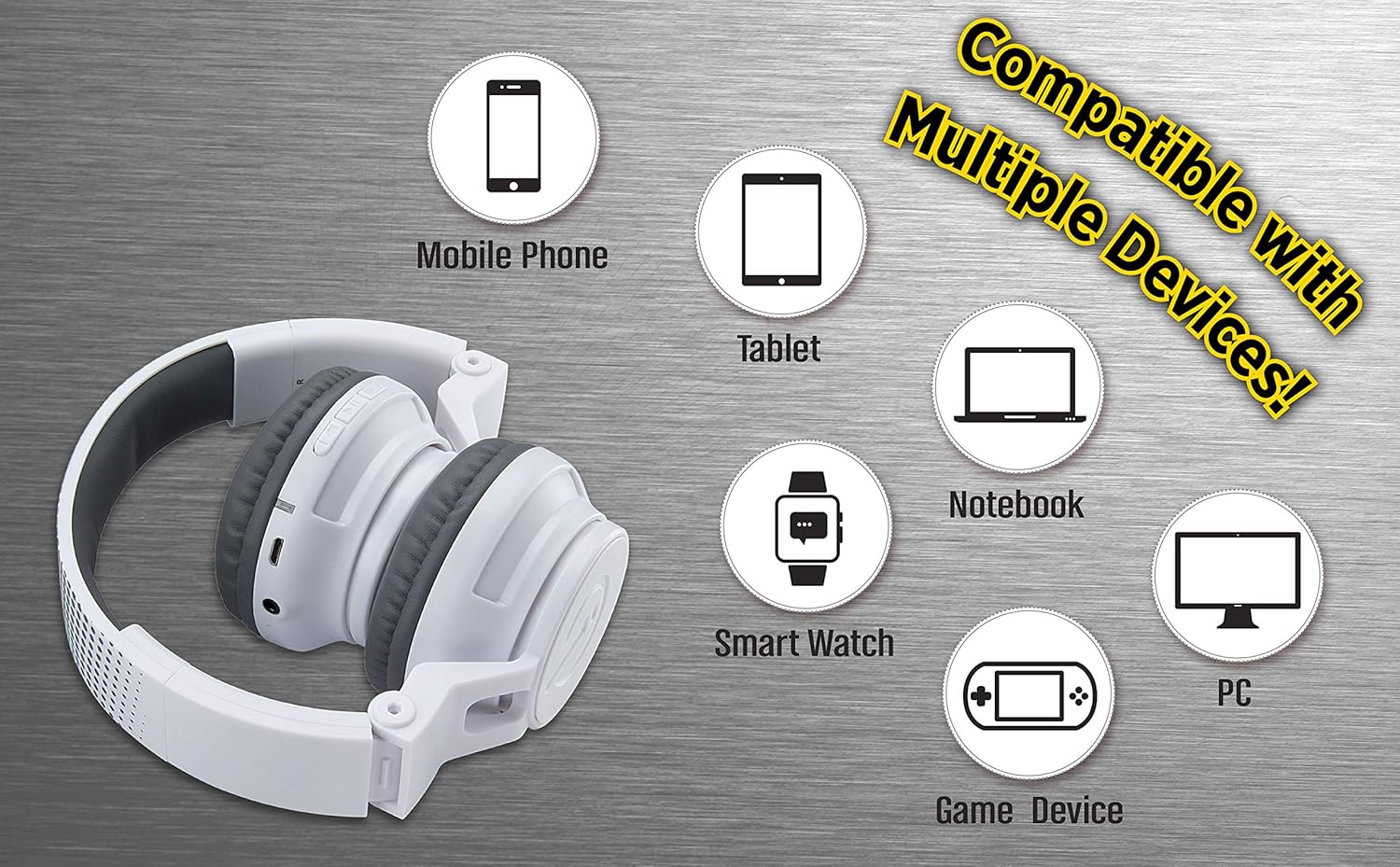
Figure 5: Visual representation of device compatibility, showing the headphones connecting to mobile phones, tablets, notebooks, smartwatches, PCs, and game devices.
- ໂທລະສັບສະຫຼາດ (iOS ແລະ Android)
- ເມັດ
- Computers (PC, Laptops)
- Gaming Devices (with 3.5mm audio jack)
7. ການດູແລແລະບໍາລຸງຮັກສາ
- ທໍາຄວາມສະອາດ: ໃຊ້ຜ້າອ່ອນ, ແຫ້ງເພື່ອເຮັດຄວາມສະອາດຫູຟັງ. ຢ່າໃຊ້ເຄື່ອງເຮັດຄວາມສະອາດຂອງແຫຼວຫຼື aerosols.
- ການເກັບຮັກສາ: When not in use, fold the headphones to their compact size and store them in a cool, dry place away from direct sunlight and extreme temperatures.
- ຫຼີກເວັ້ນຄວາມຊຸ່ມ: These headphones are not water-resistant. Keep them away from water and excessive moisture.
- ຈັດການດ້ວຍຄວາມລະມັດລະວັງ: ຫຼີກລ້ຽງການວາງຫູຟັງຫຼືໃຫ້ເຂົາເຈົ້າໄດ້ຮັບຜົນກະທົບທີ່ເຂັ້ມແຂງ.
8. ການແກ້ໄຂບັນຫາ
8.1 ບໍ່ມີພະລັງງານ
- ກວດໃຫ້ແນ່ໃຈວ່າຫູຟັງຖືກສາກເຕັມແລ້ວ. ເຊື່ອມຕໍ່ຫາແຫຼ່ງພະລັງງານໂດຍໃຊ້ສາຍສາກ USB.
- ກວດສອບວ່າສາຍສາກ ແລະແຫຼ່ງໄຟໃຊ້ງານໄດ້ຖືກຕ້ອງ.
8.2 ບໍ່ສາມາດຈັບຄູ່ຜ່ານ Bluetooth
- Make sure the headphones are in pairing mode (LED flashing red and blue alternately).
- ໃຫ້ແນ່ໃຈວ່າ Bluetooth ຖືກເປີດໃຊ້ງານຢູ່ໃນອຸປະກອນຂອງທ່ານ ແລະ ມັນຢູ່ພາຍໃນຂອບເຂດ (ໂດຍປົກກະຕິແມ່ນ 10 ແມັດ).
- ລືມອຸປະກອນຈາກການຕັ້ງຄ່າ Bluetooth ຂອງອຸປະກອນຂອງທ່ານ ແລະລອງຈັບຄູ່ອີກຄັ້ງ.
- ຣີສະຕາດທັງຫູຟັງ ແລະອຸປະກອນຂອງທ່ານ.
8.3 No Sound in Wired Mode
- Ensure the 3.5mm audio cable is securely plugged into both the headphones and the audio device.
- Check the volume level on both the headphones and the audio device.
- Test the audio cable with another device if possible to rule out a faulty cable.
8.4 ປະລິມານຕ່ໍາ
- Remember that these headphones have a built-in volume limiter for child safety.
- ເພີ່ມລະດັບສຽງໃນທັງຫູຟັງ ແລະອຸປະກອນທີ່ເຊື່ອມຕໍ່.
9. ຂໍ້ມູນຈໍາເພາະ
| ໝາຍເລກຕົວແບບ | EK-B50W.EXV0 |
| ເຕັກໂນໂລຊີການເຊື່ອມຕໍ່ | ໄຮ້ສາຍ (Bluetooth), ມີສາຍ ( Jack 3.5mm) |
| ເຕັກໂນໂລຊີການສື່ສານໄຮ້ສາຍ | Bluetooth |
| ຊີວິດຫມໍ້ໄຟ | ສູງສຸດ 18 ຊົ່ວໂມງ (ເວລາຫຼິ້ນ Bluetooth) |
| ຮູບຮ່າງຫູຫູ | ສຸດຫູ |
| ຄຸນນະສົມບັດພິເສດ | Adjustable Headband, Foldable, Microphone Included, Volume Reduced |
| ອຸປະກອນທີ່ເຂົ້າກັນໄດ້ | Smartphones, Tablets, Computers, TVs |
| ວັດສະດຸ | ພາດສະຕິກ |
| ນ້ໍາຫນັກລາຍການ | 14.7 ອອນສ໌ (0.42 ກິໂລກຣາມ) |
| ຂະໜາດແພັກເກັດ | 8.5 x 8.5 x 3.75 ນິ້ວ |
| ລະດັບຄວາມຕ້ານທານນ້ໍາ | ບໍ່ທົນທານຕໍ່ນ້ໍາ |
| UPC | 092298949741 |
10. ວິດີໂອຜະລິດຕະພັນຢ່າງເປັນທາງການ
Video: eKids Kids Bluetooth Wireless Headphones. This video provides a visual overview of the headphones' features and functionality, including their design, connectivity options, and child-safe volume limiting.
11. ການຮັບປະກັນແລະການສະຫນັບສະຫນູນ
For warranty information and customer support, please refer to the documentation included with your purchase or visit the official eKids webເວັບໄຊ. ຮັກສາຫຼັກຖານການຊື້ຂອງທ່ານສໍາລັບການຮ້ອງຂໍການຮັບປະກັນ.
ສໍາລັບການຊ່ວຍເຫຼືອເພີ່ມເຕີມ, ທ່ານອາດຈະໄປຢ້ຽມຢາມ eKids Store ໃນ Amazon.


