1. ບົດແນະນຳ
The MEDION P85295 Internet Radio 2.1 offers a versatile audio experience, combining traditional radio reception with modern streaming capabilities. This device allows you to access over 25,000 internet radio stations and numerous podcasts worldwide, along with DAB+ digital radio and FM radio. It features Wi-Fi connectivity, a 3.2-inch TFT color display, and a 2.1 sound system with an integrated subwoofer for enhanced audio quality. This manual provides detailed instructions for setting up, operating, and maintaining your MEDION P85295 Internet Radio.
2. ຂໍ້ມູນຄວາມປອດໄພ
ກະລຸນາອ່ານຄຳແນະນຳຄວາມປອດໄພທັງໝົດຢ່າງລະມັດລະວັງກ່ອນທີ່ຈະໃຊ້ອຸປະກອນ. ຮັກສາຄູ່ມືນີ້ໄວ້ສໍາລັບການອ້າງອີງໃນອະນາຄົດ.
- ການສະຫນອງພະລັງງານ: ໃຊ້ພຽງແຕ່ອະແດບເຕີໄຟຟ້າທີ່ສະໜອງໃຫ້ເທົ່ານັ້ນ. ໃຫ້ແນ່ໃຈວ່າລະດັບສຽງtage ກົງກັບຄວາມຕ້ອງການທີ່ລະບຸໄວ້ໃນອຸປະກອນ.
- ການລະບາຍອາກາດ: Do not block any ventilation openings. Place the device on a stable, flat surface with adequate space around it for proper airflow.
- ນ້ໍາແລະຄວາມຊຸ່ມ: ຢ່າເຮັດໃຫ້ອຸປະກອນຖືກຝົນ, ຄວາມຊຸ່ມຊື່ນ, ຫຼືຂອງແຫຼວທີ່ຕົກ/ກະແຈກກະຈາຍ. ຫ້າມວາງສິ່ງຂອງທີ່ເຕັມໄປດ້ວຍຂອງແຫຼວ, ເຊັ່ນ vases, ໃສ່ອຸປະກອນ.
- ແຫຼ່ງຄວາມຮ້ອນ: ເກັບຮັກສາອຸປະກອນໃຫ້ຫ່າງຈາກແຫຼ່ງຄວາມຮ້ອນ ເຊັ່ນ: ໝໍ້ນ້ຳ, ເຄື່ອງບັນທຶກຄວາມຮ້ອນ, ເຕົາໄຟ ຫຼື ເຄື່ອງໃຊ້ໄຟຟ້າທີ່ຜະລິດຄວາມຮ້ອນອື່ນໆ.
- ທໍາຄວາມສະອາດ: ຕັດການເຊື່ອມຕໍ່ໄຟກ່ອນທີ່ຈະທໍາຄວາມສະອາດ. ໃຊ້ຜ້າອ່ອນ, ແຫ້ງ. ຫ້າມໃຊ້ນໍ້າສະອາດ ຫຼື ແອໂຣໂຊລ.
- ການບໍລິການ: ຢ່າພະຍາຍາມບໍລິການຜະລິດຕະພັນນີ້ດ້ວຍຕົນເອງ. ອ້າງເຖິງການບໍລິການທັງtoົດໃຫ້ກັບພະນັກງານບໍລິການທີ່ມີຄຸນວຸດທິ.
3. ເນື້ອໃນຊຸດ
ກວດສອບວ່າລາຍການທັງຫມົດແມ່ນມີຢູ່ໃນຊຸດ:
- MEDION P85295 Internet Radio (MD 88295)
- ການຄວບຄຸມໄລຍະໄກດ້ວຍຫມໍ້ໄຟ
- ອະແດັບເຕີພະລັງງານ
- ຄູ່ມືຜູ້ໃຊ້
- ບັດຮັບປະກັນ
4. ຜະລິດຕະພັນເກີນview
The MEDION P85295 features a user-friendly design with intuitive controls and a clear display.
4.1 ແຜງດ້ານໜ້າ ແລະ ຈໍສະແດງຜົນ
The front panel includes a 3.2-inch TFT color display, two rotary knobs for power/volume and navigation/selection, and several control buttons for various functions.

ຮູບພາບ: ດ້ານໜ້າ view of the MEDION P85295 Internet Radio, highlighting the central 3.2-inch TFT color display. The display shows icons for various streaming services like Amazon Music, Spotify, Deezer, and an 'Internet Radio' icon. Two large rotary knobs are visible on either side of the display, along with several smaller buttons below, including MUTE, MODE, FAV, USB, Headphone, INFO, MENU, and Back.
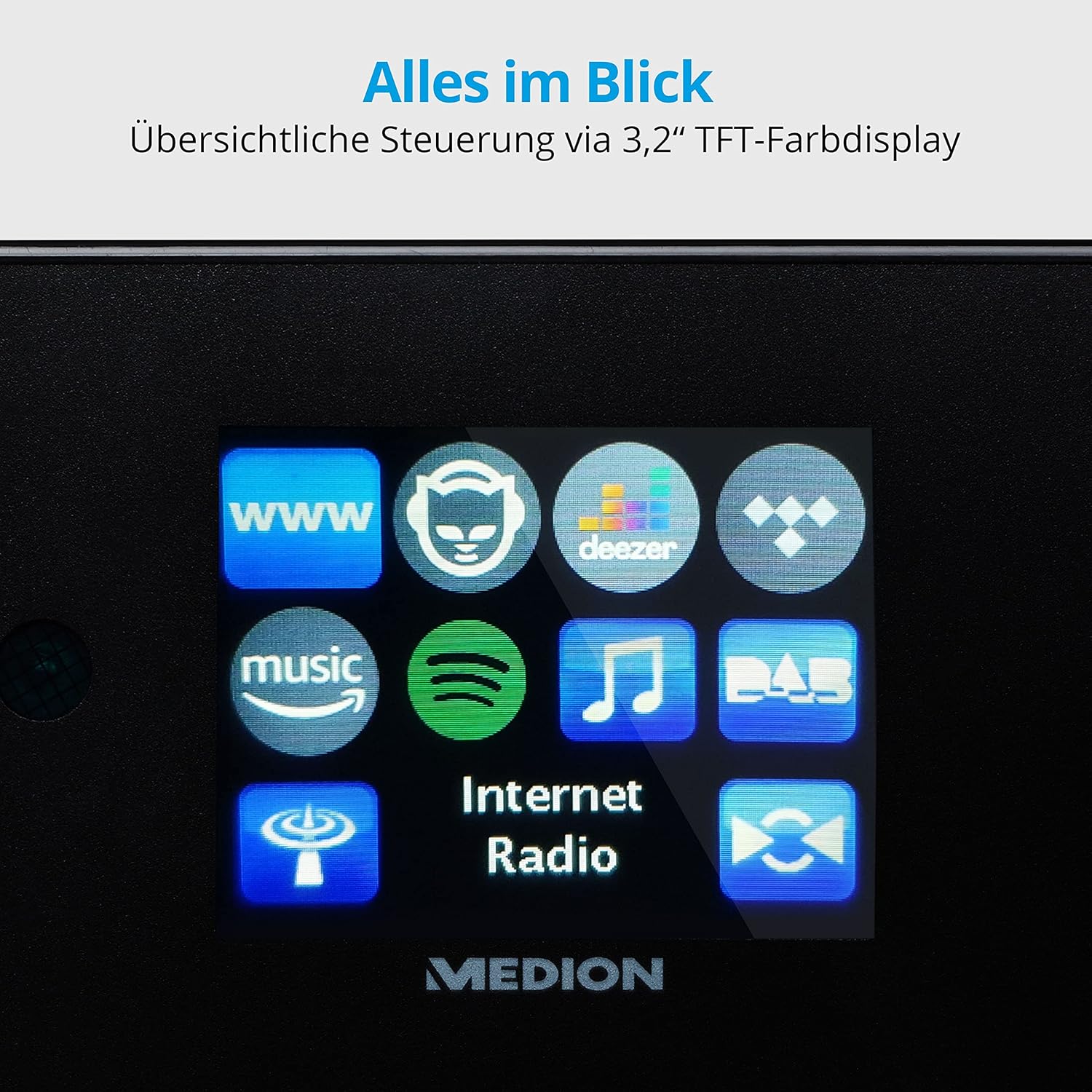
ຮູບພາບ: ໃກ້ຊິດ view of the 3.2-inch TFT color display of the MEDION P85295 Internet Radio. The screen clearly shows various application icons, including WWW, a cat-like icon, Deezer, a music note, Amazon Music, Spotify, DAB, and Internet Radio, indicating the device's diverse functionalities.
4.2 ແຜງດ້ານຫລັງແລະການເຊື່ອມຕໍ່
The rear panel provides various input and output ports for external devices and network connectivity.
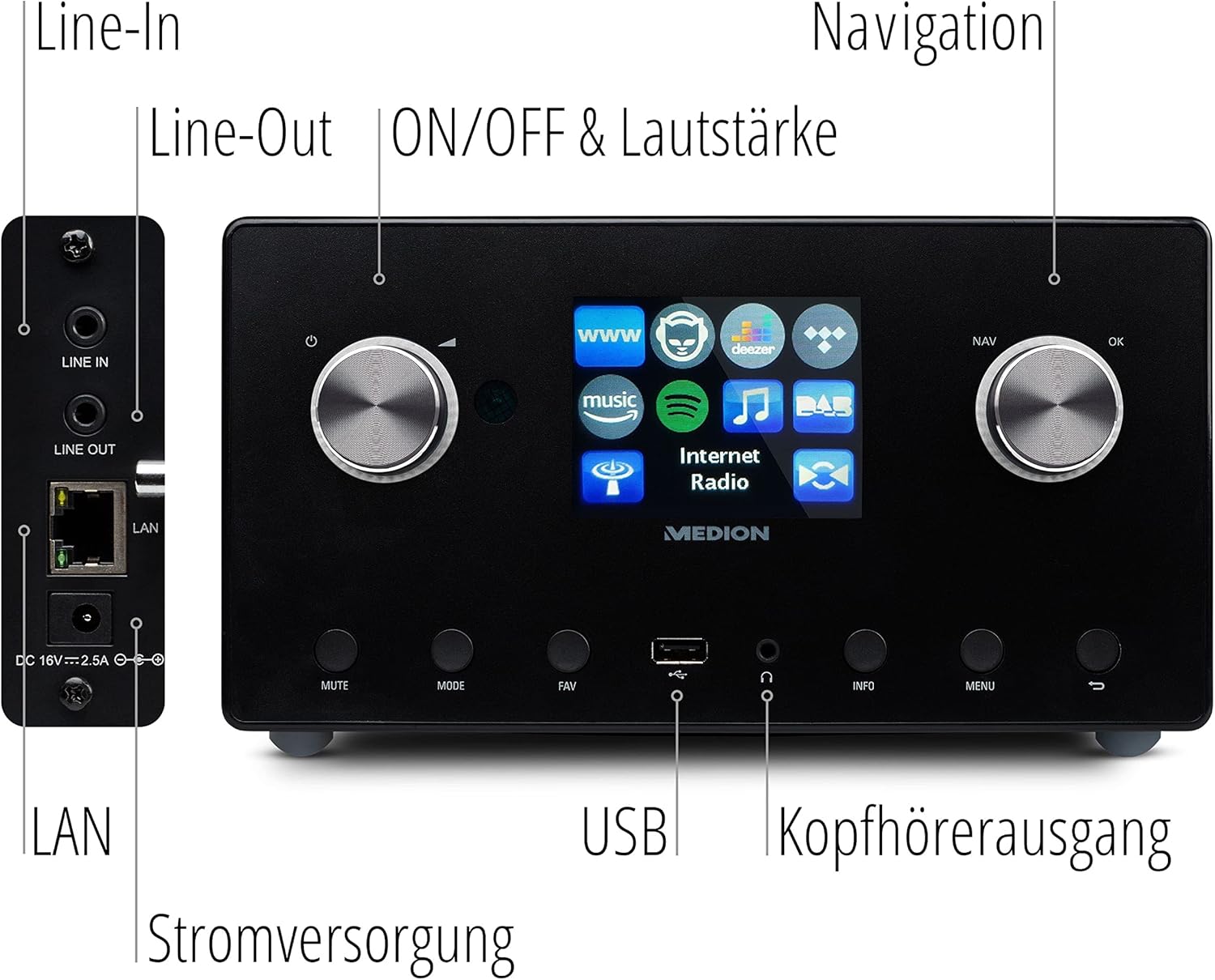
ຮູບພາບ: ລາຍລະອຽດ view of the rear panel of the MEDION P85295 Internet Radio, with various ports clearly labeled. From top to bottom on the left side, there are Line-In and Line-Out jacks, followed by a LAN port and the DC 18V power input. On the front panel, below the display, a USB port and a headphone output are also indicated.
- ແຖວໃນ: ເຊື່ອມຕໍ່ແຫຼ່ງສຽງພາຍນອກ.
- ເສັ້ນອອກ: ເຊື່ອມຕໍ່ກັບພາຍນອກ amplifier ຫຼືລະບົບ stereo.
- LAN: ສໍາລັບການເຊື່ອມຕໍ່ເຄືອຂ່າຍມີສາຍ.
- ການປ້ອນຂໍ້ມູນພະລັງງານ DC 18V: ສໍາລັບການເຊື່ອມຕໍ່ອະແດບເຕີພະລັງງານ.
- ພອດ USB: ສຳລັບການຫຼິ້ນສື່ຈາກອຸປະກອນເກັບຂໍ້ມູນ USB.
- ຫູຟັງ Output: ສໍາລັບການຟັງສ່ວນຕົວ.
5. ຕັ້ງຄ່າ
5.1 ການເຊື່ອມຕໍ່ພະລັງງານ
- Connect the power adapter to the DC 18V input on the rear of the radio.
- ສຽບອະແດບເຕີໄຟໃສ່ກັບປລັກສຽບໃສ່ຝາ.
5.2 ຕົວຊ່ວຍສ້າງການຕິດຕັ້ງເບື້ອງຕົ້ນ
Upon first power-on, the device will guide you through an initial setup wizard:
- ການເລືອກພາສາ: Use the navigation knob to select your preferred language and press OK.
- ເວລາ ແລະວັນທີ: Set the current time and date. The device can synchronize this via the internet.
- ການຕັ້ງຄ່າເຄືອຂ່າຍ:
- ການເຊື່ອມຕໍ່ Wi-Fi: Select 'Wireless Network' and choose your Wi-Fi network from the list. Enter the password using the on-screen keyboard and confirm.
- ການເຊື່ອມຕໍ່ LAN: If using a wired connection, connect an Ethernet cable to the LAN port on the rear of the device. The radio will automatically detect the connection.
6. ການເຮັດວຽກ
6.1 ການຄວບຄຸມພື້ນຖານ
- Power/Volume Knob (Left): Turn to adjust volume. Press to power on/off or mute.
- Navigation/OK Knob (Right): Turn to navigate menus. Press to confirm selection.
- ປຸ່ມ MODE: Switch between different operating modes (Internet Radio, DAB+, FM, USB, Line In).
- ປຸ່ມ FAV: Access or save favorite stations.
- ປຸ່ມເມນູ: ເຂົ້າເຖິງເມນູຫຼັກສໍາລັບການຕັ້ງຄ່າແລະທາງເລືອກ.
- ປຸ່ມຂໍ້ມູນ: Display information about the current station or track.
6.2 Radio Modes
The MEDION P85295 supports multiple radio reception types:
- ວິທະຍຸອິນເຕີເນັດ: Access over 25,000 stations and podcasts globally via Wi-Fi or LAN. Use the navigation knob to browse by genre, location, or search for specific stations.
- ວິທະຍຸດິຈິຕອນ DAB+: Enjoy high-quality digital radio broadcasts. The radio will automatically scan for available DAB+ stations.
- ວິທະຍຸ FM: Tune into traditional FM broadcasts. Automatic and manual station search with automatic station storage is available.
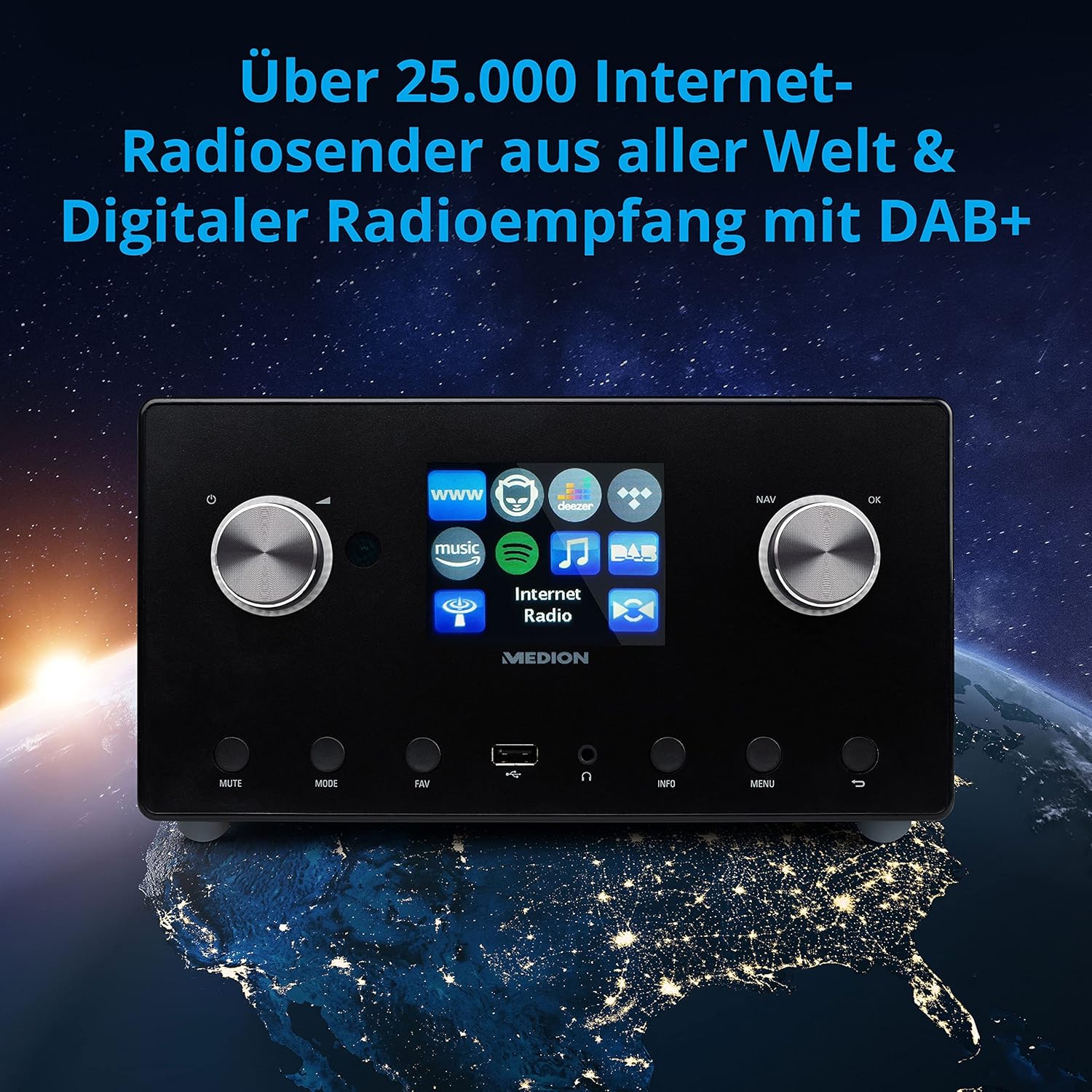
ຮູບພາບ: The MEDION P85295 Internet Radio positioned on a stylized globe, emphasizing its capability to receive over 25,000 internet radio stations worldwide and digital radio reception with DAB+.
6.3 ບໍລິການສະຕຣີມ
The device supports various streaming services:
- Spotify ເຊື່ອມຕໍ່: Stream music directly from your Spotify account using the Spotify app on your smartphone or tablet.
- Amazon Music, Napster, Tidal, Deezer: Access these services directly from the radio's interface. A subscription may be required for some services.
6.4 ການຫຼິ້ນສື່
- USB: Connect a USB storage device to the front USB port to play MP3 files.
- DLNA: Stream music from compatible devices on your home network (e.g., PC, NAS) using DLNA. Control is convenient via the MEDION LifeStream 2 App (Android or iOS).
6.5 ຄຸນສົມບັດສຽງ
The MEDION P85295 features a 2.1 sound system for rich audio:
- ພະລັງງານອອກ: 2 x 7.5 W + 1 x 15 W RMS.
- Subwoofer ປະສົມປະສານ: Provides powerful bass.

ຮູບພາບ: A diagram showing the MEDION P85295 Internet Radio with sound waves emanating from its sides and bottom, illustrating its 2.1 sound system and the additional subwoofer for powerful sound.
7. Alarm, Snooze, and Sleep Functions
The radio includes convenient time-based functions:
- ຟັງຊັນປຸກ: Set two individually adjustable alarm times.
- ຟັງຊັນ Snooze: Temporarily pause the alarm.
- ຟັງຊັນນອນ: Set a timer for the radio to automatically turn off.
These functions can often be configured via the device's menu or a dedicated button on the remote control.
8. ບໍາລຸງຮັກສາ
ການດູແລທີ່ເຫມາະສົມຮັບປະກັນຄວາມທົນທານຂອງອຸປະກອນຂອງທ່ານ:
- ທໍາຄວາມສະອາດ: Wipe the exterior with a soft, dry, lint-free cloth. Do not use abrasive cleaners, waxes, or solvents.
- ຂີ້ຝຸ່ນ: Regularly dust the device, especially around ventilation openings, to prevent overheating.
- ການເກັບຮັກສາ: ຖ້າເກັບຮັກສາອຸປະກອນເປັນເວລາດົນ, ຖອດມັນອອກຈາກພະລັງງານແລະເກັບໄວ້ໃນບ່ອນທີ່ເຢັນ, ແຫ້ງ.
9. ການແກ້ໄຂບັນຫາ
ຖ້າຫາກທ່ານພົບບັນຫາ, ເບິ່ງບັນຫາທົ່ວໄປດັ່ງຕໍ່ໄປນີ້ແລະການແກ້ໄຂ:
| ບັນຫາ | ສາເຫດທີ່ເປັນໄປໄດ້ | ການແກ້ໄຂ |
|---|---|---|
| ບໍ່ມີພະລັງງານ | ອະແດບເຕີໄຟບໍ່ໄດ້ເຊື່ອມຕໍ່ ຫຼືປລັກສຽບເກີດຄວາມຜິດພາດ. | Check power connections. Try a different outlet. |
| ບໍ່ມີສຽງ | Volume too low, muted, or incorrect source selected. | Increase volume, check mute status, ensure correct input mode (e.g., Internet Radio, FM). |
| ບໍ່ສາມາດເຊື່ອມຕໍ່ກັບ Wi-Fi ໄດ້ | ລະຫັດຜ່ານບໍ່ຖືກຕ້ອງ, ສັນຍານອ່ອນ ຫຼືບັນຫາເຣົາເຕີ. | Verify Wi-Fi password. Move radio closer to router. Restart router. |
| Internet radio buffering/disconnecting | Slow internet connection or network interference. | Check internet speed. Reduce network traffic. Try a wired LAN connection if possible. |
| DAB+/FM reception poor | Weak signal or antenna position. | Adjust the antenna. Perform a new station scan. |
ຖ້າບັນຫາຍັງຄົງຢູ່, ກະລຸນາຕິດຕໍ່ຝ່າຍຊ່ວຍເຫຼືອລູກຄ້າ.
10. ຂໍ້ມູນຈໍາເພາະ
- ຍີ່ຫໍ້: MEDION
- ໝາຍເລກຕົວແບບ: P85295
- ສີ: Anthracite
- ຈໍສະແດງຜົນ: ຈໍສະແດງຜົນສີ TFT ຂະໜາດ 3.2 ນິ້ວ
- ເຕັກໂນໂລຍີການເຊື່ອມຕໍ່: Wi-Fi, USB, LAN
- ແຖບວິທະຍຸທີ່ຮອງຮັບ: FM, DAB+, ວິທະຍຸອິນເຕີເນັດ
- ຄຸນນະສົມບັດພິເສດ: DAB+, Auxiliary Input, USB, Spotify Connect, Amazon Music, DLNA, Alarm, Snooze, Sleep Function
- ລະບົບສຽງ: 2.1 (2 x 7.5 W + 1 x 15 W RMS with integrated subwoofer)
- ອຸປະກອນທີ່ເຂົ້າກັນໄດ້: ຫູຟັງ
- ແຫຼ່ງພະລັງງານ: Electric Cable (DC 18V)
- ຂະໜາດຜະລິດຕະພັນ: 24 cm (L) x 13.5 cm (W) x 19 cm (H)
- ອົງປະກອບລວມ: Internet Radio P85295 (MD 88295), Remote Control with Battery, Power Adapter, User Manual, Warranty Card
- ແບັດເຕີຣີ: ຕ້ອງການແບັດເຕີຣີ AAA 2 ກ້ອນ (ສຳລັບຣີໂມດຄວບຄຸມ)

ຮູບພາບ: The MEDION P85295 Internet Radio shown with its physical dimensions: 24 cm in length, 13.5 cm in width, and 19 cm in height, providing a clear understanding of its size.
11. ການຮັບປະກັນແລະການສະຫນັບສະຫນູນ
Your MEDION P85295 Internet Radio comes with a manufacturer's warranty. Please refer to the included warranty card for specific terms and conditions.
For technical support, troubleshooting assistance, or warranty claims, please contact MEDION customer service. Contact information can typically be found on the MEDION official webສະຖານທີ່ຫຼືຢູ່ໃນບັດຮັບປະກັນທີ່ສະຫນອງໃຫ້ກັບຜະລິດຕະພັນຂອງທ່ານ.
ຊັບພະຍາກອນອອນໄລນ໌: ຢ້ຽມຢາມ MEDION ຢ່າງເປັນທາງການ website for updated drivers, firmware, and additional support documentation.


