ແນະນຳ
ຂອບໃຈສໍາລັບການຊື້asing the Havit IX-102 Wired In-Ear Headphones with Microphone. This manual provides essential information for the proper setup, operation, and maintenance of your new earphones. Please read this guide thoroughly before use to ensure optimal performance and longevity of your product.
ສິນຄ້າເກີນview
The Havit IX-102 headphones are designed for clear audio and convenient communication. Familiarize yourself with the components:
- In-Ear Earphones (Left and Right)
- Integrated Microphone and Control Module (on cable)
- ສຽງ Jack 3.5 ມມ
- ໝອນຫູຫຼາຍຂະໜາດ
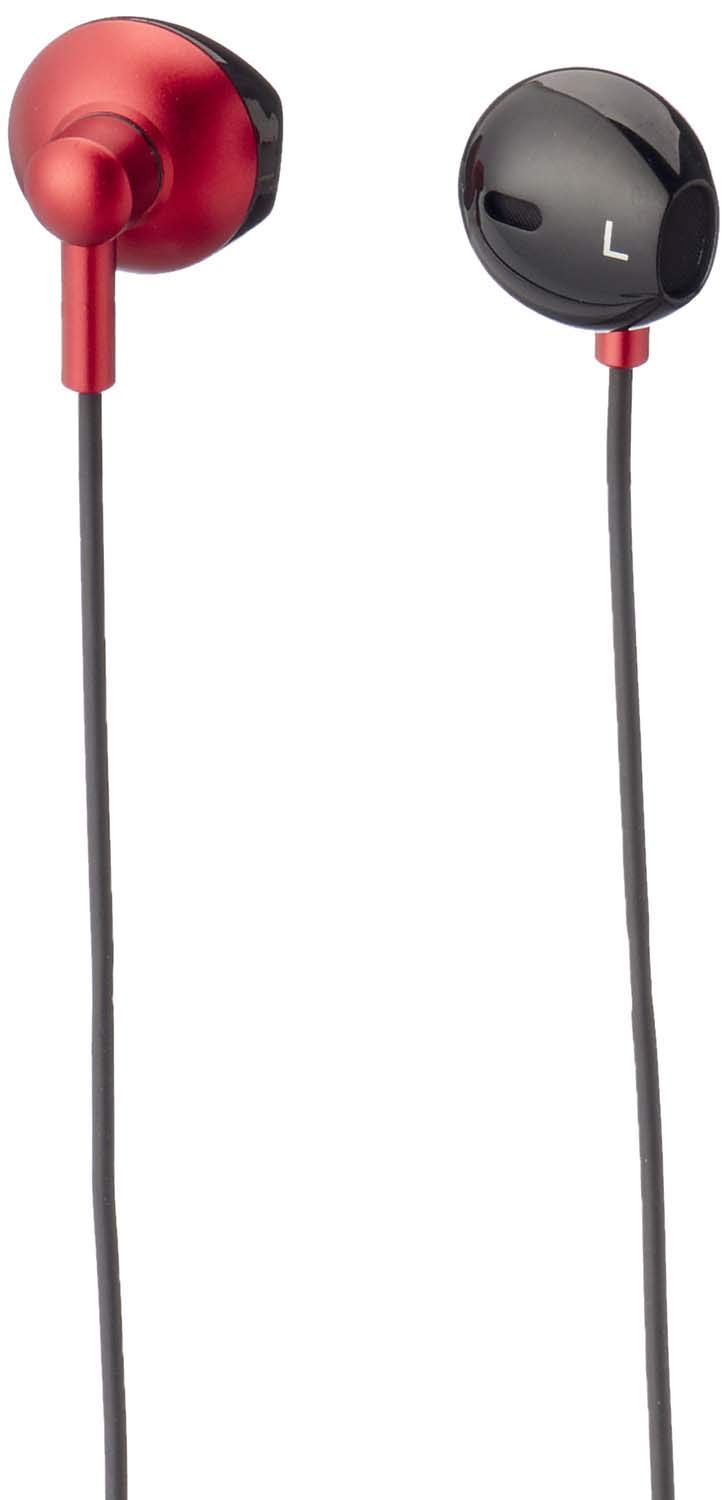
ຮູບທີ 1: Havit IX-102 Wired In-Ear Headphones. This image shows the complete set of in-ear headphones, featuring the earbuds, cable, and 3.5mm audio jack.

ຮູບທີ 2: Cable with Integrated Control Module. This image highlights the cable section that includes the microphone and a potential control button for managing audio and calls.

ຮູບທີ 3: 3.5mm Audio Jack. A close-up view of the standard 3.5mm connector used to plug the headphones into compatible audio devices.

ຮູບທີ 4: Replacement Ear Cushions. This image displays the various sizes of silicone ear cushions provided for a comfortable and secure fit.
ຕັ້ງຄ່າ
- ເລືອກເບາະຫູ: Choose the ear cushion size that provides the most comfortable and secure fit for your ears. A good seal enhances sound quality and bass response. Gently attach the selected ear cushions to the earphone nozzles.
- ເຊື່ອມຕໍ່ຫາອຸປະກອນ: Insert the 3.5mm audio jack firmly into the headphone port of your audio device (smartphone, tablet, laptop, MP3 player, etc.). Ensure the jack is fully inserted to prevent audio issues.
- ໃສ່ຫູຟັງ: Place the earphones into your ears. Adjust them until they feel comfortable and provide a good seal.
ຄໍາແນະນໍາການດໍາເນີນງານ
The Havit IX-102 headphones feature an in-line control module for basic audio and call management. Functionality may vary slightly depending on your connected device.
- ຫຼິ້ນ/ຢຸດດົນຕີ: Press the button on the control module once to play or pause the current track.
- ຮັບ/ສາຍໂທ: ເມື່ອມີສາຍໂທເຂົ້າມາ, ໃຫ້ກົດປຸ່ມຄັ້ງດຽວເພື່ອຮັບສາຍ. ໃນລະຫວ່າງການໂທ, ກົດປຸ່ມຫນຶ່ງຄັ້ງເພື່ອວາງສາຍ.
- ປະຕິເສດການໂທ: ກົດປຸ່ມຄ້າງໄວ້ປະມານ 2 ວິນາທີເພື່ອປະຕິເສດສາຍໂທເຂົ້າ.
- ເພງຕໍ່ໄປ: ກົດປຸ່ມສອງເທື່ອໄວເພື່ອຂ້າມໄປເພງຕໍ່ໄປ.
- ຕິດຕາມກ່ອນ ໜ້າ ນີ້: Press the button three times quickly to go back to the previous song.
- ການນຳໃຊ້ໄມໂຄຣໂຟນ: The integrated microphone allows for hands-free communication during calls. Ensure the microphone is positioned clearly for optimal voice pickup.
Note: Volume control is typically managed directly on your connected audio device.
ບໍາລຸງຮັກສາ
Proper care will extend the life of your Havit IX-102 headphones.
- ທໍາຄວາມສະອາດຫູ: Remove the silicone ear cushions and wash them gently with mild soap and water. Rinse thoroughly and allow them to air dry completely before reattaching.
- ການເຮັດຄວາມສະອາດຫູຟັງ: Use a soft, dry, lint-free cloth to wipe the earphone bodies. Do not use harsh chemicals or abrasive materials. Avoid getting moisture into the speaker grilles.
- ການດູແລສາຍໄຟ: Avoid sharp bends, twists, or excessive pulling on the cable. Store the headphones neatly to prevent tangling.
- ການເກັບຮັກສາ: When not in use, store your headphones in a clean, dry place, away from extreme temperatures and direct sunlight.
ການແກ້ໄຂບັນຫາ
ຖ້າທ່ານພົບບັນຫາກັບຫູຟັງຂອງທ່ານ, ໃຫ້ອ້າງອີງເຖິງບັນຫາທົ່ວໄປ ແລະວິທີແກ້ໄຂບັນຫາຕໍ່ໄປນີ້:
| ບັນຫາ | ສາເຫດທີ່ເປັນໄປໄດ້ | ການແກ້ໄຂ |
|---|---|---|
| ບໍ່ມີສຽງຫລືປະລິມານຕ່ ຳ |
|
|
| Sound is distorted or intermittent |
|
|
| ໄມໂຄຣໂຟນບໍ່ເຮັດວຽກ |
|
|
ຂໍ້ມູນຈໍາເພາະ
| ຍີ່ຫໍ້ | ຮາວິດ |
| ໝາຍເລກຕົວແບບ | IX-102 |
| ສີ | ສີດໍາແລະສີແດງ |
| ປັດໄຈແບບຟອມຂອງຫູຟັງ | ໃນຫູ |
| ເຕັກໂນໂລຊີການເຊື່ອມຕໍ່ | ມີສາຍ |
| ປະເພດຕົວເຊື່ອມຕໍ່ | Jack 3.5mm |
| ຄວາມຍາວສາຍ | 1.2 ແມັດ |
| ປະເພດວັດສະດຸ | ພາດສະຕິກ |
| ນ້ໍາຫນັກລາຍການ | 60 ກຣາມ |
| ອົງປະກອບລວມ | ເບາະຫູ |
| ອຸປະກອນທີ່ເຂົ້າກັນໄດ້ | Multiple devices with 3.5mm audio jack |
ການຮັບປະກັນແລະການສະຫນັບສະຫນູນ
For warranty information or technical support, please refer to the documentation included with your purchase or contact Havit customer service directly. Contact details can typically be found on the manufacturer's official webສະຖານທີ່ຫຼືການຫຸ້ມຫໍ່ຜະລິດຕະພັນ.
ຮັກສາຫຼັກຖານການຊື້ຂອງທ່ານສໍາລັບການຮຽກຮ້ອງການຮັບປະກັນໃດໆ.


