ແນະນຳ
Thank you for choosing the seenda Wireless Keyboard and Mouse Combo. This manual provides essential information for setting up, operating, and maintaining your new device. This combo offers a comfortable, quiet, and efficient experience for your Windows-enabled laptop, PC, notebook, or desktop.
- ການອອກແບບທີ່ສາມາດສາກໄຟໄດ້: Both the keyboard and mouse feature built-in lithium batteries, easily rechargeable with the included cable. A full charge can last up to 1-2 months.
- Comfortable & Quiet: ມືອາຊີບຕໍ່າfile keys ensure comfortable typing, and the quiet design minimizes noise during use.
- Sleek & Modern: An ultra-thin design with a silver and white finish complements any workspace.
- ການຕັ້ງຄ່າງ່າຍດາຍ: A single USB receiver connects both the keyboard and mouse, offering a stable 2.4GHz wireless connection up to 33 feet.
- ໂຄງຮ່າງຂະໜາດເຕັມ: The keyboard includes convenient media keys and a number pad, yet remains lightweight for portability.
ຄໍາແນະນໍາການຕິດຕັ້ງ
Follow these steps to set up your seenda Wireless Keyboard and Mouse Combo:
- Unpack ເນື້ອໃນ: Carefully remove all items from the packaging. Verify that you have the keyboard, mouse, USB receiver, charging cable, protective cover, and user guide.
- ຊອກຫາຕົວຮັບ USB: The USB receiver is conveniently stored inside the mouse. Open the battery compartment cover on the underside of the mouse to retrieve it.
- ເຊື່ອມຕໍ່ຕົວຮັບ USB: Plug the USB receiver into an available USB port on your computer. Your operating system should automatically detect and install the necessary drivers.
- ເປີດໃຊ້ອຸປະກອນ: Locate the ON/OFF switch on the back of the mouse and on the side of the keyboard. Slide both switches to the "ON" position.
- ຄ່າ ທຳ ນຽມ: For optimal performance, it is recommended to fully charge both the keyboard and mouse before first use. Connect the included charging cable to the Type-C charging port on each device and to a USB power source. The charging indicator will show solid red while charging and turn off when fully charged.

Figure 1: Connecting the USB Receiver for 2.4G Wireless Connection.
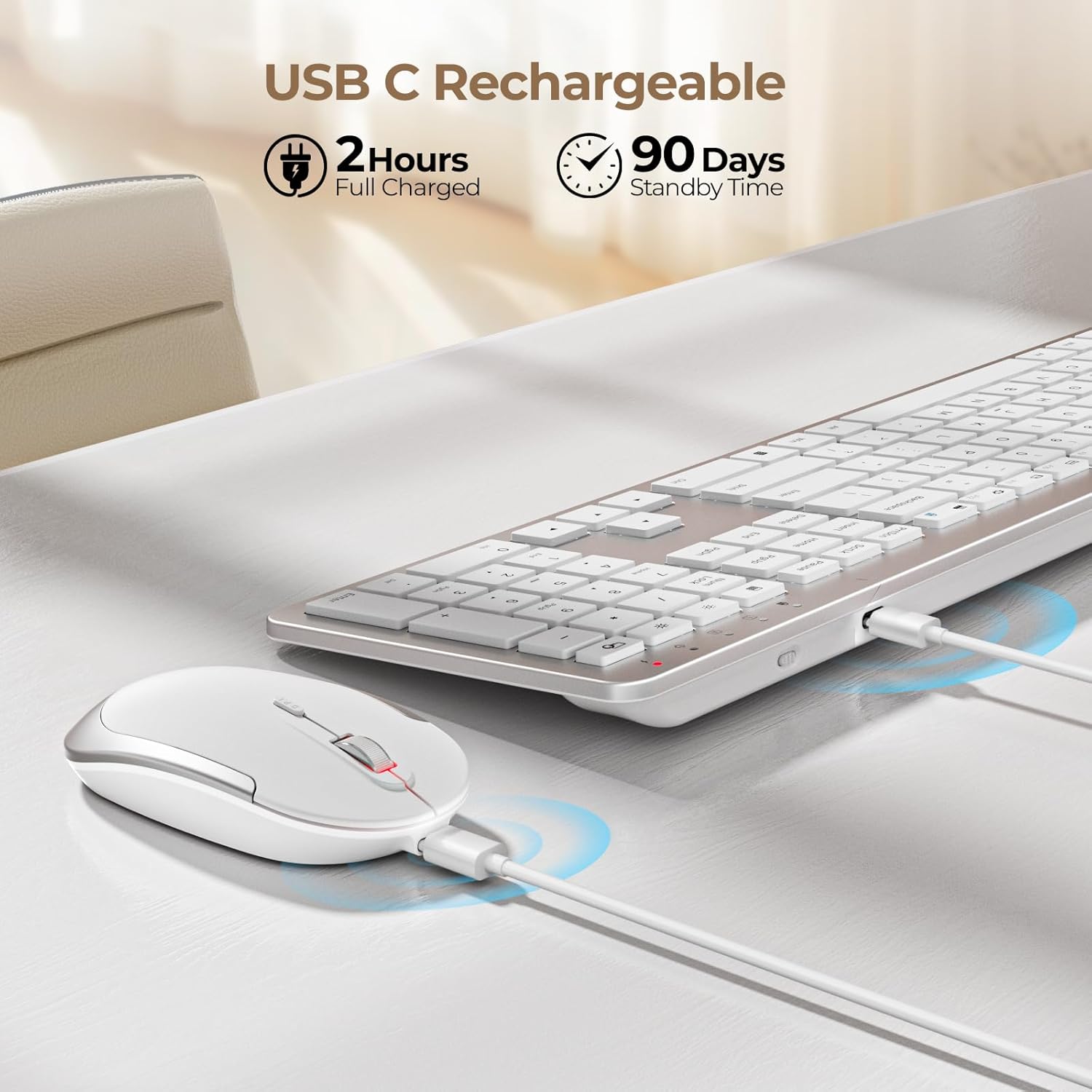
Figure 2: Charging the Keyboard and Mouse. A full charge takes approximately 2 hours and provides up to 90 days of standby time.
Video 1: Official video demonstrating the features and setup of the seenda Wireless Rechargeable Keyboard and Mouse Combo, including charging, slim design, quiet operation, and 2.4G wireless connection.
ຄໍາແນະນໍາການດໍາເນີນງານ
ການພິມ ແລະ ການຄລິກທີ່ງຽບໆ
ແປ້ນພິມມີຄຸນສົມບັດ low-profile scissor-switch keys designed for a comfortable and quiet typing experience. The mouse is also engineered for silent clicks, allowing you to work without disturbing others.

Figure 3: Enjoying a quiet work environment with soft typing and clicks.
Adjustable DPI for Mouse Precision
The mouse offers 3 adjustable DPI levels (800, 1200, 1600) to suit your precision needs. Press the DPI switch button located near the scroll wheel to cycle through the settings.

Figure 4: Adjusting mouse sensitivity with the DPI switch.
Hotkey Multimedia
The keyboard is equipped with a row of multimedia hotkeys (F1-F12) for quick access to functions like media playback, volume control, browser, search, email, and more. Additionally, dedicated keys for calculator, brightness adjustment, and screen lock are available.
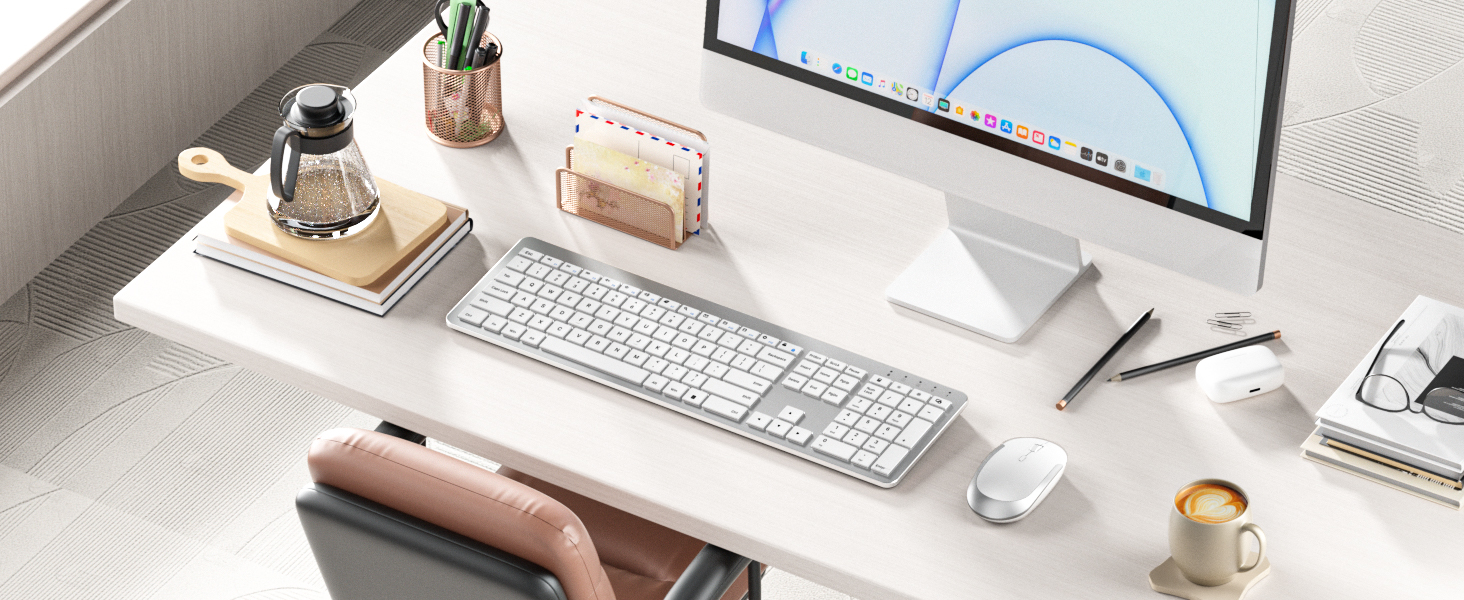
Figure 5: Keyboard layout highlighting multimedia and function keys.
ການປະຢັດພະລັງງານອັດສະລິຍະ
To conserve battery life, both the keyboard and mouse feature an auto-sleep function. The keyboard will enter sleep mode after 5 seconds of inactivity, and the mouse after 10 minutes. Simply click any key or move the mouse to wake them up.

Figure 6: Smart energy-saving features with auto-sleep and power switches.
ບໍາລຸງຮັກສາ
ກຳລັງສາກໄຟ
When the battery is low, the power indicator on the keyboard will flash green. For the mouse, the indicator will also signal low battery. Connect the included USB charging cable to the Type-C port on each device and a USB power source (e.g., computer USB port, USB wall adapter). The indicator will be solid red during charging and turn off when fully charged. Avoid overcharging to prolong battery life.
ທໍາຄວາມສະອາດ
To clean your keyboard and mouse, power them off. Use a soft, dry, lint-free cloth to wipe down the surfaces. For stubborn dirt, slightly dampen the cloth with water or a mild, non-abrasive cleaner. Avoid spraying liquids directly onto the devices or allowing moisture to seep into openings.
ການແກ້ໄຂບັນຫາ
- ບໍ່ມີການເຊື່ອມຕໍ່/ຊັກຊ້າ:
- ກວດໃຫ້ແນ່ໃຈວ່າທັງແປ້ນພິມ ແລະເມົາສ໌ເປີດຢູ່.
- ກວດສອບວ່າຕົວຮັບສັນຍານ USB ໄດ້ຖືກສຽບເຂົ້າກັບພອດ USB ທີ່ໃຊ້ງານໄດ້ໃນຄອມພິວເຕີຂອງທ່ານຢ່າງປອດໄພແລ້ວ.
- ກວດເບິ່ງລະດັບແບດເຕີລີ່ແລະຕື່ມຂໍ້ມູນຖ້າຈໍາເປັນ.
- ລອງສຽບຕົວຮັບ USB ເຂົ້າໄປໃນຜອດ USB ອື່ນ.
- ຍ້າຍອຸປະກອນເຂົ້າໃກ້ຕົວຮັບ USB ເພື່ອແກ້ໄຂບັນຫາການລົບກວນ ຫຼືໄລຍະຫ່າງ.
- ປຸ່ມບໍ່ຕອບສະໜອງ:
- Check if the keyboard is in auto-sleep mode; press any key to wake it.
- ໃຫ້ແນ່ໃຈວ່າແປ້ນພິມຖືກສາກ.
- If using the protective cover, ensure it is properly aligned and not obstructing key presses.
- Mouse Cursor Jumps/Is Erratic:
- ເຮັດຄວາມສະອາດເຊັນເຊີ optical ຢູ່ດ້ານລຸ່ມຂອງຫນູ.
- ໃຫ້ແນ່ໃຈວ່າທ່ານກໍາລັງໃຊ້ຫນູໃນຫນ້າດິນທີ່ເຫມາະສົມ (ບໍ່ມີການສະທ້ອນສູງຫຼືຄວາມໂປ່ງໃສ).
- Adjust the DPI setting to a lower sensitivity if the cursor is too fast.
ຂໍ້ມູນຈໍາເພາະ
| ຄຸນສົມບັດ | ລາຍລະອຽດ |
|---|---|
| ຂະໜາດສິນຄ້າ | 17.3 x 5.1 x 0.75 ນິ້ວ |
| ນ້ໍາຫນັກລາຍການ | 14.6 ອອນ |
| ໝາຍເລກຕົວແບບ | Keyboard-Mouse-038A-ZYS-WS |
| ໝໍ້ໄຟ | 1 ຫມໍ້ໄຟ Lithium Ion ຕ້ອງການ (ລວມ) |
| ເຕັກໂນໂລຊີການເຊື່ອມຕໍ່ | 2.4G USB Wireless |
| ຄຸນນະສົມບັດພິເສດ | Ultra-thin Flat Keyboard, Rechargeable Keyboard Mouse, Full Size with Number Pad, Quiet |
| ອຸປະກອນທີ່ເຂົ້າກັນໄດ້ | USB-enabled Windows Devices |
| ສີ | ສີຂາວ ແລະເງິນ |
ເນື້ອໃນຊຸດ
The seenda Wireless Keyboard and Mouse Combo package includes:
- ເມົາສ
- ຄີບອດ x 1
- ສາຍສາກ x 1
- ຕົວຮັບ USB x 1
- ແຜ່ນປ້ອງກັນ x 1
- ຄູ່ມືຜູ້ໃຊ້ x 1

ຮູບທີ 7: ເນື້ອໃນລວມຢູ່ໃນຊຸດຜະລິດຕະພັນ.
ການຮັບປະກັນແລະການສະຫນັບສະຫນູນ
For warranty information and customer support, please refer to the contact details provided in the included User Guide or visit the official seenda webເວັບໄຊ. ຮັກສາໃບຮັບເງິນການຊື້ຂອງທ່ານສໍາລັບການຮຽກຮ້ອງການຮັບປະກັນໃດໆ.


