ແນະນຳ
This manual provides essential information for the setup, operation, and maintenance of your OREI Sony UBP-X800M2 Region Free 4K UHD Blu-ray Player. This player is designed for worldwide use, supporting all Blu-ray disc zones (A/B/C) and DVD regions (0-8), with a built-in NTSC↔PAL 4K HD converter. Enjoy stunning 4K UHD visuals, high-resolution audio including Dolby Atmos and DTS:X, and seamless access to streaming services via Wi-Fi or Ethernet.

ຮູບ 1: ດ້ານຫນ້າ view of the OREI Sony UBP-X800M2 4K UHD Blu-ray Player.
ຕັ້ງຄ່າ
1. ການຫຸ້ມຫໍ່ແລະການຈັດວາງ
- ເອົາສ່ວນປະກອບທັງຫມົດອອກຈາກການຫຸ້ມຫໍ່ຢ່າງລະມັດລະວັງ.
- Place the player on a stable, level surface with adequate ventilation.
- Ensure no objects block the ventilation openings.
2. ການເຊື່ອມຕໍ່ກັບໂທລະພາບຂອງທ່ານ
Connect the player to your TV using an HDMI cable for optimal 4K UHD video and audio.
- ເຊື່ອມຕໍ່ປາຍໜຶ່ງຂອງສາຍ HDMI ກັບ HDMI ອອກ ພອດຢູ່ດ້ານຫຼັງຂອງເຄື່ອງຫຼິ້ນ Blu-ray.
- ເຊື່ອມຕໍ່ອີກສົ້ນຂອງສາຍ HDMI ກັບອິນພຸດ HDMI ໃນໂທລະພາບຂອງທ່ານ.
- If using an audio receiver, connect the player's HDMI OUT to the receiver's HDMI IN, then the receiver's HDMI OUT to the TV's HDMI IN.

Figure 2: Rear panel connections, showing HDMI, LAN, and audio outputs.
3. ການເຊື່ອມຕໍ່ພະລັງງານ
- Connect the AC power cord to the player's power input and then to a suitable electrical outlet.
4. ການເຊື່ອມຕໍ່ເຄືອຂ່າຍ (ທາງເລືອກ)
For streaming services and firmware updates, connect the player to your home network.
- ການເຊື່ອມຕໍ່ສາຍ: Connect an Ethernet cable from the player's LAN (100) port to your router or modem.
- ການເຊື່ອມຕໍ່ໄຮ້ສາຍ: Navigate to the network settings in the player's menu to connect to your Wi-Fi network.
5. Region Changing Instructions
This player supports all DVD regions (0-8) automatically. Blu-ray regions (A, B, C) are changed manually using the remote control.
- Turn the player ON ແລະ OPEN THE DISC TRAY.
- Once the tray is completely open, press the corresponding colored button on the remote to select the desired Blu-ray region:
- ເຂດ A: ກົດ ປຸ່ມສີເຫຼືອງ ກ່ຽວກັບການຄວບຄຸມໄລຍະໄກ.
- ເຂດ B: ກົດ ປຸ່ມສີຟ້າ ກ່ຽວກັບການຄວບຄຸມໄລຍະໄກ.
- ເຂດ C: ກົດ RED BUTTON ກ່ຽວກັບການຄວບຄຸມໄລຍະໄກ.
- ດຽວນີ້ທ່ານສາມາດໃສ່ແຜ່ນດິດຂອງທ່ານໃສ່ໃນຖາດແລະຈາກນັ້ນປິດຖາດໄດ້.

Figure 3: Remote control with colored buttons for region selection.
ຄໍາແນະນໍາການດໍາເນີນງານ
1. ການຫຼິ້ນແຜ່ນ
The player supports a wide range of disc formats, including 4K UHD Blu-ray, standard Blu-ray, Blu-ray 3D, DVD, CD, and Super Audio CD (SACD).
- ກົດ ເປີດ/ປິດ ກົດປຸ່ມເທິງເຄື່ອງຫຼິ້ນ ຫຼືຣີໂໝດເພື່ອເປີດຖາດແຜ່ນ.
- ວາງແຜ່ນຄ່ອຍໆໃສ່ຖາດໂດຍໃຫ້ດ້ານຂອງປ້າຍຊື່ຫັນຂຶ້ນ.
- ກົດ ເປີດ/ປິດ ປຸ່ມອີກເທື່ອຫນຶ່ງເພື່ອປິດຖາດ.
- ຜູ້ນຈະເລີ່ມຕົ້ນການຫຼິ້ນອັດຕະໂນມັດຫຼືສະແດງເມນູແຜ່ນ.

ຮູບ 4: ດ້ານຫນ້າ view of the player with the disc tray open, ready for disc insertion.
2. ບໍລິການສະຕີມ
Access popular streaming services like Netflix and YouTube directly from the player's home menu.
- Ensure the player is connected to the internet (Wi-Fi or Ethernet).
- From the home screen, select the desired streaming application.
- Log in with your account credentials to begin streaming.
3. ການຫຼິ້ນສື່ USB
ຫຼີ້ນສື່ files (audio, video, photos) from a USB storage device.
- Insert your USB device into the front USB port.
- Select the USB option from the player's home menu to browse and play your media.
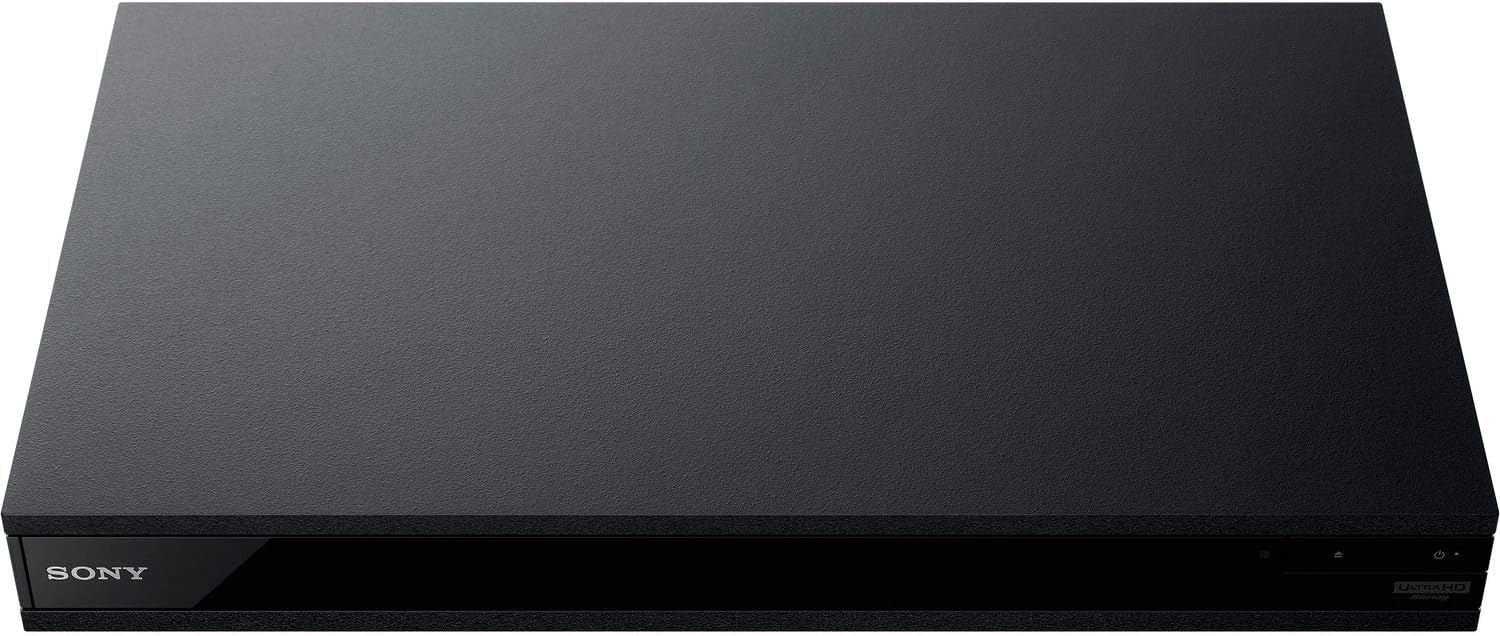
ຮູບ 5: ດ້ານຫນ້າ view of the player with a USB drive inserted into the front port.
ບໍາລຸງຮັກສາ
1. ການທຳຄວາມສະອາດເຄື່ອງຫຼິ້ນ
- ເຊັດດ້ານນອກຂອງເຄື່ອງຫຼິ້ນດ້ວຍຜ້າອ່ອນ, ແຫ້ງ.
- ຢ່າໃຊ້ເຄື່ອງເຮັດຄວາມສະອາດຂັດ, ຂີ້ເຜີ້ງ, ຫຼືສານລະລາຍ.
- Ensure ventilation openings remain clear of dust and debris.
2. ການດູແລແຜ່ນດິດ
- ຈັບແຜ່ນດ້ວຍຂອບຂອງພວກມັນເພື່ອຫຼີກເວັ້ນຮອຍນິ້ວມື ແລະຮອຍຂີດຂ່ວນ.
- ລ້າງແຜ່ນດິສດ້ວຍຜ້າອ່ອນໆ, ບໍ່ມີເສັ້ນດ່າງ, ເຊັດຈາກກາງອອກໄປຂ້າງນອກ.
- Store discs in their cases away from direct sunlight and extreme temperatures.
3. ອັບເດດເຟີມແວ
Firmware updates can be done via the internet to ensure optimal performance and access to the latest features.
- Go to the home menu, then setup menu, and then to Software Update.
- Click on "Update Via Internet". If a new firmware is available, the player will automatically update.
- ຢ່າ turn off the player while it is updating.
- ຢ່າ perform firmware updates by USB unless instructed by OREI support.
ການແກ້ໄຂບັນຫາ
ບັນຫາທົ່ວໄປ
- ບໍ່ມີຮູບພາບ/ສຽງ:
- Check all HDMI and audio cable connections.
- Ensure the TV input is set to the correct HDMI port.
- Verify the player is powered on.
- Disc Does Not Play:
- ໃຫ້ແນ່ໃຈວ່າແຜ່ນສະອາດແລະບໍ່ມີຮອຍຂີດຂ່ວນ.
- ກວດສອບວ່າແຜ່ນດິດຖືກໃສ່ຢ່າງຖືກຕ້ອງ (ໃຫ້ດ້ານທີ່ມີປ້າຍຢູ່ທາງເທິງ).
- For Blu-ray discs, confirm the player's region setting matches the disc's region (refer to "Region Changing Instructions" in the Setup section).
- Open the tray again and leave the disc in the tray. Once fully open, press the color button to select the region. Then close the tray.
- Region Code Error Message:
If you put in a disc before changing regions, you may get an error message indicating the wrong region. The player remembers this message. To remove that error, you need to reset the player.
- ກົດ ຫນ້າທໍາອິດ button on the remote with no disc inside to go to the home screen.
- ໃຊ້ປຸ່ມລູກສອນຢູ່ເທິງຣີໂໝດເພື່ອໄປທີ່ມຸມຂວາເທິງບ່ອນທີ່ມັນຂຽນວ່າ ຕັ້ງຄ່າ ແລະກົດ ປ້ອນ.
- ເລື່ອນລົງໄປ ຣີເຊັດ ຢູ່ທາງລຸ່ມຂອງເມນູ.
- ເລືອກ ຣີເຊັດເປັນຄ່າເລີ່ມຕົ້ນຈາກໂຮງງານ.
- ເລື່ອນລົງແລະເລືອກ ການຕັ້ງຄ່າທັງໝົດ ແລະກົດ ປ້ອນ -> ກົດ ເລີ່ມ Enter -> Close ປ້ອນ.
- ປິດເຄື່ອງຫຼິ້ນແລະເປີດໃໝ່ຫຼັງຈາກ 30 ວິນາທີ.
- Select Language English and then select quick start mode OFF. You may need to activate network settings again.
- If you prefer not to connect the player to the internet, you may press the ຫນ້າທໍາອິດ button and go to the home screen. Now start from step 1 under "Region Changing Instructions" to change regions.
ຂໍ້ມູນຈໍາເພາະ
| ຍີ່ຫໍ້ | OREI |
| ຊື່ຕົວແບບ | Sony X800M2 (UBP-X800M2) |
| ຂະໜາດສິນຄ້າ | 19 x 14.1 x 3.8 ນິ້ວ |
| ນ້ໍາຫນັກລາຍການ | 8.82 ປອນ (4000 ກຣາມ) |
| ປະເພດສື່ | Blu-Ray Disc, DVD, 4K UHD Blu-ray, Blu-ray 3D, CD, Super Audio CD |
| ຄວາມລະອຽດ | 3840x2160 (4K UHD) |
| ເຕັກໂນໂລຊີການເຊື່ອມຕໍ່ | ອີເທີເນັດ, HDMI, USB, Wi-Fi |
| ປະເພດຕົວເຊື່ອມຕໍ່ | HDMI |
| ຮູບແບບການອອກສຽງ | Surround (Dolby Atmos, DTS:X, High-Resolution Audio) |
| ສີ | ດຳ |
| ໝໍ້ໄຟ | 2 ຫມໍ້ໄຟ AAA ຕ້ອງການ (ສໍາລັບໄລຍະໄກ) |
| ຄຸນນະສົມບັດພິເສດ | Region Free (Blu-ray Zones A/B/C, DVD Regions 0-8), Built-in NTSC↔PAL 4K HD Converter |
ການຮັບປະກັນແລະການສະຫນັບສະຫນູນ
ຂໍ້ມູນການຮັບປະກັນ
For specific warranty details, please refer to the warranty card included with your product or visit the official OREI webເວັບໄຊ. ຮັກສາໃບຮັບເງິນການຊື້ຂອງທ່ານໄວ້ເປັນຫຼັກຖານການຊື້.
ການຊ່ວຍເຫຼືອລູກຄ້າ
If you encounter any issues or have questions regarding your OREI Sony UBP-X800M2 Blu-ray Player, please contact OREI customer support.
- ສະຫນັບສະຫນູນອອນໄລນ໌: ຢ້ຽມຢາມ OREI Store on Amazon ສໍາລັບ FAQs ແລະຊັບພະຍາກອນສະຫນັບສະຫນູນ.
- ການຊ່ວຍເຫຼືອດ້ານວິຊາການ: Contact OREI directly for technical support. (Specific contact details not provided in source data, please refer to product packaging or official webເວັບໄຊ).