1. ບົດແນະນຳ
Thank you for choosing the ZIPRO Neon Magnetic Elliptical Trainer. This elliptical is designed for effective home workouts, allowing you to train endurance and strengthen muscles. Its compact size makes it ideal for smaller living spaces. The user-friendly computer tracks key workout parameters such as speed, distance, calories, and pulse. Featuring a robust construction, anti-slip footrests, and ergonomic handles, it ensures a comfortable and safe exercise experience. The internal magnetic mechanism provides smooth and quiet operation with 8 adjustable resistance levels to suit your individual training needs.

Image: The ZIPRO Neon Magnetic Elliptical Trainer, showcasinການອອກແບບສີດຳທີ່ລຽບງ່າຍພ້ອມດ້ວຍສີຂຽວ.
2. ຂໍ້ມູນຄວາມປອດໄພທີ່ສໍາຄັນ
Please read all instructions carefully before using this product. Failure to follow these instructions may result in injury or damage to the equipment.
- ປຶກສາແພດກ່ອນເລີ່ມໂຄງການອອກກຳລັງກາຍໃດໆ, ໂດຍສະເພາະຖ້າທ່ານມີບັນຫາສຸຂະພາບຢູ່ກ່ອນແລ້ວ.
- ຮັກສາເດັກນ້ອຍ ແລະສັດລ້ຽງຢູ່ຫ່າງຈາກອຸປະກອນໃນລະຫວ່າງການປະຕິບັດງານ.
- ວາງເຄື່ອງອອກກຳລັງກາຍແບບ elliptical ໄວ້ເທິງພື້ນຜິວທີ່ຮາບພຽງ ແລະ ໝັ້ນຄົງ ໂດຍມີພື້ນທີ່ຫວ່າງພຽງພໍອ້ອມຮອບ.
- Wear appropriate exercise clothing and athletic footwear. Avoid loose clothing that could get caught in moving parts.
- Before each use, ensure all bolts, nuts, and connections are securely tightened.
- ບໍ່ໃຫ້ເກີນຄວາມອາດສາມາດນ້ໍາຫນັກຜູ້ໃຊ້ສູງສຸດຂອງ 120 kg (264 lbs).
- If you experience dizziness, chest pain, or any other abnormal symptoms, stop your workout immediately and consult a physician.
- Do not attempt to service the elliptical trainer beyond the maintenance steps described in this manual. Contact customer support for assistance.
3. ເນື້ອໃນຊຸດ
ກວດສອບວ່າອົງປະກອບທັງຫມົດແມ່ນມີຢູ່ກ່ອນທີ່ຈະເລີ່ມຕົ້ນການປະກອບ. ຖ້າພາກສ່ວນໃດຂາດຫາຍໄປຫຼືເສຍຫາຍ, ກະລຸນາຕິດຕໍ່ຝ່າຍຊ່ວຍເຫຼືອລູກຄ້າ.
| ລາຍການ | ປະລິມານ |
|---|---|
| ກອບຫຼັກ | 1 |
| ແຖບຕ້ານການດ້ານຫນ້າ | 1 |
| ແຖບກັນສັ່ນຫລັງ | 1 |
| ຍ້າຍ Handlebars | 2 |
| Fixed Handlebar Post | 1 |
| ຕີນ pedals | 2 |
| ຫນ່ວຍ Console | 1 |
| ຜູ້ຖືກະຕຸກນ້ໍາ | 1 |
| Hardware Kit (Bolts, Washers, Nuts, Tools) | 1 ຊຸດ |
| ຄູ່ມືຜູ້ໃຊ້ | 1 |
4. ສະພານແລະການຕິດຕັ້ງ
4.1 ການຫຸ້ມຫໍ່
Carefully remove all components from the packaging. Lay them out on a clean, flat surface to ensure all parts are accounted for and to prevent scratching.
4.2 ຂັ້ນຕອນການປະກອບ
- ຄັດຕິດ Bars stabilizer: Secure the front and rear stabilizer bars to the main frame using the provided bolts and washers. Ensure they are firmly tightened for stability.
- Install Pedal Arms and Moving Handlebars: Connect the pedal arms to the main crank assembly and then attach the moving handlebars to the pedal arms. Pay attention to left and right markings.
- Mount Console Post and Fixed Handlebars: Attach the console post to the main frame. Then, secure the fixed handlebars to the console post. Ensure all wiring for the console is routed correctly and connected.
- Attach Console Unit: Carefully connect the sensor wires from the console post to the back of the console unit. Then, mount the console onto its designated bracket on the console post.
- Install Foot Pedals: Secure the foot pedals to the pedal arms. Ensure they are oriented correctly and tightened to prevent wobbling during use.
- ແນບທີ່ໃສ່ກະຕຸກນ້ຳ: Mount the water bottle holder to the designated spot on the frame.
- ກວດສອບຄັ້ງສຸດທ້າຍ: Review all connections and ensure all bolts are tightened. Test the elliptical for smooth movement and stability. Adjust the leveling caps on the stabilizer bars if the unit is uneven.
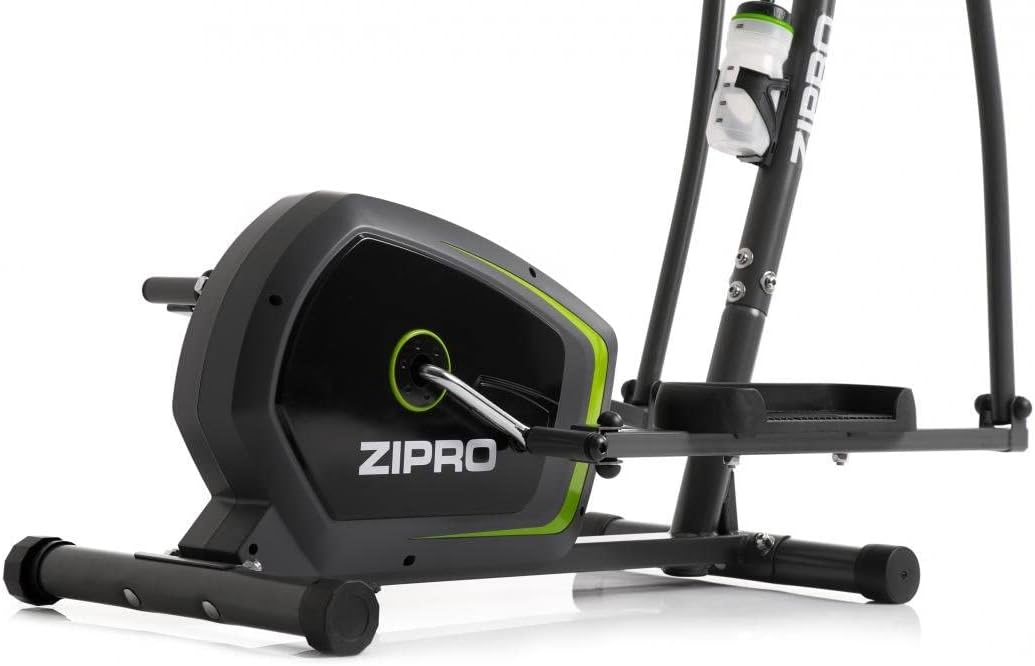
Image: Detail of the sturdy base and flywheel housing.

ຮູບພາບ: Side profile of the elliptical, showing the pedal arms and handlebars.

ຮູບພາບ: ທາງຫນ້າ view, highlighting the console post and handlebars.
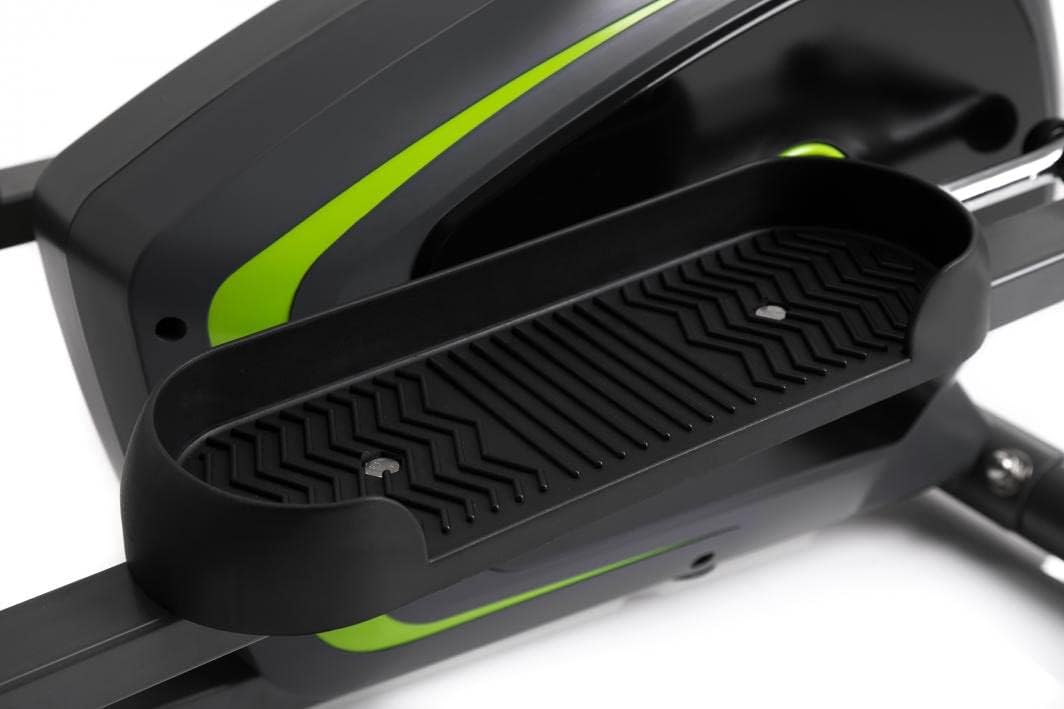
Image: Detail of the textured, anti-slip foot pedal surface.

Image: The integrated water bottle holder on the elliptical frame.

Image: The rear stabilizer bar with built-in transport wheels for easy relocation.
5. ຄໍາແນະນໍາການດໍາເນີນງານ
5.1 ຟັງຊັນຄອນໂຊ
The integrated console provides real-time feedback on your workout. It typically displays:
- ເວລາ: ໄລຍະເວລາຂອງການອອກກໍາລັງກາຍຂອງທ່ານ.
- ຄວາມໄວ: ຄວາມໄວໃນປະຈຸບັນເປັນ km/h ຫຼື mph.
- ໄລຍະຫ່າງ: ໄລຍະຫ່າງທັງໝົດກວມເອົາໃນລະຫວ່າງການອອກກຳລັງກາຍ.
- ກາລະໂອກາດ: ຄາດຄະເນການເຜົາຜານພະລັງງານ.
- PULSE: Your heart rate (measured via hand pulse sensors on fixed handlebars).
- ສະແກນ: ໝຸນວຽນໂດຍອັດຕະໂນມັດຜ່ານຟັງຊັນການສະແດງຜົນທັງໝົດ.
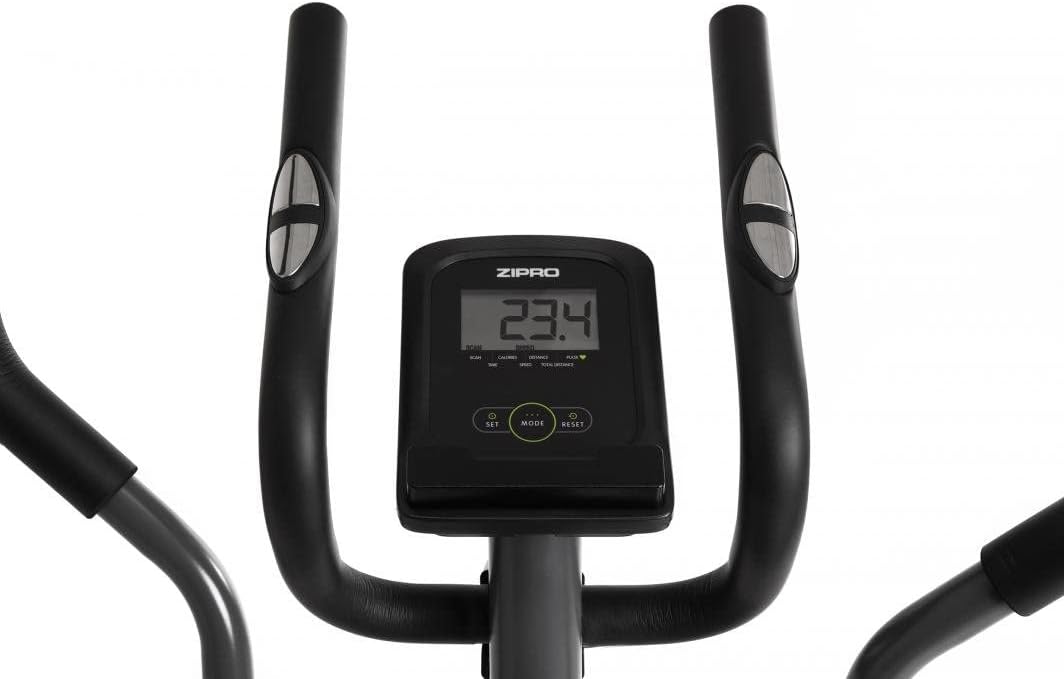
Image: The digital console displaying workout metrics.
Use the 'MODE' button to select a specific display function or 'SCAN' mode. 'RESET' will clear all workout data.
5.2 ການປັບຄວາມຕ້ານທານ
The ZIPRO Neon Elliptical Trainer features 8 levels of magnetic resistance. To adjust the resistance, turn the tension control knob located on the main frame. Turn clockwise to increase resistance for a more challenging workout, and counter-clockwise to decrease resistance for an easier workout.

Image: The resistance control knob with settings from 1 to 8.
5.3 ການໃຊ້ຕົວຍຶດອຸປະກອນ
The elliptical is equipped with a convenient shelf for mobile devices, allowing you to place your smartphone or tablet while exercising. This is located just below the console.

Image: The device holder, capable of holding a tablet or smartphone for entertainment during workouts.
5.4 Workout Guidelines
- ອຸ່ນເຄື່ອງ: Begin each workout with 5-10 minutes of light exercise and stretching.
- ອອກກຳລັງກາຍ: Maintain a steady pace and resistance level for 20-30 minutes, or as recommended by your fitness plan.
- ໃຈເຢັນ: Finish with 5-10 minutes of slower pedaling and stretching.
- ຄວາມຊຸ່ມຊື່ນ: Use the integrated bottle holder to keep water accessible and stay hydrated during your workout.
6. ການບໍາລຸງຮັກສາແລະການດູແລ
Regular maintenance will extend the life of your elliptical trainer.
- ທໍາຄວາມສະອາດ: ເຊັດອຸປະກອນທີ່ມີໂຄສະນາamp ຜ້າຫຼັງຈາກແຕ່ລະການນໍາໃຊ້ເພື່ອເອົາເຫື່ອແລະຂີ້ຝຸ່ນ. ຢ່າໃຊ້ເຄື່ອງເຮັດຄວາມສະອາດຂັດຫຼືສານລະລາຍ.
- ການລະບາຍສີ: Periodically check moving parts for friction. Apply a silicone-based lubricant to pivot points and joints if squeaking occurs.
- Tighten fasteners: Regularly inspect all bolts, nuts, and screws to ensure they are tight. Tighten as necessary to prevent noise and ensure stability.
- ການເກັບຮັກສາ: ເກັບຮັກສາເຄື່ອງ elliptical ໄວ້ໃນບ່ອນແຫ້ງ, ເຢັນ, ຫ່າງຈາກແສງແດດໂດຍກົງ ແລະ ອຸນຫະພູມສູງສຸດ.
7. ການແກ້ໄຂບັນຫາ
If you encounter issues with your elliptical trainer, refer to the table below for common problems and solutions.
| ບັນຫາ | ສາເຫດທີ່ເປັນໄປໄດ້ | ການແກ້ໄຂ |
|---|---|---|
| ສຽງດັງ ຫຼື ສຽງດັງ | Loose bolts; lack of lubrication; worn parts. | Tighten all visible bolts. Apply silicone lubricant to pivot points. If noise persists, contact support. |
| ຄອນໂຊນບໍ່ສະແດງຂໍ້ມູນ | Batteries low or dead; loose sensor connection. | Replace console batteries. Check all sensor cables are securely connected. |
| ຄວາມຕ້ານທານບໍ່ປ່ຽນແປງ | ສາຍຕ້ານທານຖືກຕັດການເຊື່ອມຕໍ່ ຫຼື ເສຍຫາຍ. | ກວດສອບສາຍເຄເບີ້ນຕ້ານທານກັບປຸ່ມກົດ ແລະ ກົນໄກລໍ້ໝູນ. ເຊື່ອມຕໍ່ຄືນໃໝ່ຖ້າວ່າງ. |
| Elliptical feels unstable/wobbly | ພື້ນຜິວບໍ່ສະໝໍ່າສະເໝີ; ສະກູແຖບຄວບຄຸມຄວາມໝັ້ນຄົງວ່າງ. | Adjust the leveling caps on the stabilizer bars. Ensure all stabilizer bar bolts are tightened. |
8. ຂໍ້ກໍານົດດ້ານວິຊາການ
| ຄຸນສົມບັດ | ຂໍ້ມູນຈໍາເພາະ |
|---|---|
| ຊື່ຕົວແບບ | ນີອອນ |
| ຍີ່ຫໍ້ | ZIPRO |
| ສີ | ດຳ |
| ຂະໜາດສິນຄ້າ (L x W x H) | 107 x 67 x 152 ຊມ (42.1 x 26.4 x 59.8 ນິ້ວ) |
| ນ້ໍາຫນັກລາຍການ | 29.8 ກິໂລ (65.7 ປອນ) |
| ວັດສະດຸ | Durable Steel Frame, Plastic Components |
| ກົນໄກການຕໍ່ຕ້ານ | ແມ່ເຫຼັກ |
| ຄໍາແນະນໍານ້ໍາຫນັກສູງສຸດ | 120 ກິໂລ (264 ປອນ) |
| ຄວາມຍາວຂອງການກ້າວສູງສຸດ | 27 ຊມ (10.6 ນິ້ວ) |
| ຈໍານວນລະດັບຄວາມຕ້ານທານ | 8 |
| ອົງປະກອບລວມ | Elliptical Trainer, Water Bottle Holder |
| ແບດເຕີລີ່ລວມ | ແມ່ນແລ້ວ |
| ຜູ້ຜະລິດ | Morele.net Sp. z oo |
| ໝາຍເລກຕົວແບບ | 1592673 |
9. ການຮັບປະກັນແລະການສະຫນັບສະຫນູນ
Your ZIPRO Neon Magnetic Elliptical Trainer comes with a standard manufacturer's warranty covering defects in materials and workmanship. Please refer to the warranty card included in your package for specific terms and conditions, including the warranty period.
For technical support, replacement parts, or warranty claims, please contact ZIPRO customer service. Have your model number (1592673) and proof of purchase ready when contacting support.
ຂໍ້ມູນຕິດຕໍ່:
Please visit the official ZIPRO webເວັບໄຊທ໌ສຳລັບລາຍລະອຽດການຕິດຕໍ່ທີ່ທັນສະໄໝທີ່ສຸດສຳລັບພາກພື້ນຂອງທ່ານ.


