ແນະນຳ
This manual provides essential instructions for the safe and efficient operation of your Hama TH50 Thermo/Hygrometer. This device is designed to accurately measure and display indoor temperature and humidity levels. Please read this manual thoroughly before using the device and keep it for future reference.
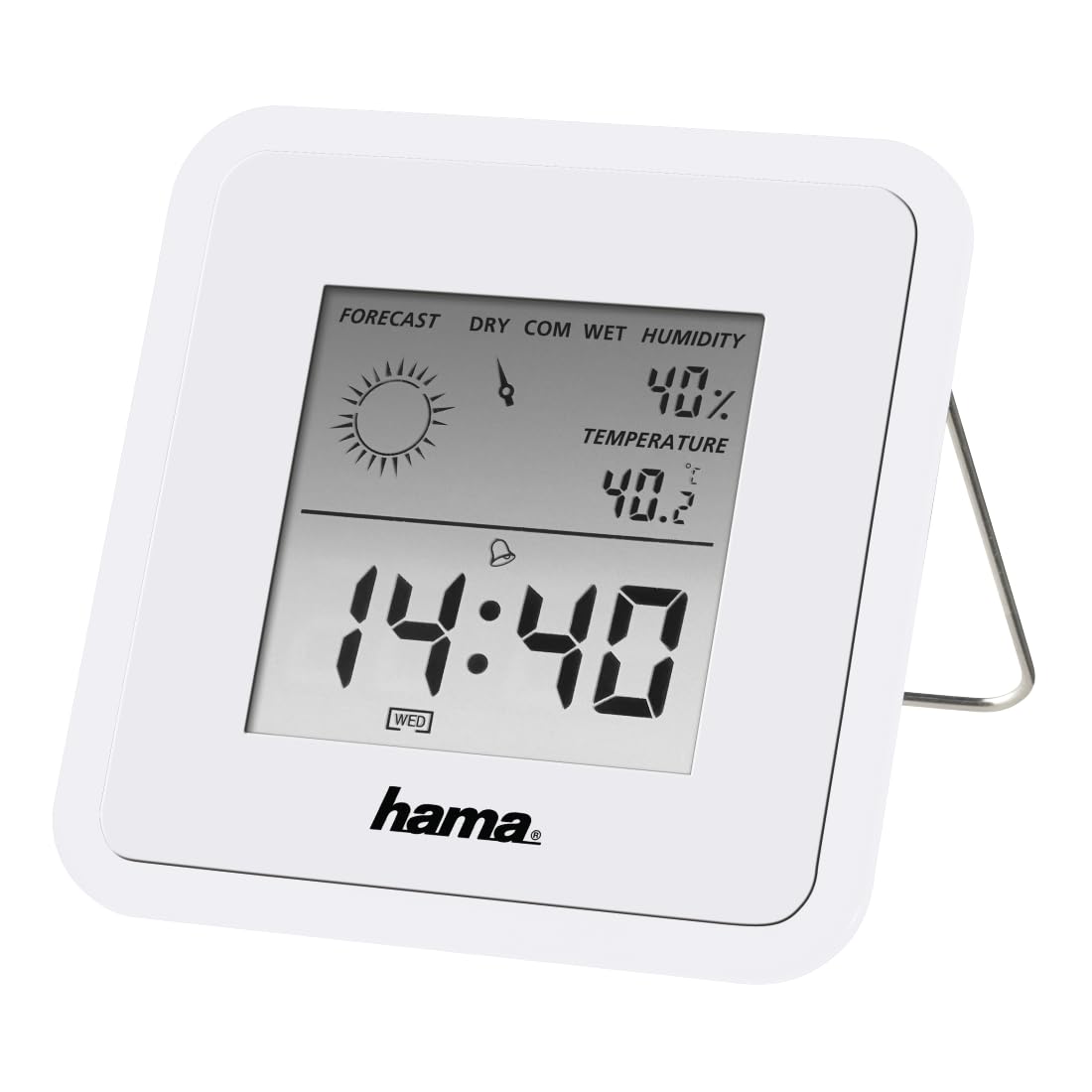
Image: The Hama TH50 Thermo/Hygrometer, a compact white device displaying digital temperature and humidity readings.
ຄໍາແນະນໍາຄວາມປອດໄພ
- ຢ່າເຮັດໃຫ້ອຸປະກອນຢູ່ໃນອຸນຫະພູມທີ່ຮຸນແຮງ, ແສງແດດໂດຍກົງ, ຫຼືຄວາມຊຸ່ມຊື່ນສູງ.
- ຫຼີກລ້ຽງການວາງອຸປະກອນລົງ ຫຼືຖືກຜົນກະທົບທີ່ຮຸນແຮງ.
- ຢ່າເປີດອຸປະກອນ casing or attempt to repair it yourself. Refer all servicing to qualified personnel.
- ຮັກສາອຸປະກອນໃຫ້ໄກຈາກເດັກນ້ອຍ.
- ຖິ້ມແບດເຕີລີ່ຕາມກົດລະບຽບທ້ອງຖິ່ນ.
ເນື້ອໃນຊຸດ
ກະລຸນາກວດສອບວ່າທຸກລາຍການມີຢູ່ໃນສະພາບທີ່ດີ:
- Hama TH50 Thermo/Hygrometer
- 1 Lithium Metal Battery (pre-installed or separate)
- ຄູ່ມືການສອນນີ້
ຕັ້ງຄ່າ
1. ການຕິດຕັ້ງຫມໍ້ໄຟ
The Hama TH50 requires one Lithium Metal battery for operation. If the battery is not pre-installed, follow these steps:
- ຊອກຫາຝາປິດຊ່ອງໃສ່ຫມໍ້ໄຟຢູ່ດ້ານຫຼັງຂອງອຸປະກອນ.
- ເປີດຝາປິດຊ່ອງໃສ່ຫມໍ້ໄຟ.
- Insert the Lithium Metal battery, ensuring the correct polarity (+/-) as indicated inside the compartment.
- ປິດຝາປິດຊ່ອງໃສ່ຫມໍ້ໄຟຢ່າງປອດໄພ.
2. ບັນຈຸເຂົ້າຮຽນ
The Hama TH50 is designed for tabletop mounting. For accurate readings, place the device in a central location within the room, away from direct heat sources, air conditioning vents, or open windows that could affect temperature and humidity measurements.

Image: The Hama TH50 Thermo/Hygrometer displayed on a small table in a modern living room setting, demonstrating typical placement.
ປະຕິບັດການອຸປະກອນ
ສະແດງຂໍ້ມູນ
Once the battery is installed, the device will automatically power on and begin displaying the current temperature and humidity. The display typically shows:
- ອຸນຫະພູມ: Measured in degrees Celsius (°C). The accuracy is ±1°C.
- ຄວາມຊຸ່ມຊື່ນ: Measured as a percentage (%).
- ເວລາ: The current time may also be displayed, depending on the model's features.
There are no user-adjustable settings or buttons on this model for changing units or modes. The device operates automatically.
ບໍາລຸງຮັກສາ
ທໍາຄວາມສະອາດ
To clean the device, use a soft, dry, lint-free cloth. Do not use abrasive cleaners, solvents, or chemical agents, as these can damage the display or casing. Avoid getting moisture into the device.
ການປ່ຽນແບັດ
When the display becomes dim or the readings appear inaccurate, it may be time to replace the battery. Follow the battery installation steps outlined in the "Setup" section to replace the Lithium Metal battery. Ensure proper disposal of the old battery.
ການແກ້ໄຂບັນຫາ
| ບັນຫາ | ສາເຫດທີ່ເປັນໄປໄດ້ | ການແກ້ໄຂ |
|---|---|---|
| Device does not power on / Display is blank. | Battery is not installed or is depleted. Incorrect battery polarity. | Check battery installation and polarity. Replace with a new Lithium Metal battery if necessary. |
| ການອ່ານອຸນຫະພູມ/ຄວາມຊຸ່ມຊື່ນບໍ່ຖືກຕ້ອງ. | Device placed near heat sources, vents, or in direct sunlight. Battery low. | Relocate the device to a more central and stable environment. Replace the battery. |
| ໜ້າ ຈໍມືດລົງ. | ພະລັງງານຫມໍ້ໄຟຕ່ໍາ. | Replace the Lithium Metal battery. |
ຂໍ້ມູນຈໍາເພາະ
- ໝາຍເລກຕົວແບບ: 00186371
- ຍີ່ຫໍ້: ຮາມາ
- ຂະໜາດຜະລິດຕະພັນ: 10.5 x 8.6 x 3.2 cm
- ນ້ໍາຫນັກລາຍການ: 66 ກຣາມ
- ສີ: ສີຂາວ
- ປະເພດການຕິດຕັ້ງ: ໂຕະ
- ຄວາມຖືກຕ້ອງຂອງການອ່ານອຸນຫະພູມ: ±1°C
- ແບັດເຕີຣີ: 1 ແບດເຕີຣີ້ໂລຫະ Lithium (ລວມ)
ການຮັບປະກັນແລະການສະຫນັບສະຫນູນ
Hama provides a limited warranty for this product. For detailed warranty information, technical support, or service inquiries, please refer to the official Hama webເວັບໄຊ ຫຼືຕິດຕໍ່ພະແນກບໍລິການລູກຄ້າຂອງເຂົາເຈົ້າ. ຮັກສາໃບຮັບເງິນການຊື້ຂອງທ່ານໄວ້ເປັນຫຼັກຖານການຊື້.
ໝາຍເຫດ: ຂໍ້ມູນຈຳເພາະ ແລະ ຮູບລັກສະນະຂອງຜະລິດຕະພັນອາດມີການປ່ຽນແປງໂດຍບໍ່ຕ້ອງແຈ້ງໃຫ້ຊາບລ່ວງໜ້າ.


