1. ບົດແນະນຳ
ຂອບໃຈສໍາລັບການຊື້asing the 2BOOM BX390 Bass King Wireless Bluetooth Boombox Stereo Speaker. This manual provides essential information for setting up, operating, and maintaining your speaker to ensure optimal performance and longevity. Please read this manual thoroughly before using the product.

Image 1.1: The 2BOOM BX390 Bass King Wireless Bluetooth Boombox Stereo Speaker.
This image shows the 2BOOM BX390 Bass King speaker in blue, featuring a cylindrical design with a handle/strap attached. The front panel displays the control interface and speaker grille.
2. ເນື້ອໃນຊຸດ
ກະລຸນາກວດເບິ່ງຊຸດສຳລັບລາຍການຕໍ່ໄປນີ້:
- 1 x 2BOOM BX390 Bass King Speaker
- 1 x 3.5mm ສາຍ Aux
- 1 x ສາຍສາກ USB
- 1 x ຄູ່ມືຜູ້ໃຊ້ (ເອກະສານນີ້)
- 1 x Attachable Shoulder Strap

Image 2.1: The 2BOOM BX390 speaker shown with its detachable shoulder strap, 3.5mm Aux cable, and USB charging cable.
This image displays the blue 2BOOM BX390 speaker from an angled perspective, highlighting the included shoulder strap attached to its side rings. The USB charging cable and 3.5mm Aux cable are visible in the foreground.
3. ຄຸນລັກສະນະຂອງຜະລິດຕະພັນ
- Powerful Bass Sound: Equipped with 4-inch subwoofers and vibrating disks for crisp, clear, loud sound, booming low tones, and dynamic sound effects.
- ການເຊື່ອມຕໍ່ Bluetooth: Connects wirelessly to smartphones, tablets, and other Bluetooth-enabled devices up to 33 ft.
- ໄມໂຄຣໂຟນໃນຕົວ: Supports hands-free calls.
- ການອອກແບບທົນທານແລະ Portable: Features a rugged, rubberized exterior and an attachable strap for easy carrying.
- ຕົວເລືອກການປ້ອນຂໍ້ມູນຫຼາຍອັນ: Includes FM Radio, Aux-in Line, USB port, and SD Card slot.
- ແຜງຄວບຄຸມແບບປະສົມປະສານ: Direct control over volume, bass, and sound equalizer.

Image 3.1: The 2BOOM BX390 speaker with visual callouts for Deep Digital Bass, FM Radio, Long-Lasting Battery, and Straps Included.
This image shows the blue 2BOOM BX390 speaker from the front, with graphic overlays pointing out its key features: deep digital bass, FM radio capability, long-lasting battery, and the inclusion of straps for portability.
4. ການຄວບຄຸມແລະພອດ
Familiarize yourself with the control panel and input ports of your BX390 speaker:

Image 4.1: Detailed diagram of the 2BOOM BX390 control panel and input ports.
ຮູບພາບນີ້ສະຫນອງການໃກ້ຊິດ view of the speaker's front panel, clearly labeling each button, port, and indicator. Labels include USB, DC 5V (charging), AUX, Previous, Play/Pause, Next, Mode, EQ, SD card slot, LED display, Power ON/OFF switch, Volume controls, and Bass controls.
- ພອດ USB: ສໍາລັບການຫຼິ້ນ USB drive.
- DC 5V (ພອດສາກໄຟ): Connect the USB charging cable here to charge the speaker.
- AUX Input: 3.5mm jack for connecting external audio devices via an Aux cable.
- Previous / Volume -: ກົດສັ້ນສໍາລັບການຕິດຕາມທີ່ຜ່ານມາ; ກົດຄ້າງໄວ້ເພື່ອຫຼຸດລະດັບສຽງ.
- ຫຼິ້ນ/ຢຸດ: Press to play or pause audio. In FM mode, short press to auto-scan.
- Next / Volume +: ກົດສັ້ນສໍາລັບການຕິດຕາມຕໍ່ໄປ; ກົດຄ້າງໄວ້ເພື່ອເພີ່ມປະລິມານ.
- ໂໝດ: Press to switch between Bluetooth, FM Radio, USB, SD Card, and AUX modes.
- EQ (ຄວາມເທົ່າທຽມ): Press to cycle through different equalizer presets.
- ຊ່ອງໃສ່ບັດ SD: Insert an SD card for audio playback.
- ຈໍສະແດງຜົນ LED: ສະແດງໂໝດປະຈຸບັນ, ໝາຍເລກເພງ, ຫຼື ຄວາມຖີ່ FM.
- ປິດ/ເປີດພະລັງງານ: Slide to turn the speaker on or off.
- ປະລິມານ +/-: ປຸ່ມເພື່ອເພີ່ມ ຫຼືຫຼຸດປະລິມານລວມ.
- Bass +/-: Buttons to increase or decrease the bass level.
5. ຕັ້ງຄ່າ
5.1 ກຳລັງສາກລຳໂພງ
Before first use, fully charge the speaker. Connect the supplied USB charging cable to the DC 5V port on the speaker and the other end to a USB power adapter (not included) or a computer's USB port. The LED display may indicate charging status.
- ເວລາສາກໄຟອາດແຕກຕ່າງກັນ.
- ຖອດສາຍສາກອອກເມື່ອສາກເຕັມແລ້ວເພື່ອຮັກສາອາຍຸການໃຊ້ງານຂອງແບັດເຕີຣີ.
5.2 ການເປີດ/ປິດ
ເພື່ອໝຸນລຳໂພງ ON, slide the Power ON/OFF switch to the 'ON' position. You will hear an audible prompt, and the LED display will light up.
ເພື່ອໝຸນລຳໂພງ ປິດ, slide the Power ON/OFF switch to the 'OFF' position.
6. ຄໍາແນະນໍາການດໍາເນີນງານ
6.1 ແບບບູທູດ
The speaker automatically enters Bluetooth pairing mode when powered on if no other input source is connected, or after pressing the ໂໝດ button until "Bluetooth" is indicated.
- ກວດໃຫ້ແນ່ໃຈວ່າໄດ້ເປີດລຳໂພງແລ້ວ.
- ໃນອຸປະກອນທີ່ເປີດໃຊ້ Bluetooth ຂອງທ່ານ (ໂທລະສັບສະຫຼາດ, ແທັບເລັດ, ແລະອື່ນໆ), ເປີດໃຊ້ Bluetooth ແລະຄົ້ນຫາອຸປະກອນທີ່ມີຢູ່.
- ເລືອກ "2BOOM BX390" or similar from the list.
- Once paired, the speaker will confirm with an audible prompt.
- ດຽວນີ້ທ່ານສາມາດຫຼິ້ນສຽງຈາກອຸປະກອນຂອງທ່ານຜ່ານລຳໂພງໄດ້.
ໝາຍເຫດ: ລຳໂພງຈະເຊື່ອມຕໍ່ຄືນໃໝ່ກັບອຸປະກອນທີ່ຈັບຄູ່ຄັ້ງສຸດທ້າຍໂດຍອັດຕະໂນມັດ ຖ້າມັນຢູ່ພາຍໃນຂອບເຂດ ແລະ Bluetooth ຖືກເປີດໃຊ້ງານ.
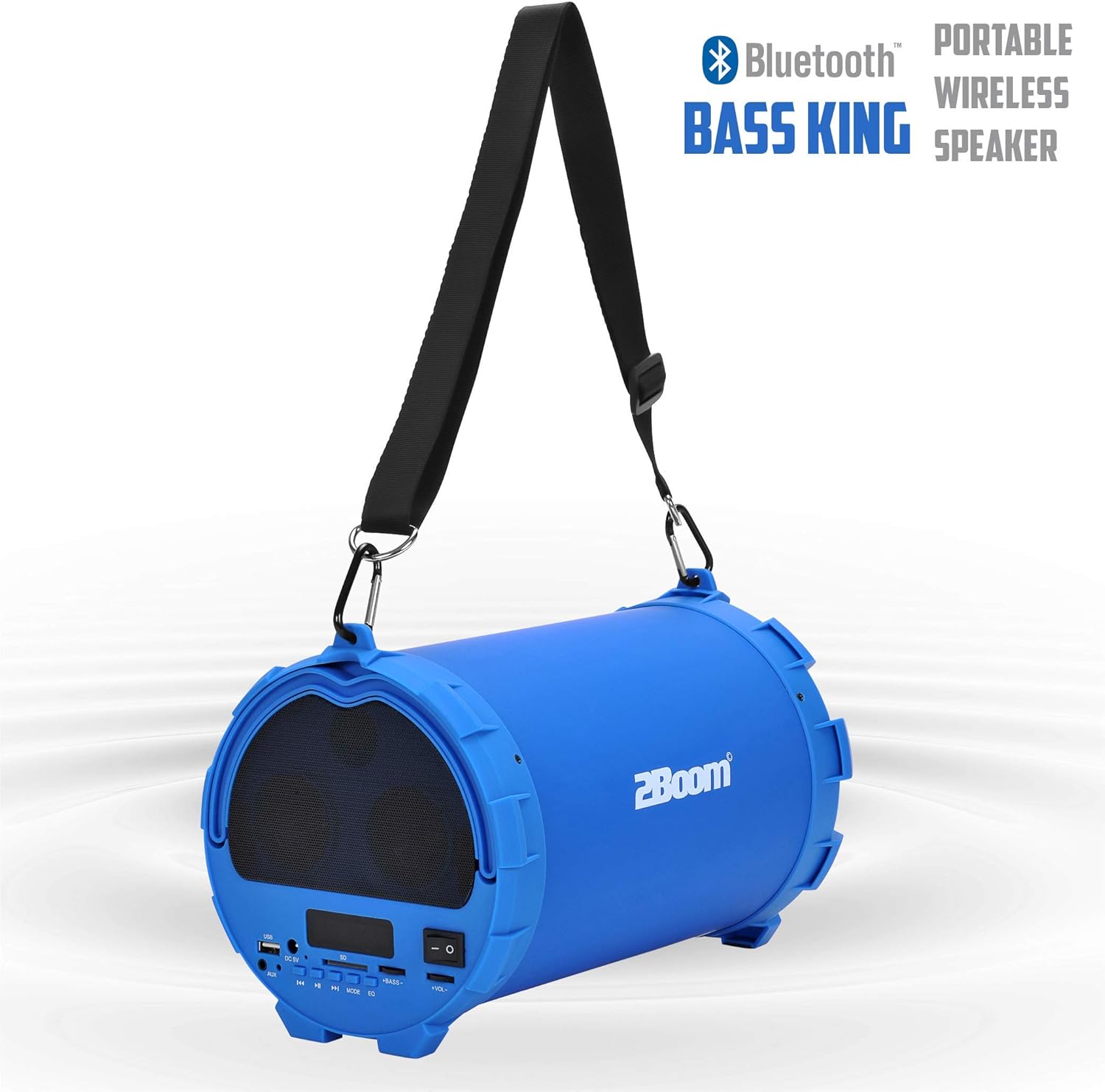
Image 6.1: The 2BOOM BX390 speaker highlighting its Bluetooth connectivity.
This image shows the blue 2BOOM BX390 speaker with a prominent "Bluetooth" logo and "PORTABLE WIRELESS BASS KING SPEAKER" text, emphasizing its wireless audio capabilities.
ໂໝດວິທະຍຸ 6.2 FM
To switch to FM Radio mode, press the ໂໝດ button until "FM" or the radio frequency is displayed.
- ໃນໂຫມດ FM, ກົດປຸ່ມສັ້ນ ຫຼິ້ນ/ຢຸດຊົ່ວຄາວ button to automatically scan and save available FM stations. The speaker will cycle through frequencies and store them.
- ໃຊ້ ທີ່ຜ່ານມາ ແລະ ຕໍ່ໄປ ປຸ່ມເພື່ອນຳທາງລະຫວ່າງສະຖານີທີ່ບັນທຶກໄວ້.
- For better reception, extend the antenna (if applicable, or reposition the speaker).
6.3 USB / SD Card Mode
ລຳໂພງຮອງຮັບການຫຼິ້ນສຽງຈາກ USB flash drive ແລະ SD card.
- ໃສ່ USB flash drive ເຂົ້າໄປໃນ ພອດ USB or an SD card into the ຊ່ອງໃສ່ບັດ SD.
- ລຳໂພງຈະປ່ຽນໄປໃຊ້ໂໝດທີ່ສອດຄ້ອງກັນໂດຍອັດຕະໂນມັດ (USB ຫຼື SD) ແລະ ເລີ່ມຫຼິ້ນສຽງ fileຖ້າບໍ່, ໃຫ້ກົດປຸ່ມ ໂໝດ ປຸ່ມເພື່ອເລືອກ.
- ໃຊ້ ທີ່ຜ່ານມາ, ຫຼິ້ນ/ຢຸດຊົ່ວຄາວ, ແລະ ຕໍ່ໄປ ປຸ່ມເພື່ອຄວບຄຸມການຫຼິ້ນ.
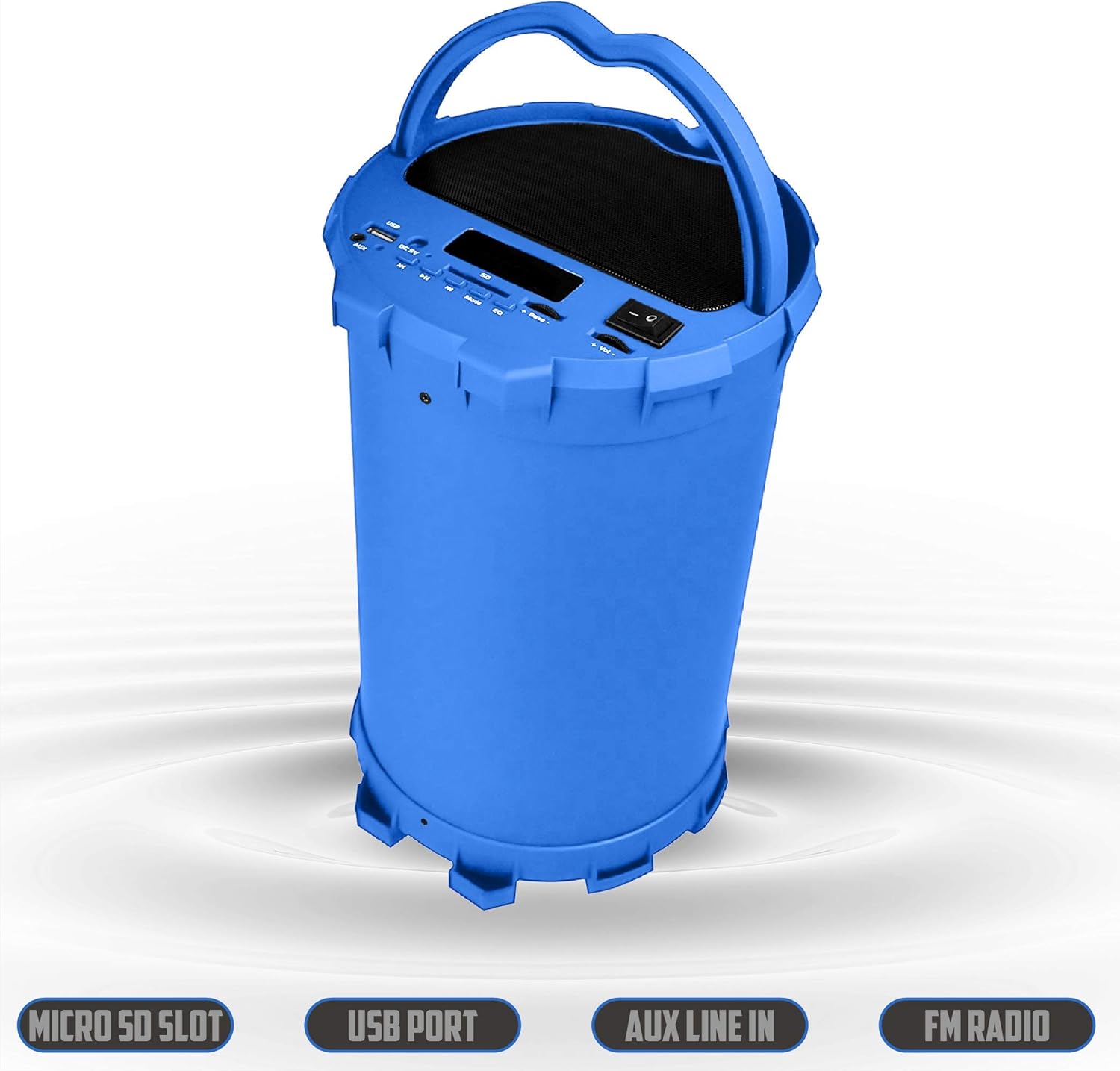
Image 6.2: The 2BOOM BX390 speaker shown upright, emphasizing the Micro SD Slot, USB Port, Aux Line In, and FM Radio capabilities.
This image displays the blue 2BOOM BX390 speaker in an upright position, with graphic overlays highlighting the Micro SD Slot, USB Port, Aux Line In, and FM Radio features on its control panel.
6.4 ໂໝດປ້ອນຂໍ້ມູນ AUX
Connect external audio devices (e.g., MP3 players, computers) using the supplied 3.5mm Aux cable.
- Connect one end of the 3.5mm Aux cable to the ການປ້ອນຂໍ້ມູນ AUX ພອດຢູ່ເທິງລຳໂພງ.
- ເຊື່ອມຕໍ່ປາຍອີກດ້ານໜຶ່ງເຂົ້າກັບຊ່ອງສຽບສຽງອອກຂອງອຸປະກອນພາຍນອກຂອງທ່ານ.
- ລຳໂພງຈະປ່ຽນໄປໃຊ້ໂໝດ AUX ໂດຍອັດຕະໂນມັດ. ຖ້າບໍ່, ໃຫ້ກົດປຸ່ມ ໂໝດ ປຸ່ມເພື່ອເລືອກ.
- ຄວບຄຸມການຫຼິ້ນຄືນຈາກອຸປະກອນພາຍນອກຂອງທ່ານ.
6.5 Adjusting Volume, Bass, and Equalizer
- ປະລິມານ: ໃຊ້ ປະລິມານ +/- buttons (long press Previous/Next) to increase or decrease the overall volume.
- ເບສ: ໃຊ້ ເບດ +/- buttons to adjust the bass level to your preference.
- ຕົວສະເີພາບ (EQ): ກົດ EQ button to cycle through various preset equalizer modes (e.g., Pop, Rock, Jazz, Classical, Normal) to optimize sound for different music genres.
7. ບໍາລຸງຮັກສາ
- ທໍາຄວາມສະອາດ: ໃຊ້ຜ້າປຽກແຫ້ງເພື່ອເຮັດຄວາມສະອາດດ້ານນອກຂອງລຳໂພງ. ຢ່າໃຊ້ເຄື່ອງເຮັດຄວາມສະອາດຂັດຫຼືສານລະລາຍ.
- ການເກັບຮັກສາ: ເກັບຮັກສາລຳໂພງໄວ້ໃນບ່ອນທີ່ເຢັນ, ແຫ້ງ, ຫ່າງຈາກແສງແດດໂດຍກົງ ແລະ ອຸນຫະພູມສູງສຸດເມື່ອບໍ່ໄດ້ໃຊ້ເປັນເວລາດົນ.
- ການດູແລຫມໍ້ໄຟ: ເພື່ອຍືດອາຍຸແບັດເຕີລີ, ຫຼີກເວັ້ນການຖອດແບດເຕີລີ່ເຕັມເລື້ອຍໆ. ສາກລໍາໂພງຢ່າງເປັນປົກກະຕິ, ເຖິງແມ່ນວ່າບໍ່ໄດ້ໃຊ້.
- ຄວາມຕ້ານທານນ້ໍາ: ລຳໂພງນີ້ບໍ່ກັນນ້ຳ. ຫຼີກລ່ຽງການສຳຜັດກັບນ້ຳ ຫຼື ຄວາມຊຸ່ມຫຼາຍເກີນໄປ.
8. ການແກ້ໄຂບັນຫາ
| ບັນຫາ | ສາເຫດທີ່ເປັນໄປໄດ້ | ການແກ້ໄຂ |
|---|---|---|
| ບໍ່ມີພະລັງງານ | ແບັດເຕີຣີເຫຼືອໜ້ອຍ ຫຼືຕາຍ. | ສາກລຳໂພງໃຫ້ເຕັມໂດຍໃຊ້ສາຍ USB ທີ່ໃຫ້ມາ. |
| ບໍ່ມີສຽງ | ປະລິມານຕ່ໍາເກີນໄປ; ເລືອກໂໝດບໍ່ຖືກຕ້ອງ; ອຸປະກອນບໍ່ເຊື່ອມຕໍ່ຢ່າງຖືກຕ້ອງ. | Increase volume on speaker and connected device. Press ໂໝດ to select correct input. Reconnect Bluetooth or Aux cable. |
| ການຈັບຄູ່ Bluetooth ລົ້ມເຫລວ | ລຳໂພງບໍ່ຢູ່ໃນໂໝດຈັບຄູ່; ອຸປະກອນໄກເກີນໄປ; ແຊກແຊງ. | Ensure speaker is in Bluetooth mode. Move device closer to speaker. Turn off other Bluetooth devices. Forget "2BOOM BX390" on your device and re-pair. |
| ການຮັບ FM ບໍ່ດີ | Weak signal; speaker position. | Reposition the speaker. Try auto-scanning again. |
| ບໍ່ສາມາດຫຼິ້ນ USB/SD card ໄດ້ | ບໍ່ຮອງຮັບ file ຟໍແມັດ; ໃສ່ກາດ/ໄດຣຟ໌ບໍ່ຖືກຕ້ອງ; ເສຍຫາຍ files. | ຮັບປະກັນ files are in a supported format (e.g., MP3). Reinsert the USB drive/SD card. Try a different drive/card. |
9. ຂໍ້ມູນຈໍາເພາະ
| ຄຸນສົມບັດ | ລາຍລະອຽດ |
|---|---|
| ຍີ່ຫໍ້ | 2BOOM |
| ຕົວແບບ | BX390 Bass King |
| ເຕັກໂນໂລຊີການເຊື່ອມຕໍ່ | ຕົວຊ່ວຍ, Bluetooth, USB |
| ປະເພດລຳໂພງ | ສະເຕຣິໂອ |
| ອຸປະກອນທີ່ເຂົ້າກັນໄດ້ | ແລັບທັອບ, ໂທລະສັບສະຫຼາດ, ແທັບເລັດ |
| Subwoofer | 4-inch (Quantity not specified, but implied by "subwoofers" and "dual subwoofers" in image) |
| ຊ່ວງ Bluetooth | ສູງເຖິງ 33 ຟຸດ (10 ແມັດ) |
| ຜອດປ້ອນຂໍ້ມູນ | USB, SD Card, 3.5mm AUX |
| ວິທະຍຸ | ວິທະຍຸ FM |
10. ການຮັບປະກັນແລະການສະຫນັບສະຫນູນ
The 2BOOM BX390 Bass King speaker comes with an UNLIMITED 2BOOM WARRANTY.
For warranty claims or technical support, please contact 2BOOM customer service. Refer to the product packaging or 2BOOM's official webເວັບໄຊສໍາລັບຂໍ້ມູນຕິດຕໍ່.
ກະລຸນາຮັກສາຫຼັກຖານການຊື້ຂອງທ່ານໄວ້ເພື່ອຈຸດປະສົງການຮັບປະກັນ.