1. ຜະລິດຕະພັນເກີນview
The LAUNCH CRP123X V2.0 is an advanced OBD2 diagnostic scan tool designed for comprehensive vehicle system analysis. It provides robust diagnostic capabilities for Engine, ABS, SRS, and Transmission systems, along with various reset functions and full OBD2 modes. This manual provides detailed instructions for its proper use and maintenance.
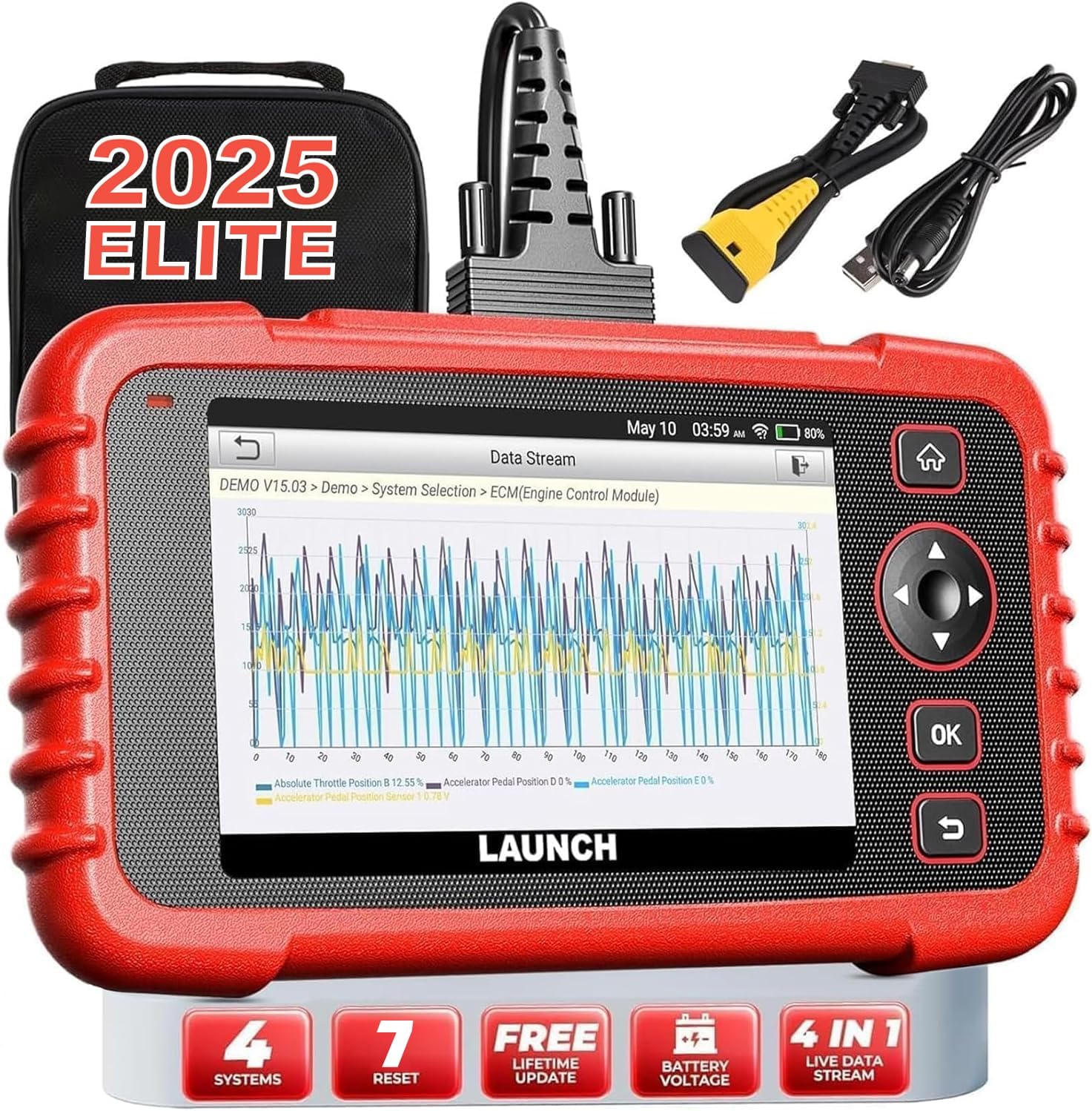
Image: The LAUNCH CRP123X V2.0 diagnostic tool, showcasing its compact design, touchscreen display, and included accessories like the carrying case and diagnostic cables.
2. ຕັ້ງຄ່າ
2.1 ເນື້ອໃນຊຸດ
ກ່ອນທີ່ຈະເລີ່ມຕົ້ນ, ກະລຸນາກວດສອບວ່າທຸກລາຍການມີຢູ່ໃນຊຸດ:
- LAUNCH CRP123X V2.0 Diagnostic Scanner
- OBD II ສາຍວິນິດໄສ
- ສາຍສາກ (USB)
- ຄູ່ມືຜູ້ໃຊ້ (ເອກະສານນີ້)
- ກະເປົາຖື

Image: A visual representation of the LAUNCH CRP123X V2.0 package contents, including the diagnostic tool, cables, and carrying bag.
2.2 ການຕິດຕັ້ງເບື້ອງຕົ້ນ
Follow these steps to prepare your scanner for first use:
- ສາກອຸປະກອນ: Connect the scanner to a power source using the provided charging cable. Ensure the device is fully charged before initial use.
- ເປີດ: ກົດປຸ່ມເປີດປິດຄ້າງໄວ້ເພື່ອເປີດອຸປະກອນ.
- ການຕັ້ງຄ່າພາສາ ແລະເວລາ: Follow the on-screen prompts to select your preferred language, time zone, and other initial settings.
- ເຊື່ອມຕໍ່ກັບ Wi-Fi: Navigate to the 'Settings' menu, select 'Network', and connect to an available Wi-Fi network. This is crucial for software updates.
- ອັບເດດຊອບແວ: After connecting to Wi-Fi, go to the 'Upgrade' section and download any available software updates. Regular updates ensure compatibility with the latest vehicle models and diagnostic features.

Image: A step-by-step guide illustrating how to connect the scanner to the OBD2 port, start the engine, and begin diagnosis.
3. ຄໍາແນະນໍາການດໍາເນີນງານ
3.1 ການເຊື່ອມຕໍ່ກັບພາຫະນະ
To begin diagnostics, locate your vehicle's OBD2 port (typically under the dashboard on the driver's side). Plug the diagnostic cable into the OBD2 port and then connect the other end to the LAUNCH CRP123X V2.0 scanner. Turn the vehicle's ignition to the ON position (engine off or running, depending on the test).
3.2 System Diagnostics (Engine, ABS, SRS, Transmission)
The CRP123X V2.0 specializes in diagnosing four core vehicle systems:
- ລະບົບເຄື່ອງຈັກ: Reads and clears engine fault codes, turns off the Check Engine Light (MIL), views live data, and performs O2 sensor tests.
- ລະບົບເບຣກປ້ອງກັນລັອກ (ABS): Diagnoses ABS system issues, reads and clears ABS fault codes, and views live data streams related to braking.
- Supplemental Restraint System (SRS/Airbag): Detects and clears fault codes related to the airbag system, ensuring proper functionality of safety components.
- ລະບົບສາຍສົ່ງ: Accesses transmission control module information, reads and clears transmission fault codes, and displays live data for transmission performance.

Image: An illustration highlighting the four main systems (ABS, Engine, SRS, Transmission) that the CRP123X V2.0 can diagnose, showing its ability to read and clear fault codes quickly.
3.3 ຟັງຊັນ OBD2 ເຕັມ
The tool supports all 10 modes of OBD2 testing for comprehensive emissions-related diagnostics:
- ອ່ານລະຫັດ
- ລຶບລະຫັດ
- ຄວາມພ້ອມຂອງ I/M
- ກະແສຂໍ້ມູນ
- View Freeze Frame
- ການທົດສອບເຊັນເຊີ O2
- ການທົດສອບການຕິດຕາມເທິງເຮືອ
- ການທົດສອບລະບົບ EVAP
- ຂໍ້ມູນຍານພາຫະນະ
- ການຊອກຫາ DTC

Image: Icons representing the complete suite of OBD2 functions available on the scanner, designed to assist in self-diagnosis.
3.4 Hot Reset Functions
The CRP123X V2.0 includes several commonly used reset functions:
- ການຕັ້ງຄ່ານ້ ຳ ມັນຄືນ ໃໝ່
- ຕັ້ງຄ່າ SAS (ເຊັນເຊີມຸມພວງມາໄລ) ຄືນໃໝ່
- ETC (Electronic Throttle Control) Reset
- ເລືອດອອກ ABS
- ຣີເຊັດເບກ
- D.P.F (Diesel Particulate Filter) Regeneration
- ຕັ້ງຄ່າລະບົບການຈັດການແບັດເຕີຣີ (BMS) ຄືນໃໝ່

Image: Visuals depicting the seven hot reset functions, such as ABS Bleeding, BMS Reset, Brake Reset, ETC Reset, D.P.F Regeneration, Oil Reset, and SAS Reset.
4. ການບໍາລຸງຮັກສາແລະການດູແລ
- ທໍາຄວາມສະອາດ: ໃຊ້ອ່ອນ, ງamp cloth to clean the scanner's exterior. Avoid abrasive cleaners or solvents.
- ການເກັບຮັກສາ: Store the device in its original carrying bag in a dry, cool environment, away from direct sunlight and extreme temperatures.
- ອັບເດດຊອບແວ: Regularly check for and install software updates via Wi-Fi to ensure optimal performance and compatibility with new vehicle models and diagnostic protocols.
- ການດູແລຫມໍ້ໄຟ: For prolonged storage, ensure the battery is charged to approximately 50-70% to maintain battery health.
5. ການແກ້ໄຂບັນຫາທົ່ວໄປ
| ບັນຫາ | ສາເຫດທີ່ເປັນໄປໄດ້ | ການແກ້ໄຂ |
|---|---|---|
| ອຸປະກອນບໍ່ເປີດ | Low battery; Loose connection to OBD2 port; Device malfunction | Charge the device; Ensure secure connection; Contact support |
| Unable to connect to vehicle | Faulty OBD2 cable; Incorrect vehicle ignition status; Vehicle not OBD2 compliant | Check cable integrity; Turn ignition to ON; Verify vehicle compatibility |
| Diagnostic report shows no codes | No active fault codes present; Incorrect system selected | This indicates no current issues; Ensure correct system is chosen for diagnosis |
| ບັນຫາການເຊື່ອມຕໍ່ Wi-Fi | Incorrect password; Weak signal; Network interference | Re-enter password; Move closer to router; Check network settings |
6. ຂໍ້ກໍານົດດ້ານວິຊາການ
| ຄຸນສົມບັດ | ລາຍລະອຽດ |
|---|---|
| ຍີ່ຫໍ້ | ເປີດຕົວ |
| ຕົວແບບ | CRP123X V2.0 |
| ຂະໜາດສິນຄ້າ | 11.72"L x 8.15"W x 3.54"H |
| ລະບົບປະຕິບັດການ | Android |
| ປະເພດລົດຍົນ | Universal Fit |
| ນ້ໍາຫນັກລາຍການ | 2.33 ປອນ |
| ໝໍ້ໄຟ | 1 ຫມໍ້ໄຟ Lithium Ion ຕ້ອງການ |
7. ການຮັບປະກັນແລະການສະຫນັບສະຫນູນ
The LAUNCH CRP123X V2.0 comes with a lifetime free software update policy, ensuring your device remains current with the latest vehicle data and diagnostic capabilities without additional costs.
For further assistance, detailed information, or troubleshooting not covered in this manual, please refer to the official PDF documents:
You may also visit the official LAUNCH website or contact their customer support for direct assistance.


