1. ບົດແນະນຳ
The Donner Mechanical Metronome DPM-1 is a precision instrument designed to assist musicians in maintaining accurate tempo and rhythm during practice. This device is suitable for a wide range of musical instruments, including piano, guitar, drums, violin, and saxophone. Its mechanical wind-up mechanism ensures consistent performance without the need for batteries.
ຄຸນນະສົມບັດທີ່ສໍາຄັນປະກອບມີ:
- ຊ່ວງໄລຍະ: Adjustable from 40 to 208 beats per minute (BPM).
- ການເລືອກຈັງຫວະ: Offers beat accents for 0, 2, 3, 4, and 6 beats, allowing for practice with various time signatures.
- ຄວາມຖືກຕ້ອງ: Features a tempo tolerance of 1% for precise timing.
- ສຽງ: Produces a clear, audible wood block chip sound with a 5-position on/off bell.
- ຄວາມທົນທານ: Constructed with a steel movement and a classic pyramid-style design for stability and longevity.

Figure 1.1: The Donner DPM-1 metronome is suitable for practicing with various musical instruments.
2. ຜະລິດຕະພັນເກີນview
The Donner DPM-1 metronome features a classic pyramid design with a visible pendulum mechanism. Understanding its components is essential for proper operation.

ຮູບ 2.1: ດ້ານຫນ້າ view of the Donner DPM-1 Mechanical Metronome.
ອົງປະກອບ:
- Pendulum: ແຂນທີ່ແກວ່ງໄປມາທີ່ຊີ້ບອກເຖິງຈັງຫວະ.
- ນ້ຳໜັກເລື່ອນ: A movable weight on the pendulum rod used to adjust the tempo.
- ຂະໜາດຈັງຫວະ: Markings on the pendulum rod indicating beats per minute (BPM).
- Winding Key: ຕັ້ງຢູ່ຂ້າງ, ໃຊ້ເພື່ອໝຸນກົນໄກສະປິງພາຍໃນ.
- ຕົວເລືອກຈັງຫວະ: A lever on the side to choose the accent beat pattern (0, 2, 3, 4, 6).
- ການປົກຫຸ້ມຂອງປ້ອງກັນ: A clear cover that protects the pendulum mechanism.
- Bottom Stopper: A plastic plug at the base to secure the pendulum during transport.

ຮູບທີ 2.2: ລາຍລະອຽດ view of the metronome's internal and external components.
3. ຕັ້ງຄ່າ
Follow these steps to prepare your Donner DPM-1 metronome for first use:
- ແກະກ່ອງ: ເອົາເຄື່ອງວັດແທກຈັງຫວະອອກຈາກການຫຸ້ມຫໍ່ຢ່າງລະມັດລະວັງ.
- ເອົາຮູບເງົາປ້ອງກັນອອກ: Peel off any protective plastic film covering the clear front plate and the pendulum mechanism.
- Remove Bottom Stopper: Locate the plastic plug at the bottom of the metronome. Gently pull it out. This stopper secures the pendulum during shipping and must be removed for operation. Keep it for future transport.
- ການຈັດວາງ: Place the metronome on a stable, flat, and level surface to ensure accurate and consistent pendulum swing.
4. ຄໍາແນະນໍາການດໍາເນີນງານ
Operating the Donner DPM-1 metronome involves three main steps: winding, setting the tempo, and setting the beat accent.
4.1. Winding the Metronome
The DPM-1 is a mechanical metronome and does not require batteries. It is powered by a wind-up spring mechanism.
- Locate the winding key on the right side of the metronome.
- Turn the winding key clockwise until you feel resistance. Do not overwind, as this can damage the mechanism.
- A full wind typically provides approximately 20-50 minutes of operation, depending on the set tempo (e.g., longer duration at slower tempos like 40-120 BPM).

Figure 4.1: The metronome operates without batteries, powered by a wind-up spring.
4.2. Setting the Tempo (BPM)
The tempo is adjusted by moving the sliding weight on the pendulum rod.
- Grasp the sliding weight on the pendulum rod.
- Slide the weight up or down the rod until its top edge aligns with the desired BPM number on the tempo scale.
- Moving the weight up decreases the tempo (slower beats), and moving it down increases the tempo (faster beats).
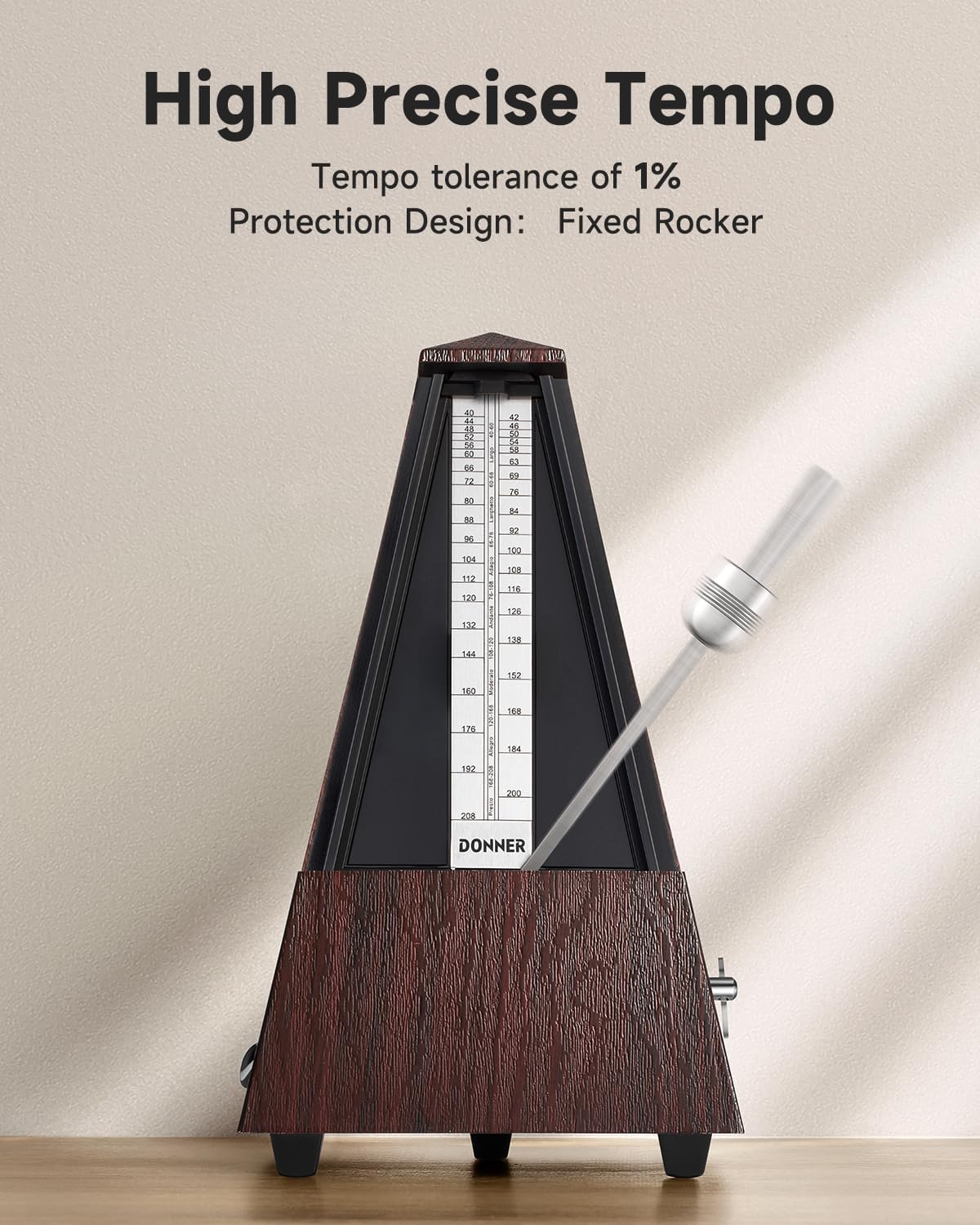
Figure 4.2: Adjusting the sliding weight to set the tempo.
4.3. Setting the Beat Accent
The beat selector allows you to emphasize certain beats, which is useful for practicing different time signatures.
- Locate the beat selector lever on the left side of the metronome.
- Move the lever to select the desired beat pattern:
- 0: No accent (all beats sound the same).
- 2: Accent on the first beat of every two beats (e.g., 2/4 time).
- 3: Accent on the first beat of every three beats (e.g., 3/4 time).
- 4: Accent on the first beat of every four beats (e.g., 4/4 time).
- 6: Accent on the first beat of every six beats (e.g., 6/8 time).

Figure 4.3: The beat selector allows for various rhythm patterns.
4.4. ການເລີ່ມຕົ້ນແລະການຢຸດເຊົາ
- ເພື່ອເລີ່ມຕົ້ນ: Gently push the pendulum to one side to initiate its swing.
- ຢຸດ: Allow the metronome to run until the spring unwinds completely, or carefully guide the pendulum to a stop and secure it by sliding the rod into the designated groove or replacing the protective cover.

Figure 4.4: The metronome produces a loud sound to assist with rhythm practice.
5. ບໍາລຸງຮັກສາ
Proper care and maintenance will ensure the longevity and accuracy of your Donner DPM-1 metronome.
- ທໍາຄວາມສະອາດ: Wipe the exterior of the metronome with a soft, dry cloth. Avoid using abrasive cleaners or solvents, as these can damage the finish.
- ການເກັບຮັກສາ: When not in use, especially during transport, reinsert the plastic stopper at the bottom to secure the pendulum and prevent damage to the internal mechanism. Store the metronome in a dry place away from direct sunlight and extreme temperatures or humidity.
- ການຈັດການ: Handle the metronome with care. Avoid dropping it or subjecting it to strong impacts, which can affect its calibration and functionality.
6. ການແກ້ໄຂບັນຫາ
If you encounter issues with your Donner DPM-1 metronome, refer to the following common problems and solutions:
- Metronome is not ticking or pendulum is not swinging:
- ໃຫ້ແນ່ໃຈວ່າເຄື່ອງວັດຈັງຫວະຖືກມ້ວນຢ່າງຄົບຖ້ວນແລ້ວ.
- Check if the bottom plastic stopper has been removed.
- Verify that the pendulum is not obstructed by the protective cover or any foreign objects.
- Tempo seems inaccurate:
- Ensure the sliding weight is precisely aligned with the desired BPM mark on the tempo scale.
- Confirm the metronome is placed on a level surface.
- Sound is too loud or distracting:
- The volume of the mechanical metronome is not adjustable. Its design provides a loud sound to be audible over musical instruments.
7. ຂໍ້ມູນຈໍາເພາະ
| ຄຸນສົມບັດ | ຂໍ້ມູນຈໍາເພາະ |
|---|---|
| ໝາຍເລກຕົວແບບ | DPM-1 |
| ນ້ໍາຫນັກລາຍການ | 1.32 ປອນ |
| ຂະໜາດສິນຄ້າ | 4.72 x 4.72 x 9.45 ນິ້ວ |
| ຊ່ວງ Tempo | 40 - 208 BPM |
| ການເລືອກຈັງຫວະ | 0, 2, 3, 4, 6 |
| ຄວາມທົນທານຂອງຈັງຫວະ | 1% |
| ປະເພດການເຄື່ອນໄຫວ | Mechanical (Steel Movement) |
| ແຫຼ່ງພະລັງງານ | Wind-up Spring (No Batteries Required) |
| ສີ (ເປັນ reviewed) | Woodgrain-Brown |
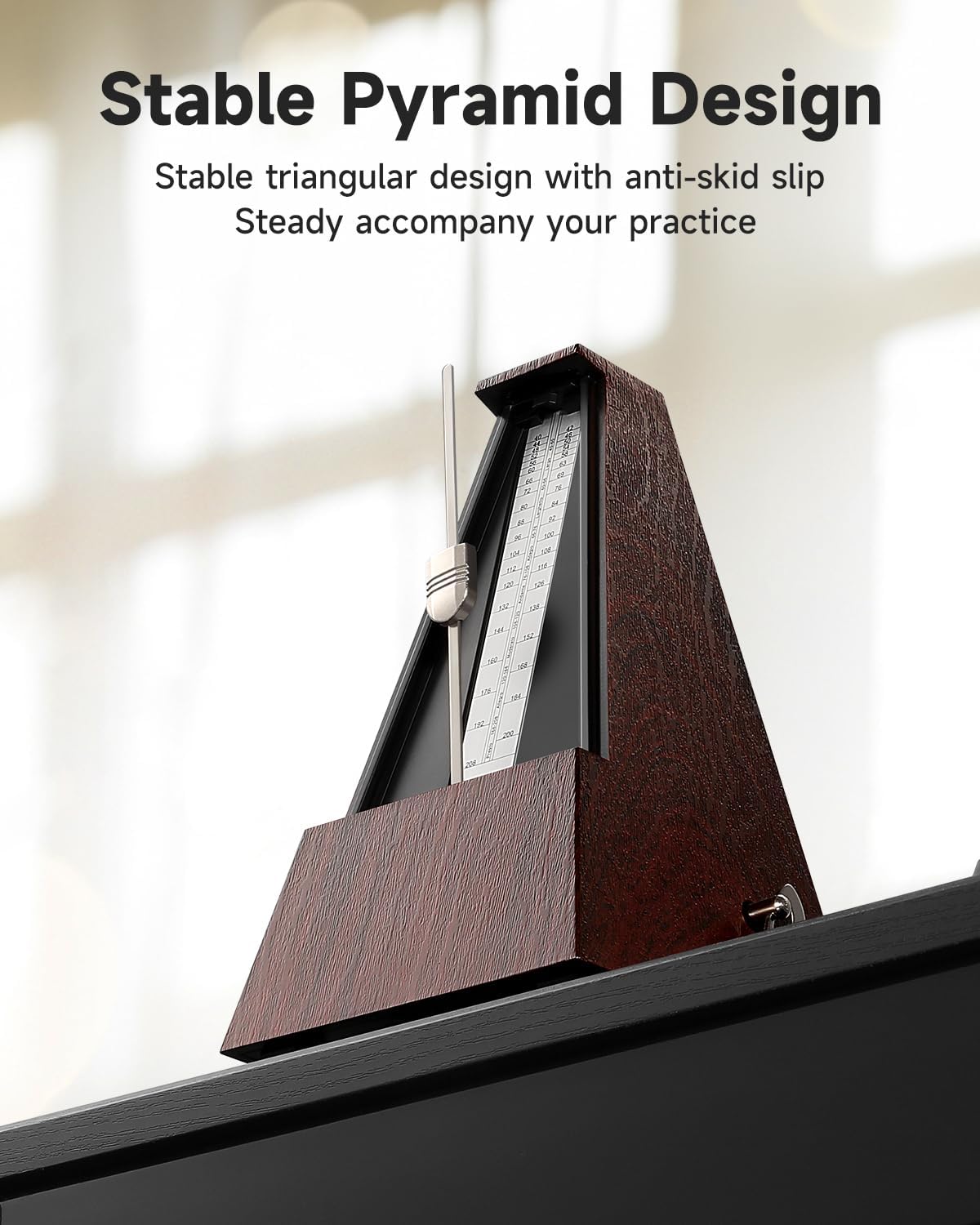
Figure 7.1: The stable pyramid design ensures steady operation.
8. ການຮັບປະກັນແລະການສະຫນັບສະຫນູນ
For information regarding product warranty, returns, or technical support, please refer to the documentation included with your purchase or visit the official Donner webເວັບໄຊທ໌. ທ່ານຍັງສາມາດຕິດຕໍ່ບໍລິການລູກຄ້າຂອງ Donner ໂດຍກົງເພື່ອຂໍຄວາມຊ່ວຍເຫຼືອໄດ້.


