1. ບົດແນະນຳ
This manual provides detailed instructions for the installation, setup, and operation of your LoraTap WiFi Smart Relay Switch (Model RR400W). Please read this manual thoroughly before use to ensure proper functionality and safety.
ເນື້ອໃນຊຸດ:
- LoraTap WiFi Smart Relay Switch (RR400W)
- ຄູ່ມືຜູ້ໃຊ້
- Mounting accessories (screws, anchors, mini screwdriver, electrical wires)

Image 1.1: LoraTap WiFi Smart Relay Switch (Model RR400W) and its mobile application interface.
2. ຂໍ້ມູນຄວາມປອດໄພ
- ຄຳເຕືອນ: Electrical installation should only be performed by a qualified electrician or in accordance with local electrical codes.
- ໃຫ້ຖອດສາຍໄຟຢູ່ທີ່ເບຣກເກີກ່ອນຕິດຕັ້ງ ຫຼື ບໍລິການອຸປະກອນສະເໝີ.
- ອຸປະກອນນີ້ຖືກອອກແບບມາສໍາລັບການນໍາໃຊ້ພາຍໃນເຮືອນເທົ່ານັ້ນ.
- ຢ່າເກີນອັດຕາໂຫຼດສູງສຸດ 10A / 2500W.
- Ensure the device is installed in a location with a neutral wire for correct electrical supply.
- ຮັກສາໃຫ້ໄກຈາກເດັກນ້ອຍ.
3. ຂໍ້ມູນຈໍາເພາະຂອງຜະລິດຕະພັນ
| ຄຸນສົມບັດ | ຂໍ້ມູນຈໍາເພາະ |
|---|---|
| ໝາຍເລກຕົວແບບ | RR400W |
| ການປ້ອນຂໍ້ມູນ Voltage | 100-250V AC, 50/60Hz |
| ໂຫຼດສູງສຸດ | 10A/2500W |
| ອະນຸສັນຍາໄຮ້ສາຍ | Wi-Fi 2.4GHz (IEEE 802.11 b/g/n) |
| ຂະໜາດ (L x W x H) | 4.8 x 4.2 x 2.3 ຊມ (1.89 x 1.65 x 0.91 ນິ້ວ) |
| ວິທີການຄວບຄຸມ | Remote (App), Voice |
| ຄວາມເຂົ້າກັນໄດ້ | Amazon Alexa, Google Assistant, Smart Life App, Tuya App |
| ການຢັ້ງຢືນ | CE, RoHS, FCC |
4. ຄູ່ມືການຕິດຕັ້ງ
The LoraTap WiFi Smart Relay Switch is designed for easy integration into existing electrical systems. It requires a neutral wire for operation.
ແຜນຜັງສາຍ:
- ຕັດການເຊື່ອມຕໍ່ພະລັງງານ: Before starting, turn off the power at the main circuit breaker to avoid electrical shock.
- ກໍານົດສາຍ: Locate the Live (L) and Neutral (N) input wires from your power source, and the Live (L) and Neutral (N) load wires going to your appliance (e.g., lamp).
- ເຊື່ອມຕໍ່ອິນພຸດ: Connect the Live input wire to the 'L in' terminal and the Neutral input wire to the 'N in' terminal on the LoraTap switch.
- ເຊື່ອມຕໍ່ Output: Connect the Live load wire to the 'L out' terminal and the Neutral load wire to the 'N out' terminal on the LoraTap switch.
- ການເຊື່ອມຕໍ່ທີ່ປອດໄພ: Ensure all wire connections are secure. The device supports 26-16AWG wires.
- ເຊື່ອມຕໍ່ອຸປະກອນ: The compact size allows installation in narrow spaces, such as behind a socket or in a ceiling rose. Use the provided mounting accessories if needed.
- ຟື້ນຟູພະລັງງານ: Once all connections are secure and the device is properly mounted, restore power at the circuit breaker.

Image 4.1: Simplified wiring diagram for the LoraTap Smart Relay Switch. Ensure a neutral wire is present for installation.
5. ການຕັ້ງຄ່າແອັບ ແລະ ການຈັບຄູ່
To control your LoraTap Smart Relay Switch, you need to download the Smart Life or Tuya app and pair the device.
ຄວາມຕ້ອງການ:
- A smartphone (Android or iOS).
- A 2.4GHz Wi-Fi network. 5GHz networks are not supported.
- The Smart Life or Tuya app installed on your smartphone.
ຂັ້ນຕອນການຈັບຄູ່:
- ດາວໂຫລດແອັບ:: ຊອກຫາ "Smart Life" or "Tuya Smart" in your smartphone's app store (App Store for iOS, Google Play for Android) and install it.
- ລົງທະບຽນ/ເຂົ້າສູ່ລະບົບ: ເປີດແອັບ ແລະລົງທະບຽນບັນຊີໃໝ່ ຫຼືເຂົ້າສູ່ລະບົບດ້ວຍບັນຊີທີ່ມີຢູ່ແລ້ວ.
- ເພີ່ມອຸປະກອນ: Tap the "+" icon in the top right corner of the app to add a new device. Select "Electrical Switch" or "Switch (Wi-Fi)".
- ໃສ່ໂModeດການຈັບຄູ່: Power on the LoraTap switch. If the indicator light is not blinking rapidly, press and hold the button on the switch for approximately 5 seconds until it blinks rapidly. This indicates pairing mode.
- ເຊື່ອມຕໍ່ກັບ Wi-Fi: In the app, confirm the indicator is blinking rapidly. Enter your 2.4GHz Wi-Fi network name and password.
- ການຈັບຄູ່ສໍາເລັດ: The app will search for and connect to the device. Once connected, you can rename the device for easier control.

Image 5.1: Easy pairing process with the Smart Life/Tuya app. Ensure your Wi-Fi network is 2.4GHz.
6. ການດໍາເນີນງານ
The LoraTap Smart Relay Switch offers multiple control options for convenience.
6.1. ການຄວບຄຸມແອັບ
Once paired, you can control your device from anywhere using the Smart Life or Tuya app on your smartphone.
- ການຄວບຄຸມການເປີດ/ປິດ: Tap the switch icon in the app to turn your connected appliance on or off.
- ສະຖານະເວລາຈິງ: The app displays the current status of your appliance, allowing you to verify if it's on or off remotely.
- ການຄວບຄຸມກຸ່ມ: You can group multiple LoraTap switches together in the app to control them simultaneously.
- ການແບ່ງປັນອຸປະກອນ: ແບ່ງປັນການຄວບຄຸມອຸປະກອນກັບສະມາຊິກໃນຄອບຄົວຜ່ານແອັບ.

Image 6.1: Remote control via the Smart Life app.
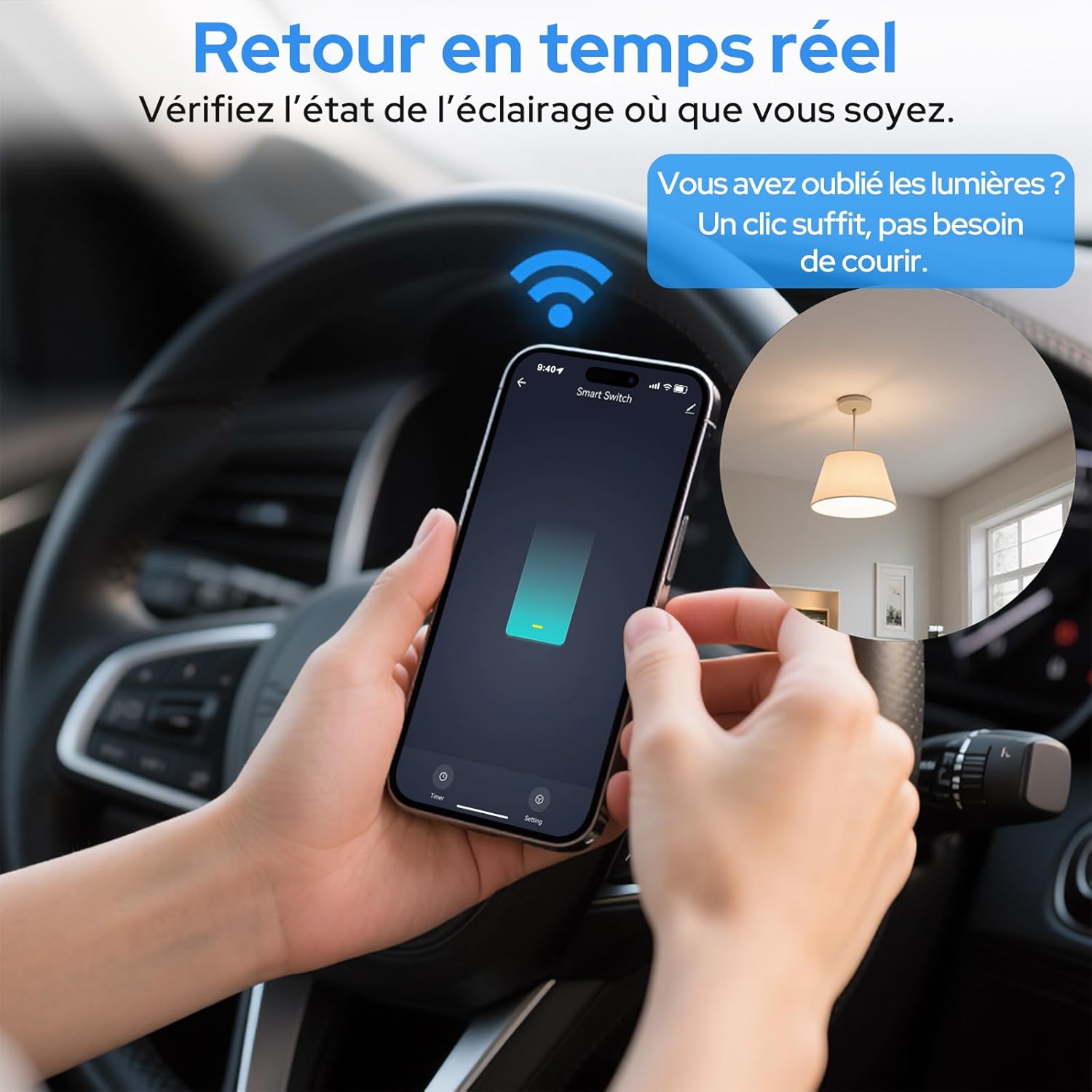
Image 6.2: Real-time status monitoring from anywhere.

Image 6.3: Device sharing feature for family members.
6.2. ການຄວບຄຸມສຽງ
The LoraTap Smart Relay Switch is compatible with Amazon Alexa and Google Assistant for convenient voice control.
- ເຊື່ອມໂຍງບັນຊີ: In the Alexa or Google Home app, link your Smart Life/Tuya account.
- ຄົ້ນພົບອຸປະກອນ: ຂໍໃຫ້ Alexa ຫຼື Google Assistant ຄົ້ນພົບອຸປະກອນໃໝ່.
- ຄຳສັ່ງສຽງ: Use commands like "Alexa, turn on [device name]" or "Hey Google, turn off [device name]".

Image 6.4: Voice control integration with Amazon Alexa and Google Assistant.

Image 6.5: Family using voice commands for smart home control.
6.3. ການກຳນົດເວລາ ແລະ ໂມງຈັບເວລາ
Automate your appliances by setting schedules and timers within the Smart Life/Tuya app.
- ຟັງຊັນຈັບເວລາ: Set a countdown timer for the switch to turn on or off automatically after a specified duration.
- ກຳນົດເວລາ: Create daily or weekly schedules for your appliance to turn on or off at specific times (e.g., turn on lights at sunset, turn off at bedtime).
- ຟັງຊັນເຮັດຊ້ຳ: Configure schedules to repeat on selected days of the week.
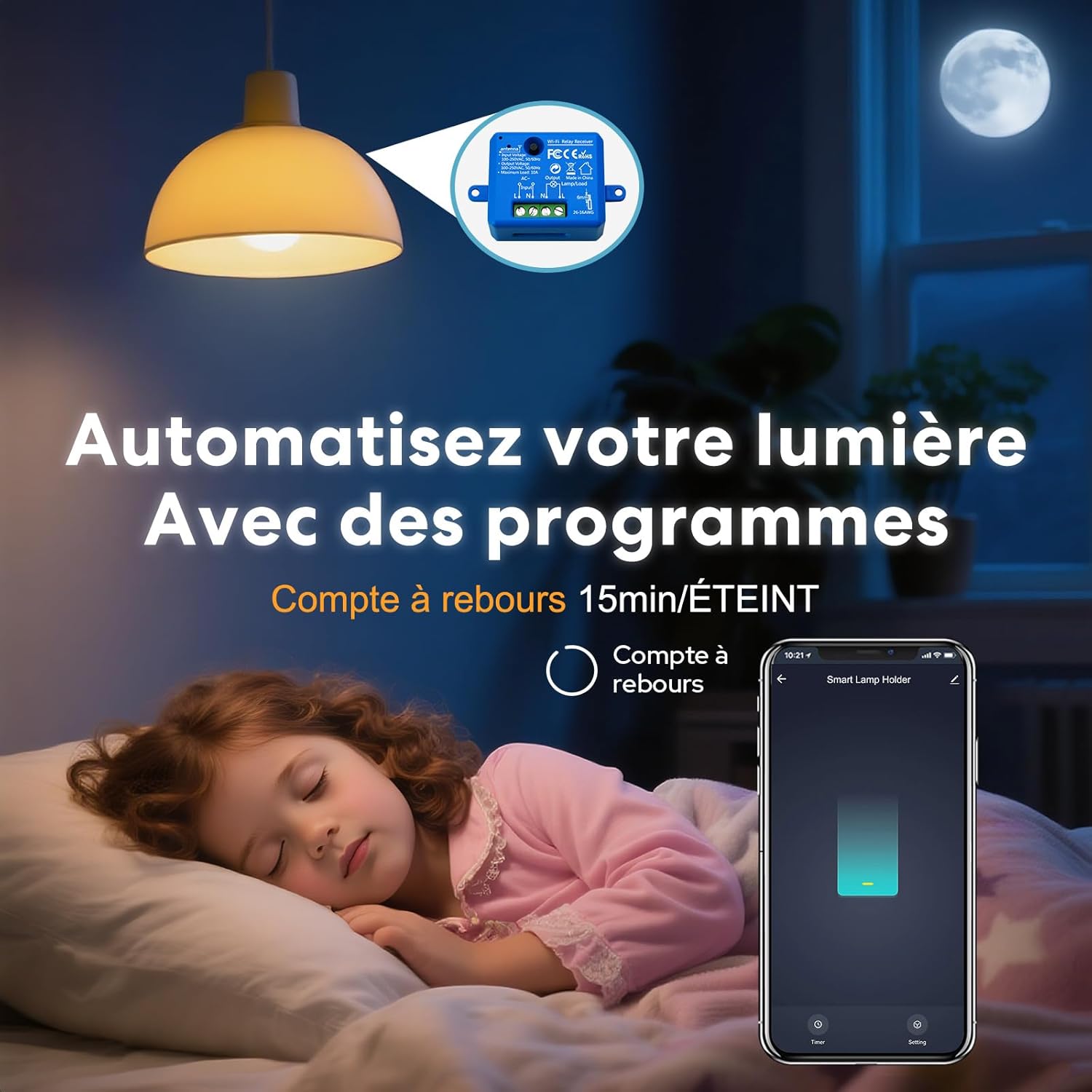
Image 6.6: Automate lighting with countdown timers.

Image 6.7: Program your lights with custom schedules.
6.4. Restart Status Settings
Configure the power-on state of your smart switch after a power outage.
- ປິດ: The device will remain off after power is restored.
- ເປີດ: The device will turn on automatically after power is restored.
- ຈື່ສະຖານະສຸດທ້າຍ: The device will return to its last known state (on or off) before the power outage.

Image 6.8: Configure the device's restart status after a power interruption.
7. ບໍາລຸງຮັກສາ
- ເຮັດຄວາມສະອາດອຸປະກອນດ້ວຍຜ້າອ່ອນໆ, ແຫ້ງ. ຢ່າໃຊ້ສານເຄມີທີ່ຮຸນແຮງຫຼືເຄື່ອງເຮັດຄວາມສະອາດຂັດ.
- Ensure the device is kept in a dry environment and away from direct sunlight or extreme temperatures.
- ກວດສອບການອັບເດດເຟີມແວໃນແອັບ Smart Life/Tuya ເປັນປະຈຳເພື່ອຮັບປະກັນປະສິດທິພາບ ແລະ ຄວາມປອດໄພທີ່ດີທີ່ສຸດ.
8. ການແກ້ໄຂບັນຫາ
| ບັນຫາ | ສາເຫດ / ການແກ້ໄຂທີ່ເປັນໄປໄດ້ |
|---|---|
| Device not pairing / Indicator not blinking rapidly. |
|
| ອຸປະກອນອອບລາຍຢູ່ໃນແອັບ. |
|
| ການຄວບຄຸມສຽງບໍ່ເຮັດວຽກ. |
|
| Device not responding to manual switch. |
|
9. ການຮັບປະກັນແລະການສະຫນັບສະຫນູນ
LoraTap offers a 3-year warranty for this product. For technical support or warranty claims, please contact LoraTap customer service through their official webເວັບໄຊ ຫຼືຮ້ານຂາຍຍ່ອຍບ່ອນທີ່ທ່ານຊື້ຜະລິດຕະພັນ.
ຂໍ້ມູນຕິດຕໍ່: Please refer to the packaging or LoraTap's official webເວັບໄຊທ໌ສຳລັບລາຍລະອຽດການຕິດຕໍ່ຝ່າຍສະໜັບສະໜູນທີ່ທັນສະໄໝທີ່ສຸດ.


