1. ບົດແນະນຳ
ຂອບໃຈສໍາລັບການຊື້asing the ELEPHAS RD-606 Mini Projector. This compact and portable projector is designed to provide a versatile home theater experience with features like Wi-Fi connectivity, 3D support, and a built-in battery. This manual provides essential information for setting up, operating, and maintaining your projector to ensure optimal performance and longevity.
The RD-606 utilizes advanced DLP technology to deliver clear images with a 1000:1 contrast ratio and up to 1080P resolution. Its lightweight design and integrated battery allow for flexible use in various environments.

Image: High-Definition Display Comparison. The ELEPHAS projector delivers superior image clarity and color reproduction.
2. ຂໍ້ມູນຄວາມປອດໄພ
ກະລຸນາອ່ານຄຳແນະນຳດ້ານຄວາມປອດໄພທັງໝົດຢ່າງລະອຽດກ່ອນທີ່ຈະໃຊ້ໂປເຈັກເຕີ. ເກັບຄູ່ມືນີ້ໄວ້ເພື່ອອ້າງອີງໃນອະນາຄົດ.
- ຢ່າເບິ່ງໂດຍກົງໃນເລນໂປເຈັກເຕີເມື່ອ lamp ເປີດຢູ່, ເນື່ອງຈາກແສງສະຫວ່າງສາມາດເຮັດໃຫ້ເກີດຄວາມເສຍຫາຍຕໍ່ຕາ.
- ຮັບປະກັນການລະບາຍອາກາດທີ່ເຫມາະສົມຮອບໂປເຈັກເຕີ. ຫ້າມປິດຊ່ອງລະບາຍອາກາດ.
- ໃຊ້ພຽງແຕ່ອະແດັບເຕີໄຟທີ່ສະໜອງໃຫ້ກັບໂປເຈັກເຕີເທົ່ານັ້ນ.
- ຢ່າເຮັດໃຫ້ໂປເຈັກເຕີຖືກຝົນ, ຄວາມຊຸ່ມຊື່ນ, ຫຼືອຸນຫະພູມທີ່ຮຸນແຮງ.
- ຫຼີກເວັ້ນການວາງໂປເຈັກເຕີຢູ່ເທິງພື້ນຜິວທີ່ບໍ່ຫມັ້ນຄົງ.
- ຢ່າພະຍາຍາມຖອດປະກອບ ຫຼື ດັດແປງເຄື່ອງໂປຣເຈັກເຕີ. ໃຫ້ຕິດຕໍ່ພະນັກງານທີ່ມີຄຸນວຸດທິເພື່ອບໍລິການທັງໝົດ.
3. ເນື້ອໃນຊຸດ
ກວດສອບວ່າລາຍການທັງຫມົດແມ່ນມີຢູ່ໃນຊຸດຂອງທ່ານ:
- ELEPHAS Mini Projector (RD-606) x1
- ອະແດັບເຕີພະລັງງານ x1
- ການຄວບຄຸມໄລຍະໄກ x1
- Micro USB Wire x1
- Free Tripod x1
- ກະເປົາຖື x1
- ຄູ່ມືຜູ້ໃຊ້ x1
4. ຕັ້ງຄ່າ
4.1 ການເປີດ/ປິດ
- Connect the power adapter to the projector's charging port (DC 5V) and then to a power outlet.
- Slide the Power Switch to the 'ON' position. The projector will power on.
- ເພື່ອປິດເຄື່ອງ, ໃຫ້ເລື່ອນສະວິດໄຟໄປທີ່ຕຳແໜ່ງ 'ປິດ'.
4.2 ການປັບໂຟກັດ
Rotate the focus ring on the side of the projector until the projected image appears clear and sharp.
4.3 Auto Keystone Correction
The RD-606 features an automatic keystone correction function. The projected image will adjust automatically to optimize the angle, correcting distortion up to ±40 degrees. No manual adjustment is typically required for this feature.
4.4 ການເຊື່ອມຕໍ່
ໂປເຈັກເຕີຮອງຮັບແຫຼ່ງປ້ອນຂໍ້ມູນຕ່າງໆ:
- HDMI: Connect devices like laptops, gaming consoles (PS4), or streaming sticks (Fire TV, Roku Stick, Apple TV) using an HDMI cable.
- USB: ໃສ່ແຟລດໄດຣຟ໌ USB ເພື່ອຫຼິ້ນສື່ files ໂດຍກົງ.
- Micro USB: For charging or connecting compatible devices.
- ສຽງ 3.5 ມມ: ເຊື່ອມຕໍ່ລຳໂພງ ຫຼືຫູຟັງພາຍນອກ.
- Wi-Fi: Connect to your wireless network for online content and screen mirroring.

Image: Projector Ports and Compatible Devices. This image illustrates the various input ports and devices that can be connected to the RD-606 projector.
5. ຄໍາແນະນໍາການດໍາເນີນງານ
5.1 ການນໍາທາງພື້ນຖານ
Use the included remote control to navigate the projector's on-screen menu. The directional buttons allow you to move through options, and the 'OK' or 'Enter' button confirms selections. 'Back' or 'Return' buttons typically exit menus.
5.2 ການເຊື່ອມຕໍ່ Wi-Fi
- Access the projector's settings menu.
- Select 'Network' or 'Wi-Fi Settings'.
- ເລືອກເຄືອຂ່າຍ Wi-Fi ທີ່ທ່ານຕ້ອງການຈາກບັນຊີລາຍຊື່.
- ໃສ່ລະຫັດຜ່ານ Wi-Fi ໂດຍໃຊ້ແປ້ນພິມໃນໜ້າຈໍ.
- Once connected, you can access built-in apps like YouTube and Koala (if available) for online content.
5.3 Wireless Screen Mirroring (Airplay/Miracast)
The projector supports wireless mirroring from compatible smartphones and tablets via Airplay (for iOS devices) or Miracast (for Android devices).
- Ensure your projector and smart device are connected to the same Wi-Fi network.
- ໃນໂປເຈັກເຕີ, ເລືອກຕົວເລືອກ 'Screen Mirroring' ຫຼື 'Wireless Display' ຈາກເມນູຫຼັກ.
- On your smart device, activate its screen mirroring feature (e.g., 'Screen Mirroring', 'Smart View', 'Airplay', 'Cast').
- Select the projector's name from the list of available devices on your smart device.
- The device's screen content will now be projected.

Image: Screen Mirroring with Phone/Tablet. This image demonstrates how to wirelessly share content from mobile devices to the projector.
5.4 3D Mode Operation
The RD-606 Series supports multiple 3D modes. To experience 3D content:
- You will need a pair of active DLP Link 3D glasses (sold separately).
- Play 3D content from a compatible source.
- Turn on your DLP Link 3D glasses. They should automatically synchronize with the projected image.
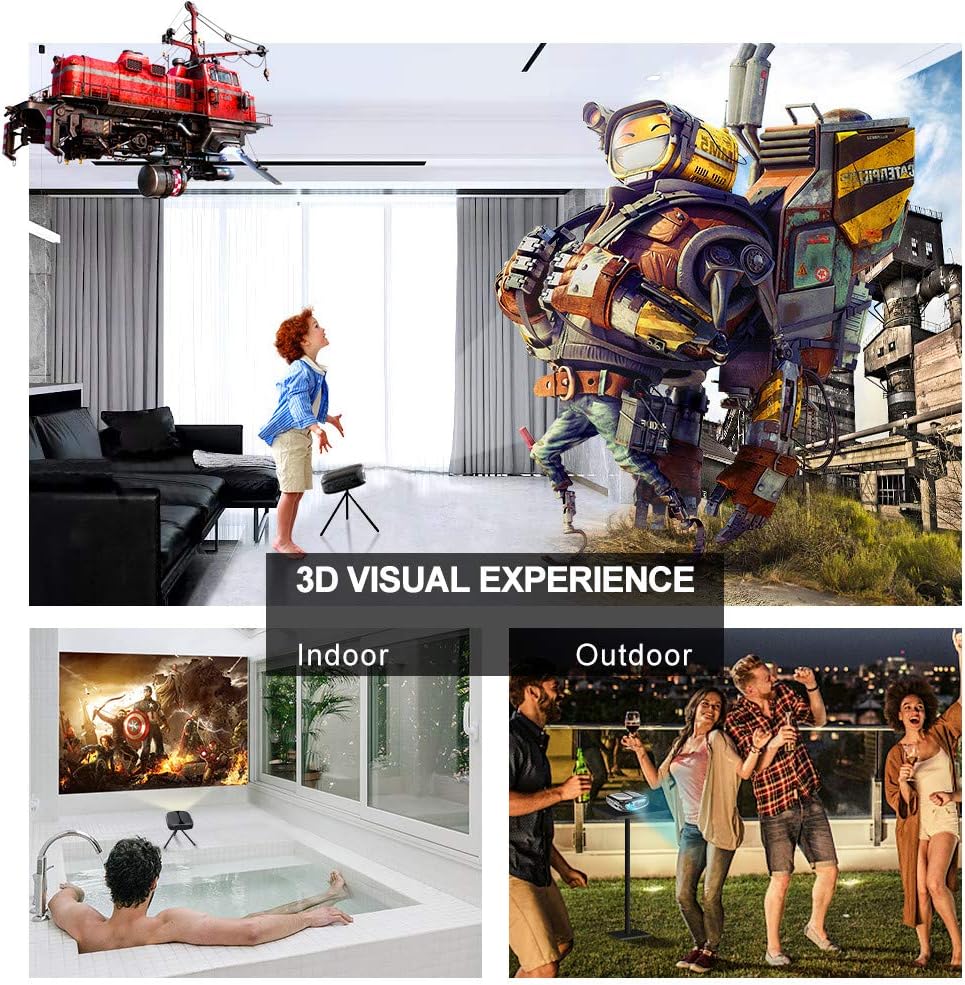
Image: 3D Visual Experience. The projector offers immersive 3D viewing for both indoor and outdoor settings.
5.5 Battery Operation and Portability
The built-in battery provides approximately two hours of continuous video playback, offering flexibility for use without a constant power source. For extended use, the projector can also be charged via a power bank.

Image: Embedded Battery for Portable Use. The projector's battery allows for convenient outdoor entertainment.

Image: Pocket Size and Lightweight Design. The projector's compact form factor makes it highly portable.
6. ບໍາລຸງຮັກສາ
6.1 ການເຮັດຄວາມສະອາດເລນ
Gently wipe the projector lens with a soft, lint-free cloth specifically designed for optical surfaces. Do not use abrasive cleaners or harsh chemicals.
6.2 ການທໍາຄວາມສະອາດທົ່ວໄປ
Use a soft, dry cloth to clean the projector's casing. For stubborn dirt, a slightly damp ສາມາດໃຊ້ຜ້າເຊັດໂຕໄດ້, ຕາມດ້ວຍຜ້າແຫ້ງ. ໃຫ້ແນ່ໃຈວ່າບໍ່ມີຂອງແຫຼວເຂົ້າໄປໃນອຸປະກອນ.
6.3 ການເກັບຮັກສາ
When not in use for extended periods, store the projector in a cool, dry place, away from direct sunlight and extreme temperatures. Use the provided carrying bag for protection against dust and physical damage.
7. ການແກ້ໄຂບັນຫາ
- ບໍ່ມີພະລັງງານ:
- ໃຫ້ແນ່ໃຈວ່າອະແດັບເຕີໄຟເຊື່ອມຕໍ່ຢ່າງປອດໄພກັບໂປເຈັກເຕີ້ ແລະປລັກສຽບໄຟທີ່ເຮັດວຽກ.
- ກວດເບິ່ງວ່າສະວິດໄຟຢູ່ໃນຕໍາແຫນ່ງ 'ON'.
- ກວດສອບວ່າປ່ຽງໄຟແມ່ນເຮັດວຽກໄດ້.
- ບໍ່ມີຮູບພາບ:
- Check the input source selection on the projector to ensure it matches your connected device (e.g., HDMI, USB).
- Verify that the connected device is powered on and outputting a signal.
- ກວດໃຫ້ແນ່ໃຈວ່າສາຍທັງໝົດຖືກເຊື່ອມຕໍ່ຢ່າງປອດໄພ.
- ຮູບມົວ:
- Adjust the focus ring on the projector until the image is sharp.
- Ensure the projection surface is flat and the projector is at an appropriate distance.
- ບໍ່ມີສຽງ:
- ກວດເບິ່ງການຕັ້ງຄ່າລະດັບສຽງໃນທັງໂປເຈັກເຕີ ແລະອຸປະກອນແຫຼ່ງທີ່ເຊື່ອມຕໍ່.
- ຖ້າໃຊ້ລໍາໂພງພາຍນອກ, ໃຫ້ແນ່ໃຈວ່າພວກມັນເຊື່ອມຕໍ່ຢ່າງຖືກຕ້ອງແລະເປີດ.
- ກວດສອບວ່າການຕັ້ງຄ່າສຽງອອກໃນອຸປະກອນແຫຼ່ງຂອງທ່ານແມ່ນຖືກຕ້ອງ.
- Wi-Fi/Screen Mirroring Issues:
- Ensure both the projector and your smart device are connected to the same Wi-Fi network.
- Check for strong Wi-Fi signal strength.
- Restart both the projector and your smart device.
- Ensure your smart device's operating system is up to date.
8. ຂໍ້ມູນຈໍາເພາະ
| ຄຸນສົມບັດ | ຂໍ້ມູນຈໍາເພາະ |
|---|---|
| ຕົວແບບ | RD-606 |
| ເຕັກໂນໂລຊີການສະແດງ | DLP |
| ຄວາມສະຫວ່າງຂອງຮູບພາບ | 2600 Lumen |
| ອັດຕາສ່ວນພາບກົງກັນຂ້າມ | 1000:1 |
| ຄວາມລະອຽດເດີມ | 1920 x 1080 (Supports 1080P) |
| ຄຸນນະສົມບັດພິເສດ | Auto Keystone, HDMI Connectivity, Portable, Built-in Wi-Fi, 3D Ready |
| ເຕັກໂນໂລຊີການເຊື່ອມຕໍ່ | HDMI, USB, Wi-Fi |
| ອຸປະກອນທີ່ເຂົ້າກັນໄດ້ | Laptops, Smartphones, Media Players |
| ປະເພດຫມໍ້ໄຟ | Lithium Ion (ລວມ 1 ອັນ) |
| ຊີວິດຫມໍ້ໄຟ | Approx. 2 hours video playback |
| ຂະໜາດສິນຄ້າ | 9.91 x 10.67 x 4.06 cm |
| ນ້ໍາຫນັກລາຍການ | 793.79 g (0.66 lb) |
| ປະເພດການຕິດຕັ້ງ | ພູຕັ້ງໂຕະ |
9. ການຮັບປະກັນແລະການສະຫນັບສະຫນູນ
ELEPHAS provides lifetime professional customer service and technical support for the RD-606 Mini Projector. If you encounter any issues or have questions regarding your product, please do not hesitate to contact our support team.
ຂໍ້ມູນຕິດຕໍ່:
- ອີເມວ: support@elephas.com.hk
Please have your product model number (RD-606) and purchase details ready when contacting support to facilitate a quicker resolution.


