1. ຜະລິດຕະພັນເກີນview
The LoraTap Smart WiFi Bulb Socket E26 transforms your standard light bulbs into smart, app-controlled devices. This adapter allows for voice control via Amazon Alexa and Google Home, remote control through the Smart Life app, and programmable timers and schedules. It is designed for use with E26 base LED, CFL, Fluorescent, and Corn bulbs, with a maximum power output of 30W.
2. ຂໍ້ມູນຄວາມປອດໄພ
- This device is designed for use with LED, CFL, Fluorescent, and Corn bulbs only.
- Do not use with Incandescent, Halogen, or Tungsten bulbs. Using incompatible bulb types may damage the smart socket.
- ໃຫ້ແນ່ໃຈວ່າວັດທັງຫມົດtage of the connected bulb does not exceed 30W.
- ສໍາລັບການນໍາໃຊ້ພາຍໃນເຮືອນເທົ່ານັ້ນ.
- ຕ້ອງຖອດສາຍໄຟອອກກ່ອນຕິດຕັ້ງ ຫຼື ຖອດອອກສະເໝີ.
The image below illustrates compatible and incompatible bulb types.

ຮູບພາບ: Lamp Compatibility Confirmation. This image shows green checkmarks for LED, Fluorescent, CFL, and Corn bulbs, indicating compatibility. Red crosses are shown over Dimmer Light, Incandescent, Tungsten, and Halogen lamps, indicating incompatibility. A note states: 'NOT work with dimmer lights, incandescent, tungsten or halogen lamps, otherwise it will damage the light socket.'
3. ຂໍ້ມູນຈໍາເພາະ
| ຄຸນສົມບັດ | ລາຍລະອຽດ |
|---|---|
| ຍີ່ຫໍ້ | LoraTap |
| ຕົວແບບ | B07PMJ6RM6 |
| Bulb Base | E26 |
| ວັດສູງສຸດtage | 30 ວັດ |
| Light Type Compatibility | LED, CFL, Fluorescent, Corn Bulb |
| ວິທີການຄວບຄຸມ | App (Smart Life/Tuya), Voice (Alexa, Google Home) |
| ສະບັບtage | 120 ໂວນ (AC) |
| ມາດຕະຖານ Wi-Fi | 2.4GHz Wi-Fi Network (5GHz not supported) |
| ວັດສະດຸ | Acrylonitrile Butadiene Styrene (ABS) |
| ຂະໜາດສິນຄ້າ | 2.68"W x 2.83"H |
| ນ້ໍາຫນັກລາຍການ | 6.4 ອອນ |
The image below provides a visual representation of the product dimensions.

ຮູບພາບ: Product Dimensions. This diagram shows the dimensions of the E26 smart bulb socket, including its width (2.68 inches), total height (2.83 inches), and the added length to the light fixture (1.58 inches).
4. ຄູ່ມືການຕິດຕັ້ງ
4.1 ການກວດສອບການຕິດຕັ້ງກ່ອນ
- ເຄືອຂ່າຍ Wi-Fi: Ensure your Wi-Fi network is 2.4GHz. This device does not support 5GHz Wi-Fi or consolidated 2.4GHz/5GHz dual-band networks where the bands cannot be separated.
- ຄວາມໃກ້ຊິດຂອງເຣົາເຕີ: The smart socket should be installed within 10 meters (approximately 30 feet) of your Wi-Fi router for optimal signal strength during pairing and operation.

ຮູບພາບ: Installation Distance. This image illustrates that the device should be within 10 meters of the Wi-Fi router for a good signal, showing a green happy face for <10m and a red sad face for >10m.
4.2 ຂັ້ນຕອນການຕິດຕັ້ງ
- ປິດພະລັງງານ: ໃຫ້ແນ່ໃຈວ່າໄຟທີ່ສົ່ງໄປຫາໂຄມໄຟຖືກປິດຢູ່ທີ່ສະວິດ ຫຼື ເບຣກເກີ.
- screw ໃນ: Screw the LoraTap Smart WiFi Bulb Socket into your existing E26 light fixture.
- ໃສ່ດອກໄຟ: Screw a compatible LED, CFL, Fluorescent, or Corn bulb into the smart socket.
- ເປີດ: Restore power to the light fixture. The bulb should turn on.

ຮູບພາບ: Easy Installation. This image shows a person screwing a light bulb into the smart socket, and then the smart socket with bulb being installed into a lamp ອຸປະກອນ.
4.3 ການຈັບຄູ່ແອັບ
- ດາວໂຫລດແອັບ:: Download the 'Smart Life' or 'Tuya' app from your smartphone's app store (available on iPhone App Store and Android App Store).
- ລົງທະບຽນ/ເຂົ້າສູ່ລະບົບ: ເປີດ app ແລະລົງທະບຽນສໍາລັບບັນຊີໃຫມ່ຫຼືເຂົ້າສູ່ລະບົບຖ້າຫາກວ່າທ່ານມີແລ້ວ.
- ໃສ່ໂModeດການຈັບຄູ່: Press and hold the button on the smart socket until the light indicator starts flashing rapidly. This indicates it is in pairing mode.
- ເພີ່ມອຸປະກອນ: In the Smart Life app, tap the '+' symbol in the top right corner to add a new device. Select 'Lighting' > 'Light Source (Wi-Fi)'.
- Confirm Flashing: Confirm that the indicator light is flashing rapidly in the app.
- ເຊື່ອມຕໍ່ກັບ Wi-Fi: Enter your 2.4GHz Wi-Fi network name and password. Ensure your phone is also connected to the 2.4GHz network during this step.
- ການຈັບຄູ່: The app will begin searching for and connecting to the device. Once connected, the device will be added successfully.
- ປ່ຽນຊື່ອຸປະກອນ: You can rename the device within the app (e.g., 'Kitchen Light') for easier control.

ຮູບພາບ: Easy Pairing. This image shows a step-by-step guide for pairing the smart socket with the Smart Life/Tuya app, including Wi-Fi compatibility confirmation (2.4GHz only), adding the device, entering Wi-Fi credentials, and successful device addition.
5. ຄໍາແນະນໍາການດໍາເນີນງານ
5.1 ການຄວບຄຸມແອັບ
Once paired, you can control your smart bulb socket from anywhere using the Smart Life app:
- ເປີດ/ປິດ: ແຕະທີ່ໄອຄອນສະວິດໃນແອັບເພື່ອເປີດ ຫຼື ປິດໄຟ.
- ຄຳຕິຊົມແບບສົດໆ: The app provides real-time status of your light (on/off).
- ການຄວບຄຸມກຸ່ມ: Group multiple smart sockets together to control them simultaneously.
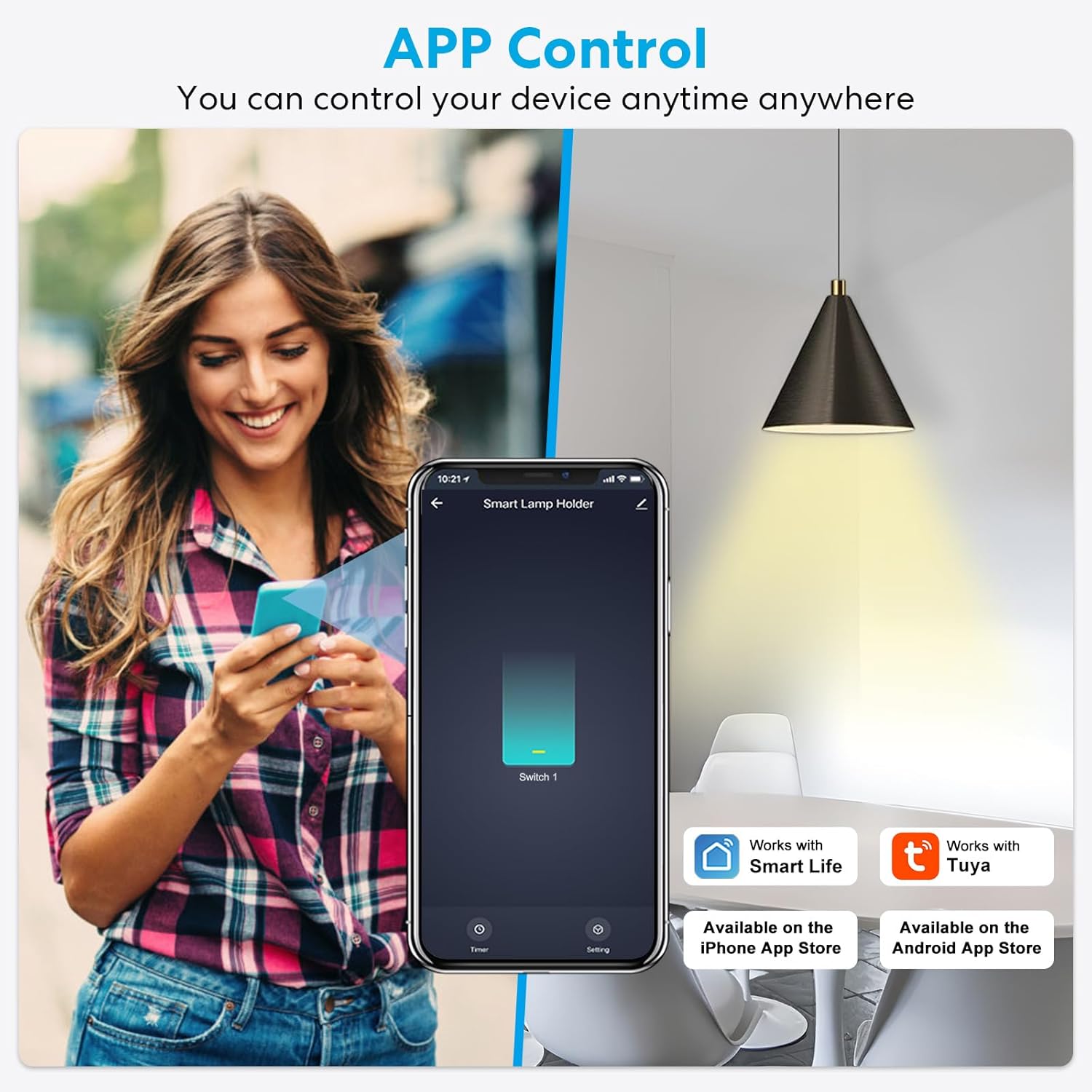
ຮູບພາບ: App Control. This image shows a person using a smartphone with the Smart Life app interface, demonstrating how to turn a smart lamp holder on or off remotely.

ຮູບພາບ: Real-Time Feedback and Relay Status. This image displays the Smart Life app showing real-time on/off status of the light and options to set the relay status (ON, OFF, or Remember last status) after a power outage.
5.2 ການຄວບຄຸມສຽງ
Integrate your smart socket with Amazon Alexa or Google Home for convenient voice commands:
- ເຊື່ອມໂຍງບັນຊີ: In the Alexa or Google Home app, link your Smart Life account.
- ຄົ້ນພົບອຸປະກອນ: ຂໍໃຫ້ Alexa ຫຼື Google ຄົ້ນພົບອຸປະກອນໃຫມ່.
- ຄຳສັ່ງສຽງ: Use commands like "Alexa, turn on Kitchen Light" or "Hey Google, turn off Bedroom Lamp."

ຮູບພາບ: Voice Control. This image shows a woman in a kitchen interacting with smart speakers (Google Home, Amazon Echo) to control a light, with a speech bubble indicating "Alexa, turn off kitchen light."
5.3 ໜ້າທີ່ຈັບເວລາ ແລະ ກຳນົດເວລາ
Automate your lighting with various timer and scheduling options:
- ຕາຕະລາງ: Set specific times for the light to turn on or off daily or on selected days.
- ນັບຖອຍຫຼັງ: Set a countdown timer for the light to turn off after a specified duration.
- Inching Timer: Set the light to turn off automatically after a short, adjustable period (e.g., 30 minutes) once turned on.
- Circulate Timer: Create recurring on/off cycles for specific periods, useful for simulating occupancy.
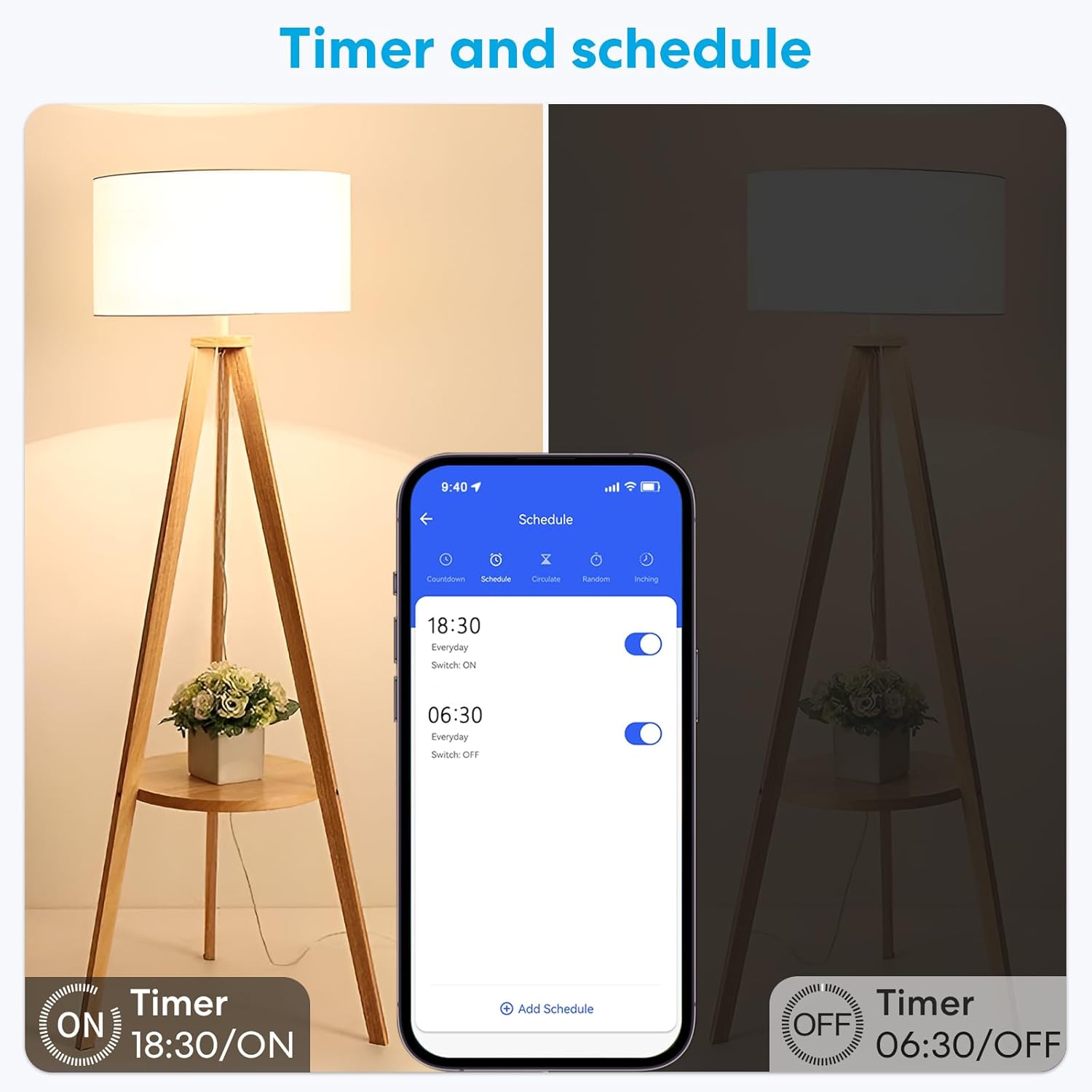
ຮູບພາບ: Timer and Schedule. This image displays the Smart Life app interface showing options to set daily schedules for turning lights on (e.g., 18:30) and off (e.g., 06:30).

ຮູບພາບ: Inching Timer and Circulate Timer. This image shows the app interface for setting an Inching Timer (e.g., 30 minutes) and a Circulate Timer with specific on/off schedules for different days.
5.4 ການແບ່ງປັນອຸປະກອນ
Share control of your smart socket with family members:
- In the Smart Life app, navigate to the device settings.
- Select 'Share Device' and enter the accounts of family members you wish to grant access to.

ຮູບພາບ: Device Sharing. This image illustrates how to share control of the smart device with multiple family members through the app.
6. ບໍາລຸງຮັກສາ
To ensure optimal performance and longevity of your LoraTap Smart WiFi Bulb Socket, follow these simple maintenance guidelines:
- ທໍາຄວາມສະອາດ: Gently wipe the exterior of the smart socket with a dry, soft cloth. Do not use liquid cleaners or abrasive materials.
- ກວດສອບການເຊື່ອມຕໍ່: Periodically ensure the smart socket is securely screwed into the light fixture and the bulb is firmly seated in the socket.
- ການອັບເດດເຟີມແວ: Check the Smart Life app regularly for any available firmware updates for your device. Updates can improve performance and add new features.
- ຫຼີກເວັ້ນການໂຫຼດເກີນ: ບໍ່ເກີນ watt ສູງສຸດtage ຂອງ 30W.
7. ການແກ້ໄຂບັນຫາ
If you encounter issues with your LoraTap Smart WiFi Bulb Socket, refer to the following common solutions:
| ບັນຫາ | ສາເຫດ / ການແກ້ໄຂທີ່ເປັນໄປໄດ້ |
|---|---|
| Device fails to connect to Wi-Fi or frequently disconnects. |
|
| Light does not turn on after installation. |
|
| Voice control (Alexa/Google Home) is not working. |
|
| Smart socket stopped working after a few months. |
|
8. ການຮັບປະກັນແລະການສະຫນັບສະຫນູນ
LoraTap products are designed for reliability and performance. For warranty information, technical support, or any questions regarding your Smart WiFi Bulb Socket, please visit the official LoraTap website or contact their customer service directly. You can often find support contact details within the Smart Life or Tuya app under the 'Me' or 'Profile' section, or by searching for 'LoraTap support' online.


