1. ບົດແນະນຳ
The Osmo Genius Starter Kit for iPad & iPhone transforms your device into a hands-on learning tool, combining physical play with digital interaction. Designed for children aged 6-10, this kit offers five educational games that cover subjects like math, spelling, creativity, and problem-solving. Children interact with physical game pieces, and the Osmo Base and Reflector allow the device to 'see' and react to their real-life movements, bringing their creations and actions to life on screen.
Official Osmo overview video demonstrating the interactive learning experience.
2. ສິ່ງທີ່ຢູ່ໃນກ່ອງ
Your Osmo Genius Starter Kit includes the following components:
- Osmo Base & Reflector for iPad
- Tangram pieces
- Numbers tiles
- Words tiles
- Stackable storage for each game
- Access to 5 Game Apps: Numbers, Tangram, Words, Newton, and Masterpiece
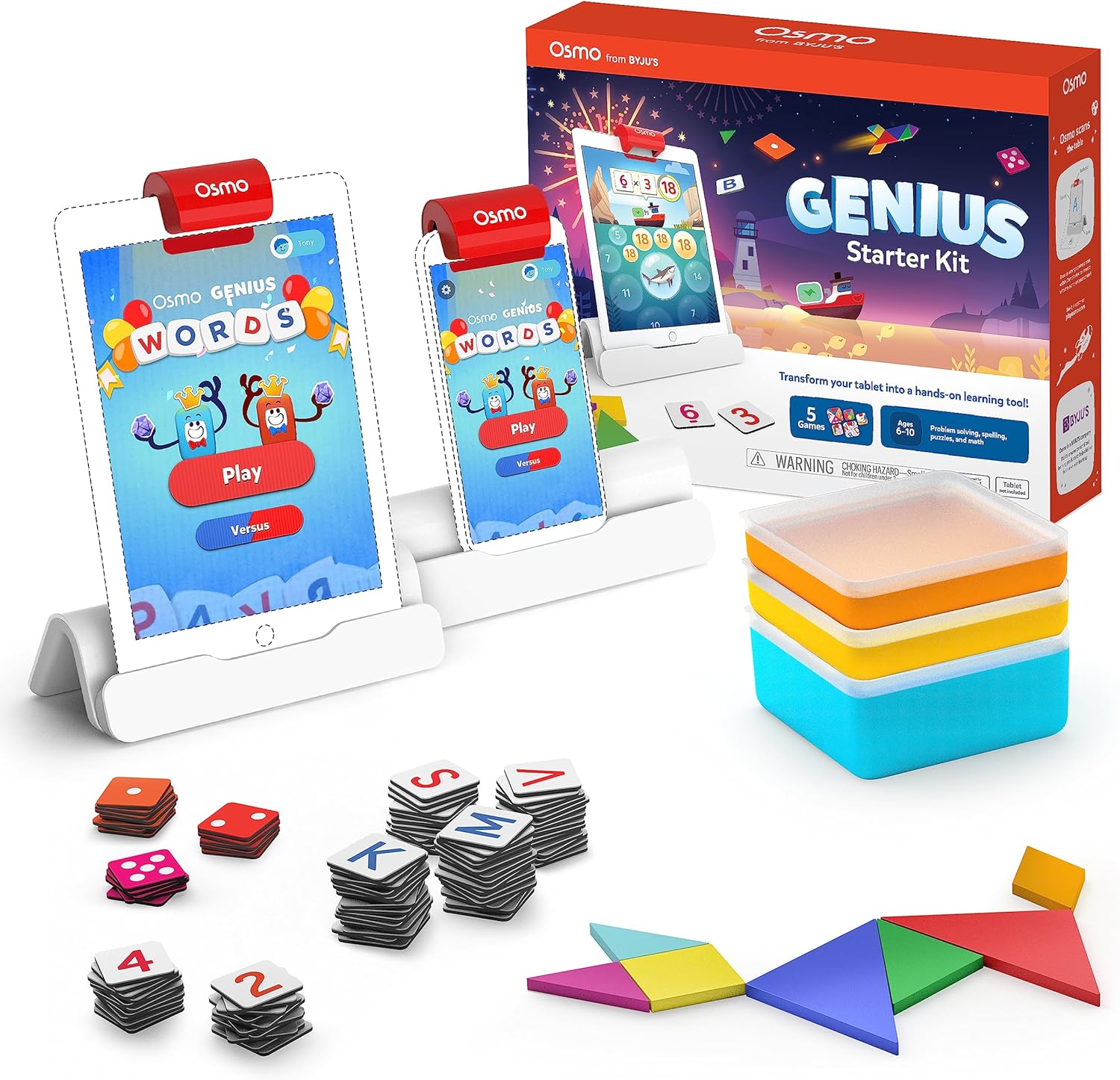
Image showing the Osmo Genius Starter Kit packaging, base, and included game pieces.
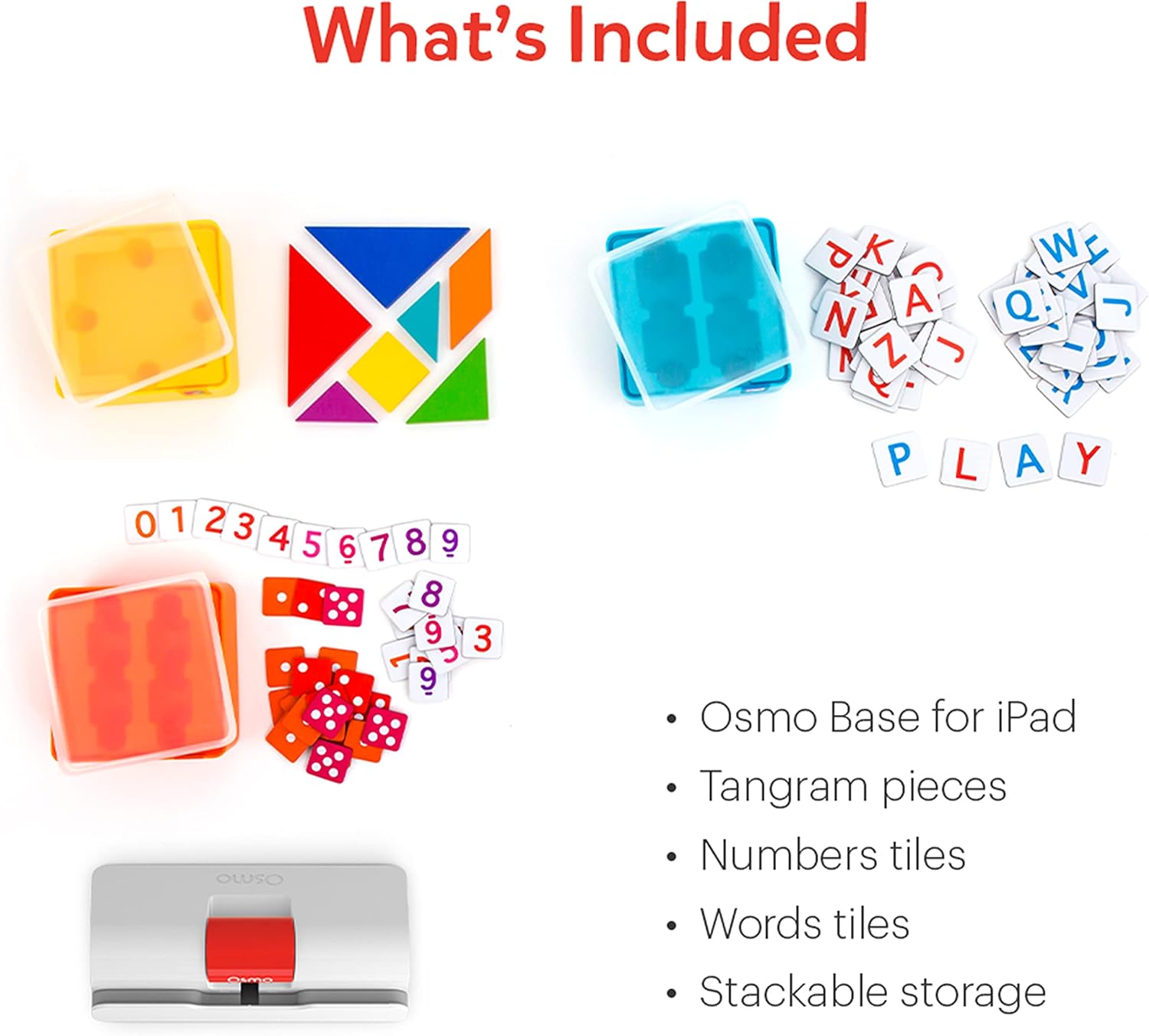
ລະອຽດ view of the physical game pieces and their convenient stackable storage containers.
3. ຄວາມເຂົ້າກັນໄດ້
The Osmo Genius Starter Kit is compatible with most iPad and iPhone models. Please verify your device's compatibility before use.
- ຄວາມເຂົ້າກັນໄດ້ຂອງ iPad: All iPads except Generation 1-4, Air Gen 1, & iPad Mini Gen 1-3. The new iPad 10th Gen, iPad Pro 11” (4th Gen), & iPad Pro 12.9” (6th Gen) are not currently compatible; compatibility coming later in 2023. iPad Reflector 2021 required for: iPad Mini 6, iPad Air 4-5, iPad Pro 11-inch & iPad Pro 12.9-inch. The minimum iOS version needed is iOS 15.
- ຄວາມເຂົ້າກັນໄດ້ຂອງ iPhone: iPhone 12, 12 Pro, 12 Pro Max, 13, 13 Pro, 13 Pro Max, 14, 14 Plus. No other iPhones are compatible. Requires the Osmo iPad base & 2021 reflector hardware. The minimum iOS needed is iOS 14.0.

Visual guide to compatible iPhone and iPad models for the Osmo system.
4. ຄໍາແນະນໍາການຕິດຕັ້ງ
Follow these steps to set up your Osmo Genius Starter Kit:
- Place your device in the Osmo Base: Ensure your iPad or iPhone is securely seated in the white Osmo Base. The device should be positioned vertically.
- ຕິດຕັ້ງຕົວສະທ້ອນແສງ: Gently place the red Osmo Reflector over the top edge of your device, ensuring it covers the front-facing camera. The reflector is crucial for the Osmo system to 'see' the physical game pieces on your table.
- Download Osmo Apps: ຊອກຫາ
ເອກະສານທີ່ກ່ຽວຂ້ອງ - 901-00011

ເລກ Osmo ແລະ Osmo Newton ຄູ່ມືຜູ້ໃຊ້
ຄູ່ມືທີ່ສົມບູນແບບໃນການນໍາໃຊ້ Osmo Numbers ແລະ Osmo Newton, ລາຍລະອຽດກົນໄກເກມ, ຄໍາແນະນໍາ, ແລະການປະຕິບັດທີ່ດີທີ່ສຸດສໍາລັບປະສົບການການສຶກສາທີ່ມີສ່ວນຮ່ວມ.
ການເລີ່ມຕົ້ນດ້ວຍຄໍາ Osmo
ຄູ່ມືທີ່ສົມບູນແບບກ່ຽວກັບ Osmo Words, ກວມເອົາການຕັ້ງຄ່າເກມ, ການຫຼິ້ນເກມ, ຮູບແບບ, ການສ້າງອາລະບໍາແບບກໍານົດເອງ, ແລະການປະຕິບັດທີ່ດີທີ່ສຸດສໍາລັບການປະຕິບັດທີ່ດີທີ່ສຸດ. ຮຽນຮູ້ວິທີໃຊ້ແຜ່ນຕົວອັກສອນເພື່ອສະກົດຄຳຕາມຮູບພາບ, ສຳຫຼວດໂໝດເກມຕ່າງໆ ເຊັ່ນ: ການຜະຈົນໄພ, ທຽບກັບ Zen, ແລະຄົ້ນພົບວິທີສ້າງ ແລະແບ່ງປັນອາລະບໍາຄຳສັບຂອງທ່ານເອງ.
ຄູ່ມືການຕິດຕັ້ງ Osmo ສໍາລັບແທັບເລັດໄຟ
ຄູ່ມືນີ້ໃຫ້ຄໍາແນະນໍາເທື່ອລະຂັ້ນຕອນສໍາລັບການຕັ້ງຄ່າຂອງຫຼິ້ນການສຶກສາ Osmo ກັບ Amazon Fire Tablets, ກວມເອົາຄວາມເຂົ້າກັນໄດ້ຂອງອຸປະກອນ, ການຕິດຕັ້ງພື້ນຖານ, ການສ້າງບັນຊີ, ການດາວໂຫຼດເກມ, ແລະ profile ການຄຸ້ມຄອງ.
ຄູ່ມືການຕິດຕັ້ງ Osmo ສໍາລັບ iPad ແລະແທັບເລັດໄຟ
ຄູ່ມືການຕິດຕັ້ງທີ່ສົມບູນແບບສໍາລັບຜະລິດຕະພັນ Osmo, ລວມທັງຊຸດ Osmo Creative ແລະ Osmo Newton, ລາຍລະອຽດຄວາມເຂົ້າກັນໄດ້, ຂັ້ນຕອນການຕິດຕັ້ງ, ຄໍາແນະນໍາເກມ, ແລະການແກ້ໄຂບັນຫາ.
ການເລີ່ມຕົ້ນດ້ວຍຕົວເລກ Osmo
ຄູ່ມືກ່ຽວກັບຕົວເລກ Osmo, ເກມການສຶກສາສໍາລັບຜູ້ຮຽນຕົ້ນໆທີ່ເນັ້ນໃສ່ແນວຄວາມຄິດທາງຄະນິດສາດເຊັ່ນ: ການນັບ, ການບວກ, ການລົບ, ແລະການຄູນ. ຮຽນຮູ້ວິທີການຫຼິ້ນ, ຊໍານິຊໍານານຮູບແບບເກມ, ແລະຄົ້ນພົບຄໍາແນະນໍາສໍາລັບການເພີ່ມຄະແນນສູງສຸດແລະການປົດລັອກເນື້ອໃນໃຫມ່.
ເລີ່ມຕົ້ນດ້ວຍ Osmo Tangram
ຄູ່ມືກ່ຽວກັບ Osmo Tangram, ລາຍລະອຽດລັກສະນະເກມ, ລະດັບ, ຜົນສໍາເລັດ, ແລະການປະຕິບັດທີ່ດີທີ່ສຸດສໍາລັບປະສົບການທີ່ດີທີ່ສຸດ. ຮຽນຮູ້ວິທີການຫຼິ້ນ, ນໍາທາງເມນູ, ແລະເກັບຮັກສາຕ່ອນ Tangram ຂອງທ່ານ.