ແນະນຳ
The Turtle Beach Battle Buds In-Ear Gaming Headset is engineered for versatile gaming across multiple platforms, including mobile devices, PC, Xbox, and PlayStation consoles. This lightweight headset combines in-ear comfort with clear audio and communication capabilities, making it ideal for gaming on the go or at home. This manual provides essential information for setting up, operating, maintaining, and troubleshooting your Battle Buds headset.
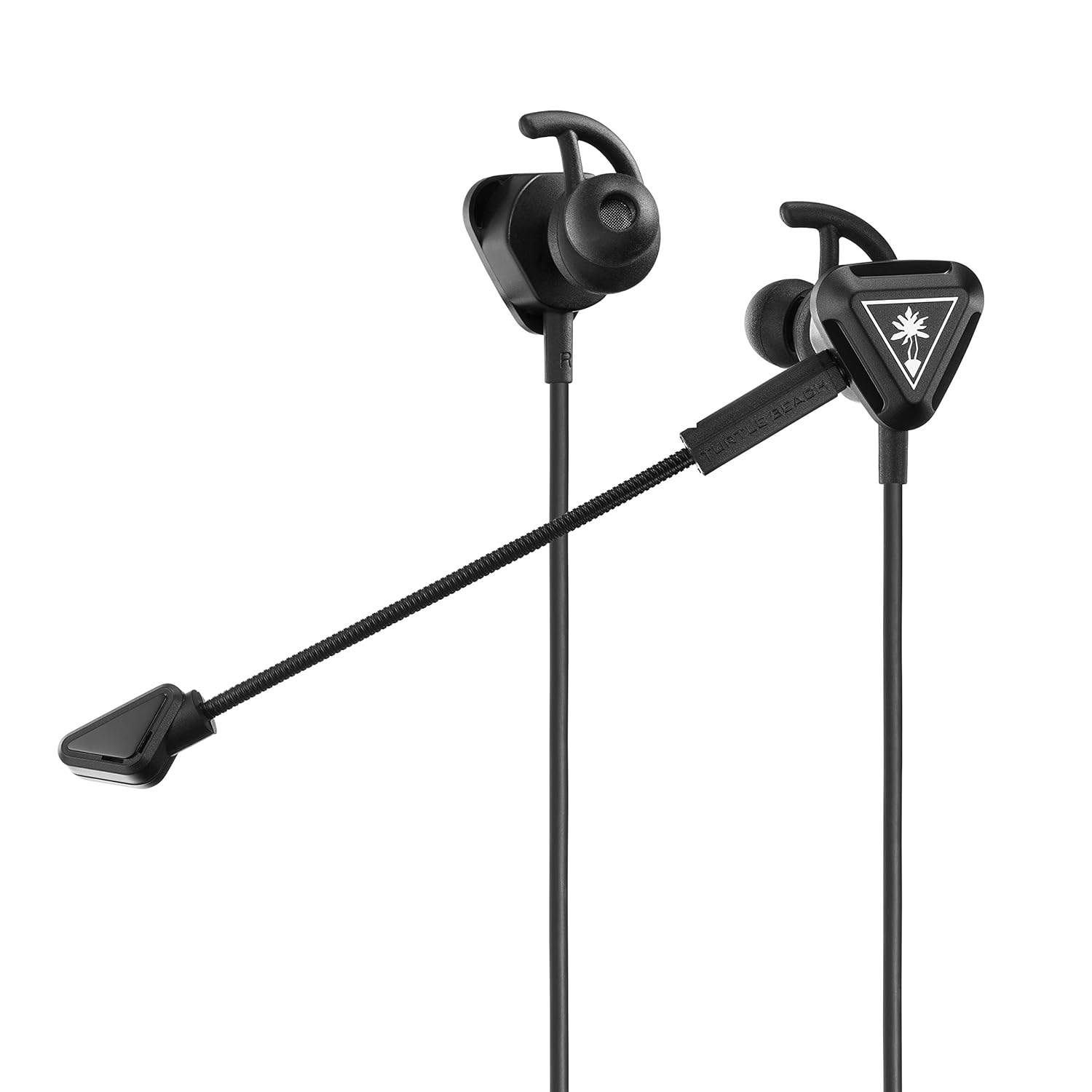
Image: The Turtle Beach Battle Buds In-Ear Gaming Headset, showcasing its compact design and detachable microphone.
ເນື້ອໃນຊຸດ
ກະລຸນາກວດສອບວ່າລາຍການທັງຫມົດທີ່ລະບຸໄວ້ຂ້າງລຸ່ມນີ້ແມ່ນລວມຢູ່ໃນຊຸດຂອງທ່ານ:
- Turtle Beach Battle Buds In-Ear Gaming Headset
- Removable High-Sensitivity Boom Microphone
- ກະເປົາຖື
- Ear Bud Tips (three sizes: Small, Medium, Large)
- Stabilizer Wings (three sizes: Small, Medium, Large)
- ຄູ່ມືເລີ່ມຕົ້ນດ່ວນ
- ສະຕິກເກີຫາດຊາຍເຕົ່າ

Image: All components of the Battle Buds headset package, including the headset, detachable microphone, carrying pouch, and various ear tip and stabilizer sizes.
ຕັ້ງຄ່າ
1. ການເລືອກສິ່ງທີ່ເໝາະສົມ
For optimal sound quality and comfort, select the ear bud tips and stabilizer wings that best fit your ears. Experiment with the three included sizes (Small, Medium, Large) to find the most secure and comfortable fit. A proper seal in your ear canal is crucial for bass response and noise isolation.

Image: A selection of three different sizes of ear bud tips and stabilizer wings, demonstrating the customization options for fit.
2. ການຕິດໄມໂຄຣໂຟນ
The Battle Buds feature a removable high-sensitivity boom microphone for clear voice chat during gaming. To attach, simply align the microphone's 3.5mm jack with the port on the left earbud and push firmly until it clicks into place. Ensure it is fully inserted for proper function.

ຮູບພາບ: A close-up view of the removable high-sensitivity boom microphone, highlighting its connection point to the earbud.
3. ການເຊື່ອມຕໍ່ກັບອຸປະກອນຂອງທ່ານ
The Battle Buds connect via a standard 3.5mm jack. Plug the headset's 3.5mm connector into the compatible audio port on your gaming controller (Xbox, PlayStation), PC, mobile device, or Nintendo Switch. Ensure the connection is secure.

Image: A diagram illustrating the multiplatform compatibility of the Battle Buds, showing connections to Xbox, PlayStation, mobile, and PC devices.
ຄໍາແນະນໍາການດໍາເນີນງານ
ການຄວບຄຸມໃນແຖວ
The Battle Buds feature a convenient inline controller for easy access to essential functions:
- ລໍ້ລະດັບສຽງຫຼັກ: Adjust the overall audio volume by sliding the wheel up or down.
- ສະວິດປິດສຽງໄມໂຄຣໂຟນ: Toggle this switch to quickly mute or unmute your microphone. When muted, your voice will not be transmitted.
- ປຸ່ມ Multifunction: On supported devices (e.g., mobile phones), this button can be used to answer/end calls, play/pause music, or skip tracks. Refer to your device's manual for specific functionality.

ຮູບພາບ: A ລາຍລະອຽດ view of the inline controller, showing the master volume wheel and the mic mute switch.
ການນຳໃຊ້ໄມໂຄຣໂຟນ
The Battle Buds offer two microphone options:
- Removable Boom Mic: For optimal clarity during gaming, use the high-sensitivity boom microphone. Position it close to your mouth for the best voice pickup.
- Built-in Inline Mic: When the boom mic is detached, the headset automatically switches to the built-in inline microphone. This is suitable for casual use, mobile calls, or when the boom mic is not desired.

Image: A person wearing the Turtle Beach Battle Buds headset, demonstrating the position of the detachable boom microphone for clear communication.
ບໍາລຸງຮັກສາ
Proper care will extend the life of your Battle Buds headset:
- ທໍາຄວາມສະອາດ: Gently wipe the earbuds, tips, and cable with a soft, dry cloth. For stubborn dirt, a slightly damp ສາມາດໃຊ້ຜ້າໄດ້, ແຕ່ໃຫ້ແນ່ໃຈວ່າບໍ່ມີຄວາມຊຸ່ມຊື່ນເຂົ້າໄປໃນຕະແກງລຳໂພງ ຫຼື ໄມໂຄຣໂຟນ. ຢ່າໃຊ້ສານເຄມີທີ່ຮຸນແຮງ ຫຼື ນໍ້າຢາທຳຄວາມສະອາດທີ່ມີສີຂັດ.
- ການເກັບຮັກສາ: When not in use, store the headset in the included carrying pouch to protect it from dust, dirt, and tangles. Avoid wrapping the cable too tightly.
- ການດູແລສາຍໄຟ: Do not pull on the cable to disconnect the headset. Always grasp the 3.5mm plug. Avoid sharp bends or kinks in the cable.
ການແກ້ໄຂບັນຫາ
If you encounter issues with your Battle Buds, please refer to the following common problems and solutions:
| ບັນຫາ | ສາເຫດທີ່ເປັນໄປໄດ້ | ການແກ້ໄຂ |
|---|---|---|
| ບໍ່ມີສຽງຫລືປະລິມານຕ່ ຳ |
|
|
| ໄມໂຄຣໂຟນບໍ່ເຮັດວຽກ |
|
|
| Uncomfortable fit or falling out |
|
|
If these solutions do not resolve your issue, please visit the Turtle Beach support webສະຖານທີ່ສໍາລັບການຊ່ວຍເຫຼືອເພີ່ມເຕີມ.
ຂໍ້ມູນຈໍາເພາະ
| ຄຸນສົມບັດ | ລາຍລະອຽດ |
|---|---|
| ຊື່ຕົວແບບ | Buds ຮົບ |
| ໝາຍເລກຕົວແບບ | TBS-4002-01 |
| ເຕັກໂນໂລຊີການເຊື່ອມຕໍ່ | Wired (3.5mm) |
| ລໍາໂພງ | 10mm with Neodymium Magnets |
| ການຕອບສະໜອງຄວາມຖີ່ | 20Hz – 20kHz |
| ການອອກແບບຫູຟັງ | ໃນຫູ |
| Microphone Design | Removable Unidirectional Boom Microphone & Built-In Inline Microphone |
| ການຄວບຄຸມໃນແຖວ | Master Volume Wheel, Mic Mute, Multifunction Button |
| ອຸປະກອນທີ່ເຂົ້າກັນໄດ້ | Xbox (Series X, Series S, One), PlayStation (PS5, PS4, PS4 Pro), PC, Mobile |
| ວັດສະດຸ | ພາດສະຕິກ |
| ນ້ໍາຫນັກລາຍການ | 0.8 ອອນສ໌ (ປະມານ 22.7 ກຣາມ) |
| ຂະໜາດສິນຄ້າ | 1.5 x 0.75 x 1.1 ນິ້ວ |
| UPC | 731855040025 |
| ວັນທີປ່ອຍ | ວັນທີ 1 ມີນາ 2019 |

ຮູບພາບ: A close-up view of the Battle Buds' 10mm speakers, highlighting their design.
ການຮັບປະກັນແລະການສະຫນັບສະຫນູນ
Turtle Beach products are designed for durability and performance. For information regarding warranty coverage, product registration, or technical support, please visit the official Turtle Beach webເວັບໄຊທ໌. ທ່ານສາມາດຊອກຫາ FAQs, ການດາວໂຫຼດໄດຣເວີ ແລະ ຂໍ້ມູນຕິດຕໍ່ສຳລັບການບໍລິການລູກຄ້າໄດ້ຢູ່ທີ່ນັ້ນ.
Official Turtle Beach Support: www.turtlebeach.com/pages/support


