1. ບົດແນະນຳ
This manual provides essential information for the proper setup, operation, and maintenance of your FEITIAN bR301-C45 BLE Bluetooth Smart Card Reader. This device is designed for secure ID authentication, e-payment, and access control applications, supporting various smart card types.
2. ຂໍ້ມູນຄວາມປອດໄພ
- ຢ່າເຮັດໃຫ້ອຸປະກອນຖືກອຸນຫະພູມສູງ, ຄວາມຊຸ່ມຊື່ນ, ຫຼືແສງແດດໂດຍກົງ.
- ຫຼີກລ້ຽງການຫຼຸດລົງຫຼືການອຸປະກອນທີ່ມີຜົນກະທົບທີ່ເຂັ້ມແຂງ.
- ຢ່າພະຍາຍາມຖອດປະກອບ ຫຼືແກ້ໄຂອຸປະກອນ. ນີ້ຈະເປັນການຍົກເລີກການຮັບປະກັນ.
- Use only the provided or recommended charging cable.
- ຮັກສາໃຫ້ໄກຈາກເດັກນ້ອຍ.
3. ເນື້ອໃນຊຸດ
ກວດສອບວ່າລາຍການທັງຫມົດແມ່ນມີຢູ່ໃນຊຸດຂອງທ່ານ:
- FEITIAN bR301-C45 BLE Bluetooth Smart Card Reader
- USB Type-C to USB-A Charging/Data Cable
- ຄູ່ມືເລີ່ມຕົ້ນດ່ວນ (ບໍ່ລວມຢູ່ໃນຄູ່ມືນີ້)

ຮູບທີ 3.1: Package contents including the bR301-C45 reader and USB cable.
4. ຜະລິດຕະພັນເກີນview
Familiarize yourself with the components of your smart card reader.

ຮູບທີ 4.1: ດ້ານໜ້າ view of the bR301-C45 reader, showing the card insertion slot and FEITIAN logo.

ຮູບທີ 4.2: ກັບຄືນໄປບ່ອນ view of the bR301-C45 reader, displaying regulatory compliance marks (RoHS, CE, FC) and Bluetooth logo.
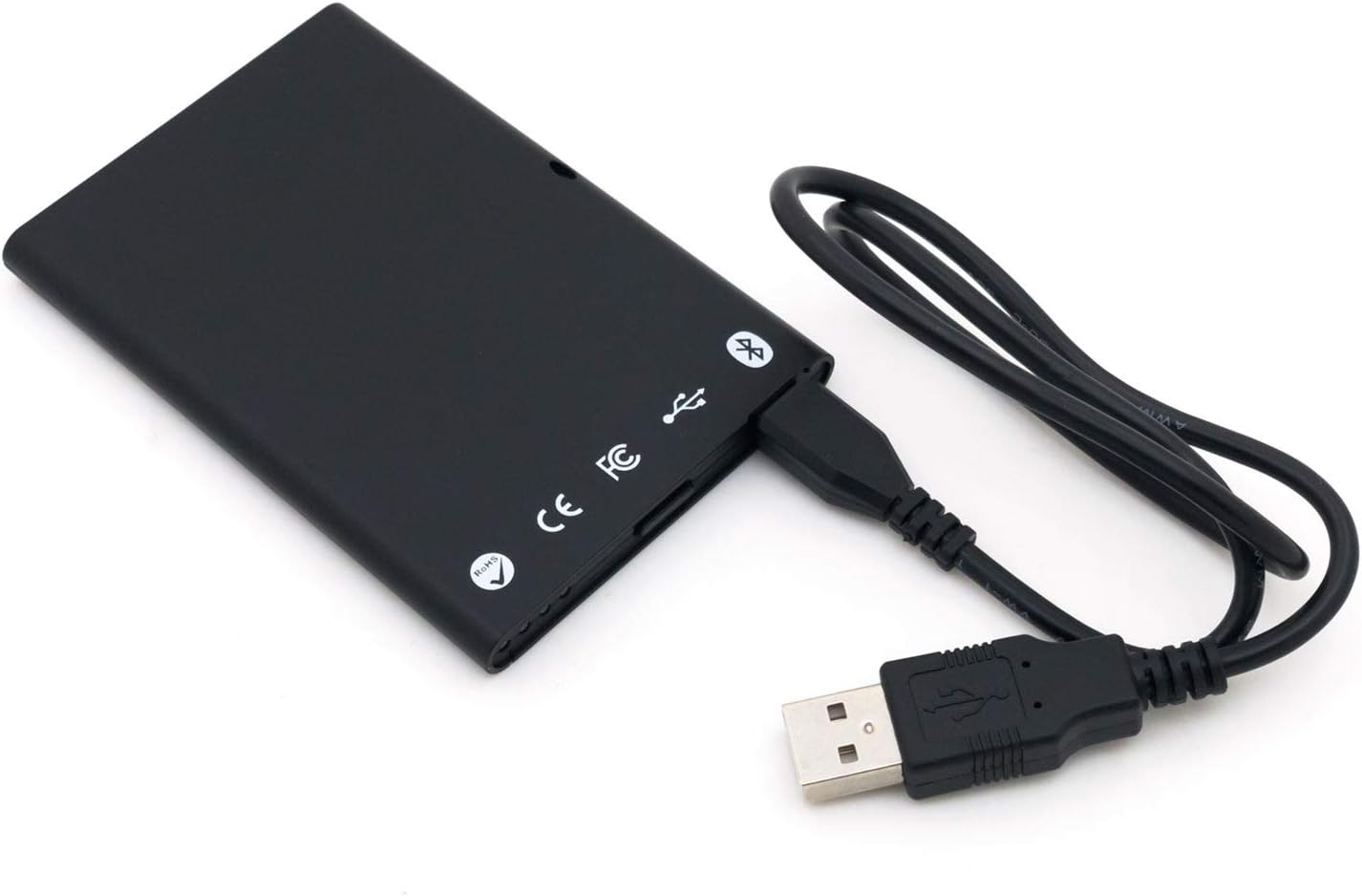
ຮູບທີ 4.3: The bR301-C45 reader connected to a USB cable, illustrating the USB-C port location.
5. ຕັ້ງຄ່າ
5.1 ການສາກອຸປະກອນ
The bR301-C45 reader includes a 350mAh Li-Ion battery. Before initial use, or if the battery is low, charge the device using the provided USB cable.
- Connect the USB Type-C end of the cable to the reader's port.
- Connect the USB-A end of the cable to a powered USB port on a computer or a USB wall adapter.
- The device will indicate charging status (e.g., an LED indicator, refer to specific product documentation for LED behavior).
5.2 USB Connection (Plug and Play)
For direct connection to a computer, the bR301-C45 supports plug-and-play functionality, requiring no additional drivers for basic operation.
- Ensure the reader is charged or connected to a power source.
- Connect the USB Type-C end of the cable to the reader.
- ເຊື່ອມຕໍ່ປາຍສາຍ USB-A ເຂົ້າກັບພອດ USB ທີ່ມີຢູ່ໃນຄອມພິວເຕີຂອງທ່ານ.
- Your operating system should automatically detect and configure the device.
5.3 Bluetooth (BLE) Connection
The bR301-C45 can connect wirelessly via Bluetooth Low Energy (BLE) to compatible devices.
- Ensure the reader is sufficiently charged.
- ເປີດໃຊ້ Bluetooth ໃນອຸປະກອນໂຮດຂອງທ່ານ (ເຊັ່ນ: ໂທລະສັບສະຫຼາດ, ແທັບເລັດ, ຄອມພິວເຕີ).
- Put the bR301-C45 into pairing mode (refer to specific product documentation for button presses or indicators).
- ຊອກຫາ available Bluetooth devices on your host device.
- Select "FEITIAN bR301-C45" or a similar identifier from the list and complete the pairing process.
ໝາຍເຫດ: For certain applications, especially those involving government CAC or PIV cards, specific software or utilities (e.g., "Smart Card Utility") may be required on your host device. These applications may involve additional licensing or configuration steps not covered in this general manual. Consult the software provider's documentation for details.
6. ປະຕິບັດການອຸປະກອນ
6.1 Inserting a Smart Card
- Identify the correct orientation for your smart card. Typically, the chip on the card faces upwards and is inserted into the reader.
- Gently slide the smart card into the card slot until it is fully seated. Do not force the card.
- The reader or associated software will indicate successful card detection.
6.2 Removing a Smart Card
To remove a smart card, gently pull it out from the slot. Ensure no active operations are being performed with the card before removal to prevent data corruption.
6.3 ການນໍາໃຊ້ກັບຄໍາຮ້ອງສະຫມັກ
Once connected and a smart card is inserted, the bR301-C45 reader facilitates secure communication between the smart card and your application. This includes:
- Secure ID Authentication: For logging into systems or verifying identity.
- E-Payment: For secure transactions.
- ການຄວບຄຸມການເຂົ້າເຖິງ: For gaining access to restricted areas or digital resources.
The specific steps for using the reader will depend on the application you are using. Refer to the documentation for your specific software or service.
7. ບໍາລຸງຮັກສາ
7.1 ການທໍາຄວາມສະອາດ
To clean the device, use a soft, dry, lint-free cloth. Do not use liquid cleaners, aerosols, or solvents, as these can damage the device.
7.2 ການດູແລຫມໍ້ໄຟ
- ຫຼີກລ້ຽງການປະຈຸຫມໍ້ໄຟຢ່າງເຕັມທີ່ເລື້ອຍໆ.
- ເກັບຮັກສາອຸປະກອນໄວ້ໃນບ່ອນທີ່ເຢັນ, ແຫ້ງ, ເມື່ອບໍ່ໄດ້ໃຊ້ເປັນເວລາດົນນານ.
- Charge the device periodically if stored for a long time to maintain battery health.
8. ການແກ້ໄຂບັນຫາ
- ອຸປະກອນບໍ່ໄດ້ຮັບການຮັບຮູ້ຜ່ານ USB:
- ລອງໃຊ້ພອດ USB ອື່ນ.
- ໃຫ້ແນ່ໃຈວ່າສາຍ USB ໄດ້ເຊື່ອມຕໍ່ກັນຢ່າງແໜ້ນໜາທັງສອງສົ້ນ.
- ປິດເປີດຄອມພິວເຕີຂອງທ່ານຄືນໃໝ່.
- ບັນຫາການຈັບຄູ່ Bluetooth:
- Ensure the reader is in pairing mode.
- Check that Bluetooth is enabled on your host device.
- Move the reader closer to the host device.
- ລຶບການຈັບຄູ່ກ່ອນໜ້ານີ້ອອກ ແລະ ລອງໃໝ່ອີກຄັ້ງ.
- Smart card not detected:
- Ensure the smart card is inserted correctly and fully seated.
- Check if the smart card is damaged or dirty.
- Verify that the necessary software/drivers are installed and configured on your computer for the specific smart card type.
- ແບັດເຕີຣີບໍ່ສາກໄຟ:
- Ensure the USB cable is functional and properly connected.
- ລອງໃຊ້ແຫຼ່ງພະລັງງານ USB ອື່ນ.
- ຖ້າບັນຫາຍັງຄົງຢູ່, ໃຫ້ຕິດຕໍ່ຫາຝ່າຍຊ່ວຍເຫຼືອ.
9. ຂໍ້ມູນຈໍາເພາະ
| ຄຸນສົມບັດ | ລາຍລະອຽດ |
|---|---|
| ໝາຍເລກຕົວແບບ | bR301 C45 |
| ການເຊື່ອມຕໍ່ | USB Type C, Bluetooth Low Energy (BLE) |
| ປະເພດບັດທີ່ຮອງຮັບ | 1.8V, 3V, and 5V smart cards |
| ແບັດເຕີຣີ | 350mAh Li-Ion (included) |
| ຄວາມເຂົ້າກັນໄດ້ຂອງລະບົບປະຕິບັດການ | All operating systems (Plug & Play for USB) |
| ຂະໜາດ (LxWxH) | 3.66 x 2.09 x 0.31 ນິ້ວ |
| ນ້ຳໜັກ | 1.27 ອອນ |
| ສີ | ດຳ |
10. ຂໍ້ມູນການຮັບປະກັນ
FEITIAN products typically come with a limited warranty. For specific warranty terms and conditions, please refer to the warranty card included with your product or visit the official FEITIAN webເວັບໄຊ. ຮັກສາຫຼັກຖານການຊື້ຂອງທ່ານສໍາລັບການຮ້ອງຂໍການຮັບປະກັນ.
11. ສະຫນັບສະຫນູນ
For further assistance, technical support, or to download the latest drivers and software, please visit the official FEITIAN webເວັບໄຊ:
You may also contact FEITIAN customer service through the contact information provided on their webເວັບໄຊ.


