1. ບົດແນະນຳ
ຂອບໃຈສໍາລັບການຊື້asing the BlitzWolf BW-AS2 Wireless Bluetooth Speaker. This manual provides detailed instructions on how to set up, operate, and maintain your speaker to ensure optimal performance and longevity. Please read this manual carefully before using the product and retain it for future reference.
The BlitzWolf BW-AS2 is a powerful portable speaker featuring dual drivers and a robust 5200mAh battery, designed to deliver high-quality audio with strengthened bass for an immersive listening experience.

ຮູບພາບ 1.1: ດ້ານຫນ້າ view of the BlitzWolf BW-AS2 Wireless Bluetooth Speaker.
2. ເນື້ອໃນຊຸດ
ກະລຸນາກວດເບິ່ງຊຸດສຳລັບລາຍການຕໍ່ໄປນີ້:
- 1 x BlitzWolf BW-AS2 40W 5200mAh Double Driver Wireless Bluetooth Speaker
- 1 x ສາຍສາກ USB
- ສາຍສຽງ 1 x 3.5 ມມ
- 1 x ຄູ່ມືຜູ້ໃຊ້
3. ຄຸນລັກສະນະຂອງຜະລິດຕະພັນ
- ຜົນຜະລິດສຽງທີ່ມີປະສິດທິພາບ: Equipped with 2*5W mid-treble drivers and a 1*30W bass driver for a full frequency range 2.1 sound system.
- Dual Driver Stereo Sound: Delivers realistic sound production for an interactive audio experience.
- ການເຊື່ອມຕໍ່ອະເນກປະສົງ: Supports universal Bluetooth 4.2 and 3.5mm AUX wire input.
- ແບດເຕີຣີທີ່ຍາວນານ: Integrated 7.4V 5200mAh LI-ion battery provides extended working time.
- ຄຸນນະພາບການກໍ່ສ້າງພຣີມຽມ: Combines metallic mesh and tough PVC plastic elements for durability and style.
- ການອອກແບບແບບພົກພາ: Compact dimensions (L230 * W125 * H60 mm) and a net weight of 1127g for easy transport.
4. ການຄວບຄຸມແລະພອດ
Familiarize yourself with the speaker's controls and connection ports:

Image 4.1: Top panel with control buttons.
- ປຸ່ມເປີດປິດ: ກົດຄ້າງໄວ້ເພື່ອເປີດ/ປິດ.
- ປະລິມານລົງ (-): ຫຼຸດສຽງລົງ.
- ປະລິມານຂຶ້ນ (+): ເພີ່ມປະລິມານ.
- ຕິດຕາມກ່ອນ ໜ້າ ນີ້: ຂ້າມໄປເພງກ່ອນໜ້າ.
- ຫຼິ້ນ/ຢຸດ: ຫຼິ້ນ ຫຼືຢຸດການຫຼິ້ນສຽງໄວ້ຊົ່ວຄາວ.
- ເພງຕໍ່ໄປ: ຂ້າມໄປເພງຕໍ່ໄປ.
- ໂໝດ (M) ປຸ່ມ: Switch between Bluetooth, AUX, and TF card modes.

Image 4.2: Rear panel with input ports.
- ຣີເຊັດ: Pin-hole for factory reset.
- TF: MicroSD/TF card slot for direct audio playback.
- AUX: ຂາເຂົ້າສຽງ 3.5 ມມ ສຳລັບການເຊື່ອມຕໍ່ແບບມີສາຍ.
- ໄມໂຄຣ: ພອດ Micro USB ສໍາລັບການສາກໄຟ.
- ຊິງຕັນດີຊີ 18V: DC input for faster charging with an 18V adapter.
5. ຄູ່ມືການຕິດຕັ້ງ
5.1 ກຳລັງສາກລຳໂພງ
Before first use, fully charge the speaker. The charging indicator lights will provide status feedback.
- ເຊື່ອມຕໍ່ສາຍສາກໄຟ USB ທີ່ໃຫ້ມາກັບ ໄມໂຄຣ port on the speaker and to a USB power source (e.g., computer USB port, USB wall adapter).
- For faster charging, use an 18V adapter connected to the DC18V ທ່າເຮືອ.
- Charging time is approximately 5-6 hours via USB charger, or 2-3 hours via 18V adapter.
5.2 ການຈັບຄູ່ Bluetooth
To connect your speaker wirelessly:
- ເປີດລຳໂພງໂດຍການກົດປຸ່ມເປີດ/ປິດຄ້າງໄວ້. ລຳໂພງຈະເຂົ້າສູ່ໂໝດຈັບຄູ່ Bluetooth ໂດຍອັດຕະໂນມັດ, ໂດຍມີໄຟ LED ກະພິບສະແດງຢູ່.
- ໃນອຸປະກອນຂອງທ່ານ (ໂທລະສັບສະຫຼາດ, ແທັບເລັດ, ແລັບທັອບ), ເປີດໃຊ້ Bluetooth ແລະຊອກຫາອຸປະກອນທີ່ມີຢູ່.
- Select "BW-AS2" from the list of devices.
- ເມື່ອເຊື່ອມຕໍ່ແລ້ວ, ໄຟ LED ຈະສະຫວ່າງຂຶ້ນ, ແລະ ທ່ານຈະໄດ້ຍິນສຽງຢືນຢັນ.
- If pairing fails, turn off the speaker and your device's Bluetooth, then repeat the steps.
5.3 ການເຊື່ອມຕໍ່ AUX
For a wired audio connection:
- ເຊື່ອມຕໍ່ປາຍໜຶ່ງຂອງສາຍສຽງ 3.5 ມມ ກັບ AUX ພອດຢູ່ເທິງລຳໂພງ.
- ເຊື່ອມຕໍ່ປາຍອີກດ້ານໜຶ່ງຂອງສາຍເຂົ້າກັບຊ່ອງສຽບຫູຟັງ ຫຼື ພອດອອກສຽງຂອງອຸປະກອນຂອງທ່ານ.
- ລຳໂພງຈະປ່ຽນເປັນໂໝດ AUX ໂດຍອັດຕະໂນມັດ, ຫຼື ທ່ານອາດຈະຕ້ອງກົດປຸ່ມ ໂໝດ (M) button to select AUX input.
5.4 ການຫຼິ້ນບັດ TF
To play music directly from a TF (MicroSD) card:
- ໃສ່ບັດ TF ທີ່ມີສຽງ MP3 files ເຂົ້າໄປໃນ TF card slot on the speaker.
- The speaker will automatically detect the card and begin playing music, or you may need to press the ໂໝດ (M) button to switch to TF card mode.
6. ຄໍາແນະນໍາການດໍາເນີນງານ
6.1 ເປີດ/ປິດ
- ເປີດ: ກົດປຸ່ມເປີດປິດຄ້າງໄວ້ປະມານ 3 ວິນາທີ.
- ປິດພະລັງງານ: ກົດປຸ່ມເປີດປິດຄ້າງໄວ້ປະມານ 3 ວິນາທີ.
6.2 ການຄວບຄຸມປະລິມານ
- ເພີ່ມປະລິມານ: ກົດ + ປຸ່ມ.
- ຫຼຸດລະດັບສຽງລົງ: ກົດ - ປຸ່ມ.
6.3 Music Playback (Bluetooth/TF Card Mode)
- ຫຼິ້ນ/ຢຸດ: ກົດ ຫຼິ້ນ/ຢຸດຊົ່ວຄາວ ປຸ່ມ.
- ເພງຕໍ່ໄປ: ກົດ ຕິດຕາມຕໍ່ໄປ ປຸ່ມ.
- ຕິດຕາມກ່ອນ ໜ້າ ນີ້: ກົດ ເພງກ່ອນໜ້າ ປຸ່ມ.
7. ການດູແລແລະບໍາລຸງຮັກສາ
To ensure the longevity and optimal performance of your BlitzWolf BW-AS2 speaker, follow these care guidelines:
- ທໍາຄວາມສະອາດ: Use a soft, dry cloth to clean the speaker's surface. Do not use abrasive cleaners, alcohol, or chemical solvents, as these may damage the finish.
- ການເກັບຮັກສາ: ເກັບຮັກສາລຳໂພງໄວ້ໃນບ່ອນທີ່ເຢັນ, ແຫ້ງ, ຫ່າງຈາກແສງແດດໂດຍກົງ ແລະ ອຸນຫະພູມທີ່ຮ້າຍກາດ.
- ການດູແລຫມໍ້ໄຟ: To preserve battery life, avoid fully discharging the speaker frequently. If not used for extended periods, charge the speaker at least once every three months.
- ຄວາມຕ້ານທານນ້ໍາ: The speaker is indicated as waterproof. However, avoid submerging it in water or exposing it to heavy rain for prolonged periods. Ensure all ports are securely covered if applicable before exposure to moisture.
- ຫຼີກເວັ້ນຜົນກະທົບ: Do not drop or subject the speaker to strong impacts, as this can damage internal components.
8. ການແກ້ໄຂບັນຫາ
ຖ້າເຈົ້າພົບບັນຫາກັບຜູ້ເວົ້າຂອງເຈົ້າ, ໃຫ້ອ້າງອີງເຖິງບັນຫາ ແລະວິທີແກ້ໄຂບັນຫາທົ່ວໄປຕໍ່ໄປນີ້:
| ບັນຫາ | ສາເຫດທີ່ເປັນໄປໄດ້ | ການແກ້ໄຂ |
|---|---|---|
| ລຳໂພງບໍ່ເປີດ. | ຫມໍ້ໄຟຕ່ໍາ; ປຸ່ມເປີດປິດບໍ່ໄດ້ກົດປຸ່ມດົນພໍ. | ສາກລຳໂພງໃຫ້ເຕັມ. ກົດປຸ່ມເປີດປິດຄ້າງໄວ້ 3 ວິນາທີ. |
| ບໍ່ສາມາດຈັບຄູ່ຜ່ານ Bluetooth ໄດ້. | ລຳໂພງບໍ່ຢູ່ໃນໂໝດຈັບຄູ່; ອຸປະກອນ Bluetooth ປິດ; ໄກຈາກອຸປະກອນເກີນໄປ. | Ensure speaker is in pairing mode (flashing LED). Turn device Bluetooth off/on. Move speaker closer to device (within 10m). |
| ບໍ່ມີສຽງຈາກລຳໂພງ. | Volume too low; Incorrect mode selected; Cable not connected properly. | Increase speaker and device volume. Press Mode button to select correct input (Bluetooth/AUX/TF). Reconnect audio cable. |
| ບັດ TF ບໍ່ສາມາດຫຼິ້ນໄດ້. | ບໍ່ໄດ້ໃສ່ບັດຢ່າງຖືກຕ້ອງ; ບໍ່ຮອງຮັບ file format; Speaker not in TF mode. | Reinsert TF card. Ensure files are MP3 format. Press Mode button to switch to TF mode. |
9. ຂໍ້ກໍານົດດ້ານວິຊາການ
| ພາລາມິເຕີ | ຂໍ້ມູນຈໍາເພາະ |
|---|---|
| ຍີ່ຫໍ້ | BlitzWolf® |
| ຕົວແບບ | BW-AS2 |
| ສີ | Metallic Mesh + Hard Plastic of PVC |
| ຂະໜາດ (L*W*H) | 230*125*60ມມ |
| ນ້ຳໜັກສຸດທິ | 1127g |
| ໄມໂຄຣໂຟນ | ແມ່ນແລ້ວ |
| ການເຊື່ອມຕໍ່ | ບູທູດ / ຊ່ອງສຽບ AUX 3.5 ມມ |
| ລຸ້ນ Bluetooth | V4.2 |
| ໄລຍະການສົ່ງ | Up to 10m / 33inch |
| ປ້ອນຂໍ້ມູນ | DC 5V (USB) / DC 18V (Adapter) |
| ຜົນຜະລິດວັດtage | 40W |
| ການຕອບສະໜອງຄວາມຖີ່ | 20-20kHz |
| ອັດຕາສ່ວນສັນຍານເຖິງສຽງດັງ | ≥ 75dB |
| ຄວາມອາດສາມາດຫມໍ້ໄຟ | 7.4V 5200mAh LI-ion |
| ເວລາສາກໄຟ (USB) | 5-6 ຊົ່ວໂມງ |
| Charging Time (18V Adapter) | 2-3 ຊົ່ວໂມງ |
| Working Time (Max Volume) | 2.5 ຊົ່ວໂມງ |
| ເວລາເຮັດວຽກ (ປະລິມານ 70%) | 4-5 ຊົ່ວໂມງ |
| ກັນນ້ຳ | ຄວາມຈິງ |
10. ການຮັບປະກັນແລະການສະຫນັບສະຫນູນ
BlitzWolf provides an ຮັບປະກັນ 18 ເດືອນ for this product. We are committed to the quality of our products and offer friendly and helpful product support. For any inquiries or assistance, please contact our customer service team through the retailer or the official BlitzWolf support channels.
ກະລຸນາຮັກສາຫຼັກຖານການຊື້ຂອງທ່ານສໍາລັບການຮຽກຮ້ອງການຮັບປະກັນ.
11. ຜະລິດຕະພັນເພີ່ມເຕີມ Views

ຮູບພາບທີ 11.1: ໄລຍະໃກ້ view of the speaker's metallic end cap, highlighting design details.

Image 11.2: The speaker held in a hand, providing a sense of its portable size.
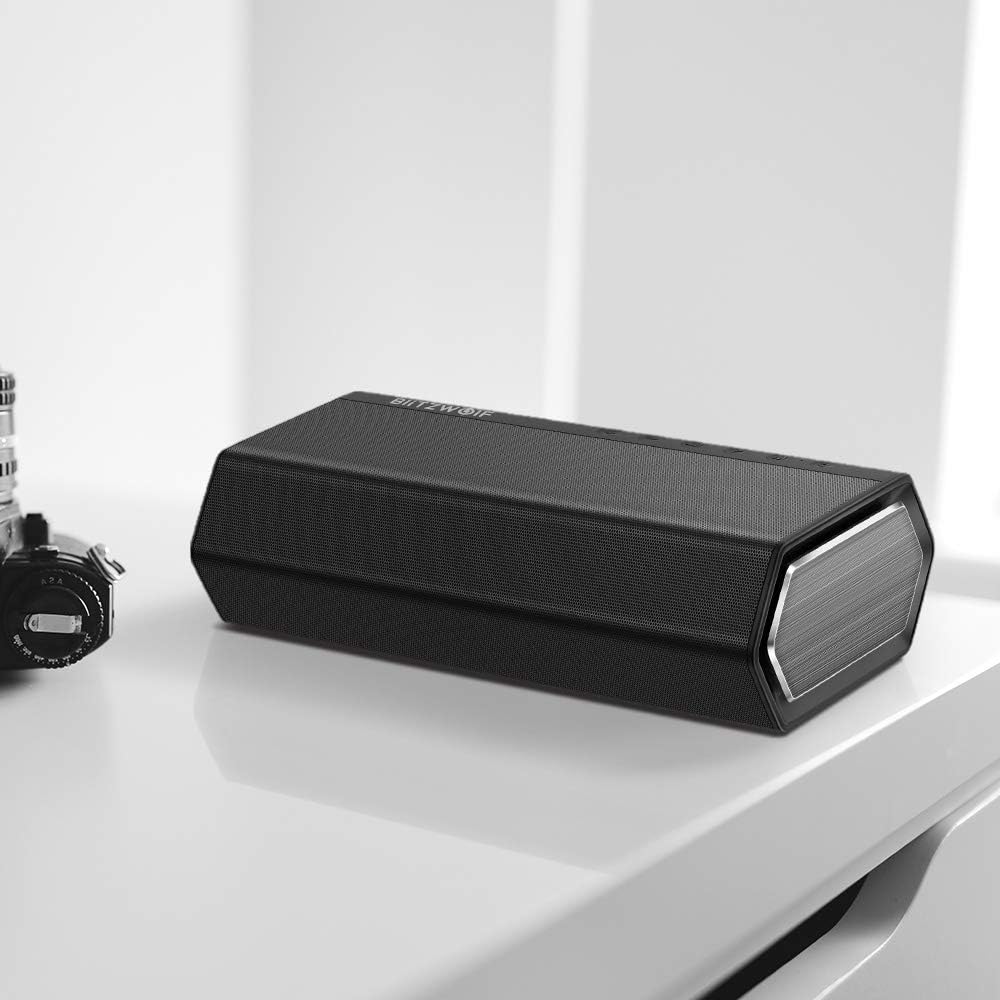
Image 11.3: The speaker placed on a desk, demonstrating its aesthetic integration into a workspace.

Image 11.4: The speaker on a wooden table, suggesting its use in a home entertainment setting with music.

Image 11.5: The speaker positioned on a striped mat next to a coffee cup, illustrating its casual use.


