ແນະນຳ
ຂອບໃຈສໍາລັບການຊື້asing the LinQ Wireless Car Charger. This device is designed to provide convenient and fast wireless charging for your Qi-enabled smartphone while driving. Please read this manual carefully before use to ensure proper installation and operation.
ເນື້ອໃນຊຸດ
ກະລຸນາກວດສອບວ່າລາຍການທັງໝົດມີຢູ່ໃນຊຸດ:
- LinQ Wireless Car Charger Unit
- ດູດຈອກ Mount
- USB Charging Cable (Type-A to Micro-USB or Type-C, depending on model revision)
- ຄູ່ມືຜູ້ໃຊ້ (ເອກະສານນີ້)
ຕັ້ງຄ່າ
1. ການຕິດຕັ້ງຕົວຍຶດ
Insert the ball joint of the suction cup mount into the socket on the back of the wireless charger unit. Tighten the collar nut to secure the charger in place. Ensure it is firmly attached.

ຮູບພາບ: ດ້ານຫລັງແລະດ້ານຂ້າງ views of the LinQ Wireless Car Charger, showing the attachment point for the suction cup mount.
2. Mounting in Vehicle
Choose a clean, flat surface on your dashboard or windshield. Press the suction cup firmly against the surface and push down the lever to create a vacuum seal. Adjust the angle of the charger for optimal viewການເຂົ້າເຖິງແລະການເຂົ້າເຖິງ.
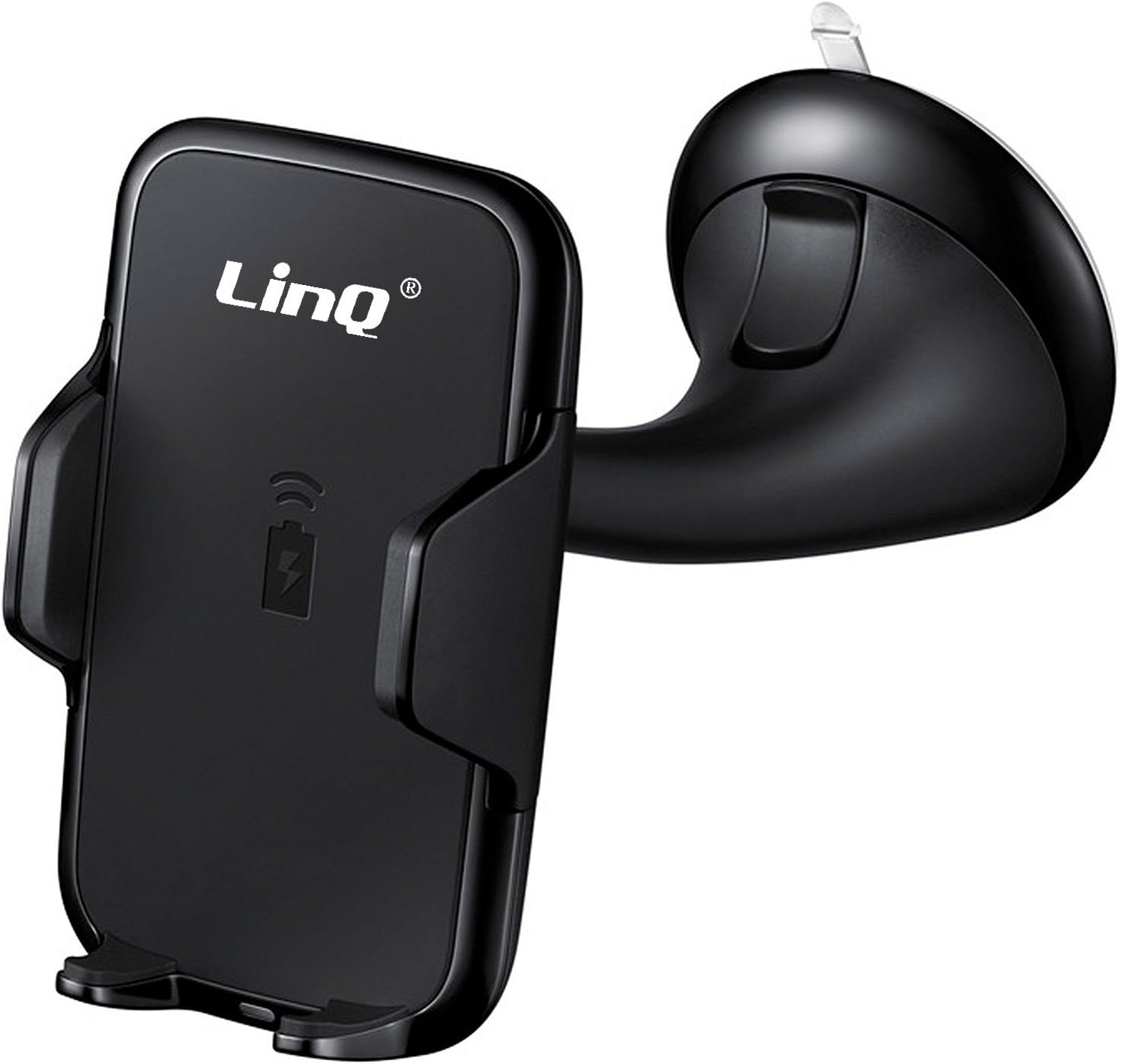
Image: The LinQ Wireless Car Charger with its integrated suction cup mount, ready for installation in a vehicle.
3. ການເຊື່ອມຕໍ່ພະລັງງານ
Connect the provided USB charging cable to the input port on the wireless charger. Plug the other end of the cable into a USB car charger adapter (not included) that is plugged into your vehicle's 12V power outlet. For fast charging, ensure your car charger adapter supports Quick Charge (QC 2.0/3.0) or Power Delivery (PD) and provides at least 10W output.
ຄໍາແນະນໍາການດໍາເນີນງານ
1. Placing Your Phone
Gently open the adjustable arms of the charger. Place your Qi-enabled smartphone into the cradle, ensuring it rests securely on the bottom support. The arms will automatically or manually adjust to grip your phone. Ensure the phone's charging coil aligns with the charger's coil, typically in the center of the device.
2. ການສາກໄຟໄຮ້ສາຍ
Once your phone is correctly placed and the charger is powered, wireless charging will begin automatically. An indicator light on the charger (if present) may illuminate to confirm charging status. Your phone's screen will also indicate that it is charging.

Image: An illustration demonstrating the fast wireless charging capability of the LinQ charger, showing a smartphone being charged.
3. Removing Your Phone
To remove your phone, gently press the release button (if applicable) or manually open the arms and lift your phone from the cradle.
ບໍາລຸງຮັກສາ
- ທໍາຄວາມສະອາດ: Disconnect the charger from power before cleaning. Use a soft, dry cloth to wipe the surface of the charger. Do not use harsh chemicals or abrasive cleaners.
- ການເກັບຮັກສາ: ເມື່ອບໍ່ໄດ້ໃຊ້ເປັນເວລາດົນ, ໃຫ້ເກັບຮັກສາເຄື່ອງສາກໄວ້ໃນບ່ອນທີ່ເຢັນ, ແຫ້ງແລ້ງຫ່າງຈາກແສງແດດໂດຍກົງ ແລະ ອຸນຫະພູມທີ່ຮຸນແຮງ.
- ການດູແລ: ຫຼີກລ່ຽງການຕົກອຸປະກອນ ຫຼື ກະທົບກະເທືອນຢ່າງແຮງ. ຢ່າຖອດອຸປະກອນສາກອອກ ເພາະຈະເຮັດໃຫ້ການຮັບປະກັນບໍ່ມີຜົນບັງຄັບໃຊ້ ແລະ ອາດຈະເຮັດໃຫ້ເກີດຄວາມເສຍຫາຍໄດ້.
ການແກ້ໄຂບັນຫາ
| ບັນຫາ | ສາເຫດທີ່ເປັນໄປໄດ້ | ການແກ້ໄຂ |
|---|---|---|
| ໂທລະສັບບໍ່ໄດ້ສາກໄຟ | Charger not powered; Phone not Qi-enabled; Phone misaligned; Phone case too thick; Foreign object between phone and charger. | Ensure charger is connected to power; Verify phone supports Qi wireless charging; Realign phone on charger; Remove phone case (if thicker than 4mm); Remove any metal objects or cards. |
| ການສາກໄຟຊ້າ | Car charger adapter insufficient; Phone not supporting fast wireless charging; Background apps consuming power. | Use a QC 2.0/3.0 or PD compatible car charger adapter (10W or higher); Ensure your phone supports fast wireless charging; Close unnecessary background applications. |
| ໄຟສັນຍານເຄື່ອງສາກໄຟປິດ | No power; Faulty cable/adapter. | Check power connection; Try a different USB cable or car charger adapter. |
ຂໍ້ມູນຈໍາເພາະ
- ຍີ່ຫໍ້: ລິນຄ໌
- ຕົວແບບ: C-Q67
- ອຸປະກອນທີ່ເຂົ້າກັນໄດ້: ໂທລະສັບມືຖື
- ຮູບແບບໂທລະສັບທີ່ເຂົ້າກັນໄດ້: iPhone, Samsung (and other Qi-enabled devices)
- ມາດຕະຖານການສາກໄຟໄຮ້ສາຍ: Qi
- ຜົນຜະລິດວັດtage: 10 ວັດ (ສູງສຸດ)
- ຄຸນສົມບັດເພີ່ມເຕີມ: ການສາກໄວ
- ປະເພດຕົວເຊື່ອມຕໍ່: Wireless (Input via USB cable)
- ນ້ໍາຫນັກລາຍການ: 260 ກຣາມ
- ຂະໜາດແພັກເກດ: 17.2 x 10 x 8 cm
- ແບດເຕີຣີທີ່ປະກອບມີ: ບໍ່
- ແບັດເຕີຣີທີ່ຕ້ອງການ: ບໍ່
ຂໍ້ມູນການຮັບປະກັນ
LinQ products are manufactured to high quality standards. This product is covered by a limited warranty against defects in materials and workmanship from the date of original purchase. Please retain your proof of purchase for warranty claims. The warranty does not cover damage caused by misuse, accident, unauthorized modification, or normal wear and tear. For specific warranty terms and conditions, please refer to the documentation provided with your purchase or contact customer support.
ການຊ່ວຍເຫຼືອລູກຄ້າ
If you encounter any issues or have questions regarding your LinQ Wireless Car Charger that are not addressed in this manual, please contact LinQ customer support. For the most up-to-date contact information, please visit the official LinQ webເວັບໄຊທ໌ ຫຼື ອ້າງອີງເຖິງການຫຸ້ມຫໍ່ຜະລິດຕະພັນຂອງທ່ານ.
ສະຫນັບສະຫນູນອອນໄລນ໌: Please visit the LinQ official webເວັບໄຊທ໌ສໍາລັບ FAQs ແລະຊັບພະຍາກອນສະຫນັບສະຫນູນ.
ສະຫນັບສະຫນູນອີເມວ: ອ້າງເຖິງການຫຸ້ມຫໍ່ຜະລິດຕະພັນຂອງທ່ານຫຼືຢ່າງເປັນທາງການ webເວັບໄຊທ໌ສໍາລັບທີ່ຢູ່ອີເມວການບໍລິການລູກຄ້າ.