1. ບົດແນະນຳ
This manual provides essential information for the installation, operation, and maintenance of the Hirschmann RS20-0800T1T1SDAUHH Ethernet Rail Switch. This unmanaged Fast Ethernet switch is designed for industrial applications, offering reliable network connectivity with 8 ports and DIN rail mounting capabilities. Please read this manual thoroughly before operating the device.
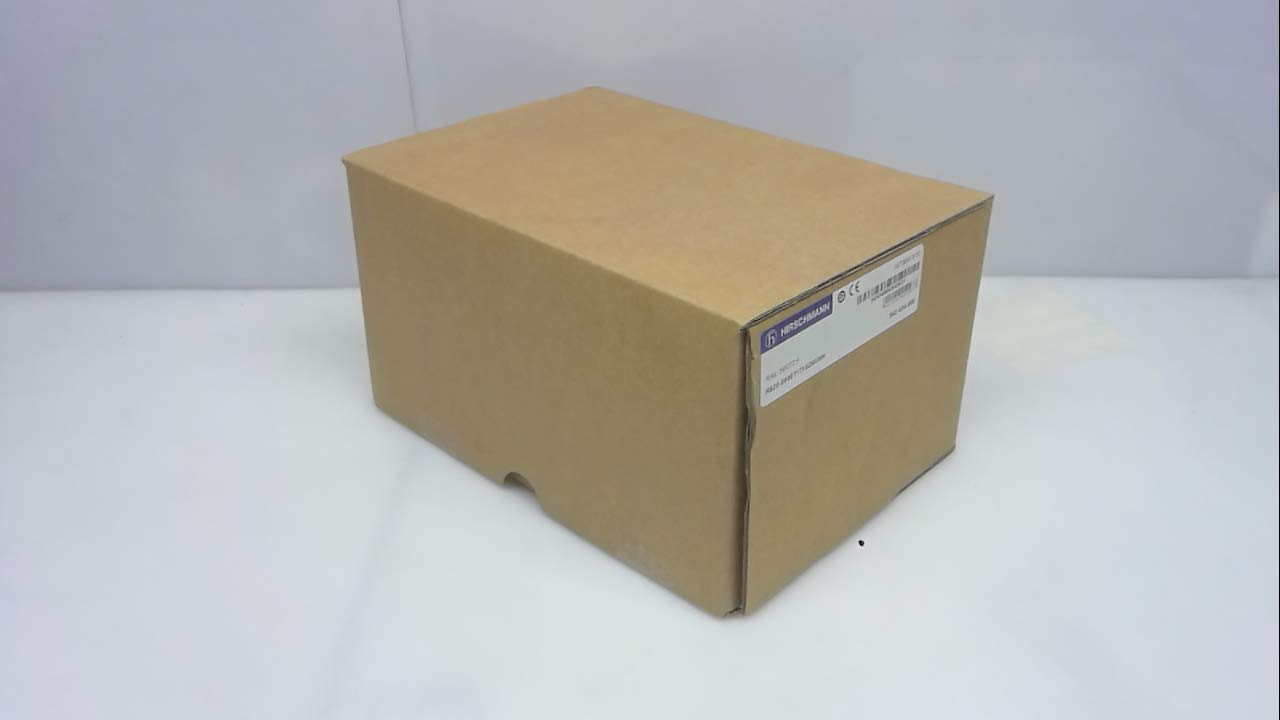
ຮູບທີ 1: Hirschmann RS20-0800T1T1SDAUHH Ethernet Rail Switch in its original packaging. The packaging indicates the model number and brand for verification.
2. ການຕິດຕັ້ງແລະການຕິດຕັ້ງ
Follow these steps for proper installation of your Hirschmann RS20-0800T1T1SDAUHH switch.
2.1 ການຫຸ້ມຫໍ່
- ລະມັດລະວັງເອົາສະຫວິດອອກຈາກການຫຸ້ມຫໍ່ຂອງມັນ.
- Verify that all components are present and undamaged. The package should contain the switch and any included hardware.
2.2 ການຕິດຕັ້ງ
The RS20-0800T1T1SDAUHH is designed for DIN rail mounting.
- Attach the switch securely to a standard DIN rail in an industrial enclosure.
- ຮັບປະກັນການລະບາຍອາກາດທີ່ພຽງພໍອ້ອມອຸປະກອນເພື່ອປ້ອງກັນຄວາມຮ້ອນເກີນໄປ.
2.3 ການເຊື່ອມຕໍ່ພະລັງງານ
ເຊື່ອມຕໍ່ການສະຫນອງພະລັງງານກັບສະວິດ.
- The switch operates on 24V AC or 24-48V DC.
- ໃຫ້ແນ່ໃຈວ່າແຫຼ່ງພະລັງງານກົງກັບລະດັບແຮງດັນທີ່ລະບຸໄວ້tage ຊ່ວງ.
- Connect the power cables to the designated power input terminals on the switch.
2.4 ການເຊື່ອມຕໍ່ເຄືອຂ່າຍ
Connect Ethernet devices to the switch ports.
- The switch features 8 Fast Ethernet ports.
- Use standard Ethernet cables (e.g., Cat5e or Cat6) to connect your network devices (e.g., PLCs, industrial PCs, sensors) to any of the 8 ports.
- The switch automatically detects link speed and duplex mode.

ຮູບທີ 2: The Hirschmann RS20-0800T1T1SDAUHH switch, illustrating the 8 Ethernet ports and the power input terminal block for connection.
3. ຄໍາແນະນໍາການດໍາເນີນງານ
The Hirschmann RS20-0800T1T1SDAUHH is an unmanaged switch, designed for simple plug-and-play operation.
3.1 ພະລັງງານໃນ
Once the power supply is connected, the switch will power on automatically. There is no power button.
3.2 ການເຊື່ອມຕໍ່ເຄືອຂ່າຍ
Upon connecting Ethernet devices to the switch ports, the switch will automatically establish network links. Data transmission will commence without further configuration.
3.3 ຕົວຊີ້ວັດ LED
Observe the LED indicators on the switch for status information:
- ໄຟ LED: Indicates the power status of the device. Typically green when powered on.
- ໄຟ LED ເຊື່ອມຕໍ່/ກິດຈະກຳ (ຕໍ່ພອດ):
- ສີຂຽວແຂງ: Indicates a successful network link.
- ກະພິບສີຂຽວ: ຊີ້ບອກກິດຈະກຳຂໍ້ມູນໃນພອດ.
- ປິດ: No link detected or device is not connected.
4. ບໍາລຸງຮັກສາ
The Hirschmann RS20-0800T1T1SDAUHH switch requires minimal maintenance.
4.1 ການທໍາຄວາມສະອາດ
- ໃຫ້ແນ່ໃຈວ່າອຸປະກອນຖືກປິດກ່ອນທີ່ຈະທໍາຄວາມສະອາດ.
- ໃຊ້ຜ້າອ່ອນແລະແຫ້ງເຊັດດ້ານນອກຂອງສະວິດ.
- Do not use liquid cleaners or solvents, as these can damage the device.
4.2 ການພິຈາລະນາດ້ານສິ່ງແວດລ້ອມ
The switch has an IP00 rating, meaning it is not protected against dust or water ingress. It must be installed in an appropriate enclosure that provides protection from environmental factors.
5. ການແກ້ໄຂບັນຫາ
This section provides solutions to common issues.
5.1 ບໍ່ມີພະລັງງານ
- ອາການ: ພະລັງງານໄຟ LED ຖືກປິດແລ້ວ.
- ການປະຕິບັດ:
- Check the power cable connection to the switch.
- ກວດສອບວ່າແຫຼ່ງພະລັງງານເປີດໃຊ້ງານຢູ່ ແລະ ໃຫ້ລະດັບສຽງທີ່ຖືກຕ້ອງtage (24V AC / 24-48V DC).
- Inspect the power terminals for secure contact.
5.2 ບໍ່ມີການເຊື່ອມຕໍ່ເຄືອຂ່າຍ
- ອາການ: Link/Activity LED for a port is off, or devices cannot communicate.
- ການປະຕິບັດ:
- ກວດໃຫ້ແນ່ໃຈວ່າສາຍອີເທີເນັດຖືກເຊື່ອມຕໍ່ຢ່າງປອດໄພກັບທັງຜອດສະວິດ ແລະອຸປະກອນທີ່ເຊື່ອມຕໍ່ແລ້ວ.
- ລອງສາຍອີເທີເນັດອື່ນ.
- ກວດສອບວ່າອຸປະກອນທີ່ເຊື່ອມຕໍ່ນັ້ນເປີດແລະເຮັດວຽກຖືກຕ້ອງ.
- ລອງເຊື່ອມຕໍ່ອຸປະກອນກັບຜອດອື່ນຢູ່ສະວິດ.
6. ຂໍ້ມູນຈໍາເພາະ
Technical specifications for the Hirschmann RS20-0800T1T1SDAUHH Ethernet Rail Switch.
| ຄຸນສົມບັດ | ຂໍ້ມູນຈໍາເພາະ |
|---|---|
| ໝາຍເລກຕົວແບບ | RS20-0800T1T1SDAUHH |
| ຍີ່ຫໍ້ | Hirschmann |
| ປະເພດສະຫຼັບ | Unmanaged Fast Ethernet Switch |
| ຈໍານວນພອດ | 8 |
| ປະເພດການຕິດຕັ້ງ | ບໍລິສັດ DIN Rail |
| ການດໍາເນີນງານ Voltage | 24V AC / 24-48V DC |
| ອະນຸສັນຍາການເຊື່ອມຕໍ່ | ອີເທີເນັດ |
| ຂະໜາດສິນຄ້າ (L x W x H) | 0.31 x 0.31 x 0.28 ນິ້ວ |
| ນ້ຳໜັກ | 5.67 ປອນ |
| ການຈັດອັນດັບການປົກປ້ອງສາກົນ | IP00 |
| ວັດສະດຸຕິດຕໍ່ | ທອງແດງ |
| ວັນທີທໍາອິດທີ່ມີ | ວັນທີ 11 ພຶດສະພາ 2018 |

ຮູບທີ 3: Product label for the Hirschmann RS20-0800T1T1SDAUHH, displaying key identification numbers such as UPC 4002044252977 and Alt ID 943 434-999.
7. ການຮັບປະກັນແລະການສະຫນັບສະຫນູນ
7.1 ຂໍ້ມູນການຮັບປະກັນ
For specific warranty details regarding your Hirschmann RS20-0800T1T1SDAUHH switch, please refer to the warranty documentation provided with your purchase or contact Hirschmann directly. Warranty terms typically cover manufacturing defects for a specified period from the date of purchase.
7.2 ສະຫນັບສະຫນູນດ້ານວິຊາການ
If you encounter issues that cannot be resolved using the troubleshooting guide, or require further technical assistance, please contact Hirschmann customer support or your authorized distributor. Have your product model number (RS20-0800T1T1SDAUHH) and serial number ready when contacting support.


