1. ຂໍ້ມູນຄວາມປອດໄພ
Please read all instructions carefully before using this appliance and retain for future reference. Always follow basic safety precautions when using electrical appliances to reduce the risk of fire, electric shock, and personal injury.
- ໃຫ້ແນ່ໃຈວ່າການສະຫນອງພະລັງງານກົງກັບ voltage ລະບຸໄວ້ໃນປ້າຍການຈັດອັນດັບ.
- ຢ່າໃຊ້ພັດລົມດ້ວຍສາຍໄຟ ຫຼືປລັກສຽບທີ່ເສຍຫາຍ.
- Keep the fan away from water and moisture. Do not immerse in water or other liquids.
- ຫ້າມເອົານິ້ວມື ຫຼືສິ່ງຂອງຕ່າງປະເທດເຂົ້າໄປໃສ່ເຕົາໄຟ ໃນຂະນະທີ່ພັດລົມເຮັດວຽກ.
- Unplug the fan from the power outlet when not in use, when moving it, or before cleaning.
- ເຄື່ອງໃຊ້ນີ້ແມ່ນໃຊ້ໃນເຮືອນເທົ່ານັ້ນ.
- ຮັກສາໃຫ້ໄກຈາກເດັກນ້ອຍ.
2. ຜະລິດຕະພັນເກີນview
The PureMate 43-inch Tower Fan (Model PM850) is designed to provide efficient and comfortable air circulation for your home or office. It features multiple speed and wind modes, oscillation, a timer, and an aroma function for enhanced comfort.

Image: The PureMate 43-inch Tower Fan in black, showing its sleek design, the remote control, and an illustration of air movement.
ຄຸນນະສົມບັດທີ່ສໍາຄັນ:
- 3 Wind Modes: Normal, Natural, and Sleep for varied comfort.
- 3 ການຕັ້ງຄ່າຄວາມໄວ: Low, Medium, and High to adjust airflow intensity.
- ການສັ່ນສະເທືອນ 70 ອົງສາ: Provides widespread air distribution.
- ໂມງຈັບເວລາ 8 ຊົ່ວໂມງ: Allows for automatic shut-off.
- ການຄວບຄຸມໄລຍະໄກ: ສໍາລັບການດໍາເນີນງານສະດວກຈາກໄລຍະໄກ.
- ຟັງຊັນກິ່ນຫອມ: Integrated tray for essential oils to diffuse fragrance.
- ເຄື່ອງຟອກອາກາດ: Helps improve air quality.
- ຈໍສະແດງຜົນ LED ຂະຫນາດໃຫຍ່: Clear indication of settings and room temperature.
- ການດໍາເນີນງານງຽບ: Designed for low noise levels, ideal for bedrooms.

Image: Detailed diagram of the fan's control panel, illustrating the various buttons and their corresponding functions such as ON/OFF, Speed, Mode, and Oscillation.
3. ຕັ້ງຄ່າ
The PureMate Tower Fan requires minimal assembly. Follow these steps to set up your fan:
- ລະມັດລະວັງເອົາວັດສະດຸຫຸ້ມຫໍ່ທັງຫມົດອອກຈາກພັດລົມແລະອົງປະກອບຂອງມັນ.
- Attach the base to the main fan unit. Align the screw holes on the base with those on the bottom of the fan.
- Secure the base using the provided screws. Typically, four screws are used to firmly attach the base.
- ວາງພັດລົມໃສ່ພື້ນຜິວທີ່ແຫນ້ນຫນາ.
- ສຽບສາຍໄຟເຂົ້າໄປໃນບ່ອນສຽບໄຟຟ້າທີ່ເຫມາະສົມ.
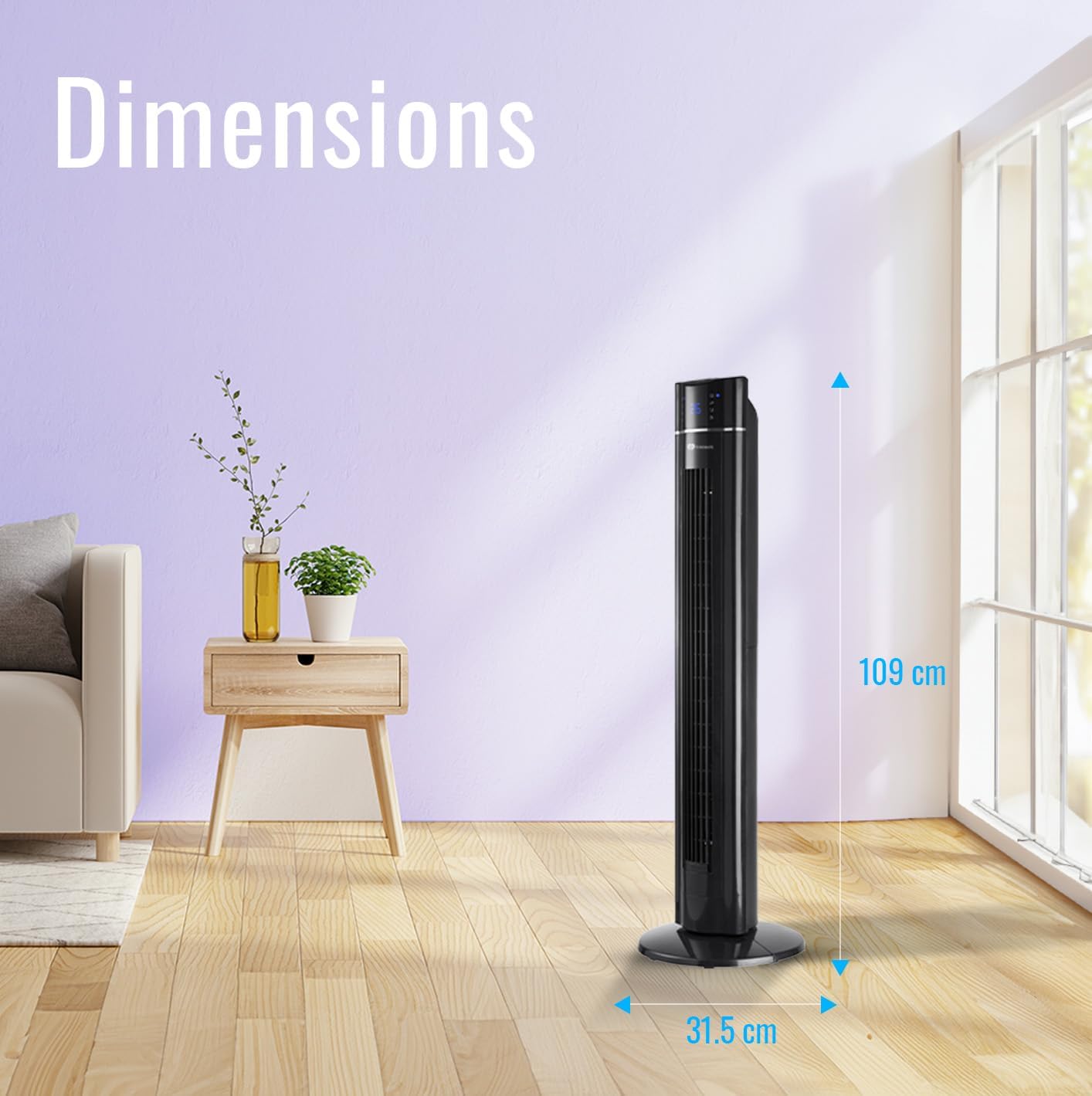
Image: The PureMate Tower Fan with its height (109 cm) and base width (31.5 cm) clearly marked, illustrating its compact and space-saving design.
4. ຄໍາແນະນໍາການດໍາເນີນງານ
Your PureMate Tower Fan can be operated using the control panel on top of the unit or the included remote control.
4.1 ເປີດ/ປິດ
- ກົດ ເປີດ/ປິດ button on the control panel or remote control to turn the fan on or off.
4.2 ການປັບຄວາມໄວ
- ກົດ ຄວາມໄວ button repeatedly to cycle through Low, Medium, and High settings. The current speed will be indicated on the LED display.
4.3 Selecting Wind Mode
- ກົດ ໂໝດ button repeatedly to select Normal, Natural, or Sleep wind mode.
- ໂໝດປົກກະຕິ: Provides a constant airflow.
- ໂໝດທຳມະຊາດ: ຈໍາລອງສາຍລົມທໍາມະຊາດທີ່ມີຄວາມໄວພັດລົມທີ່ແຕກຕ່າງກັນ.
- ຮູບແບບການນອນ: Gradually decreases fan speed and dims the LED display for undisturbed sleep.
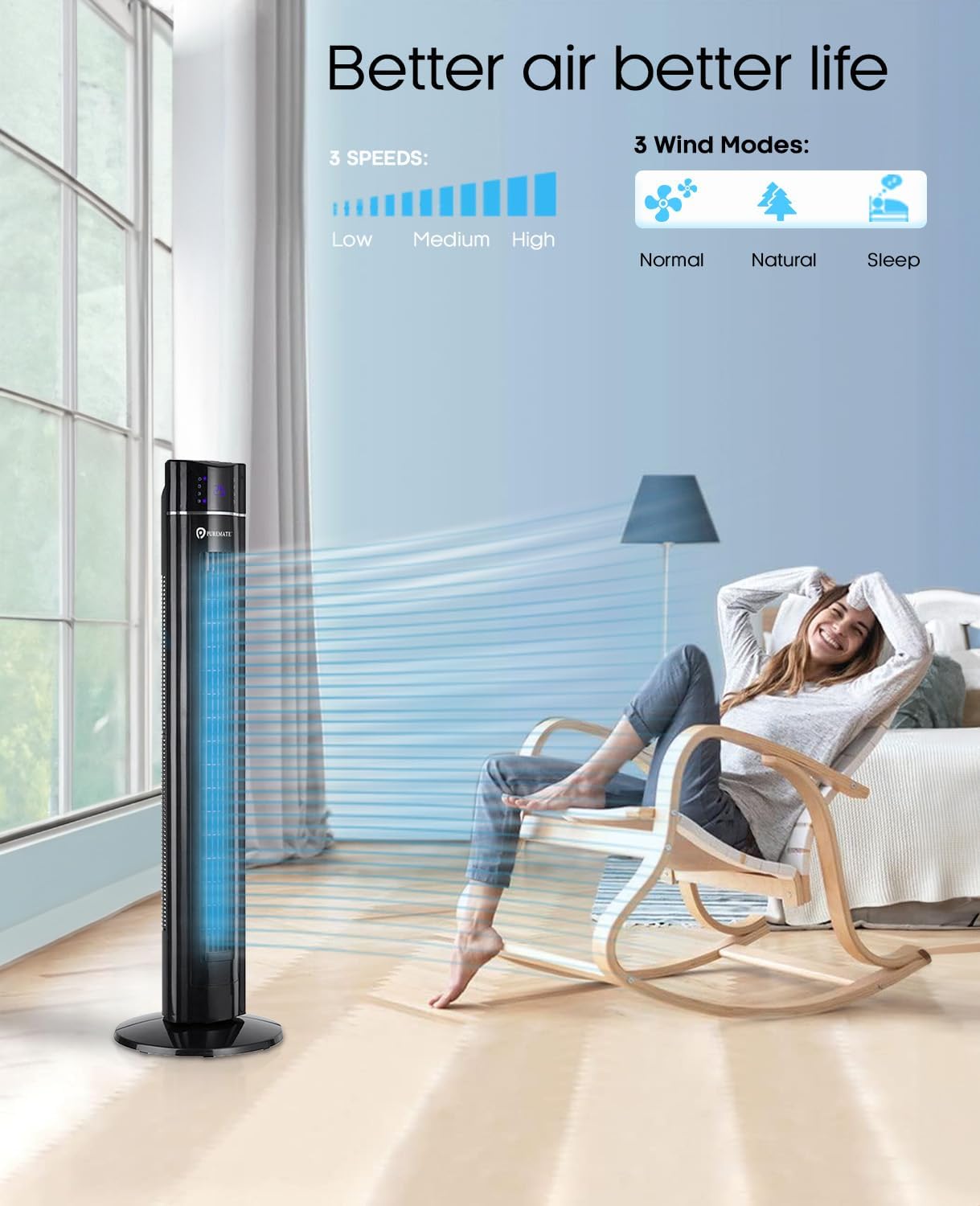
Image: The PureMate Tower Fan demonstrating its three speed settings (Low, Medium, High) and three wind modes (Normal, Natural, Sleep) for customized comfort.
4.4 ຟັງຊັນ Oscillation
- ກົດ OSC (Oscillation) button to activate or deactivate the 70-degree oscillation feature, which helps distribute air across a wider area.
4.5 ຟັງຊັນຈັບເວລາ
- ກົດ ໂມງຈັບເວລາ button repeatedly to set the desired operating time, from 1 to 8 hours, in 1-hour increments. The fan will automatically turn off after the set time.
4.6 Aroma Function
- Locate the aroma tray on the back or side of the fan.
- Pull out the tray and add a few drops of your preferred essential oil onto the sponge pad.
- Slide the tray back into its slot. The fan's airflow will diffuse the aroma.
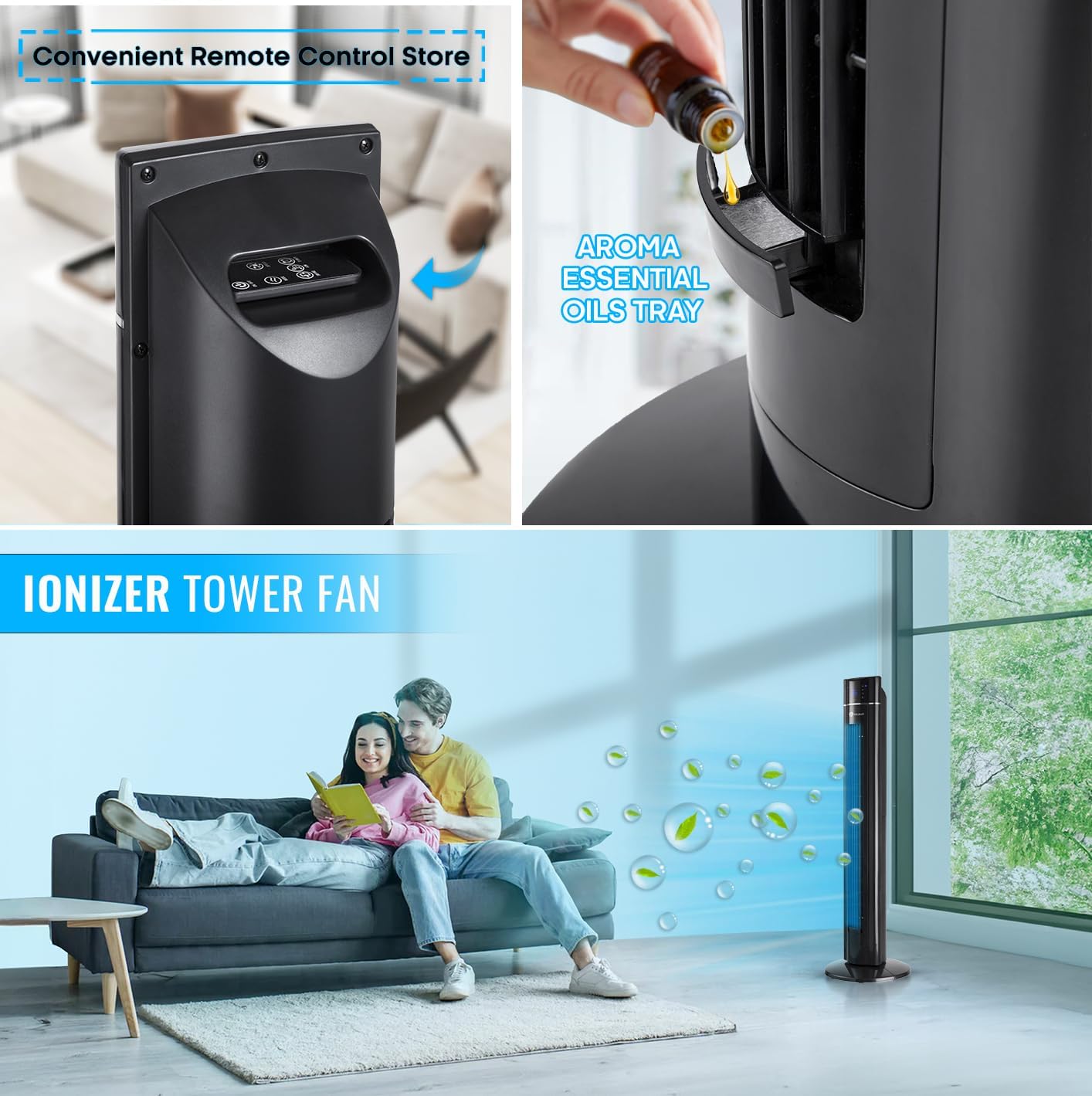
ຮູບພາບ: A close-up view of the PureMate Tower Fan's aroma essential oils tray, showing how to add drops of oil for fragrance diffusion.
4.7 ການຄວບຄຸມໄລຍະໄກ
- The remote control provides full functionality of the fan from a distance. Ensure batteries are correctly inserted.
- Store the remote control in the designated slot on the fan when not in use to prevent misplacement.
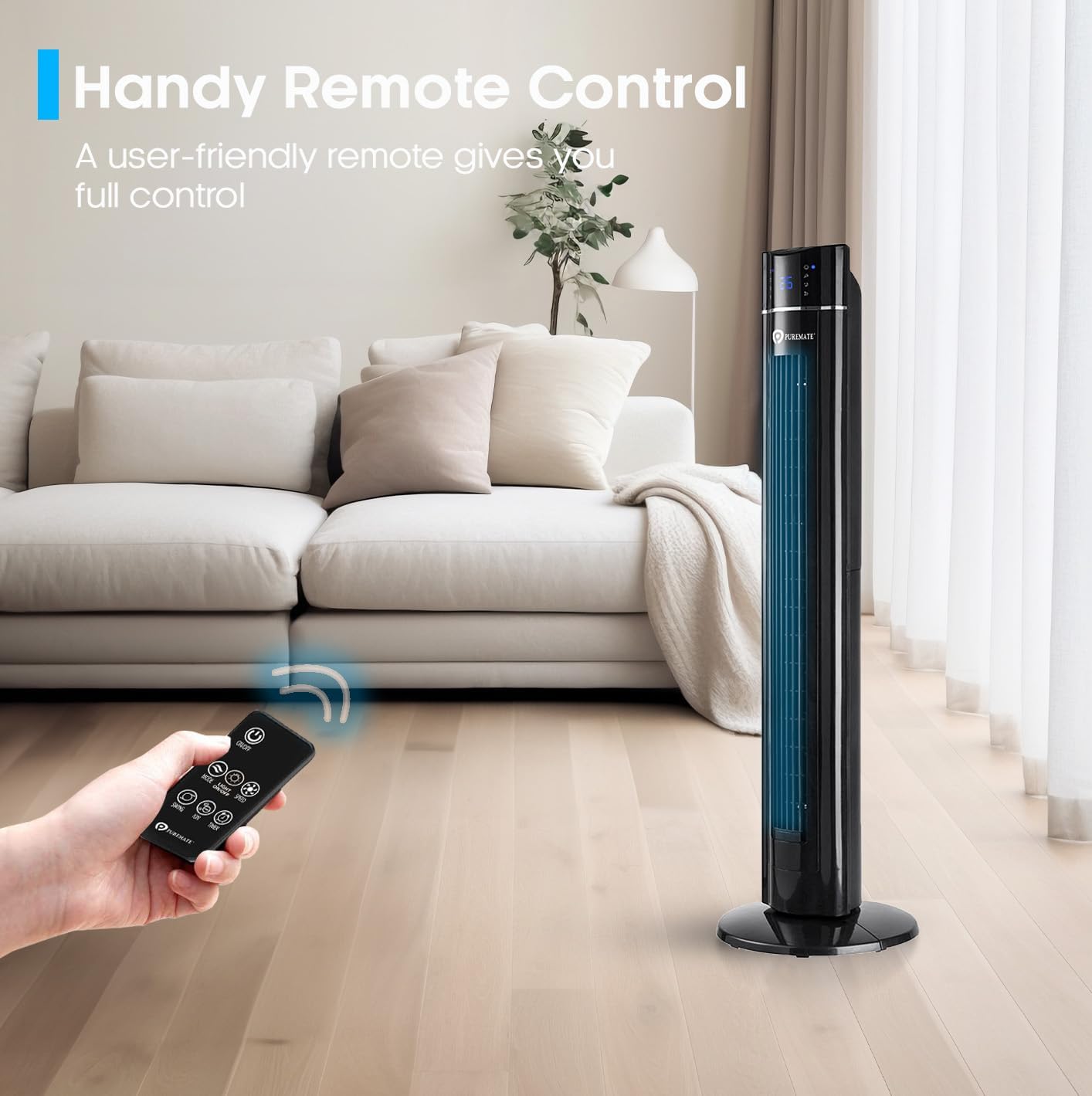
Image: A hand holding the remote control, demonstrating its use to operate the PureMate Tower Fan from a comfortable distance.
5. ບໍາລຸງຮັກສາ
Regular cleaning and maintenance will ensure the longevity and optimal performance of your PureMate Tower Fan.
- ທໍາຄວາມສະອາດພາຍນອກ: ເຊັດພື້ນຜິວພາຍນອກດ້ວຍຜ້າອ່ອນໆ, ງamp ຜ້າ. ຢ່າໃຊ້ເຄື່ອງເຮັດຄວາມສະອາດຂັດຫຼືສານລະລາຍ.
- Cleaning the Air Inlet/Outlet: ໃຊ້ເຄື່ອງດູດຝຸ່ນທີ່ມີແປງຕິດຢູ່ເພື່ອກຳຈັດຝຸ່ນອອກຈາກຕະແກງລະບາຍອາກາດເຂົ້າ ແລະ ອອກ.
- ຖາດຫອມ: Periodically clean the aroma tray and replace the sponge pad if it becomes discolored or worn.
- ການເກັບຮັກສາ: When not in use for extended periods, unplug the fan, clean it, and store it in a cool, dry place, preferably in its original packaging.
Caution: Always unplug the fan before cleaning or performing any maintenance.
6. ການແກ້ໄຂບັນຫາ
If you encounter issues with your PureMate Tower Fan, refer to the following common problems and solutions:
| ບັນຫາ | ສາເຫດທີ່ເປັນໄປໄດ້ | ການແກ້ໄຂ |
|---|---|---|
| ພັດລົມບໍ່ເປີດ. | ບໍ່ມີແຫຼ່ງຈ່າຍໄຟ; ບໍ່ໄດ້ກົດປຸ່ມເປີດປິດ; ແບັດເຕີຣີຣີໂໝດຄວບຄຸມໝົດ. | Check if the fan is plugged in and the outlet is working. Press the power button firmly. Replace remote control batteries. |
| ກະແສລົມອ່ອນແອ. | ຄວາມໄວພັດລົມຕໍ່າເກີນໄປ; ຊ່ອງສຽບອາກາດ / ຊ່ອງສຽບທີ່ຖືກສະກັດໂດຍຂີ້ຝຸ່ນ. | Increase fan speed. Clean the air inlets and outlets. |
| Fan makes unusual noise (rattling). | Loose components; Fan not on a level surface. | Ensure the base is securely attached. Place the fan on a stable, flat surface. If noise persists, contact customer support. |
| ຈໍສະແດງຜົນ LED ສະຫວ່າງເກີນໄປໃນຕອນກາງຄືນ. | Display light is active. | Use the 'Night Mode' or 'Light Off' button on the remote control or control panel to dim/turn off the display light. Note: Some models may reactivate the light upon power cycle. |
| Fan turns on/off unexpectedly. | Interference from other remote controls (e.g., TV remote). | Relocate the fan away from other devices that use infrared remote controls, or be mindful of other remote usage. |
| Loud beeping sound when changing settings. | Normal operational feedback. | This is a design feature. There is no option to disable the beeping sound. |
7. ຂໍ້ມູນຈໍາເພາະ
| ຄຸນສົມບັດ | ລາຍລະອຽດ |
|---|---|
| ຍີ່ຫໍ້ | PureMate |
| ໝາຍເລກຕົວແບບ | PM850 |
| ສີ | Tower_fan_black |
| ຂະໜາດສິນຄ້າ | 31.5 x 31.5 x 109 cm |
| ນ້ໍາຫນັກລາຍການ | 4.3 ກິໂລ |
| ພະລັງງານ / ວັດtage | 60 ວັດ |
| ສະບັບtage | 230 ໂວນ |
| ລະດັບສຽງ | 52 dB |
| ການສັ່ນສະເທືອນ | 70 ອົງສາ |
| ໂມງຈັບເວລາ | ສູງສຸດ 8 ຊົ່ວໂມງ |
| ຄຸນນະສົມບັດພິເສດ | Aroma Function, Air purifier, Portable, Oscillating, Lightweight, Bladeless, Timer, Remote Controlled, Quiet Operation, Safety Certified |
8. ການຮັບປະກັນແລະການສະຫນັບສະຫນູນ
PureMate products are manufactured with durability and quality in mind. For specific warranty details and customer support, please refer to the warranty card included with your product or visit the official PureMate webເວັບໄຊ.
For further assistance, you may contact PureMate customer service through their official channels. You can also visit the PureMate Store on Amazon ສໍາລັບຂໍ້ມູນເພີ່ມເຕີມແລະການລົງທະບຽນຜະລິດຕະພັນ.


