ແນະນຳ
This manual provides detailed instructions for the proper use and maintenance of your Sharp EL-W531TG-WH Scientific School Calculator. This calculator features a 4-line WriteView display, D.A.L. input method, and 414 pre-programmed functions, making it suitable for various mathematical and scientific calculations required in secondary education.

Image: The Sharp EL-W531TG-WH Scientific Calculator, showcasing its keypad and 4-line WriteView ຈໍສະແດງຜົນ.
ຕັ້ງຄ່າ
ແຫຼ່ງພະລັງງານ
The Sharp EL-W531TG-WH calculator operates using both solar power and a backup battery (1 LR44 battery included). The solar panel provides power in well-lit environments, while the battery ensures operation in low-light conditions.
ການຕິດຕັ້ງ/ປ່ຽນແບັດ
- ໃຫ້ແນ່ໃຈວ່າເຄື່ອງຄິດເລກຖືກປິດ.
- ຊອກຫາຝາປິດຊ່ອງໃສ່ຫມໍ້ໄຟຢູ່ດ້ານຫຼັງຂອງເຄື່ອງຄິດເລກ.
- ໂດຍໃຊ້ screwdriver ຂະຫນາດນ້ອຍ, ເອົາ screwdriver ຮັບປະກັນການປົກຫຸ້ມຂອງຫມໍ້ໄຟຢ່າງລະມັດລະວັງ.
- Remove the cover and replace the old LR44 battery with a new one, ensuring correct polarity (+/-).
- ປ່ຽນຝາປິດຫມໍ້ໄຟແລະຍຶດມັນດ້ວຍສະກູ.
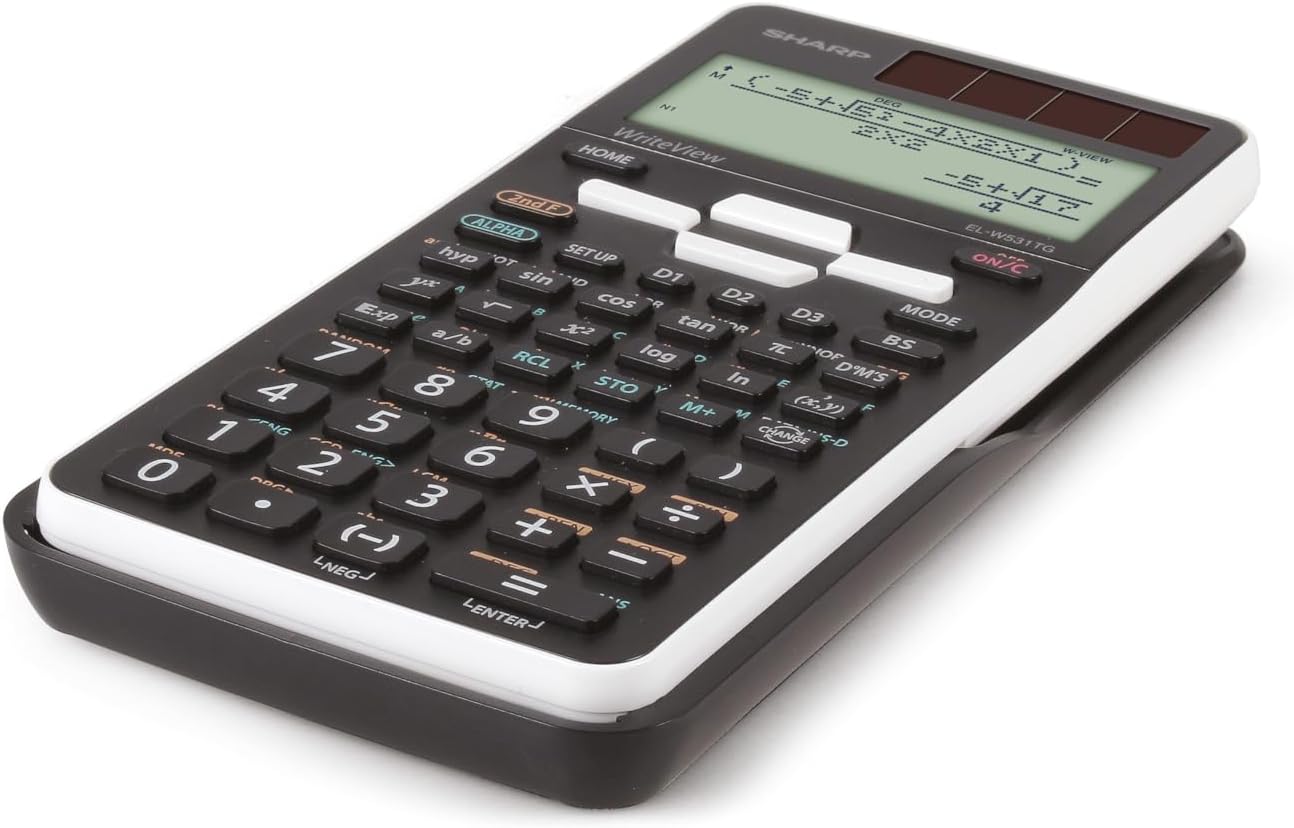
ຮູບພາບ: Side profile of the Sharp EL-W531TG-WH calculator, illustrating its compact design.
ຄໍາແນະນໍາການດໍາເນີນງານ
ເປີດ/ປິດ
- ເພື່ອເປີດ: ກົດປຸ່ມ ເປີດ/C ກະແຈ.
- ເພື່ອປິດ: ກົດ ທີ 2 F ແລ້ວ ປິດ (usually located above the ON/C key).
Display Modes (WriteView / Line)
The calculator features a WriteView display that shows fractions, roots, and formulas as they appear in textbooks. You can switch to a traditional line mode if preferred.
- To toggle between WriteView and Line mode: Press ໂໝດ and select the desired display option. Refer to the on-screen menu for specific selections.
ການດໍາເນີນງານເລກຄະນິດສາດພື້ນຖານ
Enter numbers and operations in sequence. The D.A.L. (Direct Algebraic Logic) input method allows you to input equations exactly as they are written.
- ເພີ່ມ: +
- ການຫັກລົບ: -
- ການຄູນ: x
- ພະແນກ: ÷
- ເທົ່າກັບ: =
ຫນ້າທີ່ວິທະຍາສາດ
The calculator includes 414 pre-programmed functions covering statistics, n-base calculations, logical operators, trigonometry, logarithms, and more. Access these functions using the dedicated keys or by pressing ທີ 2 F followed by the key with the desired secondary function.
- ຟັງຊັນສາມຫລ່ຽມ: ບາບ, cos, ຜິວເນື້ອສີຂາ and their inverse functions (accessed via ທີ 2 F).
- ການທໍາງານຂອງ logarithmic: ບັນທຶກ, ln.
- ການທໍາງານຂອງພະລັງງານແລະຮາກ: x², √, xʸ.
- ສະຖິຕິ: Enter STAT mode via ໂໝດ to perform statistical calculations.
- N-Base Calculations: Perform calculations in binary, octal, decimal, and hexadecimal bases.
ຟັງຊັນຄວາມຈໍາ
The calculator features 4 shortcut memory buttons (D1, D2, D3, D4) for quick access to frequently used functions or constants. Additionally, standard memory functions (M+, M-, RCL, STO) are available.
- STO (Store): Stores a value into a memory variable.
- RCL (ເອີ້ນຄືນ): Recalls a value from a memory variable.
- M+ / M-: Adds to or subtracts from the independent memory.

ຮູບພາບ: ລາຍລະອຽດ view of the calculator's keypad, showing various function keys and their secondary operations.
ບໍາລຸງຮັກສາ
ທໍາຄວາມສະອາດ
To clean the calculator, wipe it gently with a soft, dry cloth. Do not use abrasive cleaners, solvents, or wet cloths, as these can damage the casing ຫຼືອົງປະກອບພາຍໃນ.
ການເກັບຮັກສາ
When not in use for extended periods, store the calculator in a cool, dry place away from direct sunlight and extreme temperatures. Keep it in its protective cover to prevent scratches and damage.
ການດູແລຫມໍ້ໄຟ
If the calculator will not be used for a very long time, it is advisable to remove the LR44 battery to prevent potential leakage and damage to the device.
ການແກ້ໄຂບັນຫາ
ສະແດງບັນຫາ
- ຈໍສະແດງຜົນຫວ່າງເປົ່າ: Check battery level. Replace the LR44 battery if necessary. Ensure sufficient light for solar operation.
- ຈໍສະແດງຜົນອ່ອນໆ: This may indicate a low battery. Replace the LR44 battery.
Incorrect Calculations
- ຜົນໄດ້ຮັບທີ່ບໍ່ຖືກຕ້ອງ: Verify the input method (D.A.L.) and ensure all values are entered correctly. Check if the calculator is in the correct mode (e.g., DEG/RAD for trigonometric functions, STAT mode for statistics).
- ຂໍ້ຄວາມຜິດພາດ: Refer to the calculator's on-screen error codes (if any) for specific issues. Common errors include division by zero or invalid function arguments.
ຣີເຊັດເຄື່ອງຄິດເລກ
If the calculator behaves erratically or freezes, a reset may resolve the issue. Locate the small reset button (often on the back or side, requiring a thin object like a paperclip to press) or perform a soft reset via the ຕັ້ງຄ່າ menu. Note that resetting may clear all memory and settings.
ຂໍ້ມູນຈໍາເພາະ
| ຄຸນສົມບັດ | ລາຍລະອຽດ |
|---|---|
| ຕົວແບບ | EL-W531TG-WH |
| ປະເພດການສະແດງ | Dot Matrix LCD, 4-line (96 x 32 mm) |
| ຂະຫນາດຈໍສະແດງຜົນ | 2.5 ນິ້ວ |
| ວິທີການປ້ອນຂໍ້ມູນ | D.A.L. (Direct Algebraic Logic) |
| ຟັງຊັນ | 414 pre-programmed functions (statistics, n-base, logical operators, etc.) |
| ແຫຼ່ງພະລັງງານ | Solar and Battery Operated (1 x LR44 included) |
| ຂະໜາດ (L x W x H) | 16.6 x 8 x 1.5 cm |
| ນ້ຳໜັກ | 108 g |
| ວັດສະດຸ | ພາດສະຕິກ |
ການຮັບປະກັນແລະການສະຫນັບສະຫນູນ
ສໍາລັບຂໍ້ມູນການຮັບປະກັນ ແລະການຊ່ວຍເຫຼືອດ້ານວິຊາການ, ກະລຸນາເບິ່ງເອກະສານທີ່ລວມຢູ່ໃນການຊື້ຂອງທ່ານ ຫຼືເຂົ້າໄປທີ່ Sharp ຢ່າງເປັນທາງການ website. A PC simulator for this model may be available for download from the manufacturer's support page.


