ແນະນຳ
This manual provides instructions for the safe and efficient operation of your Ottimo Home Coffee Bean Cooler J 300C. Please read this manual thoroughly before using the product and retain it for future reference.
ສິນຄ້າເກີນview
The Ottimo Home Coffee Bean Cooler J 300C is designed to rapidly cool roasted coffee beans, preventing over-roasting and preserving rich flavor. It features an antique wood design with sanitized stainless steel components.
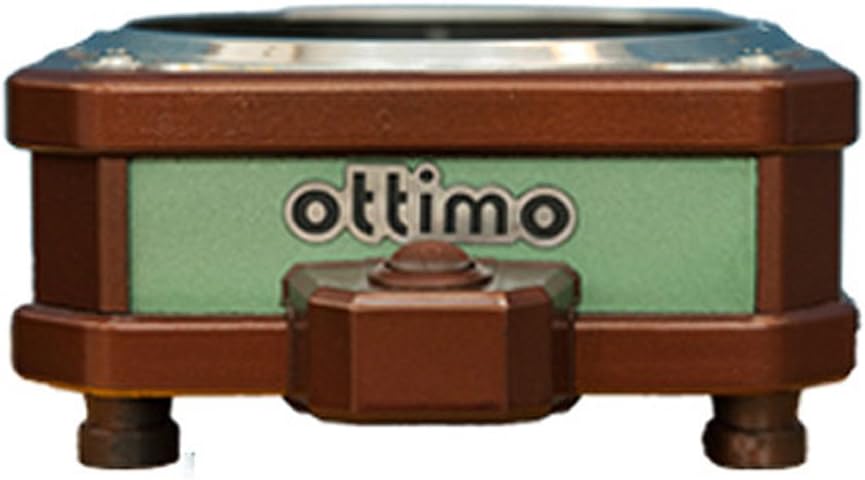
ຮູບພາບ: ທາງຫນ້າ view of the Ottimo Home Coffee Bean Cooler J 300C, showcasing its compact design and the 'ottimo' brand logo on a green panel.
ອົງປະກອບ

Image: Diagram illustrating the main components of the coffee bean cooler, including the cooling mesh basket, air outlet, main body (fan), and On/OFF switch/air inlet.
- Cooling Mesh Basket: Holds roasted coffee beans for cooling.
- ຊ່ອງສຽບອາກາດ: Where cooled air exits the unit.
- Main Body (Fan): Houses the cooling fan and internal mechanisms.
- On/OFF Switch / Air Inlet: Controls power and serves as the air intake.
ຂໍ້ມູນຈໍາເພາະ
| ຄຸນສົມບັດ | ລາຍລະອຽດ |
|---|---|
| ຄວາມອາດສາມາດ | 200 g - 300 g |
| ຂະໜາດສິນຄ້າ (L x W x H) | 160 mm x 192 mm x 82 mm |
| ນ້ຳໜັກ | 0.8 ກິໂລກຣາມ |
| ພະລັງງານ | DC 24 V 0.2 A 5 W (adapter 220 V 60 Hz 2 pin) |
| ຕົວແບບ | J 300 C |
| ຕົ້ນກໍາເນີດ | ຜະລິດຢູ່ເກົາຫຼີ |
| ຜູ້ຜະລິດ | ໂອຕິໂມ |
ຂໍ້ມູນຄວາມປອດໄພ
ກະລຸນາສັງເກດການລະມັດລະວັງດ້ານຄວາມປອດໄພດັ່ງຕໍ່ໄປນີ້ເພື່ອປ້ອງກັນການບາດເຈັບຫຼືຄວາມເສຍຫາຍຂອງຜະລິດຕະພັນ:
- Ensure the power adapter matches the specified voltage (220V 60Hz) for your region.
- ຢ່າຈຸ່ມຫົວ ໜ່ວຍ ໃນນ້ ຳ ຫລືທາດແຫຼວອື່ນໆ.
- ຮັກສາໃຫ້ໄກຈາກເດັກນ້ອຍ.
- ຫ້າມປິດຊ່ອງສຽບອາກາດ ຫຼືທາງອອກໃນລະຫວ່າງການເຮັດວຽກ.
- ຖອດເຄື່ອງອອກເມື່ອບໍ່ໄດ້ໃຊ້ ຫຼືກ່ອນທຳຄວາມສະອາດ.
- Use only with dry coffee beans.
ຕັ້ງຄ່າ
- ແກະກ່ອງ: ເອົາສ່ວນປະກອບທັງຫມົດອອກຈາກການຫຸ້ມຫໍ່ຢ່າງລະມັດລະວັງ.
- ການຈັດວາງ: Place the cooler on a stable, flat, and heat-resistant surface. Ensure adequate ventilation around the unit.
- Assemble Basket: Place the cooling mesh basket securely onto the main body of the cooler.
- ເຊື່ອມຕໍ່ພະລັງງານ: Insert the DC 24V adapter into the power port on the cooler. Plug the adapter into a suitable 220V 60Hz power outlet.

Image: The Ottimo Coffee Bean Cooler with the mesh basket in place and the power switch visible, ready for operation.
ຄໍາແນະນໍາການດໍາເນີນງານ
- Prepare Beans: After roasting, immediately transfer the hot coffee beans into the cooling mesh basket. Ensure the quantity does not exceed the maximum capacity of 300g.
- ເລີ່ມເຮັດຄວາມເຢັນ: Flip the On/OFF switch to the 'ON' position. The internal fan will activate, drawing air through the beans to cool them rapidly.
- Monitor Cooling: Allow the beans to cool completely. This typically takes a few minutes, depending on the bean temperature and ambient conditions.
- Remove Beans: Once cooled, turn the On/OFF switch to the 'OFF' position. Carefully remove the mesh basket and transfer the cooled beans to an airtight container for storage.

ຮູບພາບ: A close-up view of roasted coffee beans resting in the cooling mesh basket of the Ottimo Cooler, ready for the cooling process.

ຮູບພາບ: ຂ້າງລຸ່ມ view of the Ottimo Coffee Bean Cooler, revealing the fan mechanism responsible for circulating air to cool the beans.
ການບໍາລຸງຮັກສາແລະການທໍາຄວາມສະອາດ
Regular cleaning ensures optimal performance and longevity of your coffee bean cooler.
- ຖອດປລັກ: Always unplug the cooler from the power outlet before cleaning.
- Clean Mesh Basket: Remove the cooling mesh basket. Wash it with warm, soapy water and rinse thoroughly. Ensure it is completely dry before reattaching.
- Wipe Main Body: Wipe the exterior of the main body with a soft, damp ຜ້າ. ຫ້າມໃຊ້ເຄື່ອງເຮັດຄວາມສະອາດຂັດຫຼືຈຸ່ມຫົວໜ່ວຍໃນນ້ຳ.
- Clean Fan Area: Periodically inspect the fan area for any accumulated chaff or dust. Use a soft brush or a vacuum cleaner with a brush attachment to gently remove debris.
- ການເກັບຮັກສາ: Store the cooler in a clean, dry place when not in use.
ການແກ້ໄຂບັນຫາ
| ບັນຫາ | ສາເຫດທີ່ເປັນໄປໄດ້ | ການແກ້ໄຂ |
|---|---|---|
| ຫນ່ວຍບໍລິການບໍ່ເປີດ. |
|
|
| Cooling is inefficient. |
|
|
| ສິ່ງລົບກວນຜິດປົກກະຕິໃນລະຫວ່າງການປະຕິບັດງານ. |
|
|
ການຮັບປະກັນແລະການສະຫນັບສະຫນູນ
Specific warranty information is not provided in the product details. For warranty claims or technical support, please contact the manufacturer, Ottimo, or your point of purchase. Retain your proof of purchase for any warranty-related inquiries.
ຜູ້ຜະລິດ: ໂອຕິໂມ
ຕົວແບບ: J 300C


