1. ບົດແນະນຳ
The Darkglass Microtubes B7K V2 is a versatile bass preamp pedal designed to provide a wide range of tonal options for electric bass players. It combines a powerful overdrive circuit with a comprehensive 4-band equalizer and a balanced XLR output, making it suitable for both live performance and studio recording. This manual provides detailed instructions for setting up, operating, and maintaining your B7K V2 pedal.
2. ຄຸນສົມບັດ
- Combines a preamp, EQ, and overdrive in one unit for powerful tone shaping.
- Features a blend control to mix clean and overdriven signals for perfect balance.
- Includes a 4-band active EQ with bass, low mids, high mids, and treble controls.
- Grunt switch adds three levels of low-end boost for a thicker sound.
- Attack switch adjusts treble content, offering boost, flat, and cut settings.
- Low mids switch changes the center frequency from 1 kHz to 500 Hz.
- Hi mids switch changes the center frequency from 3 kHz to 1.5 kHz.
- Parallel output for running the input signal through unaffected.
- Direct output provides a balanced version for PA systems or studio consoles.
- Operates with a regulated 9V DC adapter (not included).
3. ການຄວບຄຸມແລະການເຊື່ອມຕໍ່
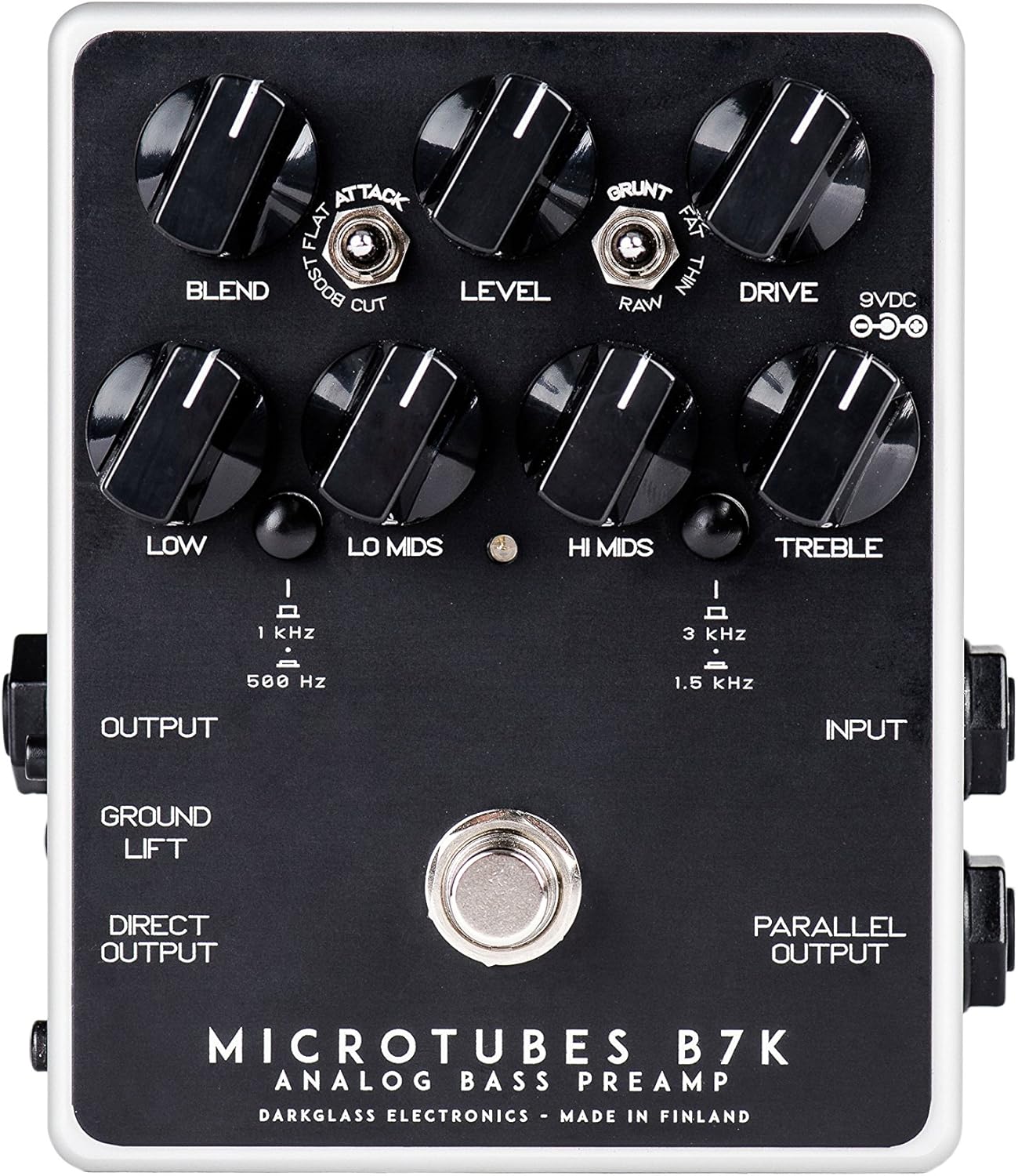
ຮູບທີ 1: ທາງເທິງ view of the B7K V2 pedal.
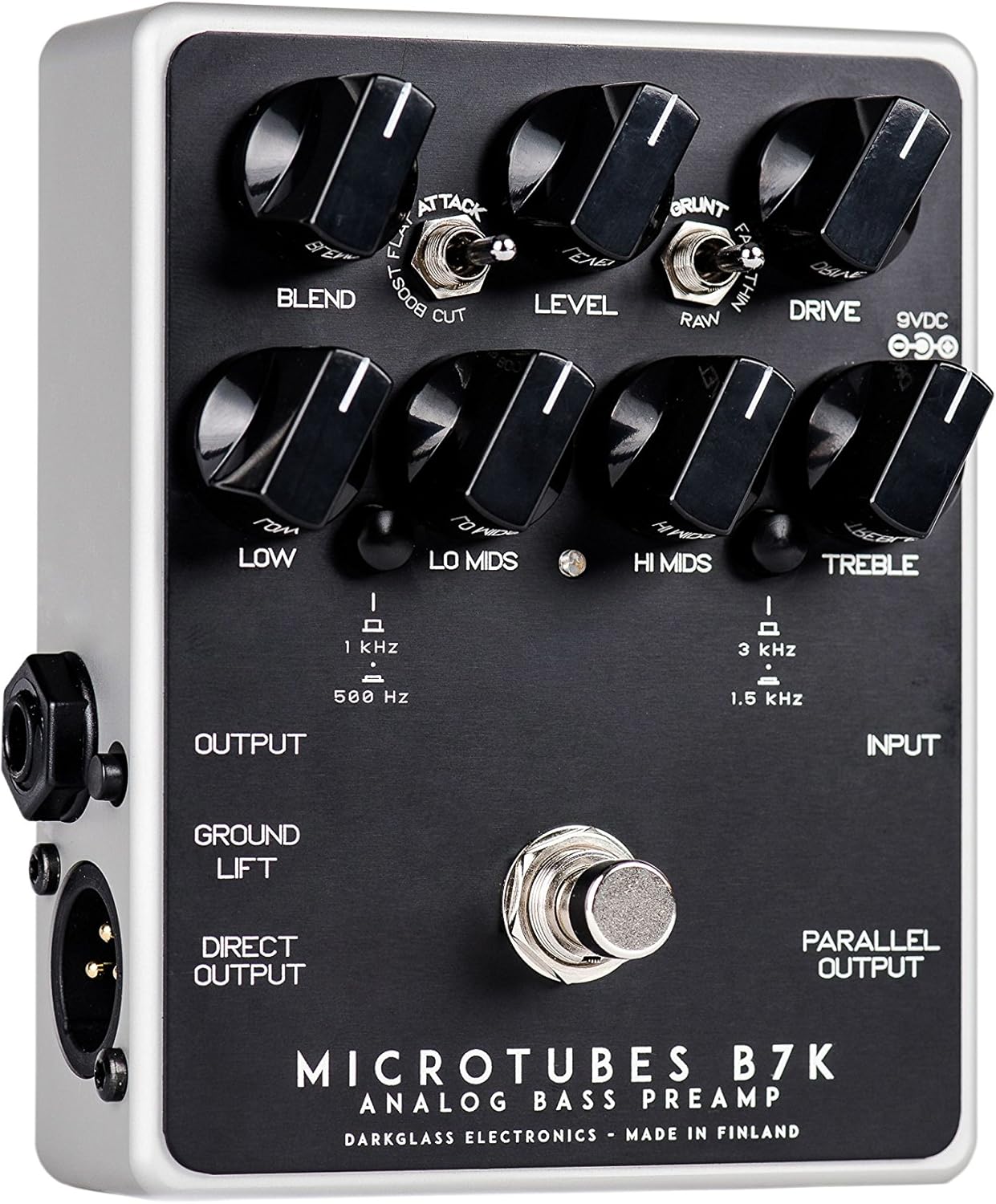
Figure 2: Left side connections.

Figure 3: Right side connections.
3.1 ປຸ່ມຄວບຄຸມ
- ຜະສົມຜະສານ: Mixes the clean input signal with the overdriven signal. The clean signal remains at unity gain while the volume of the overdriven signal is controlled by the Drive knob, allowing for fine-tuning of the blend ratio.
- ລະດັບ: ກຳນົດປະລິມານຜົນຜະລິດໂດຍລວມຂອງ pedal.
- ຂັບ: Controls the amount of gain in the overdriven signal.
- ຕ່ຳ: Adjusts the level of the low frequencies.
- Lo Mids: Adjusts the level of the low-mid frequencies. The center frequency can be switched between 500 Hz and 1 kHz.
- ສະບາຍດີ Mids: Adjusts the level of the high-mid frequencies. The center frequency can be switched between 1.5 kHz and 3 kHz.
- ສຽງສູງ: Adjusts the level of the high frequencies.
3.2 ສະວິດ
- ສະຫຼັບການໂຈມຕີ: Modifies the treble content of the overdriven signal. Options are Boost, Flat, and Cut.
- Grunt Switch: Modifies the low-end content of the overdriven signal. Options are Thin, Raw, and Fat.
- Lo Mids Switch: Selects the center frequency for the Lo Mids knob (500 Hz or 1 kHz).
- Hi Mids Switch: Selects the center frequency for the Hi Mids knob (1.5 kHz or 3 kHz).
- ສະວິດຍົກພື້ນ: Disconnects the ground from the XLR output to help eliminate hum or ground loops when connected to external equipment.
3.3 ການເຊື່ອມຕໍ່
- Input (1/4" Jack): Connect your bass guitar or other instrument here.
- Output (1/4" Jack): Connect to your bass amplifier ຫຼື pedals ຜົນກະທົບອື່ນໆ.
- Direct Output (XLR): Provides a balanced output for connecting directly to a PA system, mixing console, or audio interface.
- Parallel Output (1/4" Jack): Outputs the unaffected input signal, useful for parallel processing or sending a clean signal to another device.
- 9VDC Input: Connect a regulated 9V DC power supply (center negative, minimum 30mA).
4. ຕັ້ງຄ່າ
- Ensure the pedal is powered off before making any connections.
- ເຊື່ອມຕໍ່ guitar bass ຂອງທ່ານກັບ ປ້ອນຂໍ້ມູນ ແຈັກຢູ່ເບື້ອງຂວາຂອງກະບະ.
- ເຊື່ອມຕໍ່ ຜົນຜະລິດ jack on the left side to your bass ampການປ້ອນຂໍ້ມູນຂອງ lifier.
- If using the balanced output, connect the Direct Output (XLR) to a PA system, mixing console, or audio interface.
- If you need an unaffected signal, connect the ຜົນຜະລິດຂະຫນານ ກັບອຸປະກອນອື່ນ.
- Connect a regulated 9V DC (center negative) power supply to the ການປ້ອນຂໍ້ມູນ 9VDC. The pedal requires a minimum of 30mA. ໝາຍເຫດ: ບໍ່ມີແຫຼ່ງຈ່າຍໄຟລວມຢູ່ກັບກະເບື້ອງ.
- Once all connections are secure, you can power on the pedal.
5. ຄໍາແນະນໍາການດໍາເນີນງານ
5.1 ການດໍາເນີນງານພື້ນຖານ
To activate the pedal, press the footswitch. The LED indicator will illuminate. To bypass the effect, press the footswitch again.
5.2 Tone Shaping
- Start with all EQ knobs (Low, Lo Mids, Hi Mids, Treble) at the 12 o'clock position for a flat response.
- ປັບ ຂັບ knob to achieve your desired level of overdrive. Higher settings will produce more distortion.
- ໃຊ້ ປະສົມ knob to mix the clean signal with the overdriven signal. This allows you to retain clarity and low-end presence while adding grit.
- ທົດລອງກັບ ການໂຈມຕີ ແລະ ຂີ້ຄ້ານ switches to fine-tune the treble and bass characteristics of the overdriven tone.
- Utilize the 4-band EQ to sculpt your overall tone. The Lo Mids ແລະ ສະບາຍດີ Mids switches allow you to select different frequency centers for precise control.
- ປັບ ລະດັບ knob to match the output volume with your bypassed signal or to boost your signal for solos.
6. ບໍາລຸງຮັກສາ
- ຮັກສາຄັນເລັ່ງໃຫ້ສະອາດໂດຍການເຊັດມັນດ້ວຍຜ້າອ່ອນໆແລະແຫ້ງ. ຫຼີກລ່ຽງການໃຊ້ນໍ້າຢາເຮັດຄວາມສະອາດທີ່ມີສີຂັດ ຫຼື ຕົວລະລາຍ.
- Protect the pedal from extreme temperatures, moisture, and direct sunlight.
- ໃຫ້ແນ່ໃຈວ່າສາຍໄຟທັງໝົດຢູ່ໃນສະພາບດີ ແລະ ເຊື່ອມຕໍ່ຢ່າງຖືກຕ້ອງເພື່ອປ້ອງກັນການສູນເສຍສັນຍານ ຫຼື ຄວາມເສຍຫາຍ.
- Always use a regulated 9V DC center-negative power supply to avoid damage to the unit.
7. ການແກ້ໄຂບັນຫາ
| ບັນຫາ | ສາເຫດທີ່ເປັນໄປໄດ້ | ການແກ້ໄຂ |
|---|---|---|
| ບໍ່ມີສຽງ | ການສະໜອງພະລັງງານບໍ່ຖືກຕ້ອງ; ສາຍໄຟບໍ່ໄດ້ເຊື່ອມຕໍ່ຢ່າງຖືກຕ້ອງ; ຂ້າມການຖີບ. | Verify 9V DC center-negative power supply is connected. Check all input/output cables. Ensure pedal is engaged (LED illuminated). |
| Excessive hum or noise | ວົງແຫວນກຣາວ; ສາຍໄຟທີ່ມີຂໍ້ບົກຜ່ອງ; ການລົບກວນຈາກອຸປະກອນອື່ນໆ. | ມີສ່ວນຮ່ວມ ຍົກພື້ນ switch on the XLR output. Try different cables. Ensure power supply is isolated and free from noise. Move pedal away from power transformers or other noisy electronics. |
| Weak or distorted signal (unintended) | ການເພີ່ມ s ບໍ່ຖືກຕ້ອງtaging; faulty instrument cable. | ປັບ ລະດັບ ແລະ ຂັບ knobs. Test with a different instrument cable. |
8. ຂໍ້ມູນຈໍາເພາະ
- ນ້ໍາຫນັກລາຍການ: 1.1 ປອນ (0.5 ກິໂລກຣາມ)
- ຂະໜາດຜະລິດຕະພັນ: 6 x 7 x 10 ນິ້ວ
- ໝາຍເລກຕົວແບບ: B7K2
- ສີ: ດຳ
- ປະເພດຕົວເຊື່ອມຕໍ່: 1/4" (aux), XLR
- ການໂຕ້ຕອບຮາດແວ: USB (for potential future firmware updates, not for audio)
- ຮູບແບບສັນຍານ: ອະນາລັອກ
- ແຫຼ່ງພະລັງງານ: ໄຟຟ້າສາຍ
- ສະບັບtage: 9 Volts DC (center negative)
- ແຕ້ມປັດຈຸບັນ: ຕ່ໍາສຸດ 30mA
9. ການຮັບປະກັນແລະການສະຫນັບສະຫນູນ
Darkglass Electronics products are designed for reliability and performance. For specific warranty information and support, please refer to the documentation included with your purchase or visit the official Darkglass Electronics webເວັບໄຊ. ຮັກສາຫຼັກຖານການຊື້ຂອງທ່ານສໍາລັບການຮ້ອງຂໍການຮັບປະກັນ.
For technical assistance or service inquiries, please contact Darkglass Electronics customer support through their official channels.