1. ການຕິດຕັ້ງແລະການປະກອບ
This Serta office chair requires assembly. Please follow the steps below carefully to ensure proper and safe setup. It is recommended to assemble the chair on a soft, clean surface to prevent damage.
ຂັ້ນຕອນການປະກອບ:
- ຄັດຕິດ Casters ກັບຖານ: Insert each caster into the holes at the end of each leg of the five-star base. Push firmly until they click into place.
- ໃສ່ Gas Lift: Place the large end of the gas lift cylinder into the center hole of the assembled five-star base.
- ຕິດທີ່ວາງແຂນໃສ່ບ່ອນນັ່ງ: ຍຶດບ່ອນວາງແຂນໃຫ້ແໜ້ນກັບດ້ານລຸ່ມຂອງເບາະນັ່ງໂດຍໃຊ້ສະກູທີ່ໃຫ້ມາ. ຮັບປະກັນວ່າບ່ອນວາງແຂນຢູ່ໃນທິດທາງທີ່ຖືກຕ້ອງ (ຊ້າຍ ແລະ ຂວາ).
- ຄັດຕິດພື້ງຫຼັງໃສ່ບ່ອນນັ່ງ: Align the backrest with the seat cushion and secure it using the provided screws. Do not overtighten.
- ຕິດກົນໄກໃສ່ບ່ອນນັ່ງ: Fasten the seat plate mechanism to the underside of the seat cushion, ensuring the front of the mechanism faces the front of the seat.
- ເຊື່ອມຕໍ່ບ່ອນນັ່ງກັບຍົກອາຍແກັສ: ວາງບ່ອນນັ່ງ ແລະບ່ອນຮອງທີ່ປະກອບໃສ່ຢ່າງລະມັດລະວັງໃສ່ກະບອກຍົກອາຍແກັສ, ໃຫ້ແນ່ໃຈວ່າຮູກາງຂອງກົນໄກສອດຄ່ອງກັບດ້ານເທິງຂອງຍົກກ໊າຊ. ກົດລົງຢ່າງແຫນ້ນຫນາເພື່ອຮັບປະກັນ.
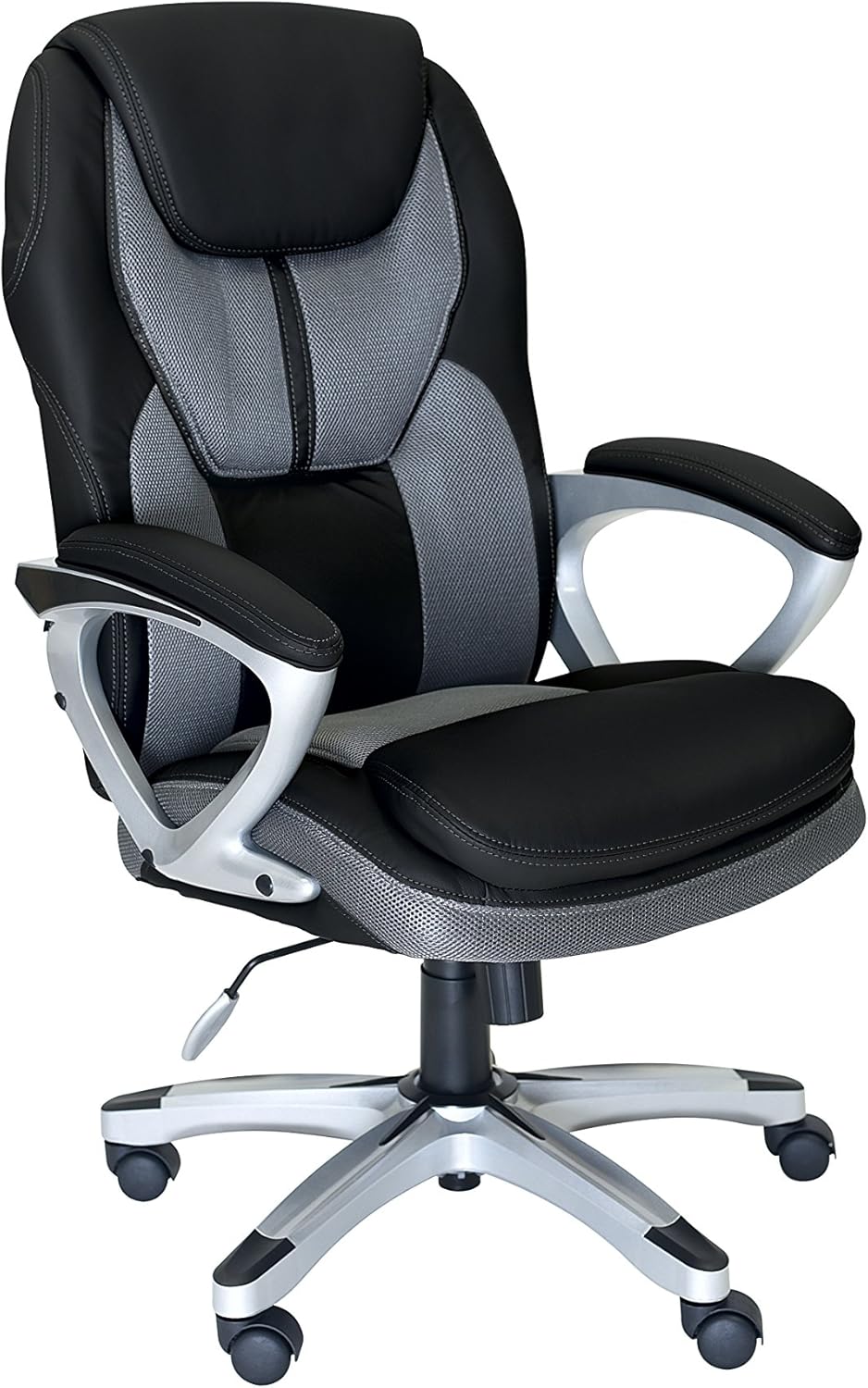
This image displays the Serta office chair in its fully assembled state, featuring black and grey upholstered sections, padded armrests, and a five-star base with casters.
2. ຄໍາແນະນໍາການດໍາເນີນງານ
Familiarize yourself with the chair's adjustable features to optimize your comfort and support.
ການປັບເກົ້າອີ້:
- ການປັບຄວາມສູງ: To raise the chair, lift the lever located on the right side of the seat while taking your weight off the seat. To lower the chair, lift the lever while seated. Release the lever at the desired height.
- ຟັງຊັນ Tilt/Rocking: Pull the same lever (on the right side) outwards to enable the rocking motion of the chair. Push the lever inwards to lock the chair in an upright position.
- ການປັບຄວາມເຄັ່ງຕຶງອຽງ: The round knob located underneath the front of the seat controls the tension of the tilt mechanism. Turn the knob clockwise to increase tilt tension (making it harder to recline) or counter-clockwise to decrease tension (making it easier to recline).
3. ການບໍາລຸງຮັກສາແລະການດູແລ
Regular maintenance helps prolong the life and appearance of your Serta office chair.
ທໍາຄວາມສະອາດແລະການດູແລ:
- ທໍາຄວາມສະອາດ Upholstery: For general cleaning, wipe the upholstered surfaces with a soft, damp cloth. For spills, blot immediately with a clean, dry cloth. For stubborn stains, use a mild upholstery cleaner according to its instructions, testing on an inconspicuous area first.
- ກອບແລະຖານ: Wipe metal and plastic parts with a soft, damp ຜ້າ. ຫຼີກລ້ຽງການເຮັດຄວາມສະອາດຂັດ.
- fasteners: ກວດສອບສະກູ ແລະ ສະກູທັງໝົດເປັນໄລຍະເພື່ອຮັບປະກັນວ່າພວກມັນແໜ້ນດີ. ຂັນໃຫ້ແໜ້ນຄືນຖ້າຈຳເປັນເພື່ອຮັກສາຄວາມໝັ້ນຄົງ.
- ນັກສະແດງ: Keep casters free of hair and debris to ensure smooth rolling. Clean with a small brush or vacuum cleaner as needed.
4. ການແກ້ໄຂບັນຫາ
ຖ້າທ່ານພົບບັນຫາໃດໆກັບເກົ້າອີ້ຂອງທ່ານ, ໃຫ້ອ້າງອີງເຖິງບັນຫາທົ່ວໄປຕໍ່ໄປນີ້ແລະວິທີແກ້ໄຂ.
ບັນຫາທົ່ວໄປ:
- Chair will not adjust height:
- ໃຫ້ແນ່ໃຈວ່າຄັນປັບຄວາມສູງເຂົ້າແໜ້ນດີແລ້ວ.
- ກວດເບິ່ງວ່າກະບອກຍົກອາຍແກັສຖືກນັ່ງຢ່າງຖືກຕ້ອງຢູ່ໃນຖານແລະກົນໄກ.
- ຕັ່ງອີ້ສັ່ນ ຫຼື ຮູ້ສຶກບໍ່ໝັ້ນຄົງ:
- Verify that all assembly screws are securely tightened.
- Ensure the casters are fully inserted into the base.
- Casters ບໍ່ມ້ວນກ້ຽງ:
- Inspect casters for trapped debris (hair, lint, etc.) and clean them thoroughly.
- Ensure casters are correctly installed and not damaged.
5. ຂໍ້ມູນຈໍາເພາະ
Key technical details and dimensions for the Serta Office Chair B076CKDB27.
- ໝາຍເລກຕົວແບບ: B076CKDB27
- ປັດໄຈແບບຟອມ: ຫຸ້ມຫໍ່
- ສະພາແຫ່ງທີ່ຕ້ອງການ: ແມ່ນແລ້ວ
- Approximate Overall Height: 42 ນິ້ວ
- Approximate Seat Width: 19.8 ນິ້ວ
- Approximate Base Width: 25.8 ນິ້ວ
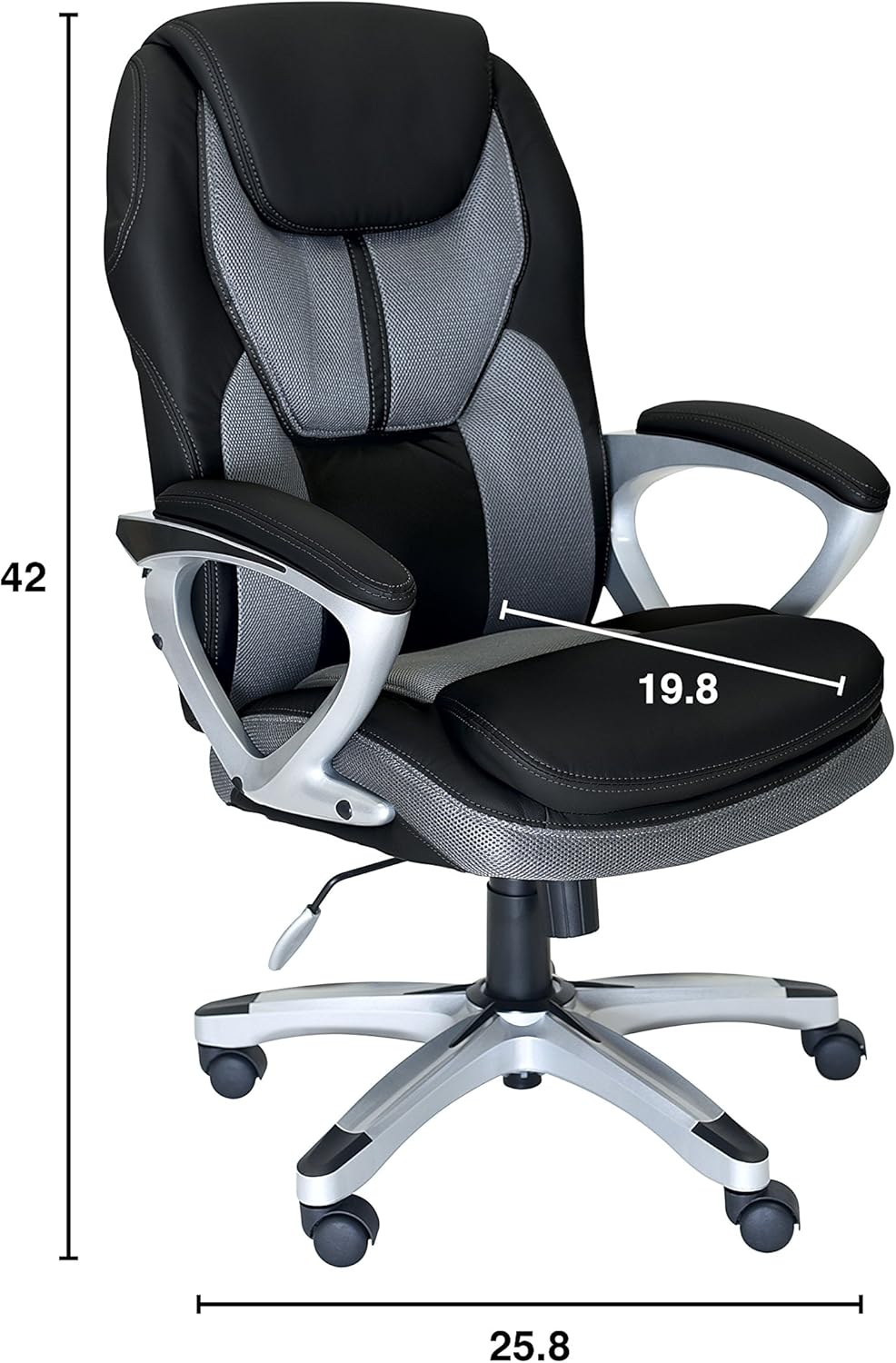
This image illustrates the key dimensions of the Serta office chair. The overall height is approximately 42 inches, the seat width is 19.8 inches, and the width of the five-star base is 25.8 inches.
6. ຂໍ້ມູນການຮັບປະກັນ
This Serta office chair is covered by a limited warranty against defects in materials and workmanship. Please retain your proof of purchase for warranty claims. Specific warranty terms and duration may vary. For detailed warranty information, please refer to the documentation included with your purchase or contact customer support.
7. ການຊ່ວຍເຫຼືອລູກຄ້າ
For further assistance, replacement parts, or any questions not covered in this manual, please contact Serta customer support. Contact details can typically be found on the product packaging or the official Serta webເວັບໄຊ.
ສະຫນັບສະຫນູນອອນໄລນ໌: Visit the official Serta webເວັບໄຊທ໌ສໍາລັບ FAQs ແລະຊັບພະຍາກອນສະຫນັບສະຫນູນ.
ສະຫນັບສະຫນູນໂທລະສັບ: Refer to your product packaging for the customer service phone number.


