1. ບົດແນະນຳ
This manual provides detailed instructions for the installation, operation, and maintenance of your MERCUSYS AC1200 Wireless Dual Band Router, model AC12. Please read this guide thoroughly to ensure proper setup and optimal performance of your device.
The MERCUSYS AC1200 Router offers high-speed Wi-Fi connectivity with dual-band support, designed to provide reliable internet access for your home or office network.
2. ເນື້ອໃນຊຸດ
ກວດສອບວ່າລາຍການທັງຫມົດແມ່ນມີຢູ່ໃນຊຸດຜະລິດຕະພັນຂອງທ່ານ:
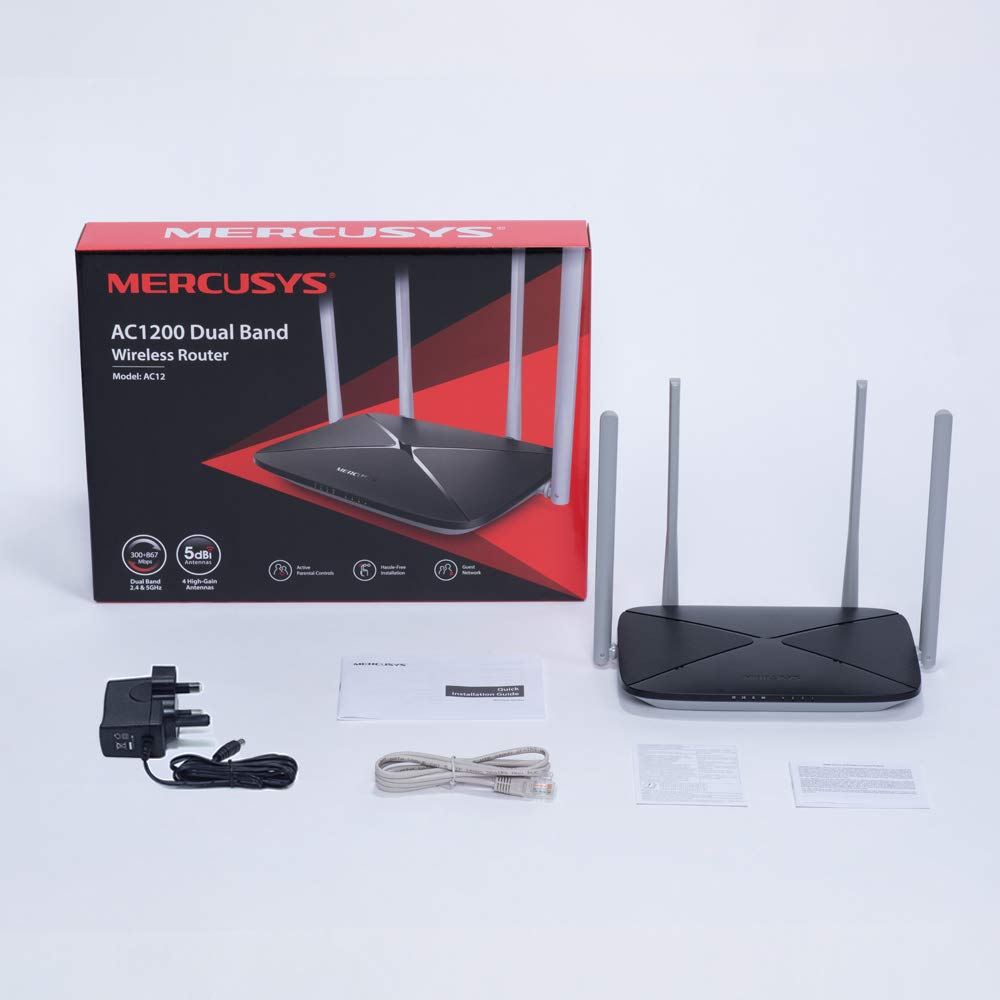
- MERCUSYS AC1200 Dual Band Wireless Router (AC12)
- ອະແດັບເຕີພະລັງງານ
- ຄູ່ມືການຕິດຕັ້ງດ່ວນ
- ສາຍອີເທີເນັດ
3. ຮາດແວຫຼາຍກວ່າview
3.1 ກະດານດ້ານ ໜ້າ
The front panel features LED indicators that provide status information about the router's operation, including power, internet connection, and Wi-Fi activity.

3.2 ແຜງດ້ານຫລັງ
The rear panel contains all the physical ports and buttons necessary for connecting the router to your network and power source.
- WAN Port (Orange): Connects to your modem or internet service provider's (ISP) equipment.
- LAN Ports (Blue): Connects to wired devices such as computers, gaming consoles, or network printers. The AC12 model features 4 LAN ports.
- ການປ້ອນຂໍ້ມູນພະລັງງານ: ເຊື່ອມຕໍ່ກັບອະແດບເຕີພະລັງງານທີ່ສະໜອງໃຫ້.
- ປຸ່ມຣີເຊັດ/WPS: Used to reset the router to factory settings or to initiate a Wi-Fi Protected Setup (WPS) connection.

3.3 ເສົາອາກາດ
The router is equipped with four external 5dBi omni-directional antennas, designed to enhance wireless coverage and signal strength.

4. ຄູ່ມືການຕິດຕັ້ງ
Follow these steps to set up your MERCUSYS AC1200 Router:
- ເຊື່ອມຕໍ່ຮາດແວ:
- ປິດໂມເດັມຂອງທ່ານ.
- Connect the modem's Ethernet cable to the WAN port (orange) of the AC12 router.
- Connect your computer to one of the LAN ports (blue) on the router using an Ethernet cable, or connect wirelessly using the default Wi-Fi name (SSID) and password printed on the router's label.
- Power on your modem, then power on the AC12 router.
- Configure Router via Web ການໂຕ້ຕອບ:
ເປີດ ກ web browser on your connected computer or device. The intuitive webpage guides you through the setup process in minutes.
- ຂັ້ນຕອນທີ 1: Create a unique login password for the router's management page.
- ຂັ້ນຕອນທີ 2: Choose your internet service type and enter any required information provided by your ISP.
- ຂັ້ນຕອນທີ 3: Set your wireless network name (SSID) and password for both 2.4 GHz and 5 GHz bands.

5. ຄໍາແນະນໍາການດໍາເນີນງານ
Wi-Fi 5.1 ຄວາມຖີ່ຄູ່
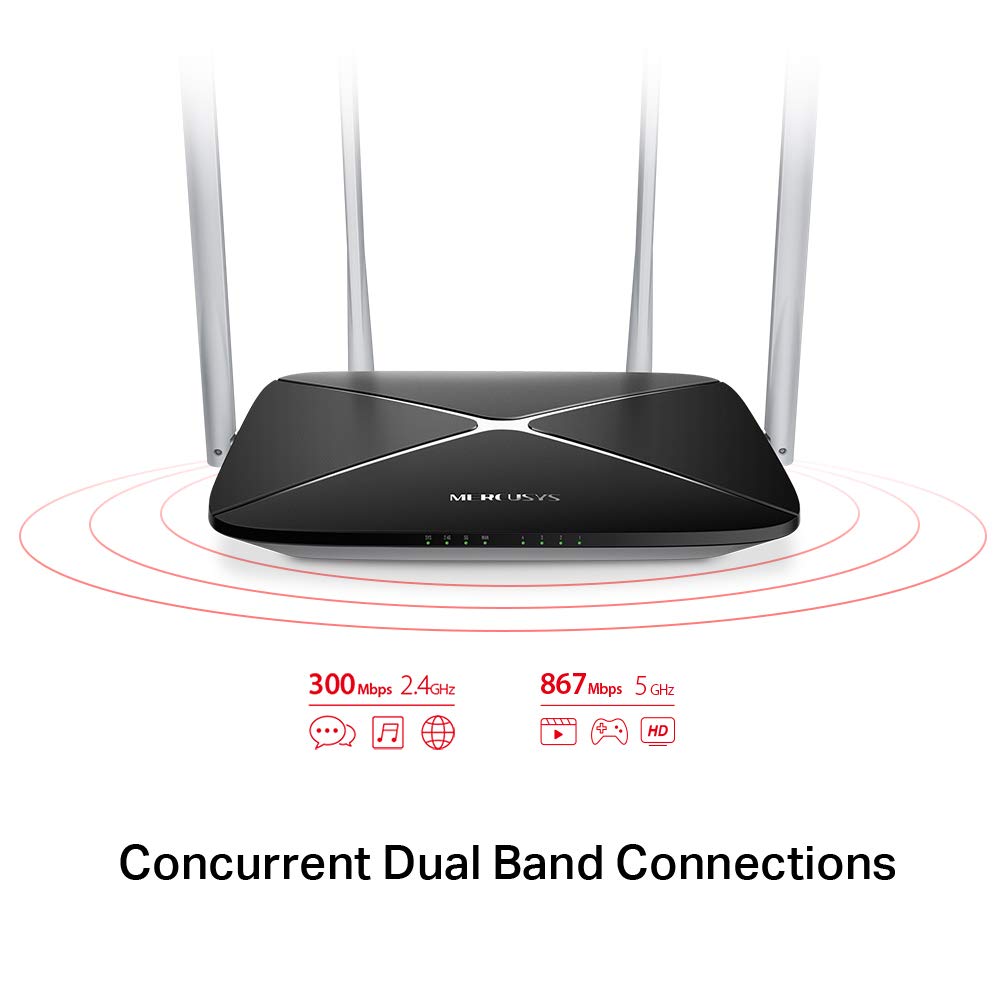
The AC1200 router operates on two distinct Wi-Fi bands:
- ແຖບ 2.4 GHz: Provides speeds of up to 300 Mbps, suitable for general internet use, web ຊອກຫາ, ແລະອີເມລ໌.
- ແຖບ 5 GHz: Offers faster speeds of up to 867 Mbps, ideal for online gaming, HD video streaming, and other bandwidth-intensive applications.
5.2 Enhanced Wireless Coverage
The four external 5dBi omni-directional antennas are designed to provide extensive wireless coverage and strong signal intensity throughout your home or office, minimizing weak spots and dropped connections.

5.3 ເຄືອຂ່າຍແຂກ
The Guest Network feature allows you to provide secure Wi-Fi access to guests without sharing your main network password. This enhances security by isolating guest devices from your primary network resources.
5.4 ອະນຸສັນຍາຄວາມປອດໄພ
The router supports WPA-PSK / WPA2-PSK security protocols to protect your wireless network from unauthorized access.
6. ບໍາລຸງຮັກສາ
- ການອັບເດດເຟີມແວ: Regularly check the MERCUSYS official webເວັບໄຊທ໌ສໍາລັບການອັບເດດເຟີມແວເພື່ອຮັບປະກັນປະສິດທິພາບ ແລະຄວາມປອດໄພທີ່ດີທີ່ສຸດ.
- ທໍາຄວາມສະອາດຮ່າງກາຍ: ຮັກສາ router ໃຫ້ສະອາດແລະບໍ່ມີຝຸ່ນ. ໃຊ້ຜ້າອ່ອນໆ, ແຫ້ງເພື່ອທໍາຄວາມສະອາດ. ຢ່າໃຊ້ນໍ້າສະອາດ.
- ການຈັດວາງ: Place the router in a central location, away from obstructions and devices that may cause interference (e.g., microwaves, cordless phones).
- ການປິດເປີດຄືນໃ່: ຖ້າທ່ານປະສົບບັນຫາເຄືອຂ່າຍ, ໃຫ້ລອງຣີສະຕາດເຣົາເຕີໂດຍການຖອດປລັກສຽບໄຟອອກເປັນເວລາ 10 ວິນາທີ ແລ້ວສຽບມັນຄືນ.
7. ການແກ້ໄຂບັນຫາ
- ບໍ່ມີການເຂົ້າເຖິງອິນເຕີເນັດ:
- Check if the WAN port LED is lit. If not, ensure the Ethernet cable from your modem is securely connected.
- ກວດສອບວ່າໂມເດັມຂອງທ່ານເຮັດວຽກຢ່າງຖືກຕ້ອງ.
- ຣີສະຕາດທັງໂມເດັມ ແລະເຣົາເຕີຂອງເຈົ້າ.
- ຕິດຕໍ່ຜູ້ໃຫ້ບໍລິການອິນເຕີເນັດຂອງທ່ານ (ISP) ຖ້າບັນຫາຍັງຄົງຢູ່.
- ສັນຍານ Wi-Fi ອ່ອນ:
- ຍ້າຍເຣົາເຕີໄປຫາຕຳແໜ່ງກາງກວ່າ.
- ໃຫ້ແນ່ໃຈວ່າເສົາອາກາດຖືກຕັ້ງຢູ່ໃນແນວຕັ້ງ.
- Minimize physical obstructions (walls, large furniture) between the router and your devices.
- Avoid placing the router near other electronic devices that may cause interference.
- ບໍ່ສາມາດເຂົ້າເຖິງ Router ໄດ້ Web ໜ້າການຈັດການ:
- ໃຫ້ແນ່ໃຈວ່າອຸປະກອນຂອງທ່ານເຊື່ອມຕໍ່ກັບເຣົາເຕີ (ມີສາຍຫຼືໄຮ້ສາຍ).
- ກວດສອບວ່າທ່ານກຳລັງໃຊ້ທີ່ຢູ່ IP ທີ່ຖືກຕ້ອງ (ຕົວຢ່າງ,
192.168.1.1ormwlogin.net) ໃນຂອງທ່ານ web ຕົວທ່ອງເວັບ. - ລຶບລ້າງແຄດຂອງບຼາວເຊີຂອງທ່ານ ຫຼືລອງໃຊ້ໂປຣແກຣມທ່ອງເວັບອື່ນ.
- ລືມລະຫັດຜ່ານ Wi-Fi ຫຼື ລະຫັດຜ່ານເຂົ້າສູ່ລະບົບ:
- You can reset the router to factory default settings by pressing and holding the Reset/WPS button on the rear panel for approximately 6-10 seconds until the LEDs flash. Note that this will erase all your custom settings.
8. ຂໍ້ມູນຈໍາເພາະ
| ຄຸນສົມບັດ | ລາຍລະອຽດ |
|---|---|
| ຍີ່ຫໍ້ | MERCUSYS |
| ຊື່ຕົວແບບ | AC12 |
| ມາດຕະຖານໄຮ້ສາຍ | 802.11ac |
| ຫ້ອງຮຽນແຖບຄວາມຖີ່ | Dual-Band (2.4 GHz & 5 GHz) |
| ຄວາມໄວ Wi-Fi 2.4 GHz | ສູງເຖິງ 300 Mbps |
| ຄວາມໄວ Wi-Fi 5 GHz | ສູງເຖິງ 867 Mbps |
| ເສົາອາກາດ | 4 x 5dBi Omni-Directional Antennas |
| ພອດອີເທີເນັດ | 1 WAN, 4 LAN |
| ອະນຸສັນຍາດ້ານຄວາມປອດໄພ | WPA-PSK / WPA2-PSK |
| ຂະໜາດສິນຄ້າ | 22.2 x 14 x 3.2 cm |
| ນ້ໍາຫນັກລາຍການ | 260 g |
| ສະບັບtage | 9 ໂວນ |
| ຄວາມເຂົ້າກັນໄດ້ຂອງລະບົບປະຕິບັດການ | Windows (for setup via web ການໂຕ້ຕອບ) |
9. ການຮັບປະກັນແລະການສະຫນັບສະຫນູນ
9.1 ຂໍ້ມູນການຮັບປະກັນ
This MERCUSYS AC1200 Router comes with a ຮັບປະກັນ 3 ປີ. Please retain your purchase receipt for warranty claims. The warranty covers manufacturing defects under normal use conditions.
9.2 ສະຫນັບສະຫນູນດ້ານວິຊາການ
For technical assistance, please visit the official MERCUSYS website or contact their customer support. Manufacturer: TP-Link Technologies Co.,Ltd.


