ແນະນຳ
The Movo WMIC10 is a compact and lightweight 2.4GHz wireless lavalier microphone system designed for universal compatibility with smartphones, DSLR cameras, and camcorders. It offers interference-free and regulation-free wireless transmission up to 50 feet (15 meters), ensuring clear and accurate voice reproduction for various recording needs. This manual provides detailed instructions for setting up, operating, and maintaining your WMIC10 system.
ແມ່ນຫຍັງຢູ່ໃນກ່ອງ
- Bodypack Transmitter with Belt Clip
- Lavalier Microphone with Lapel Clip and Pop-Filter
- Wireless Receiver with Belt Clip & Camera Shoe Mount
- 3.5mm TRS Output Cable for Cameras
- 3.5mm TRRS Output Cable for Smartphones and Tablets
- ສາຍ USB-C ເຖິງ USB-A ສາກໄຟ
- Furry Windscreen (2 units)
- ບັດຮັບປະກັນ

Image: The Movo WMIC10 system neatly packed in its black carrying case, showing the transmitter, receiver, lavalier microphone, and cables.
ສິນຄ້າເກີນview
Transmitter (WMIC10-TX)
The transmitter unit is compact and features a belt clip for easy attachment. It includes a power button, noise cancellation button, and a pairing button. The lavalier microphone plugs directly into the transmitter.
Receiver (WMIC10-RX)
The receiver unit is equipped with a camera shoe mount and belt clip for versatile attachment. It features volume gain controls, a headphone monitoring input, and an M/S (Mono/Stereo) switch. The receiver connects to your recording device via the appropriate output cable.

ຮູບພາບ: ໃກ້ຊິດ view of the Movo WMIC10 Transmitter and Receiver units, highlighting their compact design and 2.4 GHz spectrum capability.
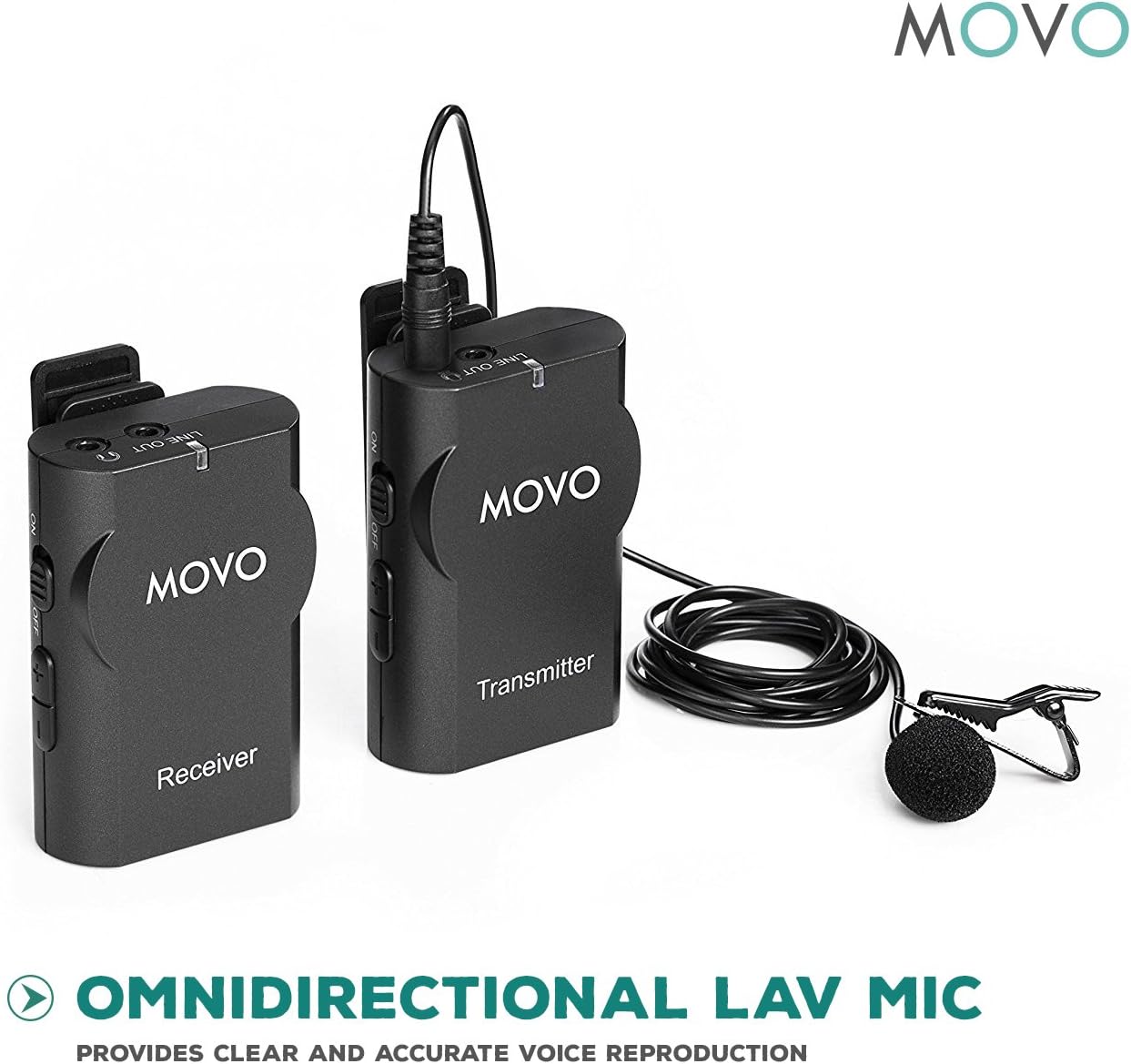
Image: The Movo WMIC10 lavalier microphone with its clip and pop-filter, positioned next to the transmitter and receiver units, emphasizing its omnidirectional audio capture.
ຄູ່ມືການຕິດຕັ້ງ
- ໃສ່ແບັດເຕີລີ: Insert two "AA" batteries into both the transmitter and receiver units. Ensure correct polarity.
- ຕິດຕັ້ງໄມໂຄຣໂຟນແບບ Lavalier: Connect the lavalier microphone to the MIC IN port on the transmitter. Secure the microphone to your clothing using the lapel clip, positioning it approximately 6-8 inches from your mouth for optimal sound.
- Mount Receiver: Attach the receiver to your camera's hot shoe mount or smartphone rig using the integrated shoe mount. Alternatively, use the belt clip to attach it to your belt or pocket.
- ເຊື່ອມຕໍ່ຕົວຮັບກັບອຸປະກອນ:
- ສໍາລັບກ້ອງຖ່າຍຮູບ: Use the 3.5mm TRS output cable. Plug one end into the LINE OUT port of the receiver and the other end into your camera's microphone input.
- ສໍາລັບໂທລະສັບສະຫຼາດ / ແທັບເລັດ: Use the 3.5mm TRRS output cable. Plug one end into the LINE OUT port of the receiver and the other end into your device's headphone/microphone jack. (Note: Newer iPhones may require a Lightning to 3.5mm adapter, not included).
- Power On & Pair: Turn on both the transmitter and receiver units by pressing and holding their respective power buttons. The units should automatically pair. A solid blue indicator light on both units confirms a successful connection. If they do not pair automatically, refer to the pairing instructions in the included manual.
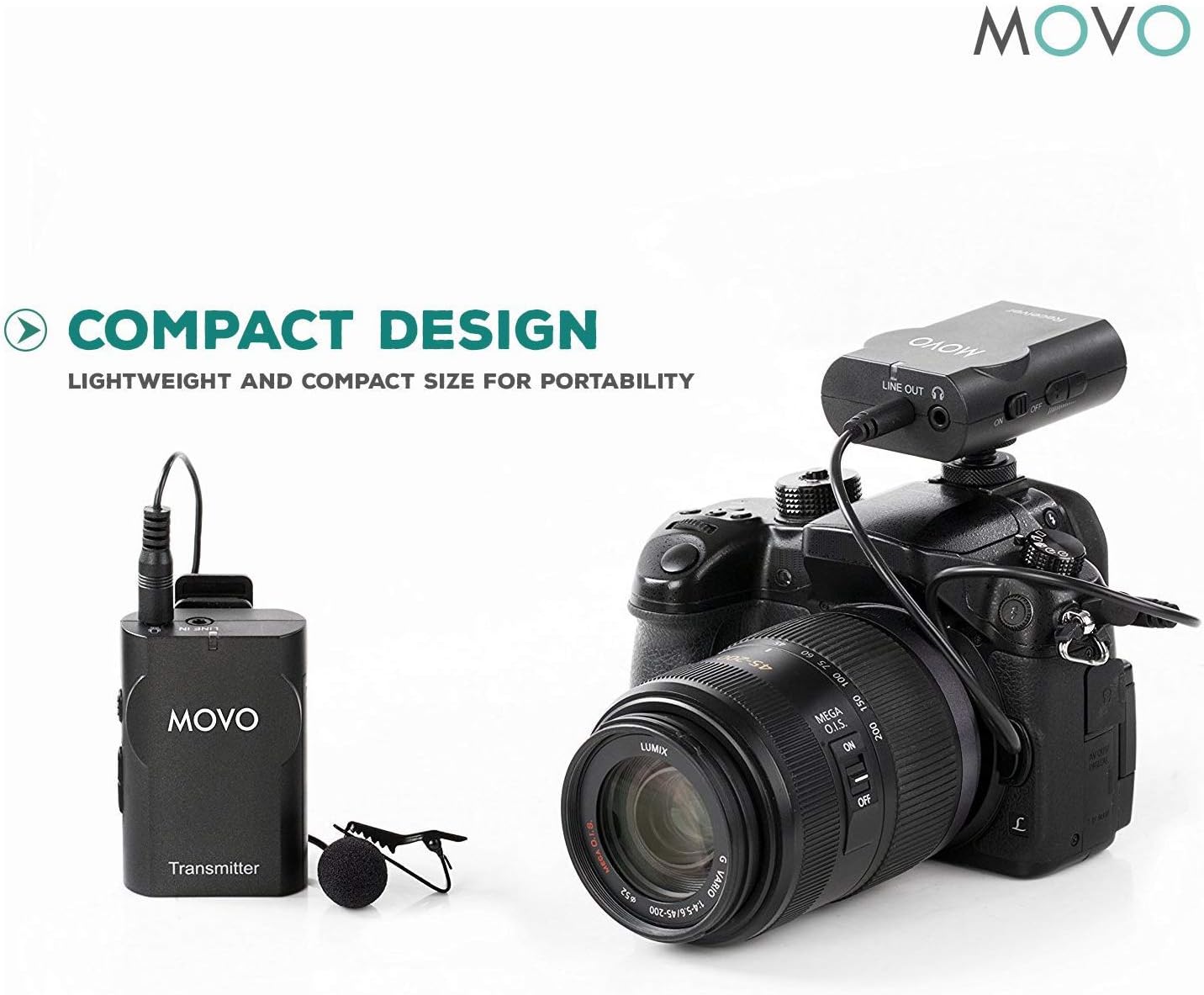
Image: The Movo WMIC10 Transmitter with its lavalier microphone and the Receiver mounted on a DSLR camera, illustrating a compact and portable setup.

Image: The Movo WMIC10 system connected to a smartphone mounted on a rig, demonstrating its universal compatibility for mobile content creation.
ຄໍາແນະນໍາການດໍາເນີນງານ
- Adjust Volume Gain: Use the volume control buttons on the receiver to adjust the audio input level. Monitor the audio through headphones connected to the receiver's headphone jack to ensure optimal sound without distortion.
- ໂໝດໂມໂນ/ສະເຕີລິໂອ: The receiver features an M/S switch. Select 'M' for mono output, which combines both microphone signals into a single channel. Select 'S' for stereo output, which separates the microphone signals into left and right channels (if using two transmitters, or duplicates a single transmitter's signal across both channels).
- ການຕັດສຽງລົບກວນ: The transmitter includes a noise cancellation button. Press this button to activate or deactivate the noise reduction feature. This can help minimize ambient background noise in your recordings.
ບໍາລຸງຮັກສາ
- ທໍາຄວາມສະອາດ: ໃຊ້ຜ້າປຽກແຫ້ງເພື່ອເຮັດຄວາມສະອາດເຄື່ອງ. ຫຼີກເວັ້ນການນໍາໃຊ້ສານເຄມີທີ່ຮຸນແຮງຫຼືວັດສະດຸຂັດ.
- ການດູແລຫມໍ້ໄຟ: ຖອດແບດເຕີຣີອອກຈາກຫົວຫນ່ວຍຖ້າພວກມັນຈະບໍ່ຖືກໃຊ້ເປັນໄລຍະເວລາເພີ່ມເຕີມເພື່ອປ້ອງກັນການຮົ່ວໄຫຼ.
- ການເກັບຮັກສາ: Store the system in its protective carrying case in a cool, dry place away from direct sunlight and extreme temperatures.
ການແກ້ໄຂບັນຫາ
- ບໍ່ມີສຽງ/ສຽງຕໍ່າ:
- Ensure both transmitter and receiver are powered on and paired (solid blue light).
- Check battery levels in both units.
- Verify that the correct output cable (TRS for camera, TRRS for smartphone) is used and securely connected.
- Adjust the volume gain on the receiver and the input level on your recording device.
- ການແຊກແຊງ/ສະຖິດ:
- Ensure the transmitter and receiver are within the 50-foot transmission range.
- Avoid obstacles between the transmitter and receiver that might block the signal.
- Minimize proximity to other 2.4GHz wireless devices (Wi-Fi routers, other wireless mics).
- Ensure the furry windscreen is properly installed on the lavalier mic to reduce wind noise.
- Poor Audio Quality (Robotic/Distorted):
- Check the microphone placement; it should be 6-8 inches from the sound source.
- If noise cancellation is active and causing robotic sound, try deactivating it.
- Ensure the volume gain is not set too high, causing clipping or distortion.
ຂໍ້ມູນຈໍາເພາະ
| ນ້ໍາຫນັກລາຍການ | 0.46 ປອນ (7.4 ອອນສ໌) |
| ຕົວປະກອບແບບຟອມໄມໂຄຣໂຟນ | Lavalier |
| ແຫຼ່ງພະລັງງານ | Battery Powered (2x AA batteries per unit) |
| ວັດສະດຸ | Metal And Plastic |
| ອັດຕາສ່ວນສັນຍານເຖິງສຽງດັງ | 80 dB |
| ຄວາມອ່ອນໄຫວສຽງ | 85 Decibels |
| ເວທີຮາດແວ | ກ້ອງຖ່າຍຮູບ, ໂທລະສັບສະຫຼາດ, ແທັບເລັດ |
| ຈໍານວນຊ່ອງ | 1 |
| ເຕັກໂນໂລຊີການເຊື່ອມຕໍ່ | 3.5mm TRS, 3.5mm TRRS |
| ຮູບແບບຂົ້ວໂລກ | ອ້ອມຮອບ |
| ລະບົບສາຍສົ່ງ | Up to 50-feet (15m) |
ການຮັບປະກັນແລະການສະຫນັບສະຫນູນ
The Movo WMIC10 Wireless Lavalier Microphone System comes with a ຮັບປະກັນ 1 ປີ. Movo products are designed to ease your technical woes, not add to them. For any assistance or inquiries, please contact Movo's friendly US-Based support team. Refer to the included warranty card for detailed terms and conditions.


