1. ບົດແນະນຳ
The Micca MPLAY-HD Mini is a compact 1080P Full-HD digital media player designed to play videos, music, and photo slideshows from USB drives or microSD cards on your television or projector. It offers universal compatibility with both modern and older displays through HDMI and analog audio/video connections. Its automatic playback and resume features enhance user convenience, making it suitable for various environments including home, office, or RV use.
2. ຜະລິດຕະພັນເກີນview
Familiarize yourself with the components and ports of your MPLAY-HD Mini player.

ຮູບທີ 2.1: Micca MPLAY-HD Mini player with its remote control.
ຮູບທີ 2.2: Rear panel connections including HDMI output and AV output.
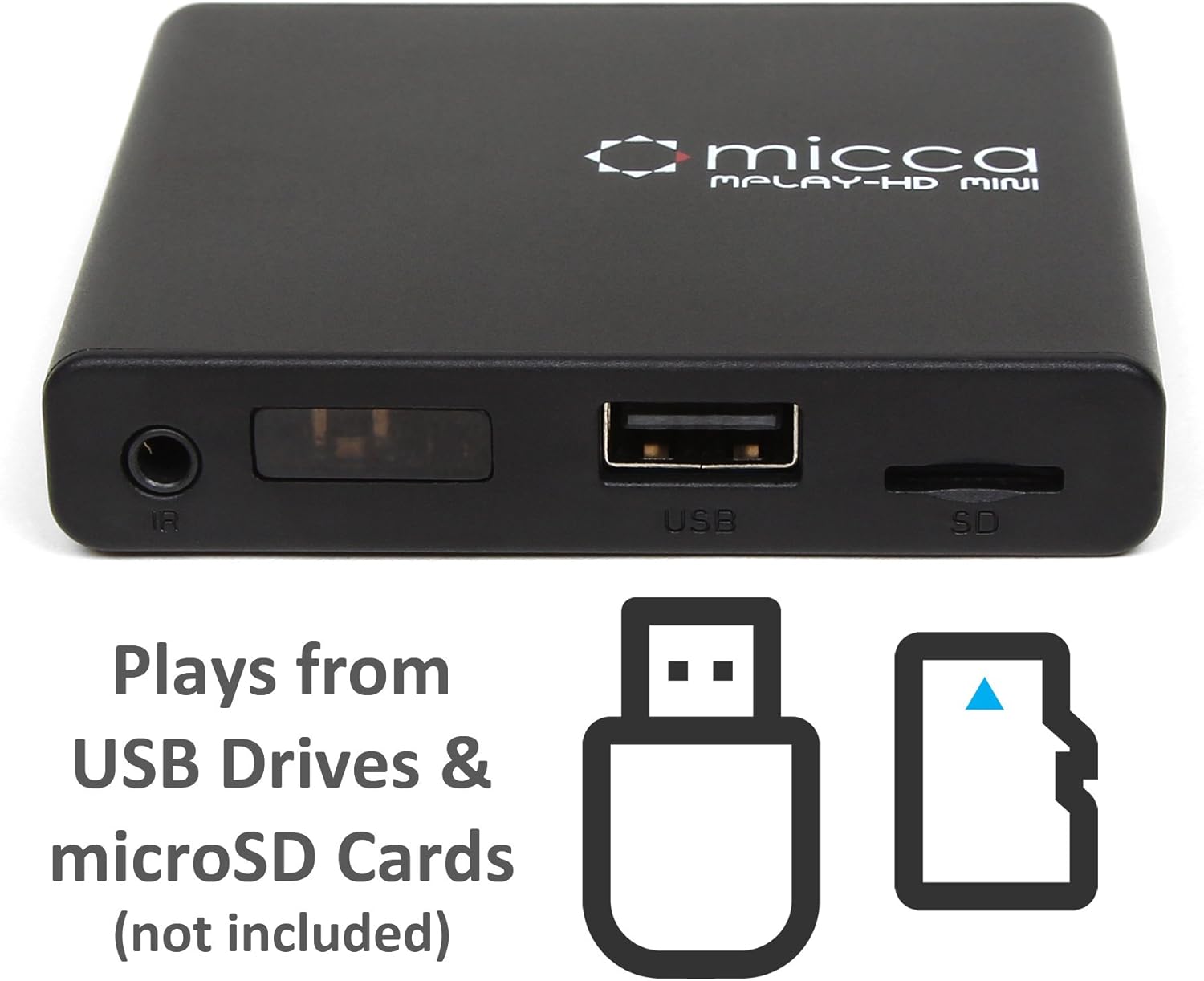
ຮູບທີ 2.3: Side panel with USB port and microSD card slot.
2.1. Front/Side Panel
- ຕົວຮັບ IR: ໄດ້ຮັບສັນຍານຈາກການຄວບຄຸມຫ່າງໄກສອກຫຼີກ.
- ພອດ USB: Connect USB flash drives or external hard drives.
- ຊ່ອງສຽບກາດ MicroSD: Insert microSD cards for media playback.
2.2. ກະດານດ້ານຫລັງ
- HDMI Output: Connect to an HDMI-enabled TV or projector for high-definition video and audio.
- ຜົນໄດ້ຮັບ AV: Connect to older TVs or displays using the included AV cable for standard definition video and stereo audio.
- ການປ້ອນຂໍ້ມູນພະລັງງານ DC 5V: ເຊື່ອມຕໍ່ອະແດບເຕີໄຟທີ່ສະໜອງໃຫ້.
3. ຕັ້ງຄ່າ
Follow these steps to set up your Micca MPLAY-HD Mini player.
- ເຊື່ອມຕໍ່ຫາໂທລະພາບ:
- For High Definition: Connect an HDMI cable (not included) from the MPLAY-HD Mini's HDMI output to an HDMI input on your TV or projector.
- For Standard Definition: Connect the included AV cable from the MPLAY-HD Mini's AV output to the corresponding composite video (yellow) and stereo audio (red/white) inputs on your TV.
- ເຊື່ອມຕໍ່ພະລັງງານ: Plug the provided power adapter into the DC 5V input on the MPLAY-HD Mini, then plug the adapter into a wall outlet. The player will power on automatically.
- ແຊກສື່: Insert your USB flash drive or external hard drive into the USB port, or your microSD card into the microSD card slot. Ensure media is formatted as FAT32, NTFS, or exFAT.
- ເລືອກການປ້ອນຂໍ້ມູນ: On your TV, select the correct input source (e.g., HDMI 1, AV) that corresponds to where you connected the MPLAY-HD Mini.
- ການຄວບຄຸມໄລຍະໄກ: ໃສ່ແບັດເຕີຣີ AAA ສອງກ້ອນ (ບໍ່ລວມ) ເຂົ້າໄປໃນຣີໂໝດຄວບຄຸມ.
4. ຄໍາແນະນໍາການດໍາເນີນງານ
This section details how to navigate and play media on your device.
4.1. ເມນູຫຼັກນໍາທາງ
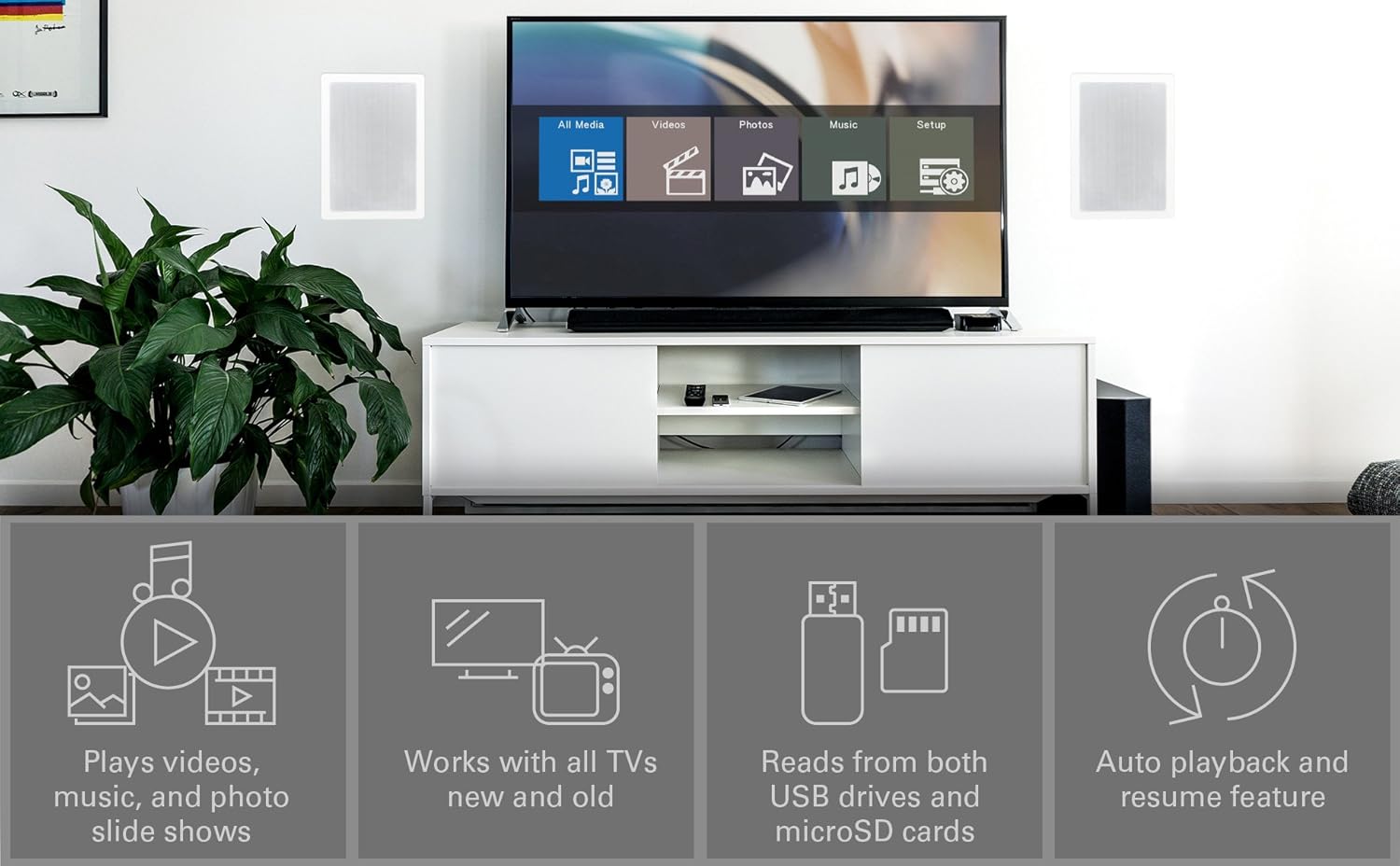
Upon powering on, the player will display a main menu with options such as "All Media", "Videos", "Photos", "Music", and "Setup". Use the arrow keys on the remote to navigate and the "OK" button to select.

ຮູບທີ 4.1: Example of the main menu interface on a connected display.
4.2. ການຫຼິ້ນສື່ Files
- From the main menu, select the desired media type (e.g., "Videos").
- Navigate through your connected USB drive or microSD card to locate the desired file ຫຼືໂຟນເດີ.
- Press "OK" to select and play the file.
- Use the remote control buttons for playback functions: Play/Pause, Stop, Fast Forward, Rewind, Next/Previous Track.
The MPLAY-HD Mini supports automatic playback, which can be configured in the settings to start playing media immediately after power on. It also features a resume capability, allowing you to continue watching a video from where you left off.
4.3. ຮູບແບບສື່ທີ່ຮອງຮັບ
The player supports a wide range of media formats:
- ວິດີໂອ: MKV, AVI, MOV, MP4, ISO with MPEG4 or H.264/AVC encoding, up to 1920x1080p resolution and 30fps.
- ສຽງ: MP3, WMA, OGG, FLAC, APE, AAC.
- ຮູບ: JPG, JPEG, BMP, GIF, PNG.
- ຄຳແປ: SRT, SSA, SMI, SUB.
ໝາຍເຫດສຳຄັນ: The MPLAY-HD Mini does ບໍ່ support HEVC/H.265, 10-bit MKV, and 4K videos.
5. ບໍາລຸງຮັກສາ
ການດູແລທີ່ເຫມາະສົມຮັບປະກັນຄວາມຍາວນານແລະການປະຕິບັດທີ່ດີທີ່ສຸດຂອງອຸປະກອນຂອງທ່ານ.
- ທໍາຄວາມສະອາດ: ໃຊ້ຜ້າອ່ອນໆແຫ້ງເພື່ອທຳຄວາມສະອາດດ້ານນອກຂອງເຄື່ອງຫຼິ້ນ. ຢ່າໃຊ້ນ້ຳຢາທຳຄວາມສະອາດ ຫຼື ນ້ຳຢາສີດ.
- ການລະບາຍອາກາດ: Ensure the player is placed in a well-ventilated area to prevent overheating. Do not block any ventilation openings.
- ການເກັບຮັກສາ: When not in use for extended periods, disconnect the power adapter and store the player in a cool, dry place.
- Port Care: Keep USB and microSD card slots free from dust and debris.
6. ການແກ້ໄຂບັນຫາ
ເບິ່ງພາກນີ້ເພື່ອແກ້ໄຂບັນຫາທົ່ວໄປ.
6.1. ບໍ່ມີພະລັງງານ / ບໍ່ມີຈໍສະແດງຜົນ
- Ensure the power adapter is securely connected to the player and a working power outlet.
- Verify that your TV is set to the correct input source (HDMI or AV).
- Check all cable connections between the player and the TV.
6.2. ບໍ່ມີສຽງ
- ກວດສອບລະດັບສຽງໃນໂທລະພາບ ແລະ ເຄື່ອງຫຼິ້ນຂອງທ່ານ.
- Ensure audio cables (HDMI or AV stereo) are correctly connected.
- Some video files may have unsupported audio codecs. Try playing a different file.
6.3. ການຄວບຄຸມໄລຍະໄກບໍ່ຕອບສະຫນອງ
- Ensure fresh AAA batteries are correctly inserted into the remote.
- Point the remote directly at the IR receiver on the front of the player.
- Remove any obstructions between the remote and the player.
- Consider updating the firmware if available, as some remote issues (e.g., fast forward functionality) have been addressed in updates.
6.4. ສື່ມວນຊົນ Files Not Playing / Recognized
- Verify that the media file format is supported (refer to Section 4.3).
- Ensure the USB drive or microSD card is properly inserted and recognized by the player.
- ກວດເບິ່ງ file system of your USB drive/microSD card (FAT32, NTFS, exFAT are supported).
- Large USB drives (128GB or larger) might take longer to be recognized or display files.
- ຮັບປະກັນ files are not corrupted. Try playing them on a computer.
6.5. ອັບເດດເຟີມແວ
Periodically check the official Micca website for firmware updates. Firmware updates can improve performance, add features, and resolve known issues. Instructions for updating firmware are typically provided on the Micca support page for your specific model.
7. ຂໍ້ມູນຈໍາເພາະ
| ຍີ່ຫໍ້ | ມິກກາ |
| ຊື່ຕົວແບບ | MPLAY-HD Mini |
| ຄວາມລະອຽດ | 1080p (Full-HD) |
| ເຕັກໂນໂລຊີການເຊື່ອມຕໍ່ | HDMI, USB |
| ປະເພດຕົວເຊື່ອມຕໍ່ | HDMI, AV (Composite Video + Stereo Audio) |
| ການເກັບຮັກສາສື່ | USB Drives, MicroSD Cards |
| ສະຫນັບສະຫນູນ File ລະບົບ | FAT32, NTFS, exFAT |
| ການເຂົ້າລະຫັດວິດີໂອ | MPEG4, H.264/AVC (up to 1080p 30fps) |
| ຂະໜາດ | 2.98 x 2.55 x 0.59 ນິ້ວ |
| ນ້ໍາຫນັກລາຍການ | 3 ອອນ |
| ສີ | ດຳ |
| ປະເພດການຄວບຄຸມ | ການຄວບຄຸມໄລຍະໄກ |
8. ສະຫນັບສະຫນູນແລະການຮັບປະກັນ
For technical support, warranty information, or further assistance, please visit the official Micca website or contact Micca customer service. Details can typically be found on the product packaging or the manufacturer's webເວັບໄຊ.
Official Micca Webເວັບໄຊ: miccatron.com


