1. ບົດແນະນຳ
This professional Maxima convection steam oven is designed for a variety of cooking tasks, including baking, roasting, and steaming. It efficiently circulates hot air to achieve crispy results for baked goods and can also be used for roasting potatoes, vegetables, and meats. The integrated steam function allows for tender cooking, particularly suitable for delicate dishes. The oven is equipped with four baking trays, each measuring 60 x 40 cm, and features user-friendly analog controls for precise temperature and time management. Its durable stainless steel construction and enameled interior ensure longevity and ease of cleaning.
2. ຄໍາແນະນໍາຄວາມປອດໄພ
- ອ່ານຄໍາແນະນໍາທັງຫມົດກ່ອນທີ່ຈະໃຊ້ເຄື່ອງໃຊ້.
- Ensure the oven is connected to a properly grounded 400V power supply by a qualified electrician.
- Do not touch hot surfaces. Use oven mitts or gloves when handling hot items or surfaces.
- Always allow the oven to cool completely before cleaning or performing maintenance.
- Keep children and pets away from the appliance during operation and while it is cooling.
- ຢ່າເອົາເຄື່ອງໃຊ້, ສາຍໄຟ, ຫຼືສຽບໃສ່ນໍ້າ ຫຼື ນໍ້າອື່ນໆ.
- ຮັບປະກັນການລະບາຍອາກາດທີ່ພຽງພໍຮອບເຕົາອົບໃນລະຫວ່າງການປະຕິບັດງານ.
- Never use abrasive cleaners or sharp objects that could damage the oven's surfaces.
3. ການຕິດຕັ້ງແລະການຕິດຕັ້ງ
3.1 ການຫຸ້ມຫໍ່
Carefully remove the oven from its packaging. Inspect the appliance for any damage incurred during transit. Retain packaging materials for future transport if necessary.
3.2 ການຈັດວາງ
Place the oven on a stable, level, and heat-resistant surface. The oven is equipped with four rubber feet for enhanced stability. Ensure there is sufficient clearance around the oven for proper ventilation.

ຮູບ 1: ຂ້າງ view of the oven, illustrating its compact design and stable rubber feet.
3.3 ການເຊື່ອມຕໍ່ໄຟຟ້າ
This appliance requires a 400V electrical supply. Connection must be performed by a qualified electrician in accordance with local electrical codes and regulations. Ensure the power outlet matches the oven's specifications.

ຮູບ 2: ດ້ານຫລັງ view of the oven, highlighting the power connection point.
3.4 ການທໍາຄວາມສະອາດເບື້ອງຕົ້ນ
ກ່ອນທີ່ຈະນໍາໃຊ້ຄັ້ງທໍາອິດ, ເຊັດພື້ນຜິວພາຍໃນແລະພາຍນອກດ້ວຍການໂຄສະນາamp cloth to remove any dust or manufacturing residues.
4. ຄໍາແນະນໍາການດໍາເນີນງານ
4.1 ຄວບຄຸມview

ຮູບ 3: ດ້ານຫນ້າ view of the oven, displaying the control panel.
The oven features analog controls located on the front panel:
- ປຸ່ມອຸນຫະພູມ: Adjusts the oven temperature from 0 to 300°C.
- ປຸ່ມຈັບເວລາ: Sets the cooking time from 0 to 120 minutes.
- ແສງສະຫວ່າງຕົວຊີ້ວັດພະລັງງານ: ເຮັດໃຫ້ມີແສງເມື່ອເຕົາອົບເປີດ.
- ແສງຕົວຊີ້ວັດການເຮັດວຽກ: Illuminates when the oven is actively heating and reaches the set temperature.
- Spray Switch: Activates the steam function.
4.2 Preheating the Oven
- Ensure the oven is plugged in and the power is on.
- Turn the Temperature Knob to your desired cooking temperature.
- The Working Indicator Light will illuminate, indicating the oven is heating. It will turn off once the set temperature is reached.
4.3 ຖາດໂຫຼດ
The oven accommodates four baking trays, each measuring 60 x 40 cm. The distance between the tray supports is 8 cm.
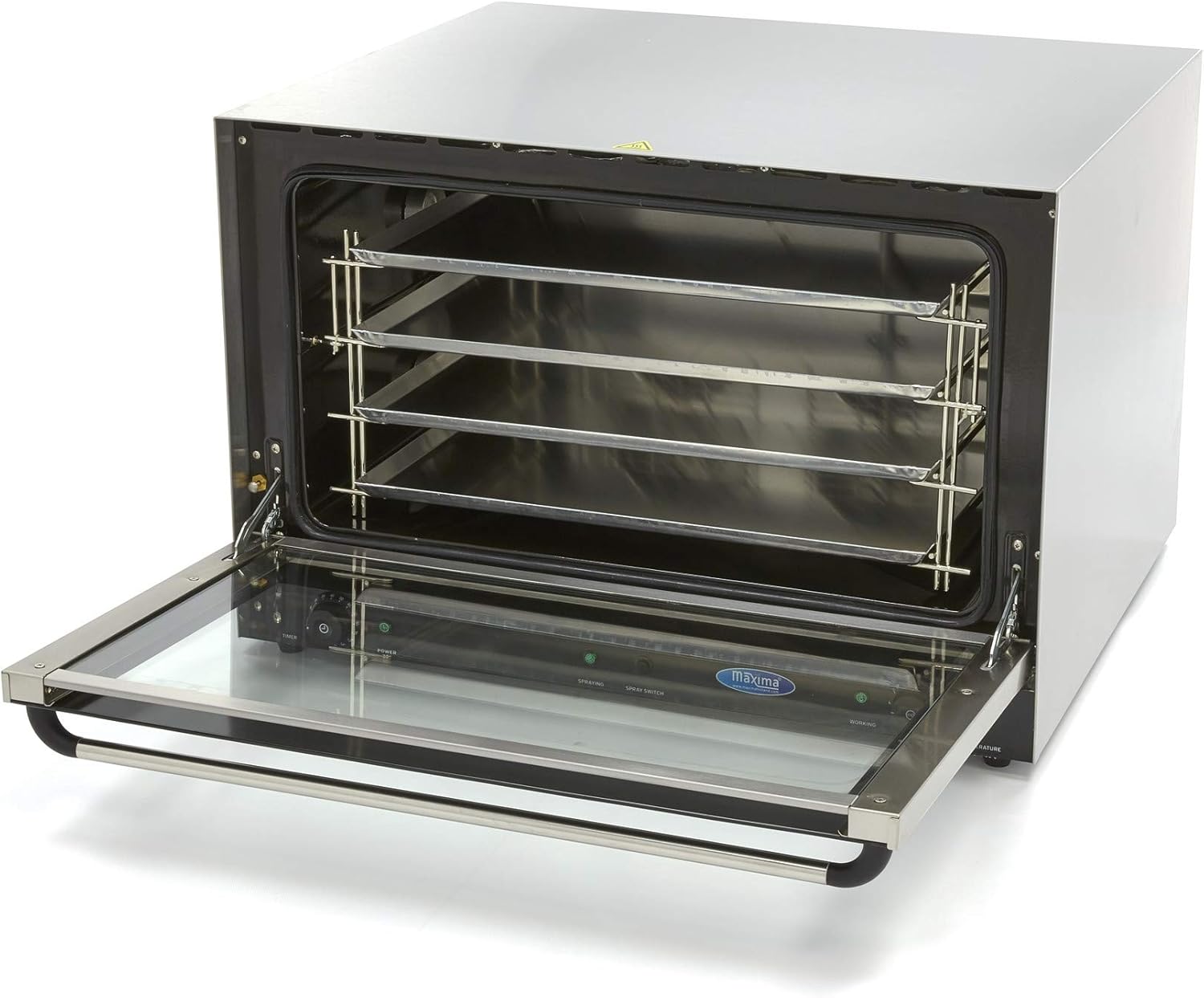
Figure 4: Oven interior with tray racks visible.
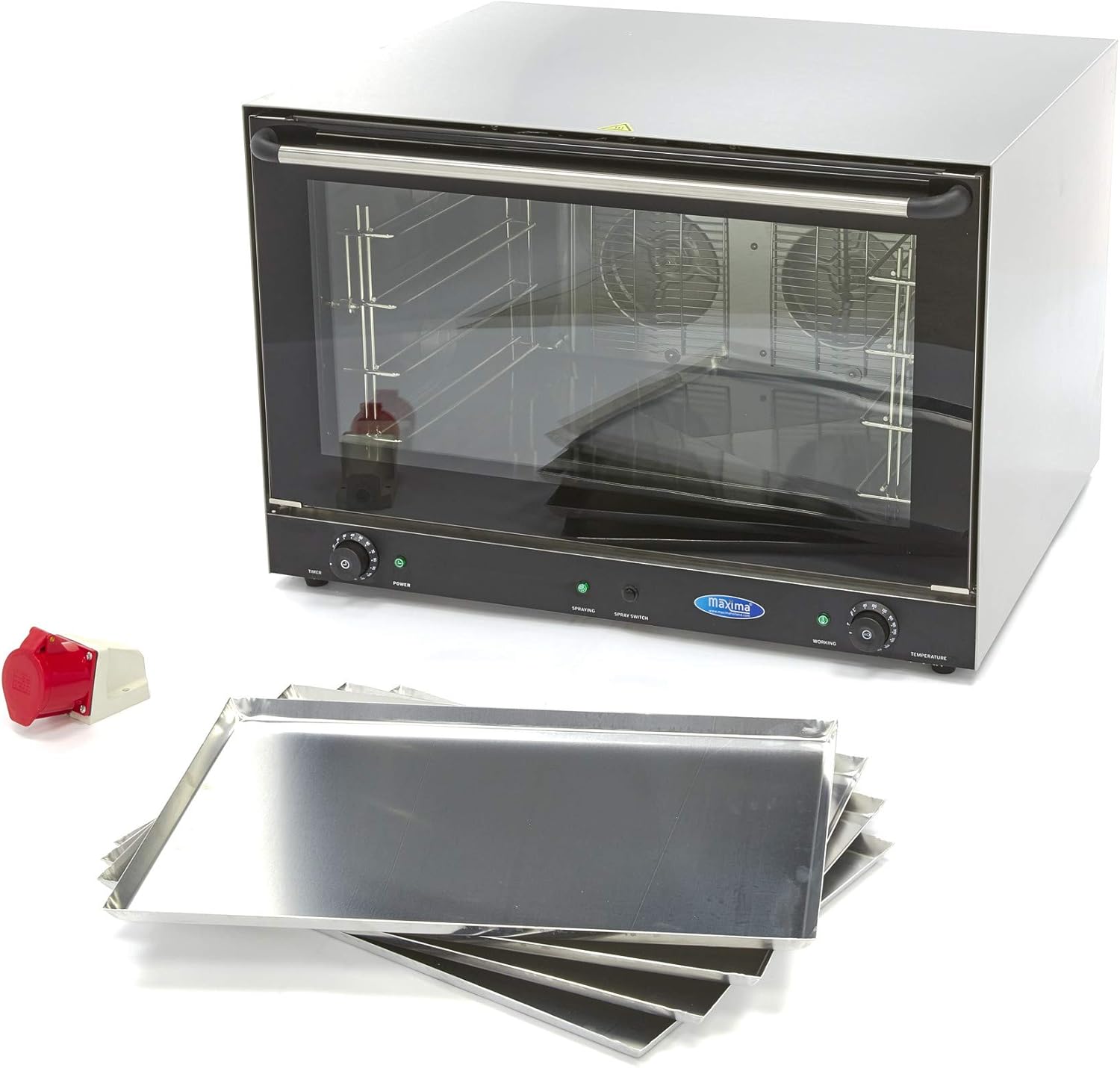
Figure 5: The oven shown with its accompanying baking trays.
4.4 Cooking with Convection
- Preheat ເຕົາອົບກັບອຸນຫະພູມທີ່ຕ້ອງການ.
- Carefully place your food on the baking trays and slide them into the oven.
- ປິດປະຕູເຕົາອົບຢ່າງປອດໄພ.
- Set the cooking time using the Timer Knob. The oven will automatically shut off when the timer expires.
- Monitor the cooking process through the double thermal glass door.
4.5 ການໃຊ້ຟັງຊັນໄອນ້ຳ
To introduce steam during cooking, activate the Spray Switch. This function is ideal for dishes requiring moisture or a tender finish.
5. ການບໍາລຸງຮັກສາແລະການທໍາຄວາມສະອາດ
Regular cleaning is essential to maintain the oven's performance and hygiene. Always ensure the oven is completely cool before beginning any cleaning procedures.
5.1 ການທໍາຄວາມສະອາດປະຈໍາວັນ
- After each use, once the oven has cooled, wipe the interior and exterior surfaces with a damp ຜ້າແລະຢາຊັກຜ້າອ່ອນໆ.
- Remove and clean the baking trays separately.
- ຕາກໃຫ້ແຫ້ງທຸກດ້ານເພື່ອປ້ອງກັນຈຸດນໍ້າ.
5.2 Removing Stubborn Dirt
For stubborn food residues or grease, follow these steps:
- Place a heat-resistant bowl filled with water inside the oven.
- Set the oven temperature to approximately 200°C and allow it to heat for a short period, creating steam.
- Turn off the oven and let it cool down. The steam will help loosen the dirt.
- Once cool, wipe the interior walls with a damp ຜ້າ.
5.3 Door Cleaning
The double thermal glass door can be removed occasionally for more thorough cleaning. Refer to the specific instructions for door removal and reinstallation to avoid damage.
6. ການແກ້ໄຂບັນຫາ
If you encounter issues with your Maxima convection steam oven, please refer to the following common troubleshooting steps:
- ເຕົາອົບບໍ່ໃຫ້ຄວາມຮ້ອນ: Check if the oven is properly plugged into a functional 400V power outlet. Ensure the power switch is on and the temperature knob is set.
- ການປຸງແຕ່ງອາຫານບໍ່ສະເຫມີພາບ: Ensure the oven is preheated correctly. Avoid overcrowding the trays, allowing for proper air circulation.
- ຟັງຊັນ Steam ບໍ່ເຮັດວຽກ: Verify that the Spray Switch is activated. Ensure there is an adequate water supply if an external connection is required (check specific model requirements).
If problems persist after attempting these steps, please contact Maxima customer support for assistance.
7. ຂໍ້ມູນຈໍາເພາະ
| ຄຸນລັກສະນະ | ຂໍ້ມູນຈໍາເພາະ |
|---|---|
| ຍີ່ຫໍ້ | ສູງສຸດ |
| ໝາຍເລກຕົວແບບ | MK-09300419 |
| ພະລັງງານ | 6400 ວັດ |
| ສະບັບtage | 400V |
| ຂະໜາດ (L x W x H) | 83.4 x 9.5 x 57 cm |
| ນ້ຳໜັກ | 70 ກິໂລກຣາມ |
| ວັດສະດຸ | ສະແຕນເລດ |
| ວັດສະດຸພາຍໃນ | ເຄືອບ |
| ຊ່ວງອຸນຫະພູມ | 0 - 300 ອົງສາ |
| ຊ່ວງເວລາຈັບເວລາ | 0 – 120 ນາທີ |
| ຂະໜາດຖາດ | 60 x 40 ຊມ |
| ຈຳນວນຖາດ | 4 |
| ຊ່ອງຫວ່າງຖາດ | 8 ຊຕມ |
8. ການຮັບປະກັນແລະການສະຫນັບສະຫນູນ
For detailed warranty information, technical support, or spare parts inquiries, please contact Maxima customer service directly. Keep your purchase receipt and model number (MK-09300419) readily available when contacting support.


