1. ບົດແນະນຳ
This manual provides essential information for setting up, operating, and maintaining your VIZIO D-Series 50-inch (49.5" Diag.) Ultra HD Full-Array LED Smart TV. Please read this guide thoroughly before using your television to ensure proper functionality and safety.
The VIZIO D-Series delivers stunning picture quality and clarity from innovative features that put greater beauty into every pixel. It distributes LEDs behind the entire screen, delivering superior light uniformity and picture performance. With more than 2 million screen pixels combining to form 1080p Full HD, it produces an incredible level of radiance and crystal-clear detail. VIZIO Internet Apps Plus (V.I.A. Plus) and Wi-Fi connectivity are built into every VIZIO D-Series Smart TV, offering a wide variety of popular apps with streaming content and internet radio at your fingertips. The simplified app home and app launcher make finding your favorite entertainment effortless. This TV is also more energy efficient than conventional LCD TVs.
2. ສິ່ງທີ່ຢູ່ໃນກ່ອງ
Carefully unpack your VIZIO D-Series Smart TV. The package should contain the following items:
- VIZIO D-Series 50"-Class UHD Smart LED TV
- Remote Control with Batteries (2 AAA batteries required)
- ຂໍ້ມູນການຮັບປະກັນ 1 ປີຈໍາກັດ
3. ຕັ້ງຄ່າ
3.1 ການຕັ້ງຄ່າທາງດ້ານຮ່າງກາຍ
Your VIZIO D-Series TV can be placed on a stand or mounted on a wall. Ensure the TV is placed on a stable, level surface or securely mounted according to VESA standards.

Figure 3.1: VIZIO D-Series 50-inch Smart TV on its included stand.

Figure 3.2: VIZIO D-Series 50-inch Smart TV wall-mounted in a modern living space.
3.2 ການເຊື່ອມຕໍ່
Connect your devices to the TV using the available ports on the back panel. The VIZIO D-Series includes multiple HDMI, USB, and Ethernet ports for versatile connectivity.
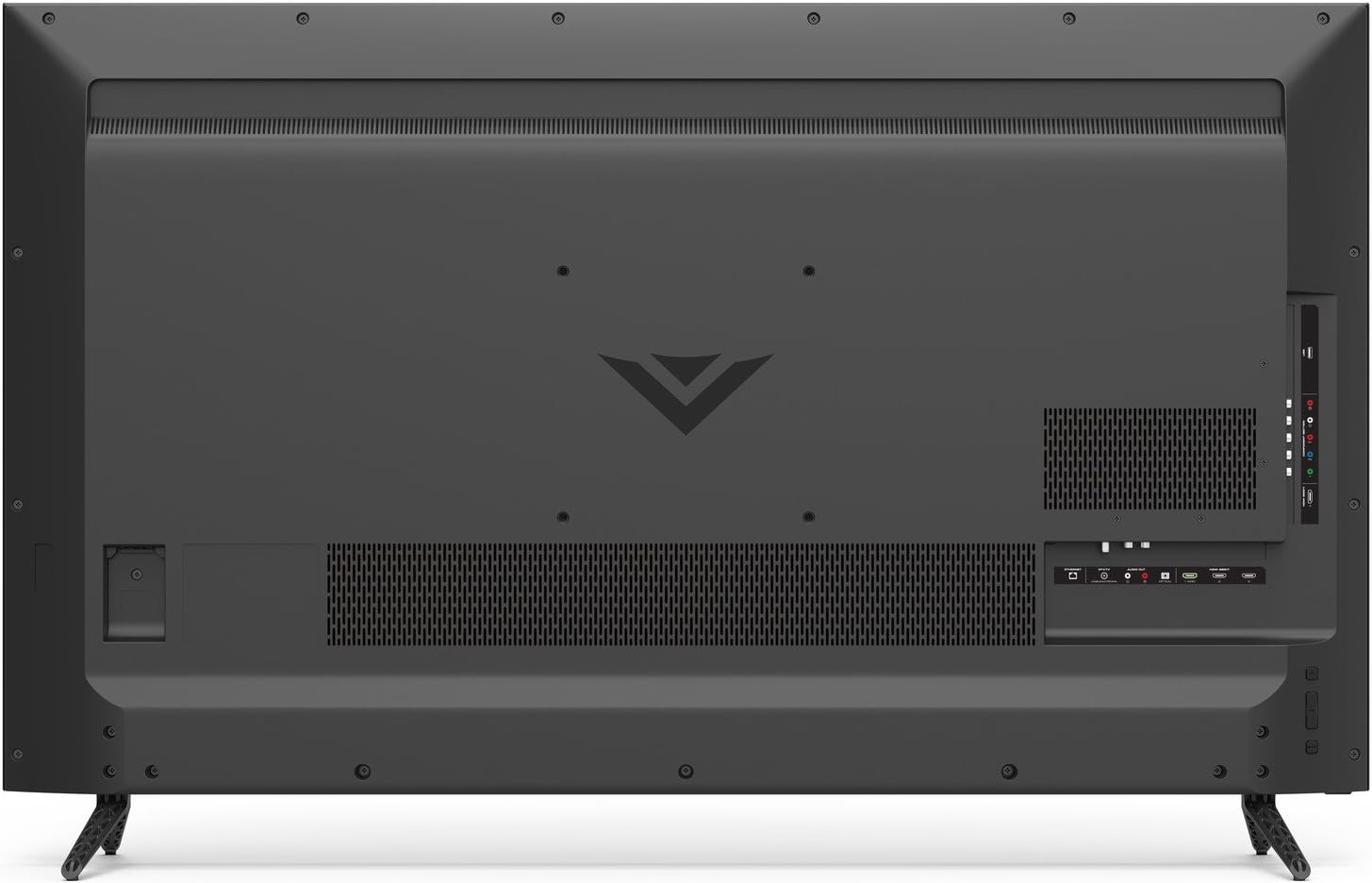
Figure 3.3: Back panel of the VIZIO D-Series TV with HDMI, USB, Ethernet, and other input/output ports clearly visible.
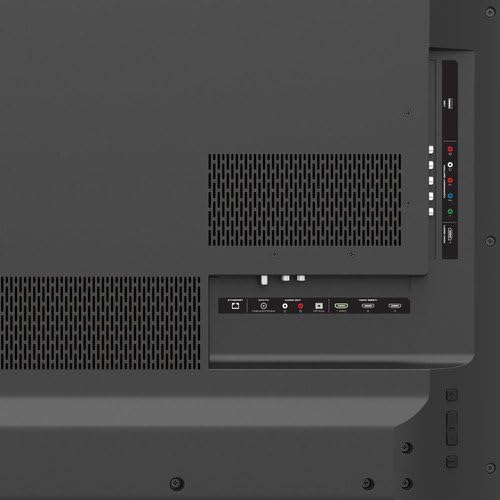
ຮູບທີ 3.4: ລາຍລະອຽດ view of the VIZIO D-Series TV's connectivity options, including HDMI, USB, and audio ports.
3.3 ການເປີດເຄື່ອງ ແລະ ການຕັ້ງຄ່າເຄືອຂ່າຍໃນເບື້ອງຕົ້ນ
After connecting all necessary cables, plug the TV into a power outlet. Press the power button on the remote or the TV. Follow the on-screen instructions to complete the initial setup, including connecting to your Wi-Fi network for Smart TV features.
4. ການເຮັດວຽກ
4.1 ຫນ້າທີ່ຄວບຄຸມໄລຍະໄກ
The included remote control provides full functionality for your VIZIO Smart TV. It features dedicated buttons for popular streaming apps and navigation controls.

Figure 4.1: The VIZIO remote control, highlighting quick access buttons for streaming services and navigation pad.
4.2 Smart TV Features (VIZIO Internet Apps Plus)
Access a wide range of streaming content and internet radio through VIZIO Internet Apps Plus. The simplified app home and app launcher make it easy to find and launch your favorite applications.
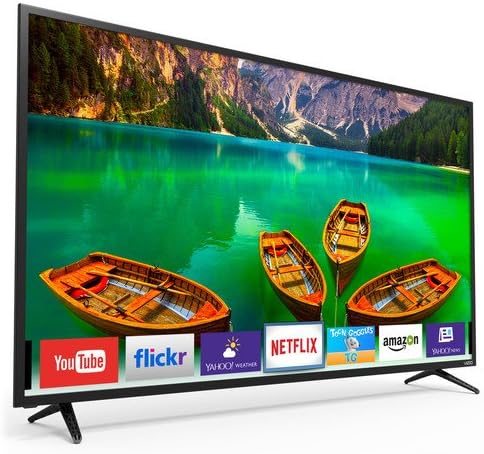
Figure 4.2: The VIZIO Smart TV interface showing available applications and content recommendations.
4.3 ການຕັ້ງຄ່າຮູບພາບ ແລະສຽງ
ປັບແຕ່ງຂອງທ່ານ viewing experience by adjusting picture and sound settings. Navigate to the settings menu to modify brightness, contrast, color, and various audio modes to suit your preferences.
4.4 Casting and Screen Mirroring
The VIZIO D-Series supports casting and screen mirroring features, allowing you to display content from compatible mobile devices directly onto your TV screen. Refer to your device's instructions for specific casting procedures.
5. ບໍາລຸງຮັກສາ
To ensure the longevity and optimal performance of your VIZIO D-Series TV, follow these maintenance guidelines:
- ທໍາຄວາມສະອາດຫນ້າຈໍ: ເຊັດໜ້າຈໍດ້ວຍຜ້າໄມໂຄໄຟເບີທີ່ອ່ອນໆ ແລະແຫ້ງ. ສໍາລັບຮອຍເປື້ອນທີ່ແຂງກະດ້າງ, ເບົາບາງ dampເຊັດຜ້າດ້ວຍນ້ຳ ຫຼື ນ້ຳຢາທຳຄວາມສະອາດສະເພາະໜ້າຈໍ. ຫຼີກລ່ຽງສານເຄມີທີ່ຮຸນແຮງ ຫຼື ວັດສະດຸທີ່ມີສີຂັດ.
- ທໍາຄວາມສະອາດກອບ: ໃຊ້ຜ້າອ່ອນໆເຊັດຝາໂທລະທັດ ແລະ ຢືນ.
- ການລະບາຍອາກາດ: ຮັບປະກັນການໄຫຼວຽນຂອງອາກາດຢ່າງພຽງພໍອ້ອມຮອບໂທລະທັດ. ຢ່າອຸດຕັນຊ່ອງລະບາຍອາກາດ.
- ສາຍໄຟ: Regularly check the power cord for any damage. If damaged, discontinue use and contact VIZIO support.
6. ການແກ້ໄຂບັນຫາ
If you encounter issues with your VIZIO D-Series TV, try the following steps:
- ບໍ່ມີພະລັງງານ: ກວດໃຫ້ແນ່ໃຈວ່າໄດ້ສຽບສາຍໄຟຢ່າງປອດໄພໃສ່ທັງໂທລະພາບ ແລະປລັກສຽບໄຟທີ່ເຮັດວຽກໄດ້. ລອງຮ້ານອື່ນ.
- ບໍ່ມີຮູບພາບ/ສຽງ: Verify that the correct input source is selected. Check all cable connections (HDMI, etc.) for looseness or damage.
- ຄຸນນະພາບຮູບບໍ່ດີ: Adjust picture settings (brightness, contrast, sharpness). Ensure your content source is providing a high-quality signal.
- ໄລຍະໄກບໍ່ເຮັດວຽກ: ປ່ຽນແບັດໃນຣີໂມດຄວບຄຸມ. ກວດໃຫ້ແນ່ໃຈວ່າບໍ່ມີສິ່ງກີດຂວາງລະຫວ່າງຣີໂໝດ ແລະເຊັນເຊີ IR ຂອງໂທລະທັດ.
- ແອັບໂທລະພາບອັດສະລິຍະບໍ່ໂຫຼດ: Check your internet connection. Restart the TV and your router.
For further assistance, refer to the VIZIO support webເວັບໄຊ ຫຼືຕິດຕໍ່ບໍລິການລູກຄ້າ.
7. ຂໍ້ມູນຈໍາເພາະ
| ຄຸນສົມບັດ | ຂໍ້ມູນຈໍາເພາະ |
|---|---|
| ຍີ່ຫໍ້ | VIZIO |
| ໝາຍເລກຕົວແບບ | D50-E1 |
| ຂະໜາດໜ້າຈໍ | 50 Inches (49.5" Diag.) |
| ເຕັກໂນໂລຊີການສະແດງ | LED, Full-Array |
| ຄວາມລະອຽດ | 4K (Ultra HD) |
| ອັດຕາການໂຫຼດຂໍ້ມູນຄືນໃໝ່ | 120 Hz |
| ອັດຕາສ່ວນ | 16:9 |
| ເຕັກໂນໂລຊີການເຊື່ອມຕໍ່ | Built-in Wi-Fi, HDMI, USB, Ethernet |
| ບໍລິການອິນເຕີເນັດທີ່ຮອງຮັບ | Browser, Netflix (and other V.I.A. Plus apps) |
| ນ້ໍາຫນັກລາຍການ | 35.71 ປອນ |
| ຂະໜາດສິນຄ້າ | 48.58 x 6.34 x 29.92 ນິ້ວ |
8. ການຮັບປະກັນແລະການສະຫນັບສະຫນູນ
Your VIZIO D-Series 50-inch Smart TV comes with a Limited 1-Year Warranty. For detailed warranty terms, conditions, and to register your product, please visit the official VIZIO support webເວັບໄຊທ໌ຫຼືອ້າງອີງໃສ່ເອກະສານທີ່ລວມຢູ່ໃນການຫຸ້ມຫໍ່ຜະລິດຕະພັນຂອງທ່ານ.
For technical support, troubleshooting, or service inquiries, please contact VIZIO Customer Support.


