1. ຜະລິດຕະພັນເກີນview
The ZOTAC GeForce GTX 1080 Mini is a high-performance graphics card designed for gaming and VR applications. It features NVIDIA Pascal architecture, 8GB GDDR5X memory, and a compact design suitable for smaller PC builds. This manual provides essential information for the installation, operation, and maintenance of your graphics card.
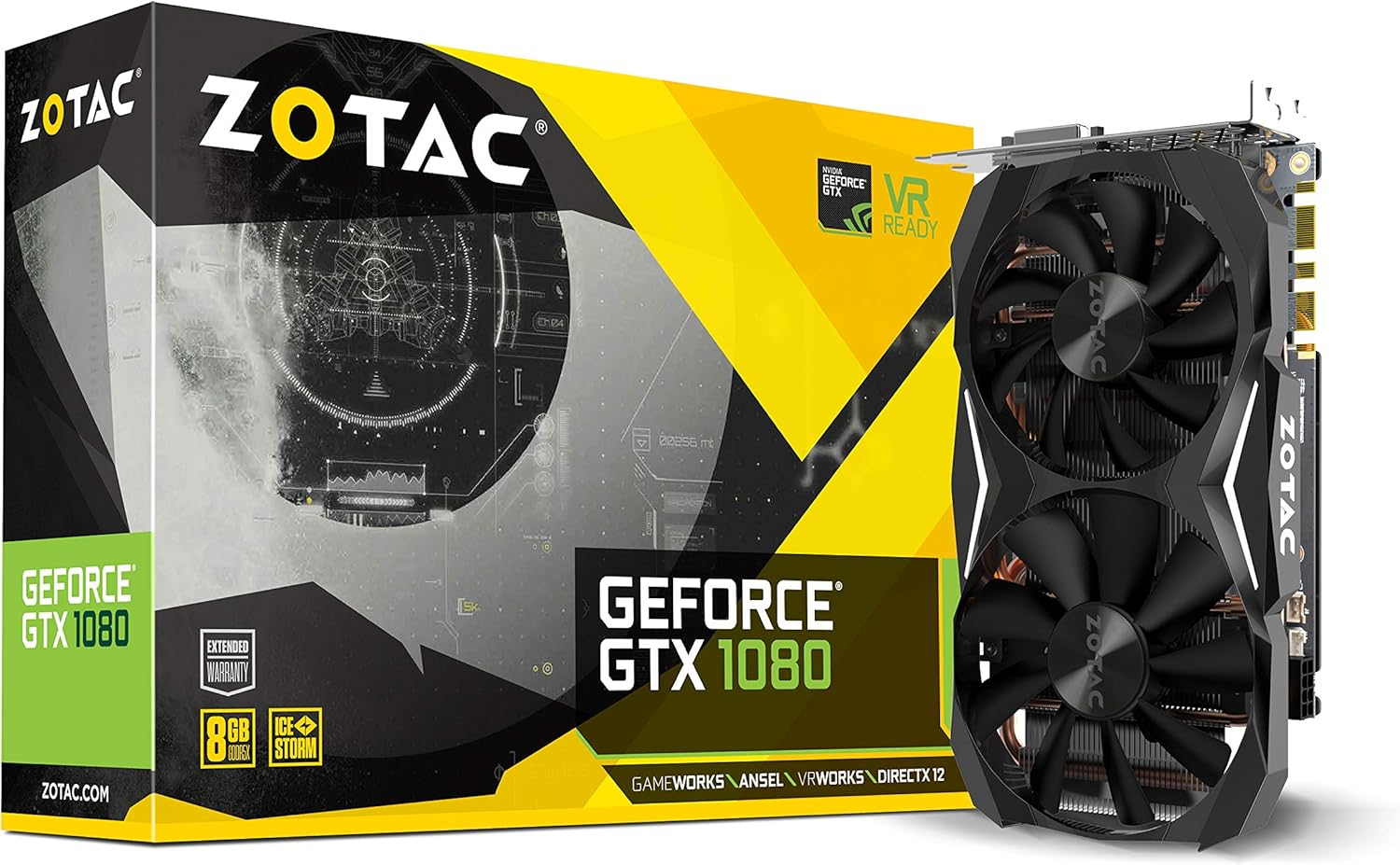
Figure 1: ZOTAC GeForce GTX 1080 Mini Graphics Card, front view with dual fans.
2. ສິ່ງທີ່ຢູ່ໃນກ່ອງ
ກວດສອບວ່າອົງປະກອບທັງຫມົດແມ່ນມີກ່ອນທີ່ຈະສືບຕໍ່ການຕິດຕັ້ງ:
- ZOTAC GeForce GTX 1080 Mini Graphics Card
- 2 x Dual 6-pin to 8-pin power cable
- ຄູ່ມືຜູ້ໃຊ້
- ແຜ່ນໄດເວີ
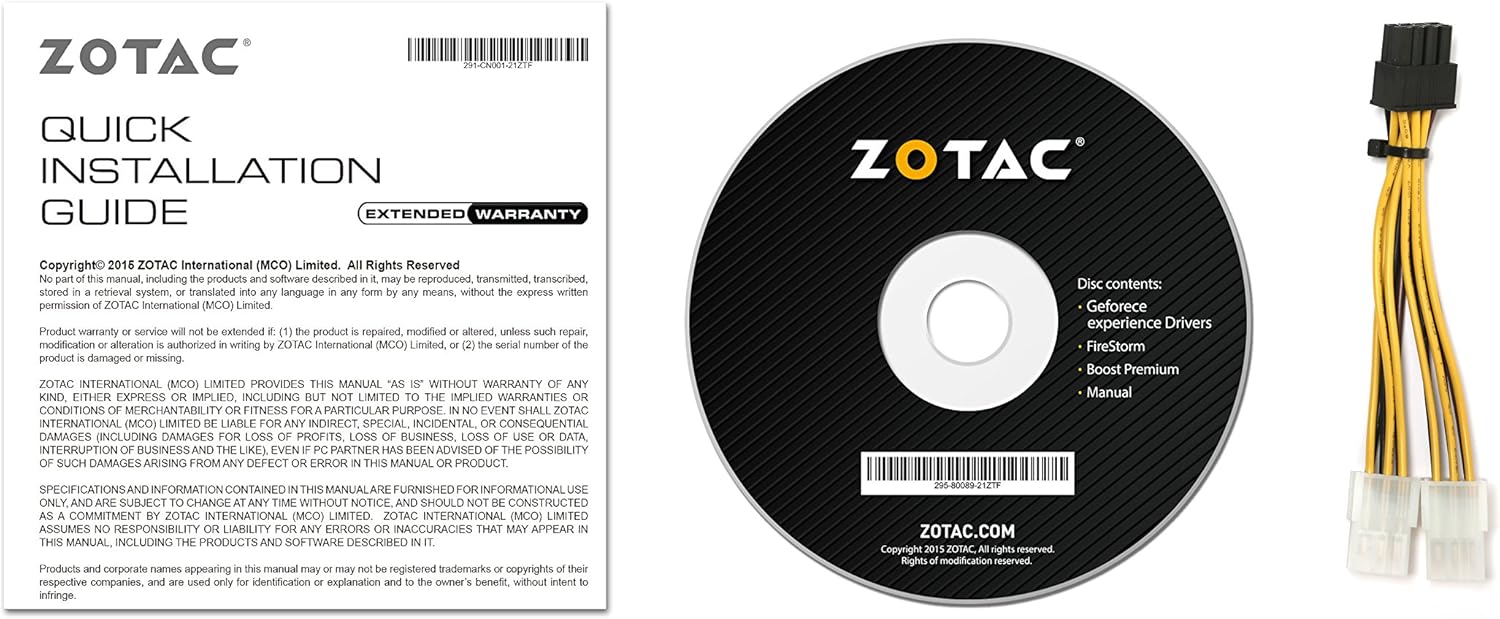
ຮູບທີ 2: ອຸປະກອນເສີມ ແລະ ເອກະສານທີ່ລວມຢູ່.
3. ການຕິດຕັ້ງແລະການຕິດຕັ້ງ
Before installing the graphics card, ensure your computer is powered off and unplugged from the wall outlet. It is recommended to wear an anti-static wrist strap to prevent damage from electrostatic discharge.
3.1 ຄວາມຕ້ອງການລະບົບ
- ຄອມພິວເຕີ້ເມນບິດທີ່ເຮັດຕາມ PCI Express ພ້ອມກັບຊ່ອງສຽບກາຟິກຂະ ໜາດ ໃຫຍ່ x16 ຂະ ໜາດ ສອງ xXNUMX.
- Minimum 500 watt power supply recommended.
- 180 watt minimum power consumption.
- 8-pin PCI Express power connectors (use included adapter if necessary).
- Microsoft Windows 10/8/7 x86/x64.
3.2 ການຕິດຕັ້ງທາງດ້ານຮ່າງກາຍ
- ເປີດກໍລະນີຄອມພິວເຕີຂອງທ່ານ.
- ຊອກຫາຊ່ອງ PCI Express x16 ທີ່ມີຢູ່ໃນເມນບອດຂອງທ່ານ.
- Remove any expansion slot covers that correspond to the graphics card's size.
- Carefully align the graphics card with the PCI Express slot and press firmly until it is securely seated.
- Secure the graphics card to the chassis with the appropriate screws.
- Connect the 8-pin PCI Express power connector(s) from your power supply to the graphics card. Use the provided dual 6-pin to 8-pin adapter if your power supply only has 6-pin connectors.
- ປິດກໍລະນີຄອມພິວເຕີຂອງທ່ານ.

Figure 3: Graphics card display outputs (3x DisplayPort 1.4, 1x HDMI 2.0b, 1x Dual-Link DVI).
3.3 ການຕິດຕັ້ງໄດເວີ
- Connect your display to one of the graphics card's output ports.
- ເປີດຄອມພິວເຕີຂອງທ່ານ.
- Insert the included driver disc into your optical drive and follow the on-screen instructions. Alternatively, download the latest drivers from the official ZOTAC website or NVIDIA webເວັບໄຊທ໌ສໍາລັບການປະຕິບັດທີ່ດີທີ່ສຸດແລະຄວາມເຂົ້າກັນໄດ້.
- restart ຄອມພິວເຕີຂອງທ່ານຫຼັງຈາກການຕິດຕັ້ງໄດເວີສໍາເລັດ.
4. ການໃຊ້ກາດກຣາບຟິກຂອງທ່ານ
The ZOTAC GeForce GTX 1080 Mini is equipped with advanced NVIDIA technologies to enhance your gaming and visual experience.
4.1 ລັກສະນະທີ່ສໍາຄັນ
- NVIDIA Pascal Architecture: Delivers superior performance and power efficiency.
- 8GB GDDR5X Memory: ສະຫນອງ ample memory for high-resolution gaming and demanding applications.
- VR ພ້ອມ: Optimized for virtual reality experiences.
- NVIDIA GameWorks Technology: Delivers interactive and cinematic experiences.
- NVIDIA VRWorks Technology: Enables next-generation VR performance, low latency, and plug-and-play compatibility.
- NVIDIA G-Sync ພ້ອມແລ້ວ: Synchronizes display refresh rates to the GPU for smooth, tear-free gaming.
- NVIDIA Ansel Technology: A revolutionary way to capture in-game screenshots.
- NVIDIA SLI ພ້ອມແລ້ວ: Allows for multi-GPU configurations for increased performance (requires compatible motherboard and additional card).
- 4K Gaming Support: Capable of delivering high-resolution gaming experiences.
- ຮອງຮັບຫຼາຍຈໍສະແດງຜົນ: ຮອງຮັບໄດ້ເຖິງ 4 ຈໍສະແດງຜົນພ້ອມກັນ.
4.2 Software Utility (FireStorm)
The ZOTAC FireStorm software utility provides an intuitive interface for monitoring and tuning your graphics card. It allows for fan speed control, clock speed adjustments, and LED lighting customization.
Video 1: Official ZOTAC overview of the GeForce GTX 1080 Mini, highlighting key features and the FireStorm software.
5. ບໍາລຸງຮັກສາ
ການບໍາລຸງຮັກສາທີ່ເຫມາະສົມຮັບປະກັນອາຍຸຍືນແລະການປະຕິບັດທີ່ດີທີ່ສຸດຂອງບັດກາຟິກຂອງທ່ານ.
- Keep Drivers Updated: Regularly check the ZOTAC or NVIDIA website for the latest graphics drivers to ensure compatibility and performance improvements.
- ທໍາຄວາມສະອາດເປັນປົກກະຕິ: Use compressed air to gently remove dust from the fans and heatsink fins. Ensure the computer is powered off and unplugged before cleaning.
- ຕິດຕາມອຸນຫະພູມ: Use monitoring software (like ZOTAC FireStorm) to keep an eye on the GPU temperature, especially during heavy loads, to prevent overheating.

ຮູບທີ 4: ທາງເທິງ view of the graphics card, showing the dual fan cooling system.
6. ການແກ້ໄຂບັນຫາ
ຖ້າທ່ານພົບບັນຫາກັບບັດກາຟິກຂອງທ່ານ, ໃຫ້ອ້າງອີງເຖິງຂັ້ນຕອນການແກ້ໄຂບັນຫາທົ່ວໄປຕໍ່ໄປນີ້:
- ບໍ່ມີການສະແດງຜົນອອກ:
- ກວດໃຫ້ແນ່ໃຈວ່າສາຍຂອງຈໍພາບຖືກເຊື່ອມຕໍ່ຢ່າງປອດໄພກັບບັດກາຟິກ ແລະ ຈໍພາບ.
- Verify the graphics card is properly seated in the PCI Express slot.
- Check that all necessary power connectors are attached to the graphics card.
- ທົດສອບດ້ວຍສາຍສະແດງຜົນອື່ນ ຫຼືຈໍພາບຖ້າເປັນໄປໄດ້.
- ຄວາມບໍ່ໝັ້ນຄົງຂອງລະບົບ ຫຼື ການຂັດຂ້ອງ:
- Ensure graphics drivers are up-to-date.
- Monitor GPU temperatures to ensure it's not overheating.
- ກວດສອບວ່າແຫຼ່ງສະໜອງພະລັງງານຂອງທ່ານຕອບສະໜອງຄ່າວັດຂັ້ນຕ່ຳtage ຄວາມຕ້ອງການ.
- ປະສິດທິພາບທີ່ບໍ່ດີໃນເກມ:
- Ensure graphics drivers are up-to-date.
- Check in-game graphics settings and reduce them if necessary.
- ປິດແອັບພລິເຄຊັນພື້ນຫຼັງທີ່ບໍ່ຈໍາເປັນ.
- Monitor GPU and CPU usage to identify potential bottlenecks.
7. ຂໍ້ມູນຈໍາເພາະ
| ຄຸນສົມບັດ | ລາຍລະອຽດ |
|---|---|
| Graphics Coprocessor | NVIDIA GeForce GTX 1080 |
| CUDA Cores | 2560 |
| ຫນ່ວຍຄວາມຈໍາວິດີໂອ | 8GB GDDR5X |
| ລົດເມໜ່ວຍຄວາມຈຳ | 256-ບິດ |
| Engine Clock (Base) | 1620 MHz |
| Engine Clock (Boost) | 1759 MHz |
| ໂມງຄວາມຊົງຈໍາ | 10 GHz |
| PCI Express | 3.0 |
| ສະແດງຜົນອອກ | 3 x DisplayPort 1.4, 1 x HDMI 2.0b, 1 x Dual-Link DVI |
| ຄວາມລະອຽດໜ້າຈໍສູງສຸດ | 3840x2160 |
| ຮອງຮັບຫຼາຍຈໍສະແດງຜົນ | ຈໍສະແດງຜົນ quad ພ້ອມໆກັນ |
| ຕົວເຊື່ອມຕໍ່ພະລັງງານ | 8-pin PCI Express |
| PSU ແນະນໍາ | Minimum 500W |
| ການບໍລິໂພກພະລັງງານ | 180W (ຕໍ່າສຸດ) |
| ຂະໜາດ (LxWxH) | 8.3 x 1.61 x 4.92 ນິ້ວ |
| ນ້ໍາຫນັກລາຍການ | 1 ປອນ |
8. ການຮັບປະກັນແລະການສະຫນັບສະຫນູນ
An extended warranty is included with every ZOTAC graphics card purchase. User registration is required on the official ZOTAC website to activate the extended warranty.
For technical support, driver downloads, or further product information, please visit the official ZOTAC webເວັບໄຊ: www.zotac.com


