ແນະນຳ
The Altec Lansing IMW478s Mini Life Jacket-3 is a rugged, portable Bluetooth speaker designed for various environments. It features a durable construction that is waterproof, sandproof, snowproof, dustproof, and shockproof, and it floats on water. This speaker offers up to 16 hours of battery life and includes an onboard power bank for charging other devices. It also supports hands-free calls via its integrated microphone and offers True Universal Wireless Stereo pairing for an enhanced audio experience.
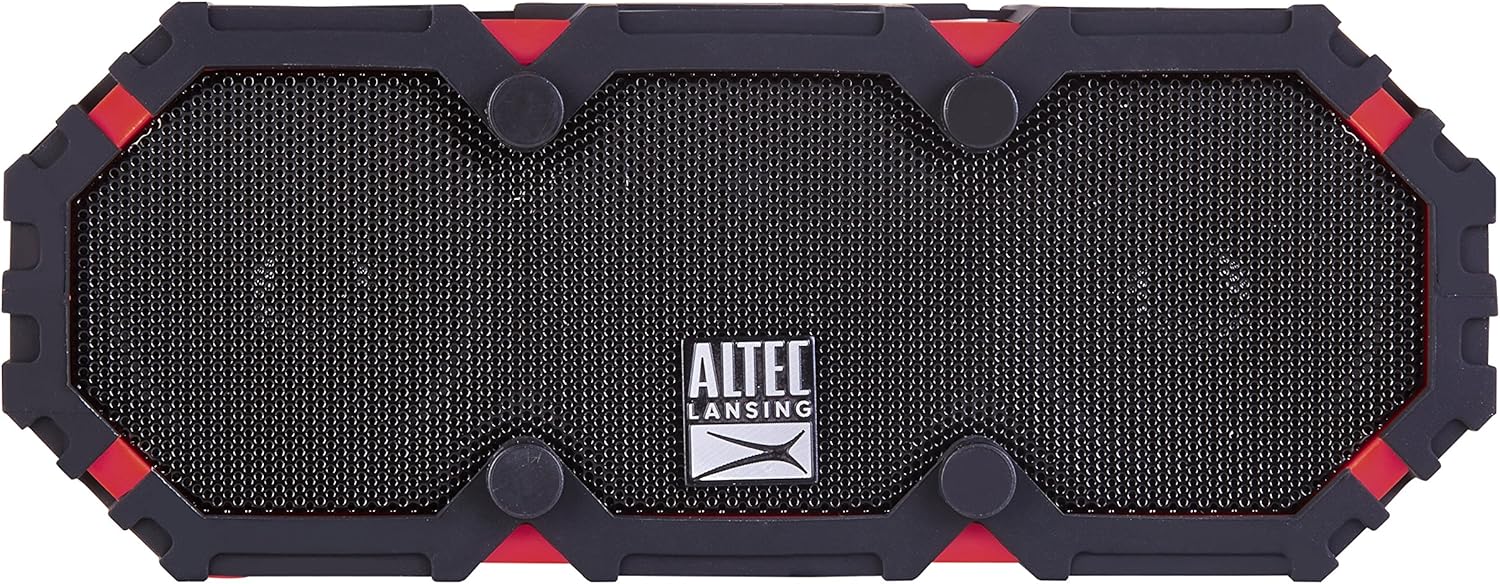
ຮູບ 1: ດ້ານຫນ້າ view of the Altec Lansing IMW478s Mini Life Jacket-3 Bluetooth Speaker.
ເນື້ອໃນຊຸດ
- Altec Lansing IMW478s Mini Life Jacket-3 Bluetooth Speaker
- ວົງເລັບຕິດຕັ້ງ
- ສາຍສາກ USB
- ສາຍ AUX

Figure 2: The Altec Lansing IMW478s Mini Life Jacket-3 Bluetooth Speaker in its retail packaging, showing included accessories.
ຕັ້ງຄ່າ
1. ການສາກໄຟ ລຳ ໂພງ
Before initial use, fully charge the speaker. Connect the supplied USB charging cable to the DC IN 5V port on the speaker and the other end to a USB power adapter (not included) or a computer's USB port. The charging indicator light will illuminate during charging and turn off when fully charged.
2. ເປີດ / ປິດພະລັງງານ
- ເພື່ອເປີດເຄື່ອງ: ກົດປຸ່ມເປີດປິດຄ້າງໄວ້ (O) located on the top of the speaker until you hear an audible tone.
- ເພື່ອປິດເຄື່ອງ: ກົດປຸ່ມເປີດປິດຄ້າງໄວ້ (O) again until you hear an audible tone.

ຮູບທີ 3: ທາງເທິງ view of the speaker, highlighting the power and control buttons.
3. ການຈັບຄູ່ Bluetooth
- ໃຫ້ແນ່ໃຈວ່າລຳໂພງເປີດຢູ່ ແລະ ຢູ່ໃນໂໝດຈັບຄູ່. ໄຟສັນຍານ Bluetooth ຈະກະພິບ.
- ໃນໂທລະສັບສະຫຼາດ ຫຼື ອຸປະກອນອື່ນໆທີ່ເປີດໃຊ້ Bluetooth ຂອງທ່ານ, ໃຫ້ໄປທີ່ການຕັ້ງຄ່າ Bluetooth.
- Select "IMW478s" from the list of available devices.
- ເມື່ອຈັບຄູ່ແລ້ວ, ໄຟສະແດງ Bluetooth ຈະກາຍເປັນແຂງ, ແລະທ່ານຈະໄດ້ຍິນສຽງຢືນຢັນ.
4. ການຕິດຕັ້ງລຳໂພງ
The speaker includes a mounting bracket for attachment to various surfaces or equipment. Secure the bracket to the speaker and then attach it to your desired location, such as a bicycle handlebar or motorcycle frame.
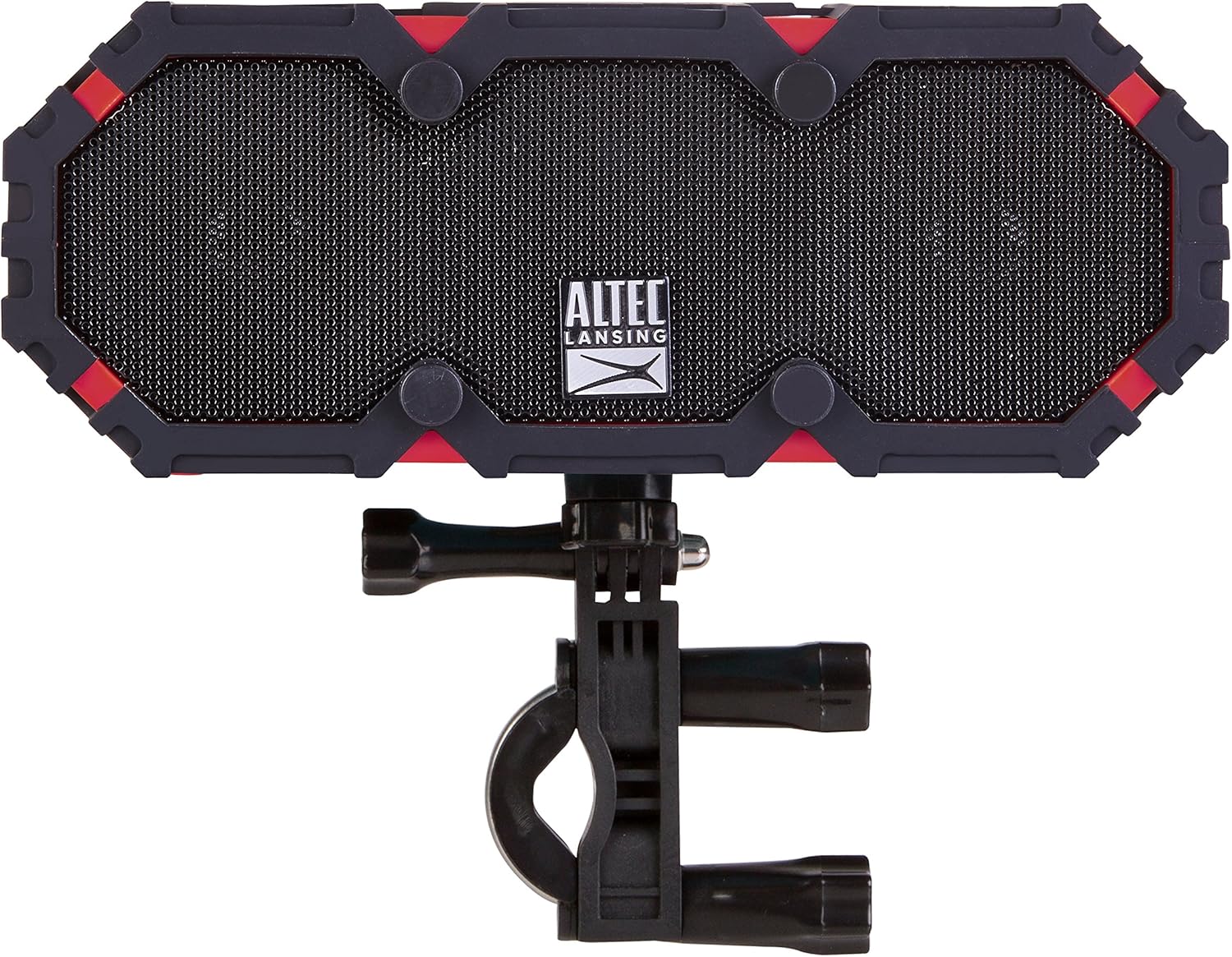
Figure 4: The speaker shown with the included mounting bracket.

Figure 5: The speaker mounted on a bicycle handlebar, demonstrating its portability.

Figure 6: The speaker mounted on a motorcycle, illustrating another mounting option.
ຄໍາແນະນໍາການດໍາເນີນງານ
1. ຫຼີ້ນສຽງ
- Bluetooth: Once paired, audio from your device will stream wirelessly to the speaker. Use your device's volume controls or the speaker's volume buttons (+ / -) to adjust the sound level.
- AUX Input: Connect one end of the supplied AUX cable to the AUX IN port on the speaker and the other end to the audio output of your device. The speaker will automatically switch to AUX mode.

ຮູບ 7: ດ້ານຫລັງ view of the speaker, showing the USB OUT, AUX IN, and DC IN ports.
2. ການທໍາງານຂອງລໍາໂພງ
When connected via Bluetooth, the speaker can be used for hands-free calls. When a call comes in, the music will pause. Press the Play/Pause button (▶||) to answer or end a call. The integrated microphone will pick up your voice.
3. Using the Power Bank
The speaker features an onboard power bank. Connect your mobile device's charging cable to the USB OUT 5V port on the speaker to charge your device. This function is available even while the speaker is playing audio.
4. True Universal Wireless Stereo Pairing
For a stereo audio experience, two Altec Lansing IMW478s speakers can be paired together wirelessly. Refer to the specific instructions provided with your product for detailed steps on initiating True Universal Wireless Stereo pairing.
ບໍາລຸງຮັກສາ
ທໍາຄວາມສະອາດ
ເຊັດລໍາໂພງດ້ວຍສຽງອ່ອນ, ງamp cloth. Do not use harsh chemicals or abrasive cleaners. Ensure all port covers are securely closed before exposing the speaker to water or dust.
ການເກັບຮັກສາ
ເກັບຮັກສາລຳໂພງໄວ້ໃນບ່ອນທີ່ເຢັນ, ແຫ້ງ, ຫ່າງຈາກແສງແດດໂດຍກົງ ແລະ ອຸນຫະພູມທີ່ຮ້າຍກາດ. ຖ້າເກັບຮັກສາໄວ້ເປັນເວລາດົນ, ໃຫ້ສາກແບັດເຕີຣີເປັນໄລຍະໆເພື່ອຮັກສາອາຍຸຂອງມັນ.
ການແກ້ໄຂບັນຫາ
- ລຳໂພງຈະບໍ່ເປີດ: ໃຫ້ແນ່ໃຈວ່າແບັດເຕີຣີໄດ້ສາກແລ້ວ. ເຊື່ອມຕໍ່ລຳໂພງກັບແຫຼ່ງພະລັງງານໂດຍໃຊ້ສາຍສາກໄຟ USB.
- ບໍ່ສາມາດຈັບຄູ່ຜ່ານ Bluetooth:
- ກວດໃຫ້ແນ່ໃຈວ່າລຳໂພງຢູ່ໃນໂໝດຈັບຄູ່ (ຕົວຊີ້ບອກ Bluetooth ກະພິບ).
- ໃຫ້ແນ່ໃຈວ່າ Bluetooth ຖືກເປີດໃຊ້ຢູ່ໃນອຸປະກອນຂອງທ່ານ.
- ຍ້າຍລຳໂພງເຂົ້າໃກ້ອຸປະກອນຂອງທ່ານ.
- Turn off and on both the speaker and your device, then attempt pairing again.
- Forget the speaker from your device's Bluetooth list and re-pair.
- ບໍ່ມີສຽງ:
- ກວດເບິ່ງລະດັບສຽງໃນທັງລຳໂພງ ແລະອຸປະກອນທີ່ເຊື່ອມຕໍ່ຂອງທ່ານ.
- Ensure the correct input source is selected (Bluetooth or AUX).
- ຖ້າໃຊ້ AUX, ໃຫ້ແນ່ໃຈວ່າສຽບສາຍເຄເບີນແລ້ວ ແລະ ມີປະໂຫຍດ.
- Charging issues (speaker or external device):
- ກວດສອບວ່າສາຍສາກໄຟໄດ້ເຊື່ອມຕໍ່ຢ່າງແໜ້ນໜາແລ້ວ.
- ລອງໃຊ້ພອດ USB ຫຼືຕົວແປງໄຟອື່ນ.
- Ensure the speaker's battery has sufficient charge to power external devices.
If you encounter persistent issues, please refer to the support section for further assistance.
ຂໍ້ມູນຈໍາເພາະ
| ຄຸນສົມບັດ | ລາຍລະອຽດ |
|---|---|
| ໝາຍເລກຕົວແບບ | IMW478-DR |
| ເຕັກໂນໂລຊີການເຊື່ອມຕໍ່ | Bluetooth, ຕົວຊ່ວຍ, USB |
| ຮູບແບບການອອກສຽງ | ສະເຕຣິໂອ |
| ປະເພດລຳໂພງ | ກາງແຈ້ງ |
| ລະດັບຄວາມຕ້ານທານນ້ໍາ | ກັນນ້ຳໄດ້ (ລະດັບ IP67) |
| ແຫຼ່ງພະລັງງານ | ພະລັງງານຫມໍ້ໄຟ (ມີຫມໍ້ໄຟ Lithium Polymer 1 ໜ່ວຍ) |
| ອາຍຸຫມໍ້ໄຟສະເລ່ຍ | ສູງສຸດ 16 ຊົ່ວໂມງ |
| ວິທີການຄວບຄຸມ | ແຕະ |
| ຂະໜາດສິນຄ້າ | 6 x 8 x 2 ນິ້ວ |
| ນ້ໍາຫນັກລາຍການ | 1 ປອນ |
| ຄຸນນະສົມບັດພິເສດ | Travel, Onboard Power Bank, Speakerphone, True Universal Wireless Stereo Pairing |
ຂໍ້ມູນການຮັບປະກັນ
Altec Lansing products are covered by a limited warranty. Specific warranty terms and conditions, including duration and coverage details, are typically provided with your product at the time of purchase or can be found on the official Altec Lansing webເວັບໄຊ. ກະລຸນາຮັກສາຫຼັກຖານການຊື້ຂອງທ່ານສໍາລັບການຮຽກຮ້ອງການຮັບປະກັນ.
ສະຫນັບສະຫນູນ
For additional support, frequently asked questions, or to contact customer service, please visit the official Altec Lansing website. You may also find helpful resources and product registration information there.
Webເວັບໄຊ: www.alteclansing.com


