1. ຂໍ້ມູນຄວາມປອດໄພ
ອ່ານ ແລະ ເຂົ້າໃຈຄຳເຕືອນ ແລະ ຄຳແນະນຳດ້ານຄວາມປອດໄພທັງໝົດກ່ອນທີ່ຈະໃຊ້ຜະລິດຕະພັນນີ້. ການບໍ່ປະຕິບັດຕາມຄຳເຕືອນ ແລະ ຄຳແນະນຳອາດຈະເຮັດໃຫ້ເກີດໄຟຟ້າຊັອດ, ໄຟໄໝ້ ແລະ/ຫຼື ການບາດເຈັບສາຫັດ.
- ໃສ່ເຄື່ອງປ້ອງກັນຕາທີ່ເໝາະສົມສະເໝີເມື່ອເຮັດວຽກກັບແບັດເຕີລີ.
- ໃຫ້ແນ່ໃຈວ່າລົດຢູ່ໃນພື້ນທີ່ລະບາຍອາກາດໄດ້ດີ.
- Keep the tester away from heat, sparks, open flames, and other ignition sources.
- Do not touch hot engine parts or moving components.
- ໃຫ້ແນ່ໃຈວ່າຂົ້ວຂອງແບັດເຕີຣີສະອາດ ແລະ ບໍ່ມີການກັດກ່ອນ ເພື່ອໃຫ້ສາມາດອ່ານຄ່າໄດ້ຖືກຕ້ອງ.
- Do not immerse the tester in water or expose it to rain.
- This device is designed for 12V automotive batteries only. Do not use on other voltage ລະບົບ.
2. ຜະລິດຕະພັນເກີນview
The Sealey BT105 is a compact digital device designed for accurately testing 12V automotive batteries, cranking systems, and alternator charging systems. It provides quick and reliable results without generating heat or sparks, minimizing the risk of misdiagnosis. The tester operates without an internal battery, drawing power from the battery being tested, and can test batteries with a residual charge as low as 8V. Results are displayed on an LCD screen and can be printed via PC software.
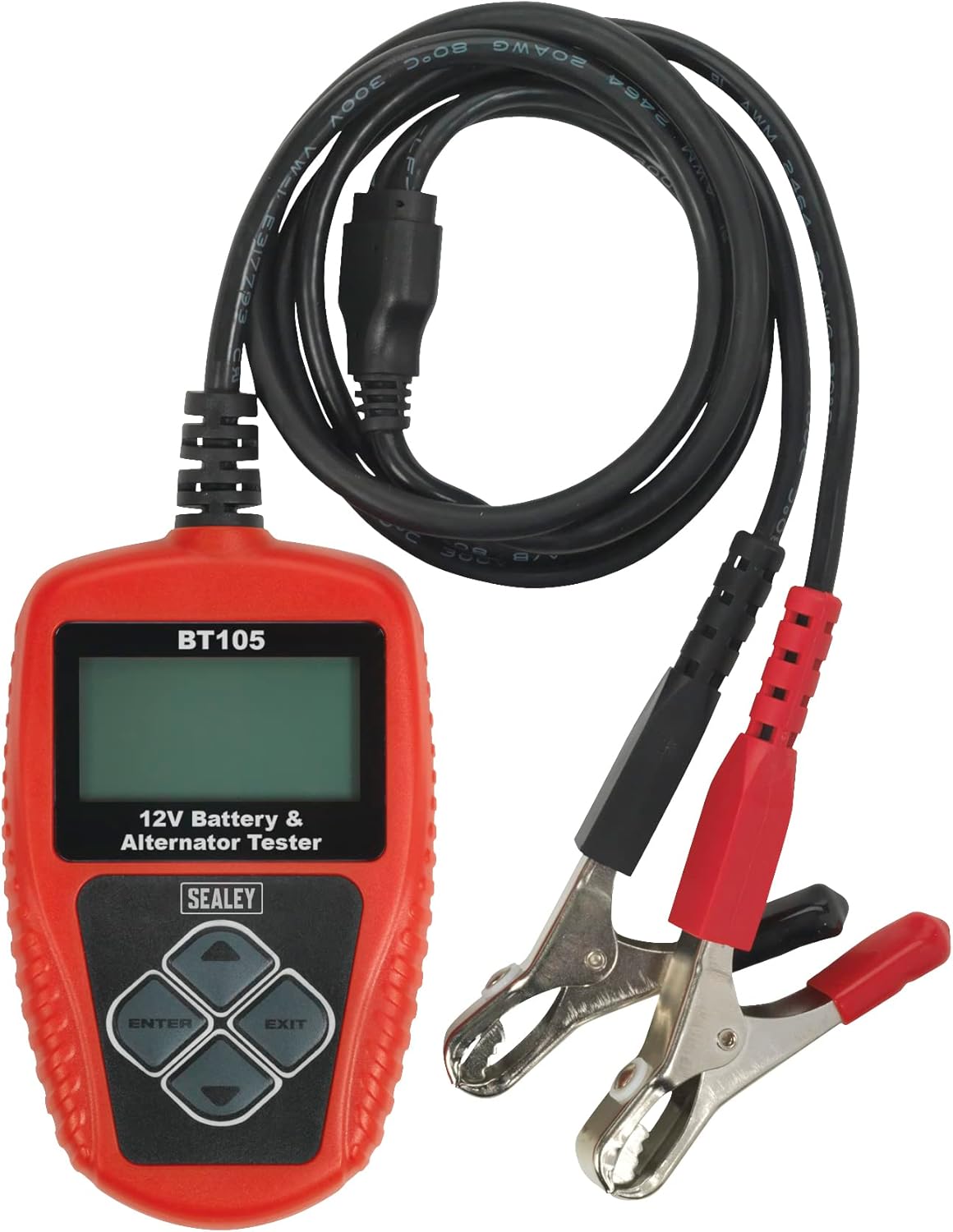
Figure 1: Sealey BT105 Digital Battery & Alternator Tester with attached cables.
ຄຸນນະສົມບັດທີ່ສໍາຄັນ:
- Accurately tests 12V batteries, cranking, and alternator systems.
- No heat, no sparks, and no misdiagnosis.
- LCD screen for clear display of results.
- Operates without an internal battery, powered by the tested battery.
- Capable of testing batteries with a residual charge of just 8V.
- Includes PC software for printing test results.
3. ຕັ້ງຄ່າ
The Sealey BT105 is ready for use directly out of its storage pouch. No assembly or internal battery charging is required as the unit is powered by the battery it is testing.
Connecting the Tester:
- Ensure the vehicle ignition is off and all accessories are turned off.
- ເຊື່ອມຕໍ່ ສີແດງ ບວກ (+) clamp to the positive (+) terminal of the 12V battery.
- ເຊື່ອມຕໍ່ ສີດໍາ ລົບ (-) clamp ໄປຫາຂົ້ວລົບ (-) ຂອງແບັດເຕີຣີ 12V.
- The tester will power on automatically once connected correctly.
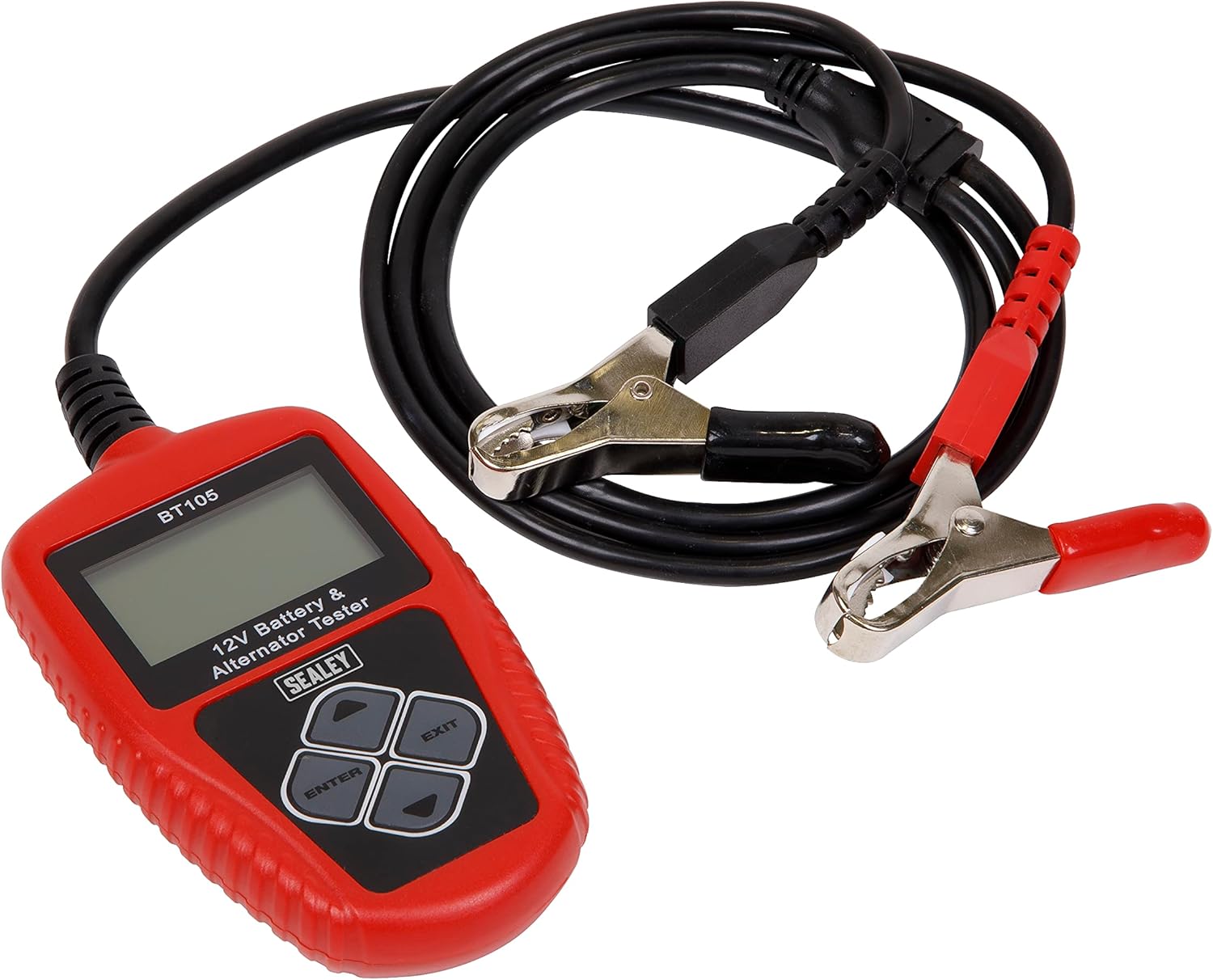
Figure 2: The BT105 tester with its red and black clamps ready for connection to a 12V battery.
4. ຄໍາແນະນໍາການດໍາເນີນງານ
The BT105 features a simple menu-driven interface. Use the arrow buttons to navigate and the ENTER button to select options. The EXIT button typically returns to the previous menu or cancels an operation.

Figure 3: Close-up of the BT105's LCD screen and control buttons (Up, Down, Left, Right, ENTER, EXIT).
ການນຳທາງເມນູຫຼັກ:
Upon powering on, the tester will display the main menu. Options typically include:
- ການທົດສອບດ່ວນ: Performs a rapid assessment.
- Battery In Vehicle: For testing batteries installed in a vehicle.
- Battery Out Of Vehicle: For testing standalone batteries.
- Review ຂໍ້ມູນ: View previously saved test results.
- ຂໍ້ມູນພິມ: Initiate printing of results via PC connection.
- ຕັ້ງຄ່າລະບົບ: Configure language, time, and other settings.

Figure 4: The BT105 displaying its Main Menu with various testing and utility options.
Performing a Battery Test (In Vehicle):
- ຈາກເມນູຫລັກ, ເລືອກ 'Battery In Vehicle' ແລະກົດ ENTER.
- The tester will prompt you to input the battery rating (e.g., CCA, Ah). Refer to the battery label for this information. Use the arrow keys to adjust the value and ENTER to confirm.
- The tester will then perform the test and display results such as battery health percentage, ຄ່າບໍລິການ voltage, internal resistance, and a recommendation (e.g., 'Good', 'Charge', 'Replace').
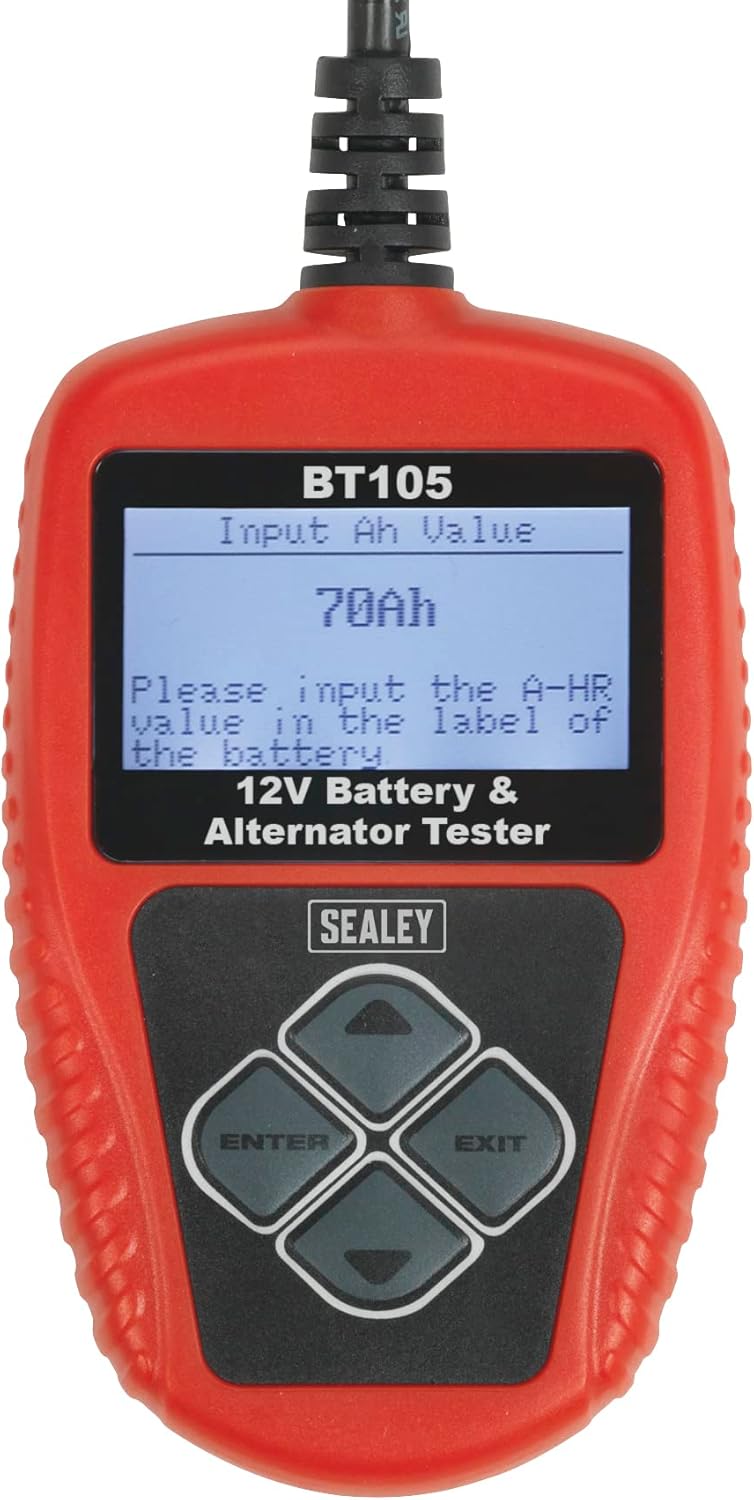
Figure 5: The BT105 screen prompting the user to input the battery's Ah (Amp-hour) value.
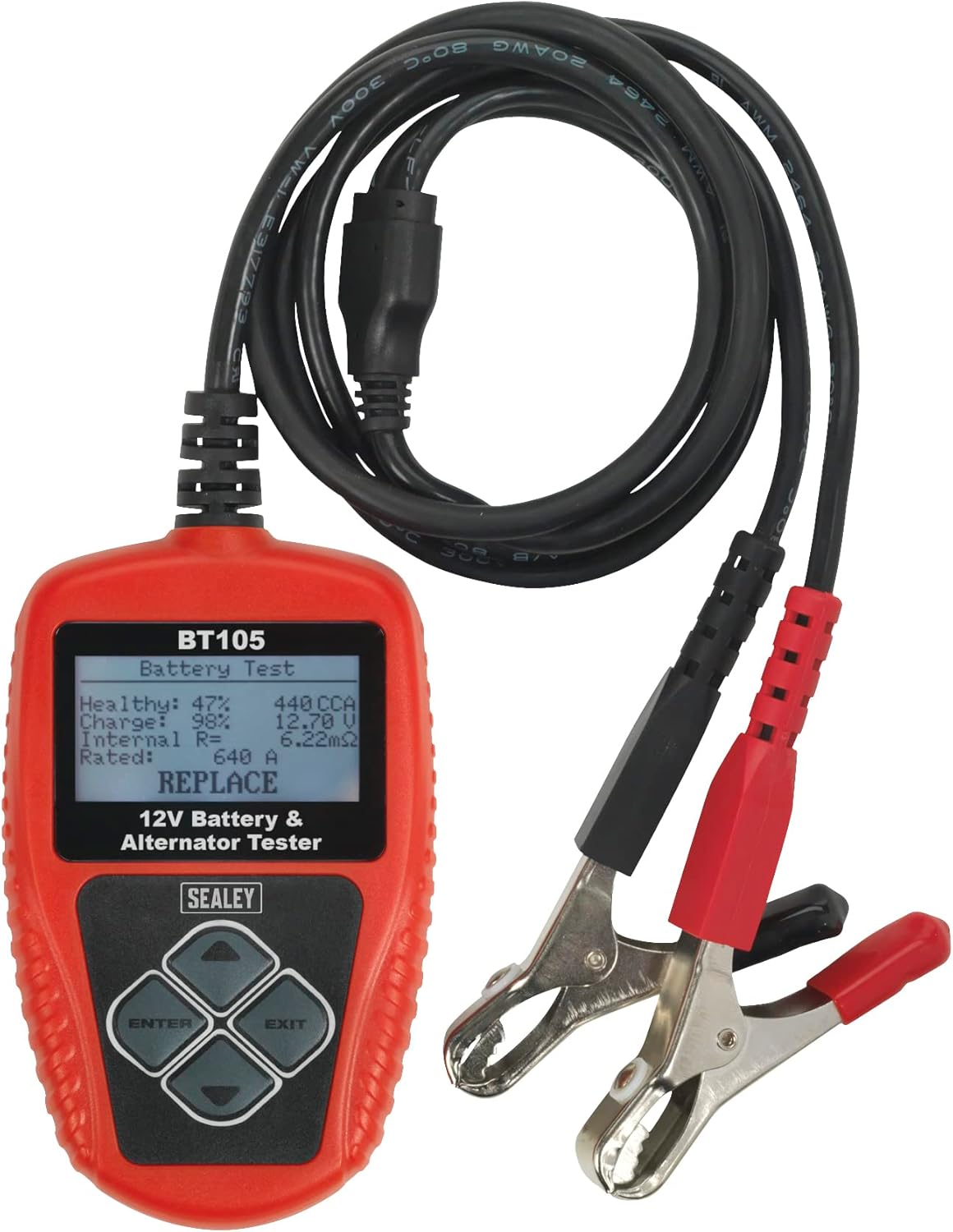
ຮູບທີ 6: ຕົວຢ່າງample of battery test results displayed on the BT105, showing 'Healthy', 'Charge', 'Internal Res', 'Rated', and a 'REPLACE' recommendation.
Performing Cranking and Charging Tests:
After selecting 'Battery In Vehicle', you will typically be presented with options for further tests:
- ການທົດສອບ Cranking: Follow on-screen prompts to start the vehicle engine. The tester will measure the cranking voltage and time to assess the starter system's performance.
- ການທົດສອບການສາກໄຟ: Follow on-screen prompts to run the engine at specified RPMs. The tester will measure the alternator's output voltage and ripple to evaluate the charging system.

Figure 7: The BT105 displaying the 'Test In Vehicle' menu, offering options for Battery, Cranking, and Charging tests.
Printing Results:
The BT105 can connect to a PC to print test results. Install the provided PC software on your computer. Connect the tester to your PC using a USB cable (not always included, check packaging). Select 'Print Data' from the Main Menu on the tester and follow the software instructions on your PC.

Figure 8: The BT105 connected to a laptop, demonstrating the print function for test results.

Figure 9: A user reviewing a printed report generated by the Sealey BT105 tester.
5. ບໍາລຸງຮັກສາ
- ທໍາຄວາມສະອາດ: Wipe the tester's casing ມີອ່ອນ, damp ຜ້າ. ຢ່າໃຊ້ເຄື່ອງເຮັດຄວາມສະອາດຂັດຫຼືສານລະລາຍ.
- ການເກັບຮັກສາ: Store the tester in its original pouch in a dry, cool place, away from direct sunlight and extreme temperatures.
- ການກວດສອບສາຍ: ກວດກາສາຍໄຟ ແລະ ທໍ່ລະບາຍອາກາດເປັນປະຈຳamps ສໍາລັບອາການຂອງຄວາມເສຍຫາຍ, fraying, ຫຼື corrosion. ປ່ຽນແທນຖ້າຈໍາເປັນ.
6. ການແກ້ໄຂບັນຫາ
| ບັນຫາ | ສາເຫດທີ່ເປັນໄປໄດ້ | ການແກ້ໄຂ |
|---|---|---|
| ເຄື່ອງທົດສອບບໍ່ເປີດ. | ການເຊື່ອມຕໍ່ທີ່ບໍ່ດີກັບຂົ້ວແບັດເຕີຣີ; ພະລັງງານຂອງແບັດເຕີຣີtagຕໍ່າເກີນໄປ (ຕໍ່າກວ່າ 8V). | ຮັບປະກັນ clamps are securely attached and terminals are clean. Charge battery if voltage ແມ່ນຕໍ່າກວ່າ 8V. |
| ການອ່ານບໍ່ຖືກຕ້ອງ. | Corroded battery terminals; Incorrect battery rating input. | Clean battery terminals. Verify the correct CCA or Ah value from the battery label. |
| Cannot print results. | PC software not installed; USB cable not connected; Driver issues. | Install the PC software. Ensure USB cable is securely connected to both tester and PC. Check PC device manager for driver issues. |
7. ຂໍ້ມູນຈໍາເພາະ
- ຕົວແບບ: BT105
- ຍີ່ຫໍ້: ຊີລີ
- ການດໍາເນີນງານ Voltage: 12V
- ປະຕິບັດງານຂັ້ນຕ່ ຳtage: 8V
- ແຫຼ່ງພະລັງງານ: ໃຊ້ພະລັງງານຈາກແບັດເຕີຣີ (ຈາກແບັດເຕີຣີທີ່ທົດສອບແລ້ວ)
- ຂະໜາດຜະລິດຕະພັນ: 5 x 23 x 17 cm
- ນ້ໍາຫນັກລາຍການ: 440 g
- ການເຊື່ອມຕໍ່: USB for PC software
8. ການຮັບປະກັນແລະການສະຫນັບສະຫນູນ
This Sealey BT105 Digital Battery & Alternator Tester is covered by a ຮັບປະກັນ 1 ປີ. For specific terms and conditions, please refer to the documentation included with your product or visit the official Sealey webເວັບໄຊ.

Figure 10: Sealey 1 Year Guarantee.
For technical support, spare parts, or warranty claims, please contact your authorized Sealey dealer or visit the Sealey customer support portal.
Webເວັບໄຊ: www.sealey.co.uk


