1. ບົດແນະນຳ
The DIGITNOW! M125 Film and Slide Scanner is designed to convert your old 35mm/135 film negatives and mounted slides into digital JPEG images. This standalone device features a 2.4-inch LCD screen, allowing you to preview and adjust images without the need for a computer. Digital files can be saved directly to an SD card for easy transfer and archiving.

Image: The DIGITNOW! M125 Film and Slide Scanner converting film, with a vintage camera and film rolls in the background.
2. ຂໍ້ມູນຄວາມປອດໄພ
- ຢ່າເຮັດໃຫ້ອຸປະກອນມີຄວາມຊຸ່ມຊື່ນ ຫຼືອຸນຫະພູມສູງສຸດ.
- ຫຼີກລ່ຽງການຖອດປະກອບເຄື່ອງ; ໃຫ້ຕິດຕໍ່ພະນັກງານທີ່ມີຄຸນວຸດທິເພື່ອບໍລິການ.
- ໃຊ້ພຽງແຕ່ອະແດບເຕີໄຟຟ້າທີ່ໃຫ້ມາເພື່ອປ້ອງກັນຄວາມເສຍຫາຍເທົ່ານັ້ນ.
- ຮັກສາໃຫ້ໄກຈາກເດັກນ້ອຍ.
- ເຊັດອຸປະກອນດ້ວຍຜ້າອ່ອນໆແລະແຫ້ງ. ຢ່າໃຊ້ນໍ້າຢາລ້າງ.
3. ເນື້ອໃນຊຸດ
ກວດສອບວ່າລາຍການທັງຫມົດແມ່ນມີຢູ່ໃນຊຸດ:
- DIGITNOW! M125 Film and Slide Scanner
- 35mm ທີ່ຖືຮູບເງົາ
- Slide Holder
- ສາຍ USB
- Power Adapter
- ແປງລ້າງ
- ຄູ່ມືຜູ້ໃຊ້

Image: The complete package contents of the DIGITNOW! M125 Film and Slide Scanner.
4. ຜະລິດຕະພັນເກີນview
The M125 scanner features a compact design with intuitive controls and a built-in LCD screen for easy operation.

ຮູບພາບ: ທາງຫນ້າ view of the DIGITNOW! M125 Film and Slide Scanner, highlighting the LCD screen and control panel.
4.1. ກະດານດ້ານຫນ້າ
- ຈໍ LCD: 2.4-inch TFT LCD for previewຮູບພາບ ແລະ ການນຳທາງເມນູ.
- ປຸ່ມຄວບຄຸມ: Power, Menu, Capture, Up/Down/Left/Right navigation.
- ແສງຕົວຊີ້ວັດ: SD (SD card status), Power (power status), PC (PC connection status).

ຮູບພາບ: A ລາຍລະອຽດ view of the scanner's screen and buttons, showing the 'FILM SCANNER' label.
4.2. ກະດານດ້ານຫລັງ
- ຊ່ອງໃສ່ບັດ SD: For inserting an SD/MMC card (up to 8GB SDHC, not included) to save scanned images.
- USB Output: Connects to a computer for data transfer or power.
- ການປ້ອນຂໍ້ມູນໂທລະພາບ: Connects to a TV for viewing images on a larger screen (NTSC/PAL compatible).

Image: The back of the scanner, clearly labeling the SD card slot, USB output, and TV input ports.
5. ຕັ້ງຄ່າ
- ເຊື່ອມຕໍ່ພະລັງງານ: Plug the power adapter into the scanner's USB port and then into a power outlet.
- ໃສ່ SD Card: Insert an SD or SDHC memory card (up to 8GB, not included) into the SD card slot on the rear of the scanner. The SD indicator light will illuminate.
- ເປີດ: Press the Power button on the front panel to turn on the scanner.
- Connect to TV (Optional): If desired, connect the scanner to a TV using the provided video cable to view images on a larger screen.

Image: An SD card being inserted into the scanner, with a message on the screen indicating to insert a memory card.
6. ຄໍາແນະນໍາການດໍາເນີນງານ
6.1. Loading Film and Slides
- For 35mm Film Strips: Open the 35mm film holder, insert the film strip into the designated grooves, and close the holder. Slide the loaded holder into the scanner's film slot.
- For Mounted Slides: Open the slide holder, place a mounted slide into the opening, and close the holder. Slide the loaded holder into the scanner's film slot.

Image: A mounted slide being pushed into the slide holder, which is then inserted into the scanner.
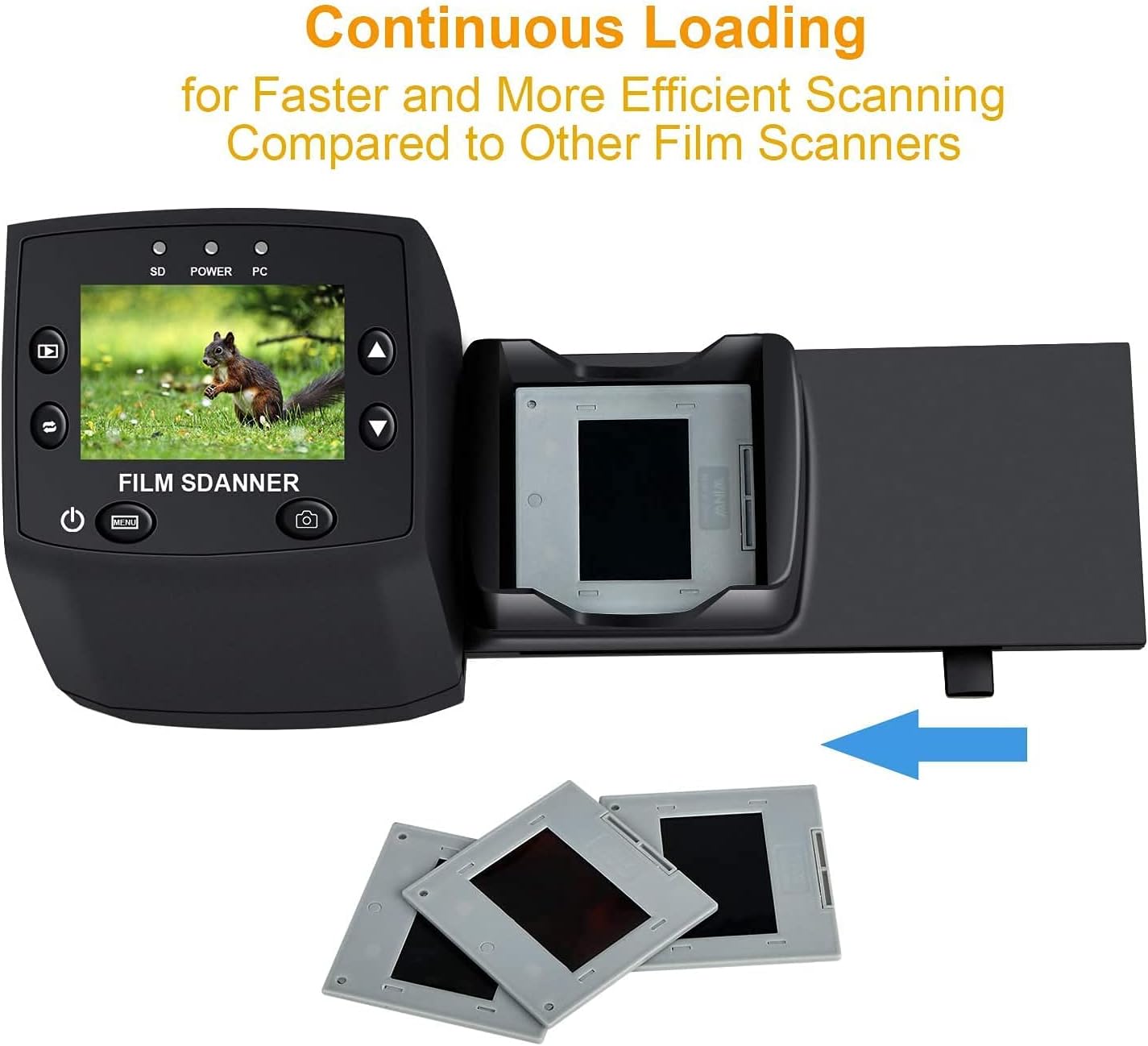
Image: The continuous loading tray for slides, designed for faster scanning.
6.2. ຂະບວນການສະແກນ
- ກ່ອນview: Once the film or slide is loaded, the image will appear on the LCD screen.
- ປັບການຕັ້ງຄ່າ (ທາງເລືອກ):
- ກົດ ເມນູ ປຸ່ມເພື່ອເຂົ້າເຖິງການຕັ້ງຄ່າ.
- ໃຊ້ ຂຶ້ນ/ລົງ buttons to navigate through options like ແສງ EV, ຄວາມລະອຽດ, ແລະ ພາສາ.
- ກົດ OK ເພື່ອເລືອກທາງເລືອກ.
- ໃຊ້ ຂຶ້ນ/ລົງ to adjust values (e.g., exposure compensation from -2 to +2, resolution between 5M and 10M).
- ກົດ OK to confirm changes or ອອກ ເພື່ອກັບຄືນໄປກ່ອນview ຈໍ.
- ບັນທຶກຮູບພາບ: When satisfied with the preview, ກົດ ຈັບ button (camera icon) to scan and save the image to the SD card.
Video: A demonstration of the DIGITNOW! M125 Film and Slide Scanner's setup and operation, including connecting cables, inserting an SD card, loading film, adjusting settings like exposure and resolution, and capturing images.
6.3. ກຳລັງເຊື່ອມຕໍ່ກັບ PC
To transfer images to your computer:
- Connect the scanner to your PC using the USB cable.
- On the scanner's menu, select USB MSDC (Mass Storage Device Class) and press OK.
- Your computer will recognize the scanner as a removable disk. You can then access the saved JPEG images on the SD card.

Image: The scanner connected to a laptop, demonstrating the USB connection for data transfer.
6.4. Changing Language
To change the menu language:
- ກົດ ເມນູ ປຸ່ມ.
- ທ່ອງໄປຫາ ພາສາ option using the ຂຶ້ນ/ລົງ ປຸ່ມແລະກົດ OK.
- Select your desired language (e.g., English, Français, Deutsch, Italiano) and press OK ເພື່ອຢືນຢັນ.
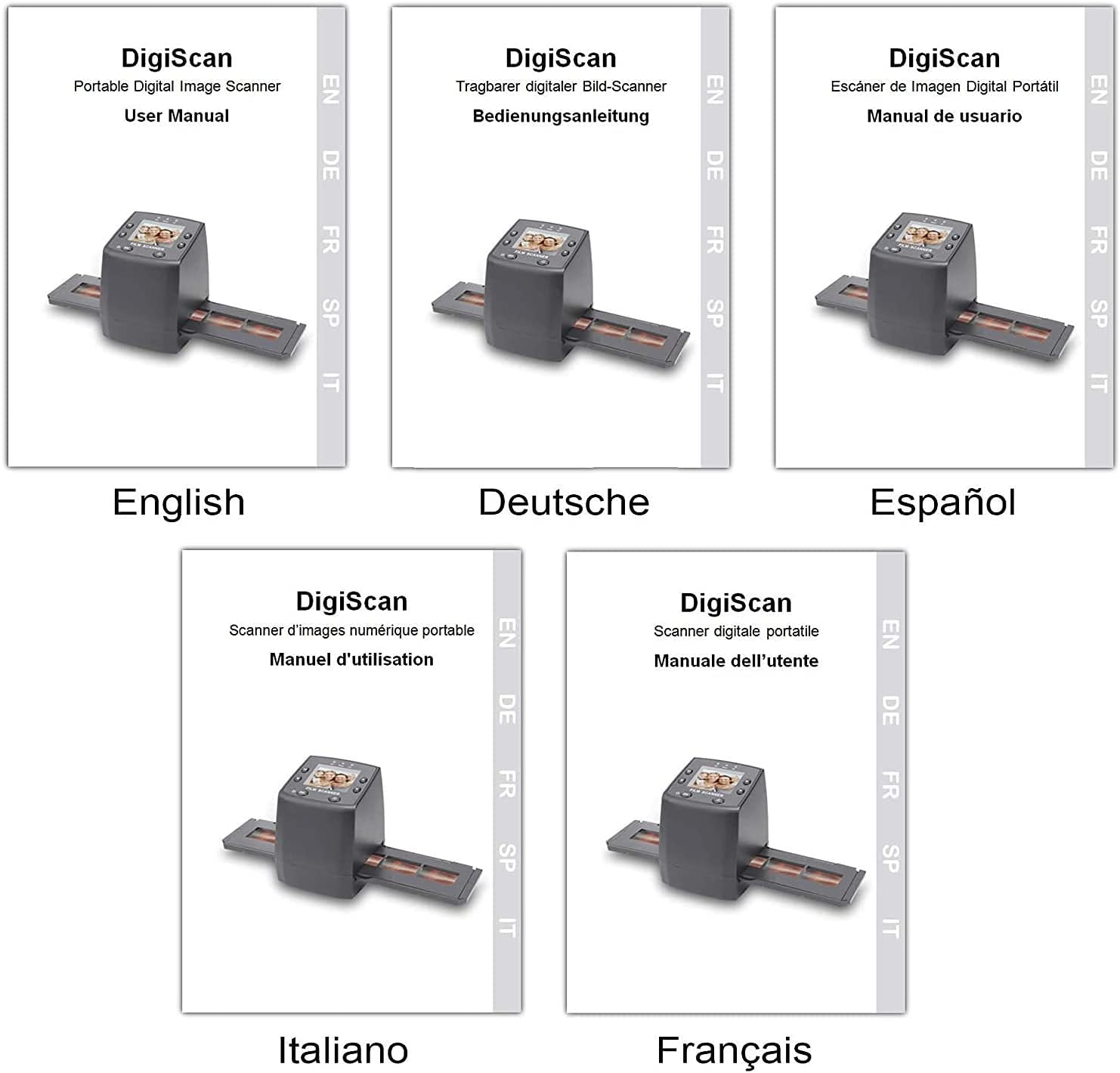
Image: Covers of user manuals in various languages, indicating multi-language support.
7. ບໍາລຸງຮັກສາ
- Cleaning the Film/Slide Holders: Regularly inspect and clean the film and slide holders to ensure no dust or debris interferes with scanning.
- Cleaning the Scanner Lens: Use the provided cleaning brush to gently remove dust from the scanner's lens and light source. Avoid touching the lens directly with your fingers.
- ການເກັບຮັກສາ: ເກັບຮັກສາເຄື່ອງສະແກນໄວ້ໃນສະພາບແວດລ້ອມແຫ້ງ ແລະ ບໍ່ມີຝຸ່ນເມື່ອບໍ່ໄດ້ໃຊ້ງານ.
8. ການແກ້ໄຂບັນຫາ
- ບໍ່ມີພະລັງງານ: Ensure the power adapter is securely connected to both the scanner and a working power outlet.
- Image Quality Issues (Blurry/Dusty): Clean the film/slides and the scanner lens using the provided brush. Adjust the focus if available (not explicitly mentioned for this model, but a general tip).
- SD ກາດບໍ່ໄດ້ຮັບຮູ້: Ensure the SD card is inserted correctly and is not damaged. Try formatting the card (this will erase all data) or using a different SD card.
- ບໍ່ສາມາດໂອນຍ້າຍໄດ້ Files ກັບ PC: Ensure the USB cable is properly connected and the scanner is in "USB MSDC" mode. Check your computer's device manager to see if the scanner is recognized.
- Image Color Issues: Adjust the EV Exposure settings in the scanner's menu.
9. ຂໍ້ມູນຈໍາເພາະ
| ຄຸນສົມບັດ | ຂໍ້ມູນຈໍາເພາະ |
|---|---|
| ໝາຍເລກຕົວແບບ | M125 |
| ຍີ່ຫໍ້ | DIGITNOW |
| ປະເພດຮູບເງົາທີ່ຮອງຮັບ | 35mm Film Negatives, 135 Mounted Slides |
| ຈໍ LCD | 2.4-inch TFT LCD (480 * 234) |
| ຄວາມລະອຽດ | 5/10 Megapixel (interpolated to 10M) |
| DPI | 3600 DPI |
| ຮູບແບບຜົນຜະລິດ | JPEG |
| ການເກັບຮັກສາ | SD/MMC Card (up to 8GB SDHC, not included) |
| ການໂຕ້ຕອບ | USB 2.0, Video Out (NTSC/PAL) |
| ຂະໜາດ | 8.6 x 8.6 x 11.2 cm |
| ນ້ຳໜັກ | 270 g |
| ພະລັງງານ | 5 ວັດ |
| ສະຫນັບສະຫນູນລະບົບປະຕິບັດງານ | Windows XP, Vista, 7, 8; Mac OS |

Image: Diagram illustrating the dimensions of the DIGITNOW! M125 Film and Slide Scanner.
10. ການຮັບປະກັນແລະການສະຫນັບສະຫນູນ
This product comes with a standard manufacturer's warranty. For specific warranty details, please refer to the warranty card included in your package or contact DIGITNOW! customer support. For technical assistance or further inquiries, please visit the official DIGITNOW! webຫຼື ຕິດຕໍ່ທີມງານຊ່ວຍເຫຼືອຂອງເຂົາເຈົ້າຜ່ານຂໍ້ມູນຕິດຕໍ່ທີ່ໃຫ້ມາພ້ອມກັບການຊື້ຂອງທ່ານ.


