1. ບົດແນະນຳ
This manual provides detailed instructions for the installation, operation, and maintenance of your Kicker IQ500.4 Q-Class Amplifier. Please read this manual thoroughly before attempting installation or operation to ensure proper use and to prevent damage.
The Kicker IQ500.4 is a 4-channel car amplifier featuring advanced digital signal processing (DSP) capabilities, designed to deliver high-quality audio performance in automotive environments.
2. ຂໍ້ມູນຄວາມປອດໄພ
ປະຕິບັດຕາມຄວາມລະມັດລະວັງດ້ານຄວາມປອດໄພຕໍ່ໄປນີ້ສະເໝີ:
- Disconnect the vehicle's battery before making any power connections.
- ຮັບປະກັນການຖົມດິນຢ່າງຖືກຕ້ອງເພື່ອປ້ອງກັນອັນຕະລາຍຈາກໄຟຟ້າ.
- ຫ້າມເປີດເຜີຍ amplifier ກັບຄວາມຊຸ່ມຫຼືອຸນຫະພູມທີ່ສຸດ.
- Use appropriate gauge wiring for power and speaker connections as specified in the installation section.
- ປຶກສາຜູ້ຕິດຕັ້ງມືອາຊີບ ຖ້າທ່ານບໍ່ແນ່ໃຈກ່ຽວກັບພາກສ່ວນໃດນຶ່ງຂອງຂະບວນການຕິດຕັ້ງ.
- ຜະລິດຕະພັນນີ້ປະກອບດ້ວຍສານເຄມີທີ່ຮູ້ຈັກກັບລັດຄາລິຟໍເນຍເພື່ອເຮັດໃຫ້ເກີດມະເຮັງແລະຄວາມບົກຜ່ອງດ້ານການເກີດລູກຫຼືອັນຕະລາຍຕໍ່ການຈະເລີນພັນອື່ນໆ (ຄໍາເຕືອນ 65).
3. ເນື້ອໃນຊຸດ
ກວດສອບວ່າລາຍການທັງຫມົດແມ່ນມີຢູ່ໃນຊຸດ:
- Kicker IQ500.4 Q-Class Ampມີຊີວິດຊີວາ
- ຮາດແວຕິດຕັ້ງ
- ຄູ່ມືຜູ້ໃຊ້ (ເອກະສານນີ້)
- USB Cable (for TWEEQ app connection)
4. ການຕິດຕັ້ງແລະການຕິດຕັ້ງ
4.1 ການຕິດຕັ້ງ Ampມີຊີວິດຊີວາ
Select a dry, stable location for mounting the amplifier, ensuring adequate ventilation. Avoid mounting in direct sunlight or areas prone to vibration.
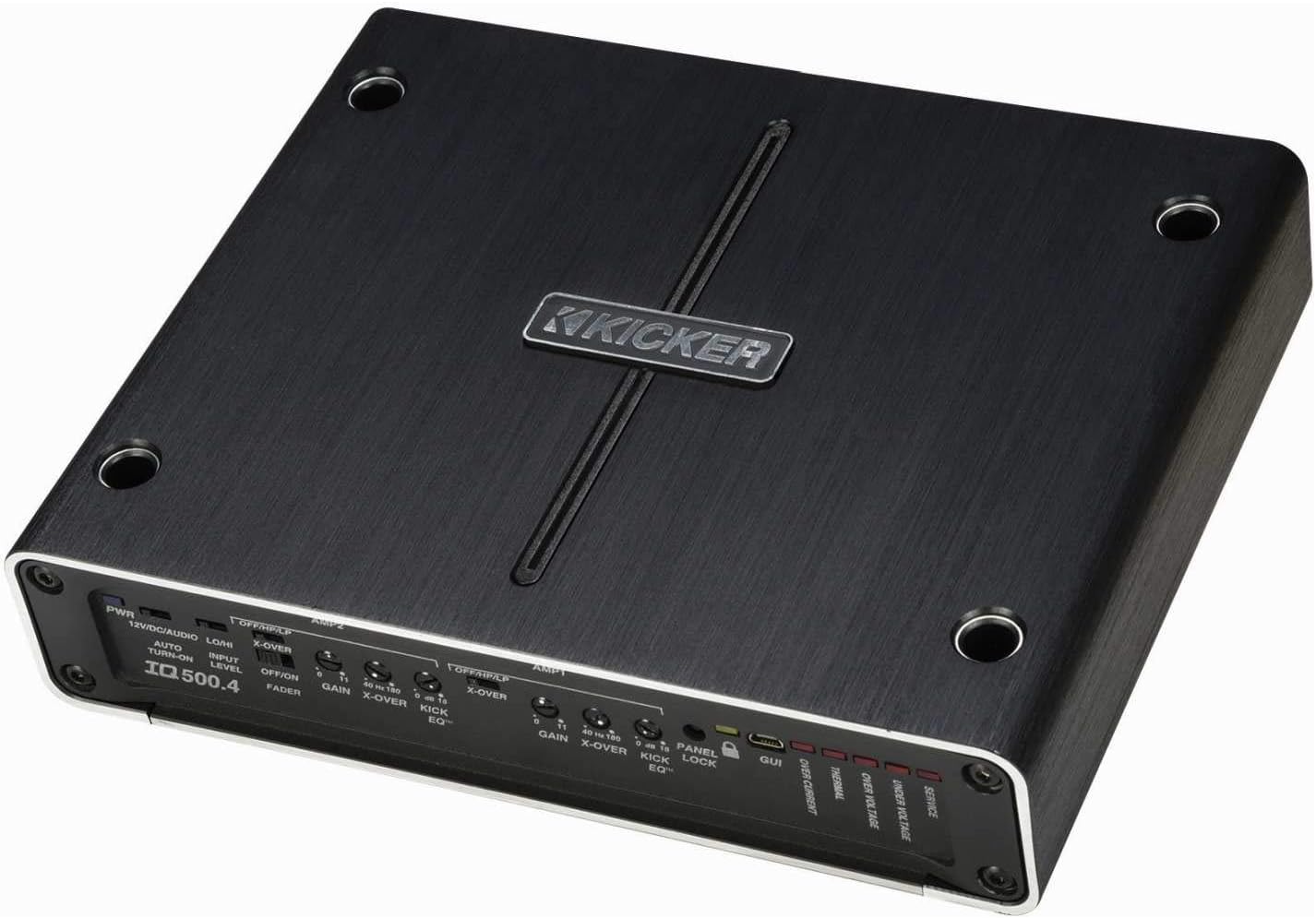
ຮູບທີ 4.1: ທາງເທິງ view of the Kicker IQ500.4 Q-Class Amplifier, highlighting the control panel and overall design.
4.2 ການເຊື່ອມຕໍ່ສາຍໄຟ
Ensure all connections are secure and properly insulated. Refer to the diagram below for typical wiring configurations.

ຮູບ 4.2: ດ້ານຫລັງ view of the Kicker IQ500.4 Q-Class Amplifier, detailing the power, ground, remote, input, and output connections.
ການເຊື່ອມຕໍ່ໄຟຟ້າ:
- +12V (ພະລັງງານ): Connect to the positive terminal of the vehicle's battery using appropriate gauge wire (e.g., 4-gauge for optimal performance).
- GND (ດິນ): Connect to a clean, unpainted metal surface of the vehicle chassis. Ensure a solid connection.
- REM (ການເປີດທາງໄກ): ເຊື່ອມຕໍ່ກັບສາຍເປີດໄຟຈາກໄລຍະໄກຈາກຫົວໜ່ວຍຂອງທ່ານ.
ການເຊື່ອມຕໍ່ຂາເຂົ້າ/ອອກ:
- ວັດສະດຸປ້ອນ (RCA): Connect to the RCA outputs of your head unit or signal processor.
- Output (Speaker): Connect to your speakers. The amplifier supports 4-ohm stable bridged mode.
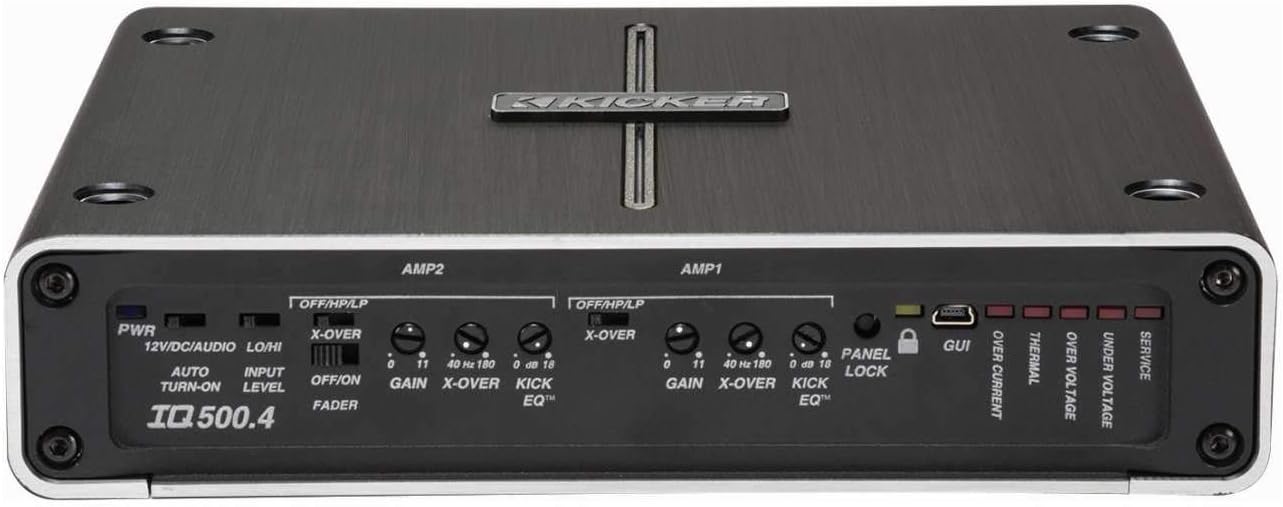
ຮູບທີ 4.3: ລາຍລະອຽດ view ຂອງ amplifier's control panel, showing gain, crossover, and KickEQ adjustments.

Figure 4.4: Close-up of the input and output terminals, including RCA inputs and speaker wire connections.
5. ປະຕິບັດການ Ampມີຊີວິດຊີວາ
5.1 Initial Setup and Gain Matching
After installation, set the gain controls to match the output voltage of your head unit. Start with the gain at minimum and slowly increase until distortion is heard, then back off slightly.
5.2 Digital Signal Processing (DSP) with TWEEQ App
The IQ500.4 features advanced DSP capabilities accessible via the TWEEQ app for PC, iOS, or Android. Download the app from kicker.com/tweeq. Connect your device to the amplifier ຜ່ານ USB.
TWEEQ App Features:
- TWEEQ Wizard: Automatically sets basic tune, including speaker type/size and time-alignment based on listening position.
- Input Signal Routing and Mixing: Customize signal paths.
- Variable High- and Low-Pass Filters: Adjustable from 10-20,000 Hz with selectable crossover characteristics (Butterworth, Linkwitz) and slopes (6, 12, 18, 24 dB/octave).
- Variable KickEQ+ Bass Boost: Adjustable from 0-18 dB, 24-80 Hz, with 0.5-10 Q.
- ການຊັກຊ້າເວລາທີ່ສາມາດປັບໄດ້: Fine-tune sound staging (0-20 ms in 0.02, 0.1, and 1.0 ms increments).
- 31-Band Graphic Equalizer: +/-12 dB/band for precise frequency adjustments.
- Dynamic Compressor/Limiter: Fully adjustable (1:1 to 10:1 ratio).
The Panel Lock function disables onboard controls when using the TWEEQ app, ensuring settings are managed digitally.
6. ບໍາລຸງຮັກສາ
- ຮັກສາ amplifier ສະອາດແລະບໍ່ມີຂີ້ຝຸ່ນ. ໃຊ້ຜ້າອ່ອນໆ, ແຫ້ງເພື່ອທໍາຄວາມສະອາດ.
- ຮັບປະກັນການລະບາຍອາກາດທີ່ເຫມາະສົມ amplifier ເພື່ອປ້ອງກັນ overheating.
- ກວດເບິ່ງທຸກການເຊື່ອມຕໍ່ສາຍໄຟເປັນແຕ່ລະໄລຍະເພື່ອຄວາມແຫນ້ນຫນາແລະການກັດກ່ອນ.
7. ການແກ້ໄຂບັນຫາ
| ບັນຫາ | ສາເຫດທີ່ເປັນໄປໄດ້ | ການແກ້ໄຂ |
|---|---|---|
| ບໍ່ມີພະລັງງານ | ຟິວເປົ່າ; ການເຊື່ອມຕໍ່ພະລັງງານ / ດິນວ່າງ; ບໍ່ມີສັນຍານເປີດທາງໄກ. | Check/replace fuse; Secure connections; Verify remote wire connection to head unit. |
| ບໍ່ມີສຽງອອກ | Incorrect input/output connections; Gain set too low; Speaker wires shorted. | Verify RCA and speaker connections; Adjust gain; Check speaker wiring for shorts. |
| ສຽງບິດເບືອນ | Gain set too high; Incorrect crossover settings; Speaker impedance mismatch. | Reduce gain; Adjust crossover settings via TWEEQ app; Ensure speaker impedance is compatible. |
| Amplifier overheating | Insufficient ventilation; Low impedance load; Prolonged high-volume use. | ຮັບປະກັນການໄຫຼວຽນຂອງອາກາດທີ່ສະອາດອ້ອມຮອບ amplifier; Check speaker impedance; Reduce volume or allow cool-down period. |
8. ຂໍ້ມູນຈໍາເພາະ
| ຄຸນສົມບັດ | ລາຍລະອຽດ |
|---|---|
| ຕົວແບບ | IQ500.4 |
| ຊ່ອງ | 4 ຊ່ອງ |
| ພະລັງງານ RMS (4 ໂອມ) | 65 ວັດ x 4 |
| ພະລັງງານ RMS (2 ໂອມ) | 125 ວັດ x 4 |
| ພະລັງງານ RMS (ເຊື່ອມຕໍ່ 4 ໂອມ) | 250 ວັດ x 2 |
| ປະຕິບັດຕາມ CEA-2006 | ແມ່ນແລ້ວ |
| Variable High-Pass Filter | 40-180 Hz, 24 dB/octave |
| ຕົວປ່ຽນ Low-Pass Filter | 40-180 Hz, 24 dB/octave |
| KickEQ Bass Boost | 0-18 dB ທີ່ 40 Hz |
| ການປະມວນຜົນສັນຍານດິຈິຕອນ (DSP) | Via TWEEQ app (PC, iOS, Android) |
| Equalizer | 31-band graphic (+/-12 dB/band) |
| ການເລື່ອນເວລາ | 0-20 ມລ |
| ຂະໜາດ (L x W x H) | 9.45 x 7.52 x 2.05 ນິ້ວ |
| ນ້ໍາຫນັກລາຍການ | 6.67 ປອນ |
| ສະບັບtage | 14.4 ໂວນ |
9. ການຮັບປະກັນແລະການສະຫນັບສະຫນູນ
For warranty information and technical support, please refer to the official Kicker website or contact Kicker customer service directly. Keep your proof of purchase for warranty claims.
Kicker Official Webເວັບໄຊ: www.kicker.com


