1. ບົດແນະນຳ
This manual provides detailed instructions for the setup, operation, and maintenance of your Cobra ACXT360 Water Resistant Walkie Talkies. These two-way radios are designed for reliable communication in various environments, featuring water resistance, multiple channels, and NOAA weather alerts.

ຮູບພາບ: ທາງຫນ້າ view of a Cobra ACXT360 Walkie Talkie, displaying its screen and control buttons.
2. ເນື້ອໃນຊຸດ
ກວດສອບວ່າລາຍການທັງຫມົດທີ່ລະບຸໄວ້ຂ້າງລຸ່ມນີ້ແມ່ນລວມຢູ່ໃນຊຸດຂອງທ່ານ:
- 3 x ເຄື່ອງສົ່ງສັນຍານວິທະຍຸ Cobra ACXT360
- 9 x AAA Rechargeable NiMH Batteries
- 3 x ສາຍແອວ
- 1 x USB-Y Cable for charging
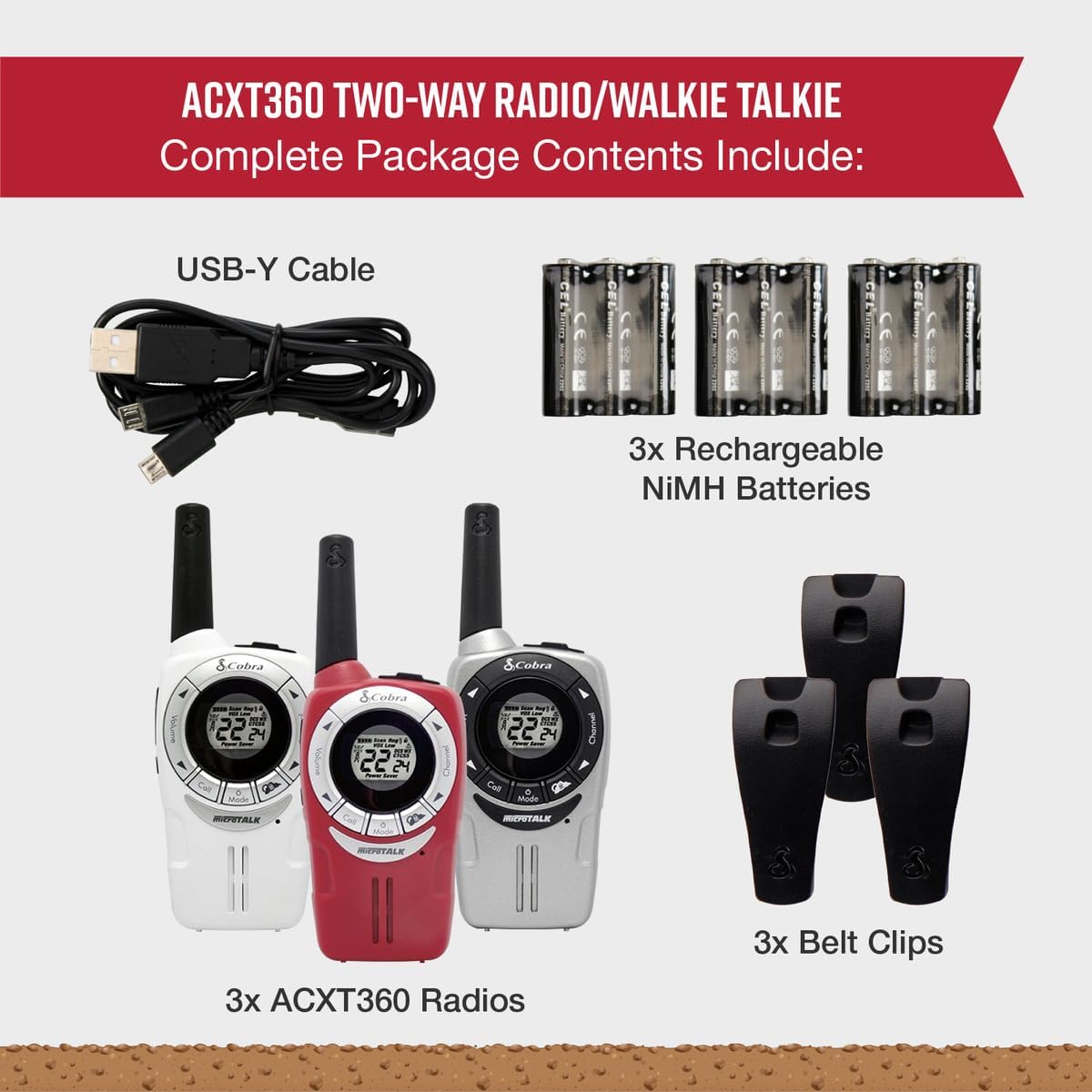
Image: A visual representation of the Cobra ACXT360 package contents, showing three radios, batteries, belt clips, and the charging cable.
3. ຕັ້ງຄ່າ
3.1 ການຕິດຕັ້ງຫມໍ້ໄຟ
- ກວດໃຫ້ແນ່ໃຈວ່າວິທະຍຸປິດຢູ່.
- ຊອກຫາຝາປິດຊ່ອງໃສ່ຫມໍ້ໄຟຢູ່ດ້ານຫຼັງຂອງວິທະຍຸ.
- ກົດລັອກລົງແລະເລື່ອນຝາປິດອອກ.
- Insert 3 AAA rechargeable NiMH batteries into each radio, observing the polarity markings (+/-).
- ປ່ຽນຝາປິດຊ່ອງໃສ່ແບັດເຕີລີ, ຮັບປະກັນວ່າມັນຈະກົດເຂົ້າໃສ່ຢ່າງປອດໄພ.
3.2 ການສາກແບັດເຕີລີ
The included NiMH batteries are rechargeable. For optimal performance, fully charge the batteries before first use.
- Connect the USB-Y cable to the charging port on the radio.
- Connect the other end of the USB-Y cable to a compatible USB power source (e.g., computer USB port, USB wall adapter).
- The battery indicator on the radio display will show charging status.
- ເວລາໃນການສາກໄຟອາດແຕກຕ່າງກັນ. ໃຫ້ຖອດສາຍອອກເມື່ອສາກໄຟສຳເລັດແລ້ວ.
4. ຄໍາແນະນໍາການດໍາເນີນງານ
4.1 ເປີດ/ປິດ
- ເພື່ອເປີດເຄື່ອງ: ກົດຄ້າງໄວ້ ພະລັງງານ/ເມນູ ກົດປຸ່ມຈົນກວ່າຈໍສະແດງຜົນຈະສະຫວ່າງ.
- ເພື່ອປິດເຄື່ອງ: ກົດຄ້າງໄວ້ ພະລັງງານ/ເມນູ ກົດປຸ່ມຈົນກ່ວາຈໍສະແດງຜົນປິດ.
4.2 ການປັບລະດັບສຽງ
- ໃຊ້ ປະລິມານຂຶ້ນ ແລະ ປະລິມານລົງ buttons (typically located on the side or front) to adjust the listening volume.
4.3 ການເລືອກຊ່ອງ
Your ACXT360 radios operate on 22 FRS/GMRS channels.
- ກົດ ຊ່ອງຂຶ້ນ or ຊ່ອງທາງລົງ buttons to cycle through available channels.
- The selected channel number will be displayed on the screen.
4.4 ການສົ່ງ ແລະ ການຮັບ
- ເພື່ອສົ່ງ: ກົດຄ້າງໄວ້ Push-to-Talk (PTT) button. Speak clearly into the microphone. Release the PTT button to stop transmitting.
- To receive: Ensure the PTT button is not pressed. The radio will automatically receive transmissions on the selected channel.
4.5 ລະຫັດຄວາມເປັນສ່ວນຕົວ (CTCSS/DCS)
The radios support 121 privacy codes (38 CTCSS and 83 DCS) to help reduce interference from other users on the same channel.
- To set a privacy code: With the radio on, press the ເມນູ button until the privacy code setting flashes. Use the ຊ່ອງຂຶ້ນ/ລົງ buttons to select a code. Press ເມນູ ອີກເທື່ອຫນຶ່ງເພື່ອຢືນຢັນ.
- Both radios must be set to the same channel and privacy code to communicate.
4.6 VOX (Voice-Activated Transmission)
VOX allows for hands-free operation, transmitting automatically when you speak.
- To enable/disable VOX: Press the ເມນູ button until the VOX icon flashes. Use the ຊ່ອງຂຶ້ນ/ລົງ buttons to select a VOX sensitivity level (1-5) or turn it off. Press ເມນູ ເພື່ອຢືນຢັນ.
4.7 ໂທເຂົ້າ
You can select from 5 different call tones to alert other users.
- To select a call tone: Press the ເມນູ button until the call tone setting flashes. Use the ຊ່ອງຂຶ້ນ/ລົງ ປຸ່ມເພື່ອລ່ວງ ໜ້າview and select a tone. Press ເມນູ ເພື່ອຢືນຢັນ.
- ເພື່ອສົ່ງສຽງໂທ: ກົດປຸ່ມສັ້ນໆ ໂທ ປຸ່ມ.
4.8 ຊ່ອງທາງສະພາບອາກາດ NOAA
Access 24/7 NOAA weather channels for alerts and updates.
- To access NOAA channels: Refer to your radio's specific menu options for weather channel access. This is typically a dedicated button or a menu option.
4.9 ການສະແກນຊ່ອງ
The scan feature allows you to automatically scan all 22 channels for activity.
- To activate scan: Press the ສະແກນ button (often labeled 'S' or integrated with another button). The radio will scan channels until activity is detected.
- To stop scan: Press the ສະແກນ ອີກຄັ້ງ ຫຼື ປຸ່ມ PTT.
5. ຄຸນສົມບັດຫຼາຍກວ່າview
The Cobra ACXT360 radios offer several features for enhanced communication:
- Weather-Resistant (IPX2): Designed to withstand light splashes and rain, ensuring reliable operation in various outdoor conditions.
- 22 ຊ່ອງ ແລະ 121 ລະຫັດຄວາມເປັນສ່ວນຕົວ: ສະຫນອງ ample communication options and helps minimize interference.
- ການແຈ້ງເຕືອນສະພາບອາກາດ NOAA: Keeps you informed of changing weather conditions.
- VOX Transmission: ເປີດໃຊ້ການສື່ສານແບບແຮນຟຣີ.
- Customizable Call Tones: Allows for distinct alerts from different callers.
- ສະແກນຊ່ອງ: ຊອກຫາຊ່ອງທາງທີ່ມີການເຄື່ອນໄຫວໄດ້ຢ່າງວ່ອງໄວ.
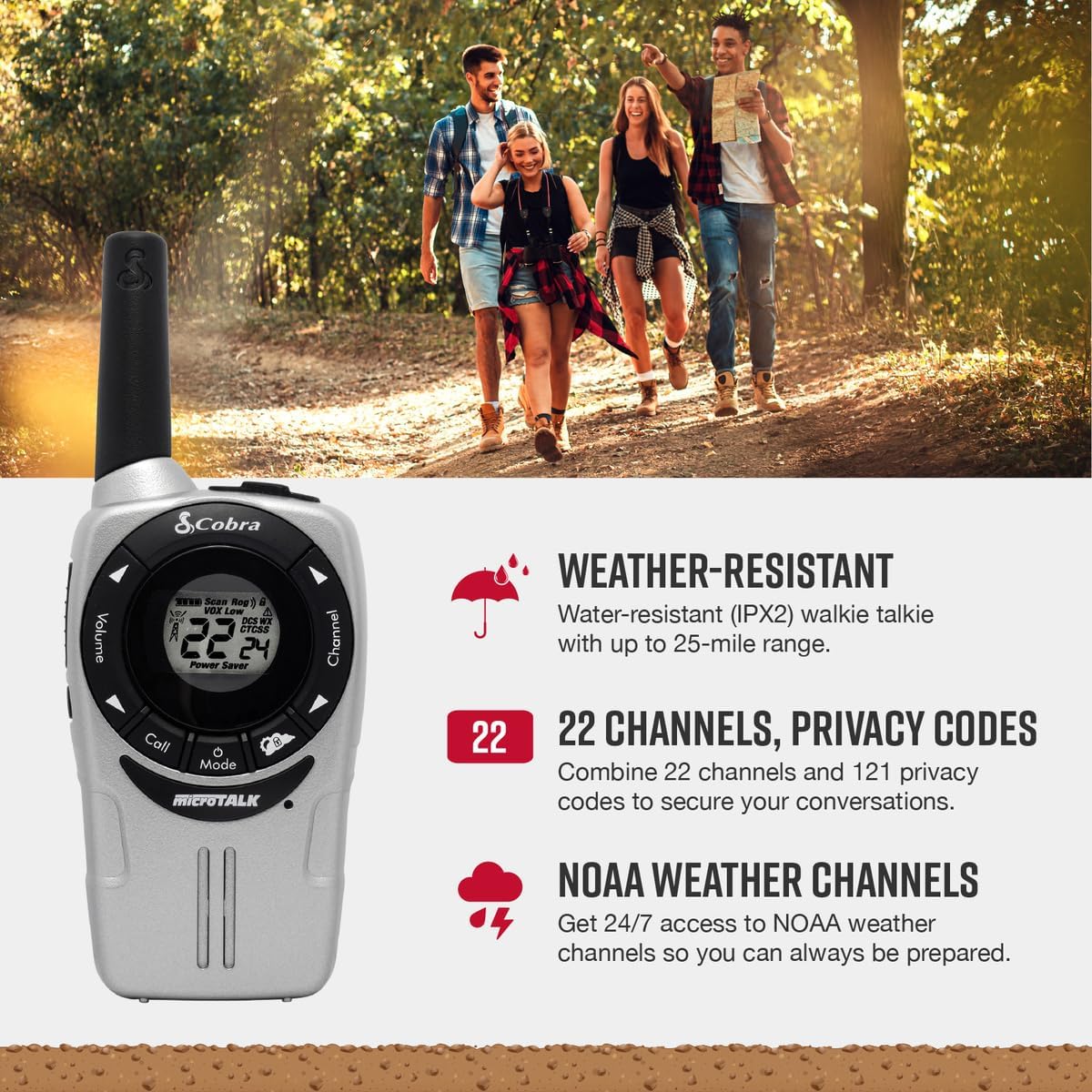
Image: A Cobra ACXT360 radio with icons indicating weather resistance, 22 channels, and NOAA weather alerts.

Image: A Cobra ACXT360 radio with icons indicating VOX transmission, call tones, and channel scan features.
5.1 Understanding Range
The maximum range of a walkie talkie is tested under ideal conditions, such as flat, open terrain with a clear line of sight and no obstructions. The actual usable range can be significantly affected by environmental factors.
- ຊ່ວງສູງສຸດ: Achieved in optimal conditions with no obstructions.
- Usable Range: Influenced by weather, landscape (hills, valleys), radio signals, elevation, and physical obstructions like trees, foliage, buildings, and mountains.

Image: An illustration explaining the difference between maximum theoretical range and actual usable range for walkie talkies, listing influencing factors.
6. ບໍາລຸງຮັກສາ
6.1 ການເບິ່ງແຍງທົ່ວໄປ
- Avoid exposing the radios to extreme temperatures, direct sunlight for prolonged periods, or excessive moisture beyond their IPX2 rating.
- Do not drop or subject the radios to severe impacts.
6.2 ການທໍາຄວາມສະອາດ
- Wipe the radio surfaces with a soft, damp ຜ້າ. ຢ່າໃຊ້ເຄື່ອງເຮັດຄວາມສະອາດຂັດຫຼືສານລະລາຍ.
- ກວດໃຫ້ແນ່ໃຈວ່າຊ່ອງສາກໄຟສະອາດ ແລະ ບໍ່ມີສິ່ງເສດເຫຼືອ.
6.3 ການດູແລຫມໍ້ໄຟ
- Use only the specified AAA rechargeable NiMH batteries.
- If storing the radios for an extended period, remove the batteries to prevent leakage.
- ຖິ້ມແບັດເຕີລີ່ເກົ່າຕາມລະບຽບການທ້ອງຖິ່ນ.
7. ການແກ້ໄຂບັນຫາ
| ບັນຫາ | ການແກ້ໄຂທີ່ເປັນໄປໄດ້ |
|---|---|
| ວິທະຍຸບໍ່ເປີດ. | Check battery installation and ensure batteries are charged. Replace batteries if necessary. |
| ບໍ່ສາມາດສົ່ງ ຫຼື ຮັບໄດ້. | Ensure both radios are on the same channel and privacy code. Check battery level. Verify PTT button is functioning. |
| ຄຸນນະພາບສຽງບໍ່ດີ ຫຼືຄົງທີ່. | Move closer to the other radio. Check for obstructions. Adjust volume. Ensure antenna is not obstructed. |
| ຂອບເຂດຈໍາກັດ. | Range is affected by terrain, weather, and obstructions. Try moving to a higher or more open area. |
| VOX not activating. | Adjust VOX sensitivity level in the menu. Speak louder or closer to the microphone. |
8. ຂໍ້ມູນຈໍາເພາະ
| ຄຸນສົມບັດ | ລາຍລະອຽດ |
|---|---|
| ໝາຍເລກຕົວແບບ | ACXT360 |
| ຂະໜາດສິນຄ້າ | 1.25 x 2 x 5 ນິ້ວ (3.18 x 5.08 x 12.7 cm) |
| ນ້ໍາຫນັກລາຍການ | 3.76 ອອນສ໌ (106.6 ກຣາມ) |
| ໝໍ້ໄຟ | 6 AAA NiMH rechargeable batteries (3 per radio) |
| ຈໍານວນຊ່ອງ | 22 ຊ່ອງ FRS/GMRS |
| ລະຫັດຄວາມເປັນສ່ວນຕົວ | 121 (38 CTCSS, 83 DCS) |
| ຊ່ວງຄວາມຖີ່ | 400-512 MHz (estimated) |
| ໄລຍະການເວົ້າສູງສຸດ | Up to 25 Miles (under ideal conditions) |
| ລະດັບຄວາມຕ້ານທານນ້ໍາ | IPX2 (ກັນນໍ້າ) |
| ຄຸນນະສົມບັດພິເສດ | Battery Strength Indicator, Dust Proof, Long Range, Rechargeable |
9. ຂໍ້ມູນການຮັບປະກັນ
Cobra products are designed and manufactured to high standards. For specific warranty details, including coverage period and terms, please refer to the warranty card included with your product or visit the official Cobra webເວັບໄຊ. ຮັກສາຫຼັກຖານການຊື້ຂອງທ່ານສໍາລັບການຮ້ອງຂໍການຮັບປະກັນ.
10. ສະຫນັບສະຫນູນ
If you encounter any issues or have questions not covered in this manual, please refer to the following resources:
- ສະຫນັບສະຫນູນອອນໄລນ໌: Visit the official Cobra website for FAQs, product registration, and additional support documentation.
- ບໍລິການລູກຄ້າ: Contact Cobra customer service directly for technical assistance. Contact information can typically be found on the manufacturer's webສະຖານທີ່ຫຼືການຫຸ້ມຫໍ່ຜະລິດຕະພັນ.